Outlook for iOS and Android is Getting a New Font Picker
- Laurent Giret
- Feb 18, 2025
-
0
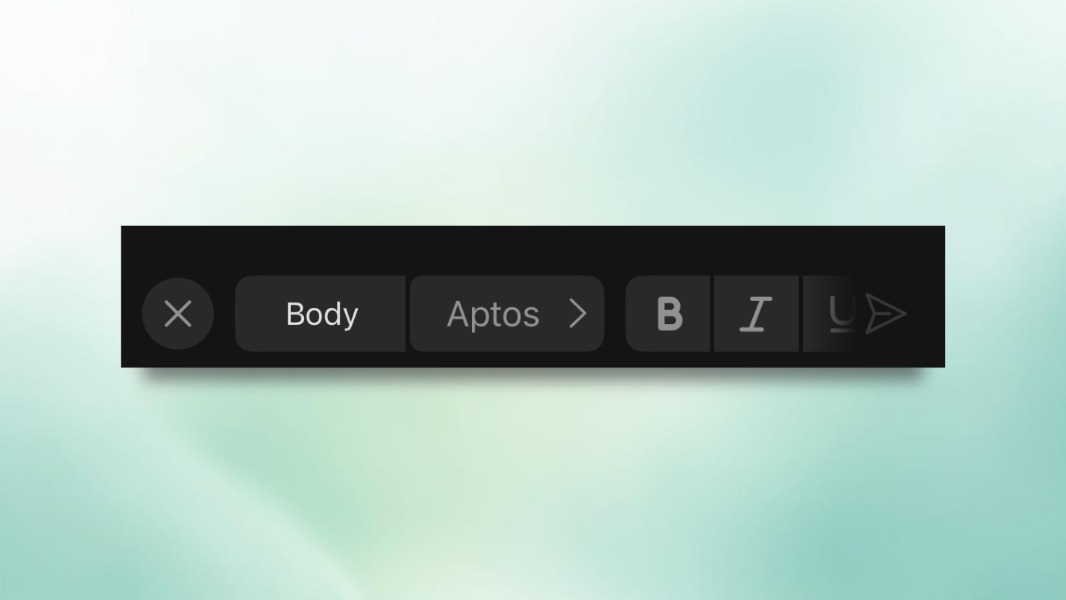
Microsoft’s Outlook app for iOS and Android will soon let users choose a different font when writing an email. A new font picker has just started rolling out to all Outlook users on mobile, and it provides access to all fonts available across other Microsoft 365 apps.
“Whether you want to change the font in the body of an email to be more expressive, in your email signature for personal or organizational branding purposes, or in your automatic replies to make them stand out, you can now do it all on your mobile device. We’ve also added support for all the same fonts in the reading pane, too, keeping the sender’s expression intact,” explained” Beth Jester, and I’m a Product Manager on the Outlook team.
When writing an email, this new font picker will appear in the formatting toolbar that shows up when users tap the Formatting button. Fonts will be listed in alphabetical order, and those that haven’t been used recently won’t be available when users are offline.
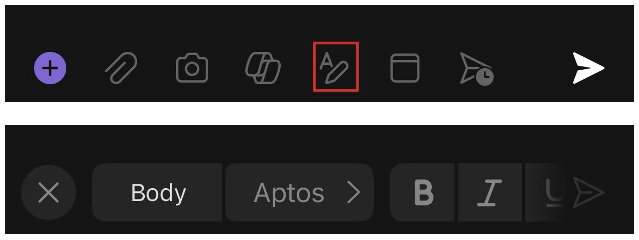
This new font picker is available today for all Android Beta users running version 4.2427.0 or later of the app, and iOS TestFlight users running version 4.2442.0 or later. Again, it’s also gradually rolling out gradually to non-beta testers.
According to Microsoft, the ability to change fonts was the most requested feature from Outlook users on mobile. “We will continue to improve the email formatting experience over time, so all requests are welcome,” said Jester. If you have other feature requests for the Outlook team, you can send them by going to Settings > Help & Feedback > Send Feedback.