Google Makes it Easier to Remove Personal Information From Search Results
- Laurent Giret
- Feb 27, 2025
-
0
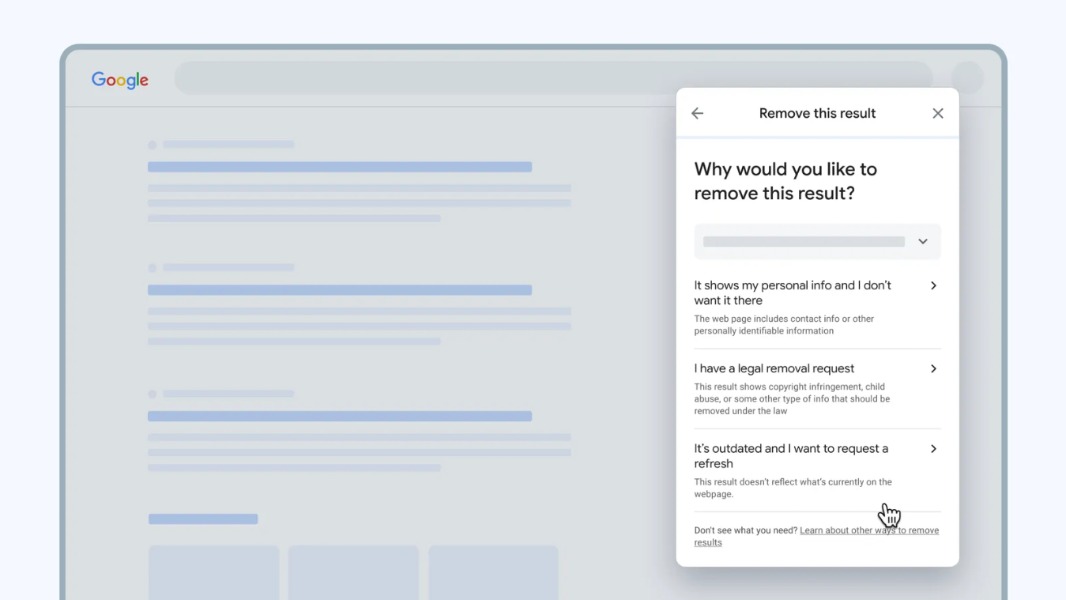
Google has redesigned its Results about you tool to make it easier for anyone to protect their personal information that may appear in search results. The new tool can alert users when their contact information shows up in new places.
To find and remove results with your contact information, you’ll first need to add your personal details (name, address phone number, and email address) to Google’s Results about you tool and opt in to get notifications via email or the Google mobile app. The tool will then check for search results that show your personal information info – the process may take a few hours – and let you know if there’s anything you need to review.
In the case you contact information does show up in a result, you can ask Google to remove it. The company will then take a few days to review your request and make sure that it meets its policy requirements. “That includes checking to make sure the information on your request form matches what’s on the result webpage, and that the webpage isn’t owned by a government or educational institution.” the company explained in an FAQ.
Lastly, it’s also now possible to request Google to remove results with your contact information right from the search results page. You can do so by selecting “Remove result” from the menu icon next to that result. However, even though Google agrees to remove a result with your personal information, you may still want to contact the website owner to get it fully removed from the Internet.