Office Apps on Windows Will Soon Launch Faster
- Laurent Giret
- Mar 27, 2025
-
10

Microsoft’s Office apps for Windows will soon launch faster thanks to an optional performance feature. A new Startup Boost task from the Microsoft Office installer on Windows will start rolling out in May, and Word will be the first app that will benefit from preloading performance enhancements.
Microsoft explained how this new Startup Boost task will work on the Microsoft 365 Admin center earlier this week. The optional task will be visible within Windows Task Scheduler, and it will only be enabled on PCs that have enough resources to run it without negatively impacting performance. Microsoft also mentioned 8GB of RAM and 5GB of available disk space as minimum requirements for the feature.
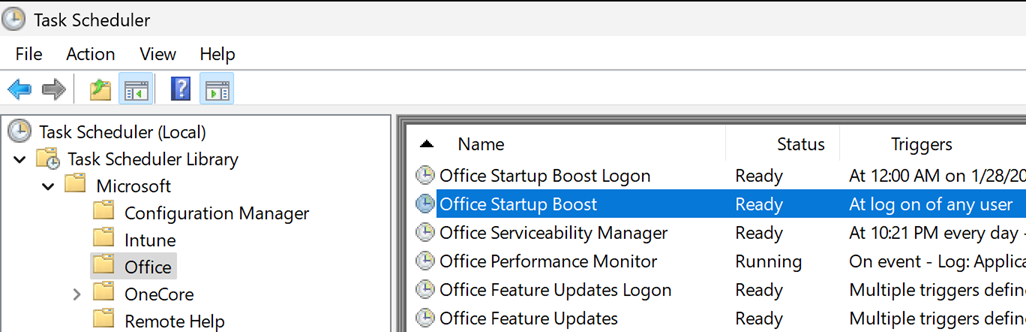
When Startup Boost is enabled, it will optimize Office applications’ performance and load time. “After the system performs the task, the app remains in a paused state until the app launches and the sequence resumes, or the system removes the app from memory to reclaim resources. The system can perform this task for an app after a device reboot and periodically as system conditions allow,” the company explained.
Office users will still be able to manually disable Startup Boost via in-app settings. In that case, Office for Windows apps will just take longer to load (just as they do today). Microsoft also noted that Startup Boost will be automatically disabled when Energy Saver mode is active on a PC.
As I mentioned earlier, Startup Boost will only speed up Word for Windows when the performance feature launches in May. The company plans to add support for other Office apps in future updates.