Google I/O: Chrome is Transforming Into a Proactive Assistant
- Paul Thurrott
- May 19, 2026
-
9
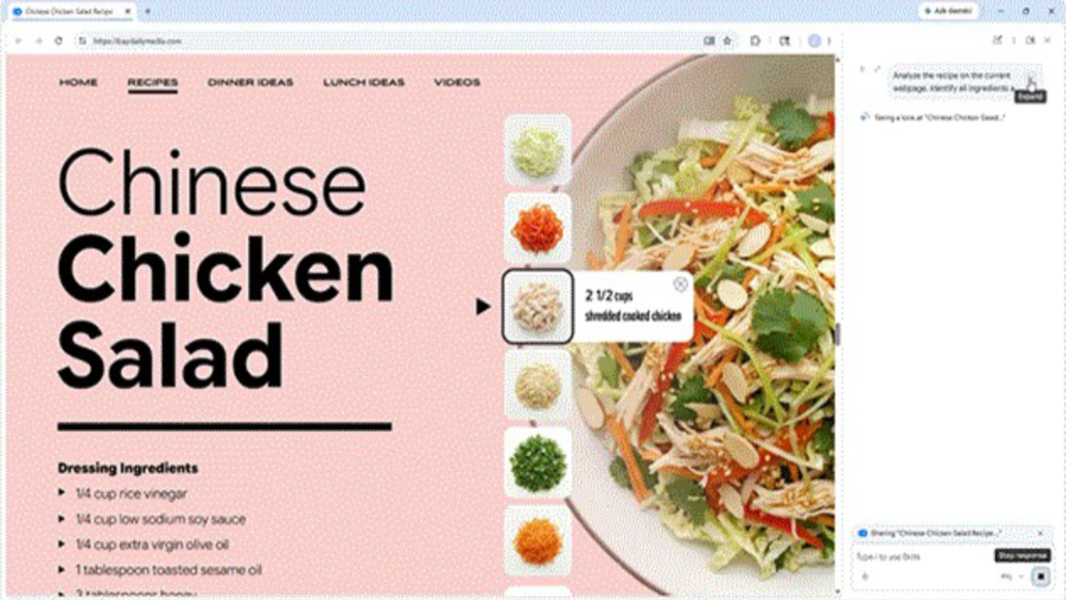
Google announced over a dozen new features and changes for its Chrome web browser during its Google I/O conference today. Several impact end users while others are aimed at web developers and website owners.
“Agents are transforming development everywhere, and nowhere is that transformation happening faster than on the web,” Google vice president Parisa Tabriz and developer advocate Paul Kinlan explain. “At Google I/O 2026, we unveiled a vision for this era.”
The updates announced today span what Google describes as three core areas of the web ecosystem: AI agents that can build and interact with websites through new capabilities, new web UI and performance improvements, and the transformation of Chrome into a proactive Gemini-based assistant for everyday users.
Key announcements for users include:
Gemini in Chrome for Android. Gemini is coming to Chrome on Android in June. It will let you summarize long articles, ask specific questions, and get detailed explanations without having to switch apps. It will connect with Google apps like Calendar, Keep, and Gmail, and it will offer Personal Intelligence functionality so you can have a secure, context-aware browsing assistant that provides tailored responses based on your unique interests, hobbies, and more.
Auto browse for Chrome for Android. Already available on the desktop versions of Chrome, Auto browse helps you complete tasks like appointment booking, party planning, finding items that are in stock, and more, now from your Android phone. (On desktop, Google will integrate Auto browse with Gemini Spark in the coming months, so that this personal AI agent can take actions in the browser on your behalf too.)
Transform images with Nano Banana. Gemini in Chrome can use the Nano Banana model to create or customize images you see while browsing the web. “Just ask Gemini in Chrome to ‘turn this page into an informative infographic’ while studying, or ‘alter the image to include modern living room essentials’ when browsing for apartments,” the two write.
Skills in Chrome for desktop. This new feature turns an AI prompt into a one-click tool. You can use it to save and reuse your most helpful AI prompts, for example by saving a multi-tab workflow (like generating side-by-side spec comparisons while shopping or scanning long documents for key information) and running it again later.
Select from your screen to prompt Gemini in Chrome. This feature lets you use your mouse pointer on desktop to ask Gemini in Chrome about the specific parts of the webpage you are looking at so you don’t need to describe exactly what you mean. “For example, you can select two products on a page and instantly compare their key features,” Google says. “Or if you want to edit an image with Nano Banana you can select exactly the part of the image you want to change.” This sounds a lot like the Magic Pointer feature on Googlebook.
Voice typing in Chrome on desktop. Soon, you can use your voice to type into websites, making it easier and more natural to draft comments, fill in long fields on forms, write emails, and perform similar tasks. Voice typing uses Gemini models to clean up your transcriptions or fill in the field as you ask it to.
Key announcements for developers include:
WebMCP. This proposed open web standard will allow website owners to expose structured tools like JavaScript functions and HTML forms to browser-based agents so they can instruct them how and where to interact with their sites. “Imagine a user is planning a multi-city vacation,” the two write. “Instead of watching an agent click through travel forms, they can authorize it to query backend APIs directly to instantly build a personalized, weather-optimized itinerary for their approval.” Google will trial WebMCP in Chrome 149.
Chrome DevTools for agents. This expansion of the Chrome DevTools makes them available to AI agents, so they can work with console logs, network traffic, and accessibility trees, and verify and automate fixes without manual oversight. Chrome DevTools for agents is available today with Antigravity and over 20 other coding agents.
HTML-in-Canvas API. Blurring the line further between web apps and native apps, this new API has element-scoped view transitions that provide previously impossible, high-fidelity, and app-like interactivity on the web. The HTML-in-Canvas API origin trial is available now.