Cursor Comes to the Web and Mobile
- Paul Thurrott
- Jun 30, 2025
-
1
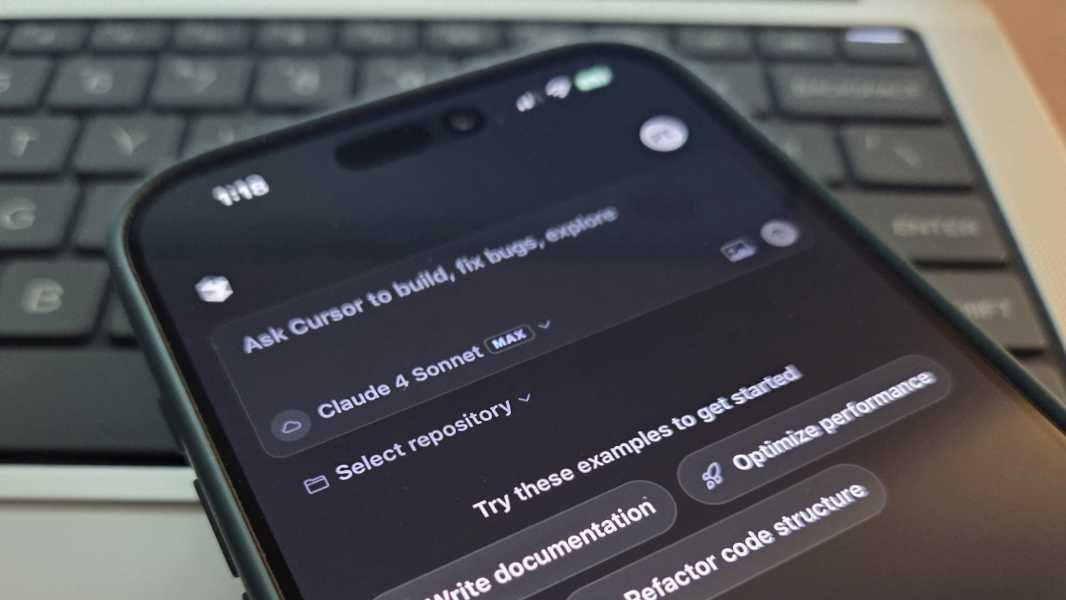
Cursor is an AI-powered code editor based on Visual Studio Code that is by some measures the most popular product of its kind. To date, Cursor has been made available to developers on Windows, Mac, and Linux. But now there’s a new Cursor Web offering that works on desktop or mobile, enabling you to create background agents that can edit and run code for you asynchronously, from anywhere.
“You can now work with Cursor Agents on web and mobile,” the Cursor team announced. “Just like the familiar agent that works alongside you in the IDE [integrated development environment], agents on web and mobile can write code, answer complex questions, and scaffold out your work.”
Cursor Web offers the following features:
- Run tasks while you’re away. You can use Cursor Agents to launch bug fixes, build new features, or answer complex codebase questions in the background.
- Access from anywhere. These agents work across any desktop, tablet, or mobile web browser, and Cursor Web can be installed as a Progressive Web App (PWA) for a native app experience on iOS or Android. You can learn more here.
- Collaborate with team members. Anyone with access to the underlying GitHub repositories you use with Cursor Web can review agent diffs, pull requests, and even create pull requests directly from the web interface.
- Work with rich context. You can include images, add follow-up instructions, and run multiple agents in parallel to compare results.
- Respond in Slack. Thanks to Slack integration, you can get notified in that app when a Cursor Agent completes a task or triggers some other milestone. You can learn more here.
“The Cursor Agent on the web gives you a powerful coding assistant wherever you work,” the Cursor team concludes, reminding me of the recent release of Adobe Firefly for mobile and how that solution can work as a companion to the full desktop experience. “When you’re back on your laptop, pick up the agent’s work in Cursor to review the changes, add follow-up instructions, or directly make edits inline. Bringing Cursor’s agents to the web makes collaborating with agents as easy as working with your team.”
While most of the features in Cursor are available elsewhere, most notably in Visual Studio Code thanks to its (free) integration with GitHub Copilot, this editor has really struck a nerve with developers, thanks in part to its first-to-market full project code review capabilities (which, yes, GitHub Copilot and other similar solutions now offer as well.) Cursor has benefitted greatly from the hyper around vibe coding, which allows developers to use natural language ask AI to help them create fairly complex apps from scratch. But a key aspect of Cursor’s success is the way it combines the coding capabilities in Anthropic and OpenAI models and its proprietary APIs with an agent mode that completes complex, multistep tasks in the background.
Cursor Web is not a full-featured version of the Cursor editor. Instead, it’s a way to create and run AI agents on the go so you can pick up on whatever they come back with when you get back to the desktop editor. You have to connect your Cursor account to your GitHub account before getting started. And, yes, the mobile version works offline (for viewing previous agent runs) and delivers notifications when its agents complete tasks on your behalf.
You can learn more about Cursor on the Cursor website. It’s free to use with limited agent requests and code completions, but there’s a Pro plan for individual developers that costs $20 per month, an Ultra plan with generous, priority access to OpenAI, Claude, Gemini models for $200 per month, Team and Enterprise plans, and annual pricing as needed.