Microsoft Announces a Command Line Utility for Windows App Developers
- Paul Thurrott
- Jan 22, 2026
-
0
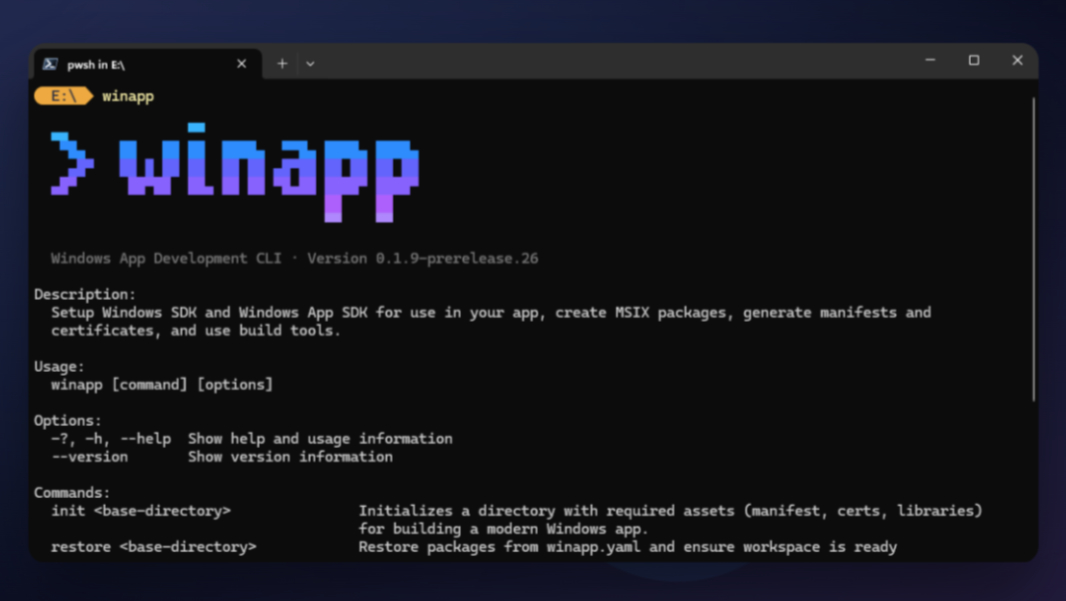
Microsoft today announced the release of the Windows App Development CLI (winapp) in public preview. This open source command line utility is designed to simplify the development lifecycle for Windows apps across multiple frameworks and toolchains, Microsoft says.
“The winapp CLI is specifically tailored for cross-platform frameworks and developers working outside of Visual Studio or MSBuild,” Microsoft product manager Nikola Metulev writes. “Whether you are a web developer building with Electron, a C++ veteran using CMake, or a .NET, Rust, or Dart developer building apps for Windows, the CLI can streamline the complexities of Windows development—from setting up your environment to packaging for distribution. This makes it significantly easier to access modern APIs—including Windows AI APIs, security features and shell integrations, directly from any toolchain.”
The winapp CLI provides the following features:
One-command environment setup. You can use the init command to download the SDK packages, generate projections (C++/WinRT only in this initial release), and configure a project. It handles manifest and asset creation, certificate generation, and dependency management so you don’t have to do any of that manually.
Package Identity for debugging. Modern Windows APIs require your app to have Package Identity, by which you would normally package and install an app just to test a single feature, which is time consuming and requires multiple manual and detailed configuration steps. With winapp CLI, you can add package identity to your executable with a single command, so you can get going more quickly.
Manifest and certificate creation. Modern Windows apps need a valid manifest (appxmanifest.xml) and a trusted development certificate, and winapp CLI automates this entirely. The CLI can also optionally install the development certificate locally so you can test your packages without additional configuration.
Simplified MSIX packaging. When it’s time to ship your app, winapp CLI can package it with a single command, pack. The CLI handles the packing and signing process, producing a store-ready or sideload-ready package from your build output.
Electron integration. Microsoft packaged winapp CLI as an npm package for Electron developers and added commands to bridge the gap between Node.js and native Windows code. The CLI can scaffold C++ or C# native addons, pre-configured to access the Windows App SDK and Windows SDK to make it easier to integrate native features and AI capabilities like Phi Silica directly into an Electron app.
It’s still early, and more features are on the way. But if you want to get started now, you can learn more and download the Windows App Development CLI (winapp) in public preview from Github. You can also install it via winget, of course:
winget install microsoft.winappcli