WSL Containers is Now Available in Public Preview
- Paul Thurrott
- Jun 29, 2026
-
4
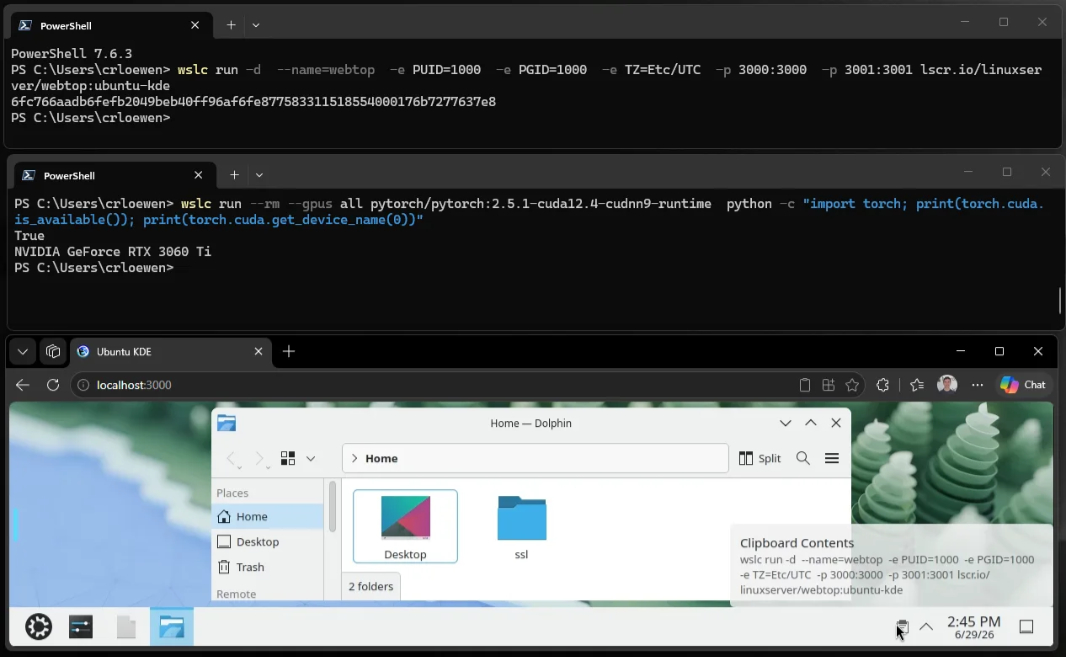
WSL Containers is one of the more interesting developer advances announced at Build 2026 and it’s available now in public preview.
“WSL containers bring Linux container development directly into Windows through the Windows Subsystem for Linux (WSL),” Microsoft senior product manager Craig Loewen explains. “Containers have become a foundational part of modern development – from cloud-native applications and AI workloads to testing and deployment pipelines and WSL containers simplify this experience by providing a built-in, enterprise-ready way to create, run, and manage Linux containers on Windows, without requiring additional third-party tooling.”
WSL Containers consists of a new command line interface (CLI) for WSL for building, running, and managing containers and a set of fully projected C++ and C#/WinRT APIs for Windows developers who need to run Linux containers in their apps.
You can install WSL Containers as part of the latest pre-release version of WSL from GitHub or using the Windows Package Manager (winget):
wsl –update –pre-release
And you can learn more about WSL Containers from this Build 2026 session video and the documentation on Microsoft Learn.