Google Family Link Adds New Parental Controls
- Laurent Giret
- Feb 12, 2025
-
0
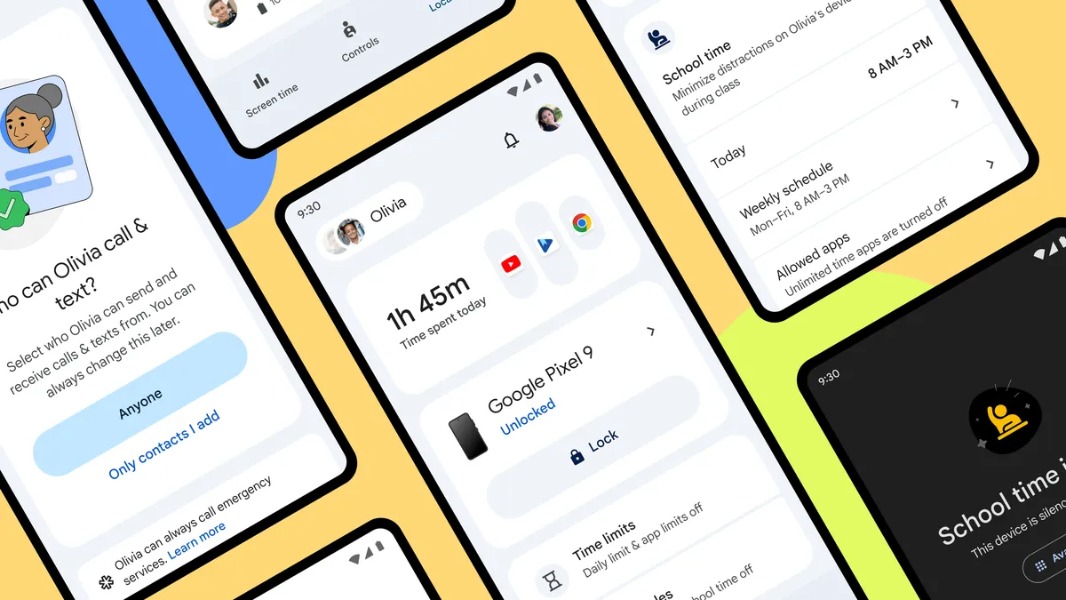
Google is updating its Family Link app with a more intuitive design and new supervision features for parents. A new School time feature and parent-managed contacts, which Google introduced first on the Samsung Galaxy Watch for Kids, will provide more granular parental controls for Android devices used by kids.
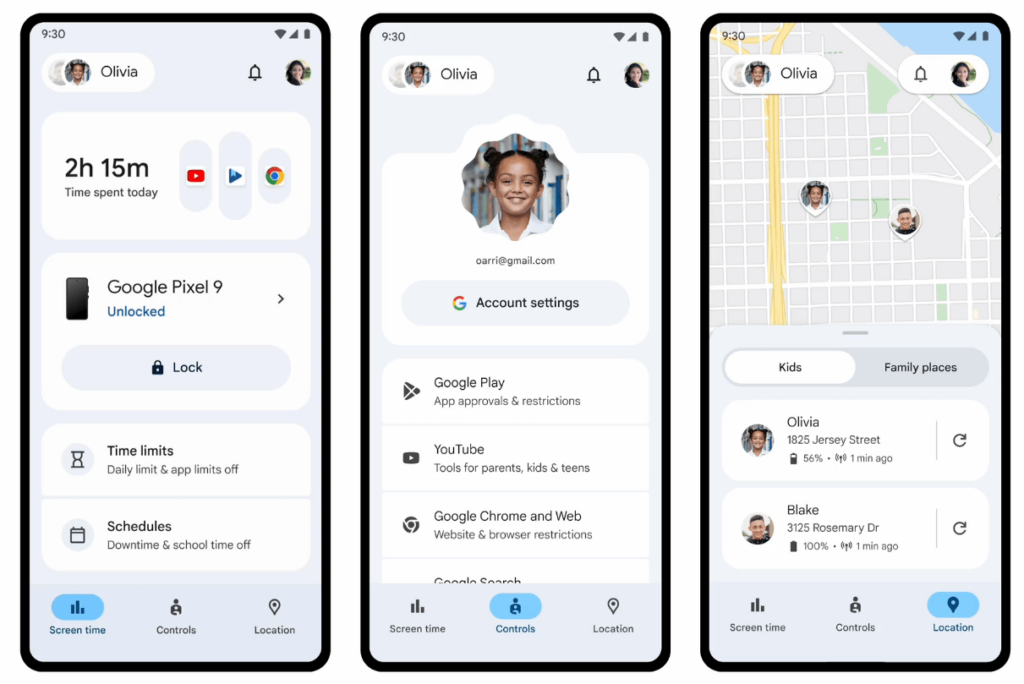
First of all, Google Family Link is getting a new Screen Time tab where parents can easily see how much time their kids spend across Android apps. They can also use this tab to set daily time limits and schedule downtime and school time.
On the Controls tab, parents will find the main parental controls for approving app downloads, blocking specific websites, and more. The Location tab, however, can be used by parents to see where their kids are in real-time as well as their phones’ battery levels.
The School time feature, which Google first introduced on the Fitbit ACE LTE and Samsung Galaxy Watch for Kids, is also coming to Android phones and tablets next week. “School time can help reduce distractions, by scheduling limited phone functionality and silenced notifications during school hours,” explained Wendi Rieb, Product Manager for Google Family Link.
School time will allow parents to choose which apps need to be restricted during school hours and pick up a list of apps that will always remain available. It will also be possible for parents to schedule “Breaks” during lunch time and other daily moments when it makes sense to keep School time deactivated.
In the coming months, Google Family Link will also allow parents to choose who their kids can send and receive calls and texts from the Google Messages and dialer apps on Android. Children will still be able to request new contacts to be approved by their parents in Family Link. However, these parent-managed contact limits could be easily circumvented unless parents also block third-party communication apps on their kids’ Android phones.