Google Just Enabled a Useful New Feature on Chrome for Android
- Paul Thurrott
- Jun 24, 2025
-
1
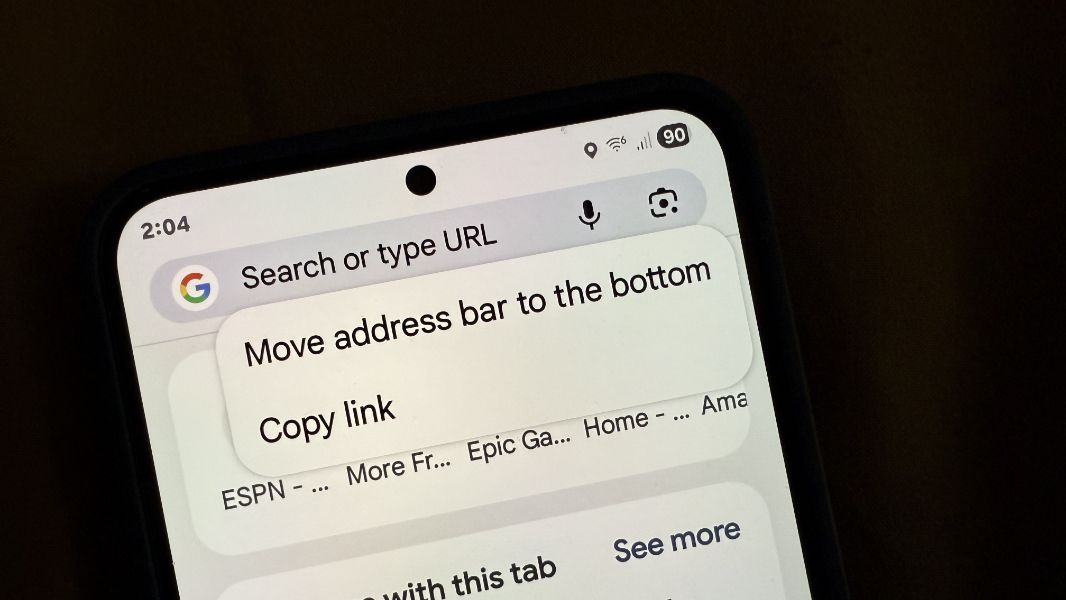
If you use the Chrome web browser on Android, you can now optionally move its address bar to the bottom of the screen, which may be easier to reach depending on the device type and how you hold it in your hand.
“It’s now possible to customize Chrome on Android by moving your address bar to the bottom of the screen,” Chrome senior product manager Nick Kim Sexton writes in the short announcement post. “We designed this update to give you the flexibility to choose your preferred location — so you can browse with more ease.”
This is a feature offered by other mobile browsers, of course. For example, Microsoft Edge for Android defaults to putting the address bar on the bottom, though you can move it to the top if you’d prefer. But it’s a welcome addition, especially if you’re using a larger smartphone, like a Pixel 9 Pro XL or a Samsung Galaxy S25 Ultra.
To move the address bar in Chrome for Android, just long-press on the address bar and choose “Move address bar to the bottom” from the context menu that appears. A similar option will let you move it back to the top if you do make the change. And you can also configure this option in Chrome settings using the new “Address bar” setting.
Google says that it began enabling this feature on devices today, but you should see it within the coming weeks. I already see it on my Galaxy S25+ and Pixel 9 Pro XL.