Google Begins Rolling Out Android 16 QPR2, Starting with Pixel
- Paul Thurrott
- Dec 02, 2025
-
0
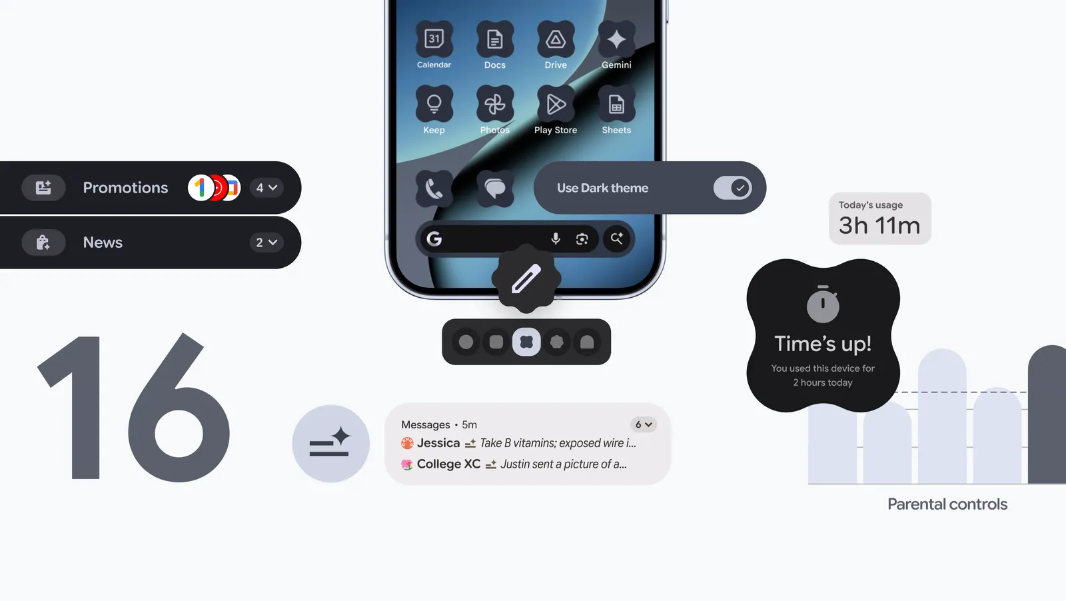
Google today issued the second interim update to Android 16, called Quarterly Platform Release 2 (QPR2), starting with supported Pixel devices. It’s also the first time that Google has evolved an Android version with an interim, or minor, software development kit (SDK) version.
“Today we’re releasing Android 16 QPR2, bringing a host of enhancements to user experience, developer productivity, and media capabilities,” Google vice president Matthew McCullough explains. “Minor SDK releases allow us to deliver APIs and features more rapidly outside of the major yearly platform release cadence, ensuring that the platform and your apps can innovate faster with new functionality.”
For developers, these minor SDK releases are additive and should minimize the need for regression testing. QPR2, in particular, focuses on mostly on security and accessibility, including some changes to how the dark theme works.
For end users, Android 16 QPR2 is a nice update with several useful new features and other changes. Key among them are:
AI-powered notification summaries. You can now condense longer messages and group chats into notification summaries so you can see what’s happening at a glance. The notifications shade will also group and silence low-priority notifications to save your sanity.
New theming and icon options. Android now supports custom shapes and theming for home screen icons, and there’s a new expanded option for the dark theme that automatically darkens light apps that don’t natively support the dark theme.
Parental controls in Settings. This new dashboard in the Settings app will help parents lock down a phone with screen time limits, downtime schedules, app usage control, and other related features.
Expressive captions. This new accessibility feature creates real-time captions that show the full emotion in what others say or type. There are things like INTENSITY, ambient sounds like [cheers and applause], and emotion tags like [joyful] and [sad]. This works everywhere in the system, including videos, messages, live streams, and social media stories.
Call Reason (beta) in the Google Phone app. This feature is coming soon and will let your contacts flag a call as urgent so that they can break through any notification blocks and reach you.
Leave and report unwanted groups in Messages. The Google Messages app now lets you exit group chats, report the offender, and block anyone involved.
Circle to Search with scam support. Circle to Search now supports potential scam messages so you can ask the AI when you suspect you’ve received one. You’ll get an AI overview with relevant information and next steps.
Pinned tabs in Chrome. Now, you can pin important pages to your Chrome home page so you can access them more quickly.
TalkBack in Gboard. This feature is coming soon and will let Gboard users start dictating with a simple two-finger double-tap.
Guided Frame in Pixel Camera app improvements. This incredible accessibility feature has been updated with Gemini models to provide a richer, more descriptive understanding of what’s in the camera’s view. Now, instead of saying that it sees a face, it will say things like, “One girl with a yellow T-shirt sits on the sofa and looks at the dog.”
Voice Access updates. Voice Access is a key accessibility feature, but it has required you to tap the screen to activate it. Now, you can simply activate it b with Gemini by saying, “Hey Google, start Voice Access.” It’s also available in Japanese now, is better at understanding voice typing commands, including punctuation, and will recognize different accents and speech patterns automatically.