Google Pixel 10 Pro 10 Fold Review
- Paul Thurrott
- Mar 16, 2026
-
12
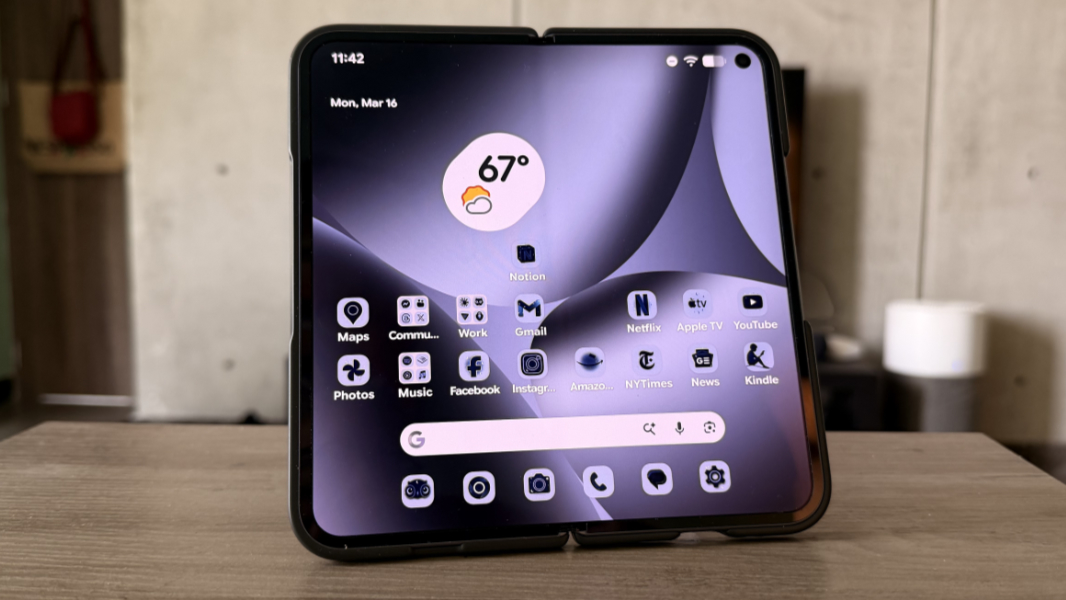
The Google Pixel 10 Pro Fold is a godsend for those who need a bigger display and can afford the cost. But there are compromises all over the place, too, and their impact will depend on your expectations.
Design
If you’re not used to folding phones–my experience is admittedly limited to date, too–the Pixel 10 Pro Fold is a bit confusing at first. This is a book-style foldable, so there’s a tall and thin exterior display and a wide, almost square internal display. It feels a bit thick when closed, at least compared to traditional slab-like smartphones, but it’s astonishingly thin when open.
Given its $1799 starting price, few Fold owners will go case-less, and not being a psychopath, I purchased mine with a Google Pixelsnap Case for Pixel 10 Pro Fold that adds a bit of bulk, like any case, but with its own weird quirks, too. For example, the unique design of the phone means you’re really getting a case for the half with no external screen and a bumper for the other half that literally uses stickers to stay connected. So this isn’t just an additional $70 with added bulk, it’s essentially a one-time application.
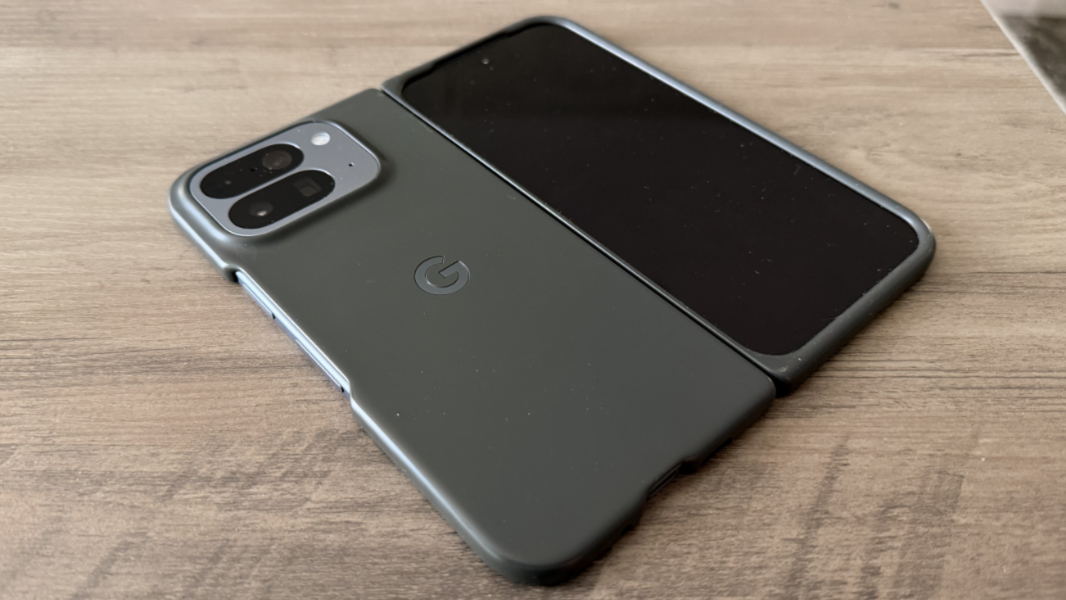
I mention that up front because this case has been a core part of my day-to-day experience using the Fold and I kind of hate it. If the case were easily removable, I would probably use the Fold case-less occasionally, if only to remind myself of how thin it is when open.
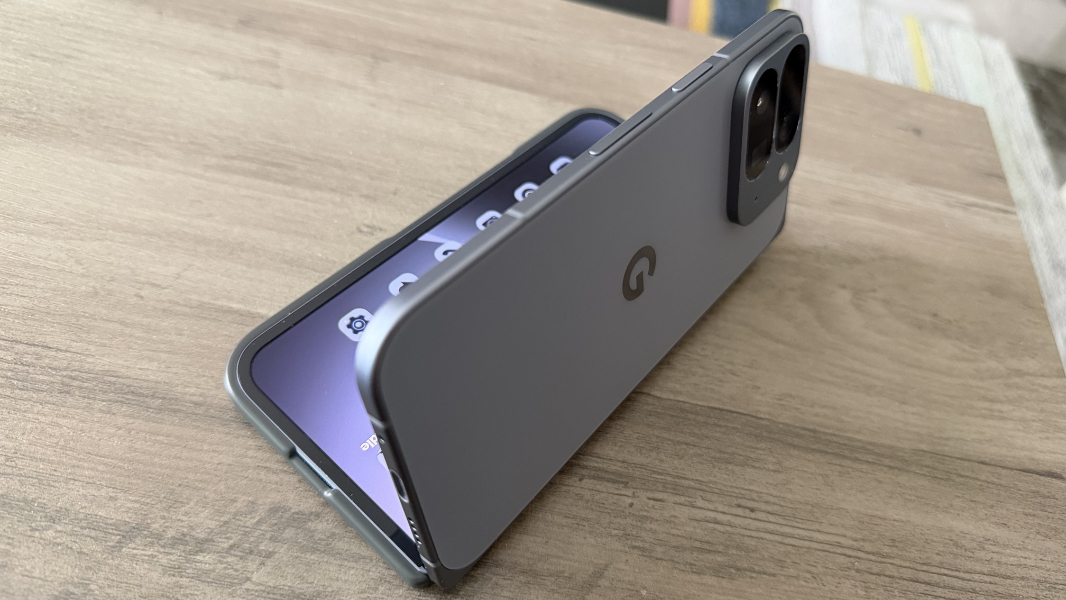
But I can’t really do that, at least not fully. The case half of this contraption does at least come off, but the bumper half does not. A day doesn’t go by without me wanting to just remove it.
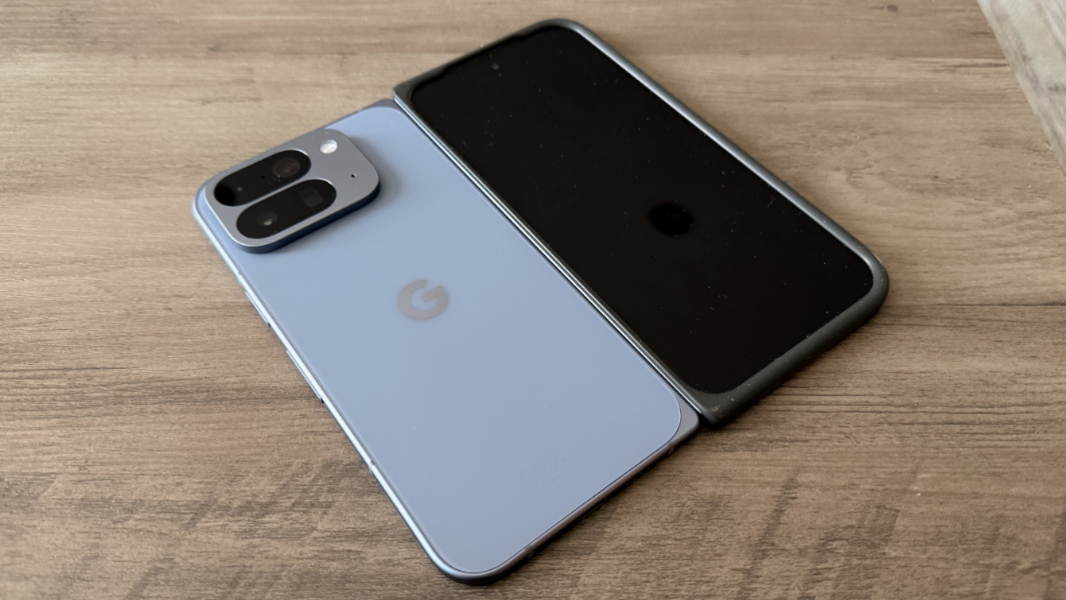
Like anything else, you get used to the design over time. One of the things I was curious about, however, was what that would mean. That is, would I just use it mostly as a single screen slab-like smartphone and only open it up occasionally? Or would I find myself opening it regularly to take advantage of the larger internal display? Here, I must disappoint, because the answer is, it depends. The outer screen is good for those at-a-glance and quick moments where you just need a quick answer about the weather forecast or some notification. And the inner screen is good for all the reasons you’d expect. Mostly for the additional on-screen real estate.
I didn’t own a Pixel 9 Pro Fold, though I did briefly use the original Fold, so I can’t really compare the experience from model-to-model. But Google is particularly proud of the new gearless hinge design in the 10 Pro Fold, which it says will withstand over 10 years of folding and unfolding. What I can say is that it has the exact rigidity and resistance and feels solid and reliable. It’s never loosened over time, and it retains the angle you bend it to every time. If anything, it’s a bit tough to open when fully closed, though my large hands and fingers may contribute to that.
Design-wise, the ports, speakers, and microphones are mostly where you expect them. But the Pixel 10 Pro Fold has two selfie cameras, one on each display, and in different places: The camera is in the middle on the exterior display but up in the far right on the internal display, which is a bit odd.
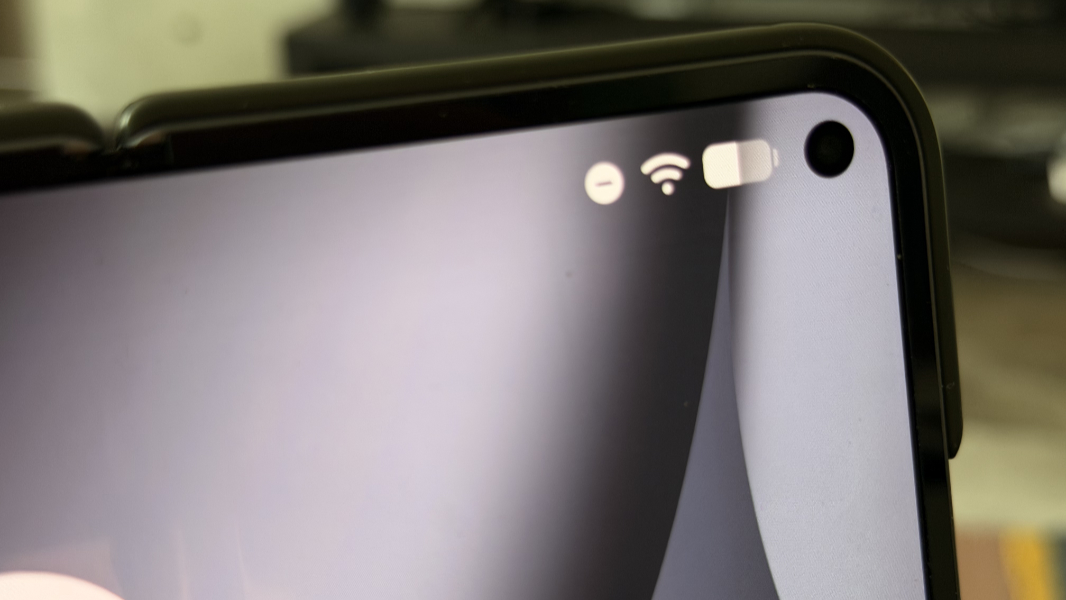
Google only offers two colors for the Fold, a yellow-green Jade and the blue-gray Moonstone that I chose. The Fold’s rear and sides are matte, which I prefer, or what Google calls a “silky matte,” and slippery. But the hinge–which is exposed with a case–is a glossy metal that helps give it a classy look. This is a handsome device.
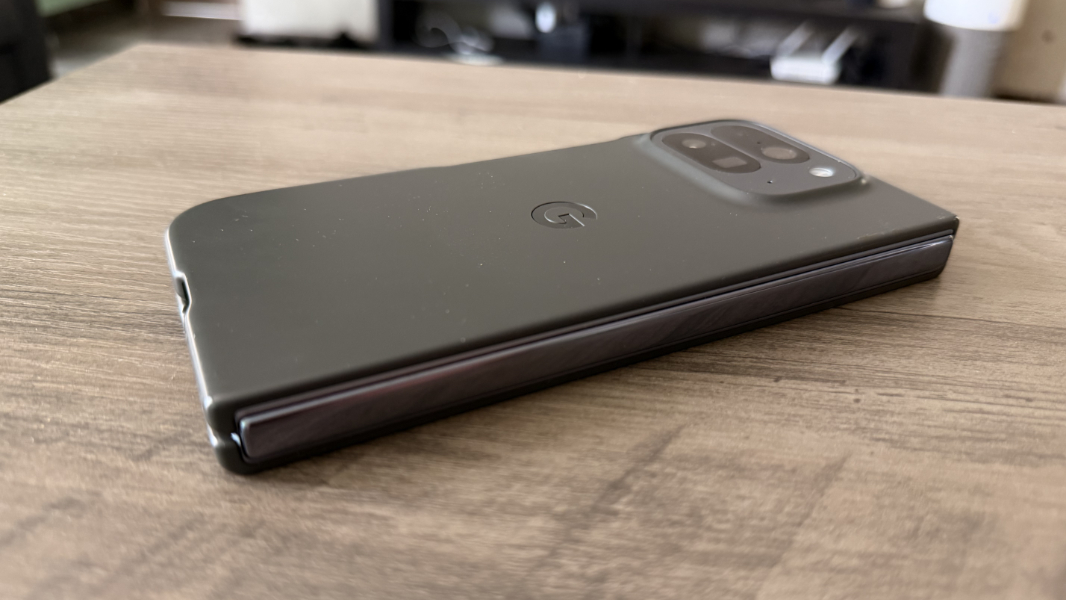
When closed, the Fold is 10.8 mm thick. For a smartphone, that’s literally thick, which you can see by comparing it to just about any slab-style smartphone. The Pixel 10a I’m also reviewing is a budget phone and one might understand if this were a bit thicker than other phones, but it’s only 6.06 mm thin. And the base Pixel 10 is 6.02 mm thin. You get used to that, but since you carry it around that way, you really feel it in your pocket.
When open, the Fold is just 5.2 mm thin and, yes, that’s literally thin, and noticeably so. To this day, I still marvel at how thin this thing is when open, and even with that damn case. It’s crazy, with barely enough room for the USB-C port on the lower right of the device.
Displays
There’s no use denying it. The Pixel 10 Pro Fold is all about the display. Or, the displays, as there are two of them, one on the exterior of the device when closed and a folding interior display.
On the outside is a 6.4-inch Actua display, which is Google’s Apple-like name for an LTPO OLED panel. Oddly, it has a slightly lower resolution than the 6.3-inch Pixel 10a display (1080 x 2364 vs. 1080 x 2424) and 408 pixels per inch (PPI), but it looks terrific and offers a 60 Hz to 120 Hz variable refresh rate (VRR), HDR color, and Gorilla Glass Victus 2 protection, and can emit up to 2000 nits of brightness for SDR content and 3000 nits for HDR.
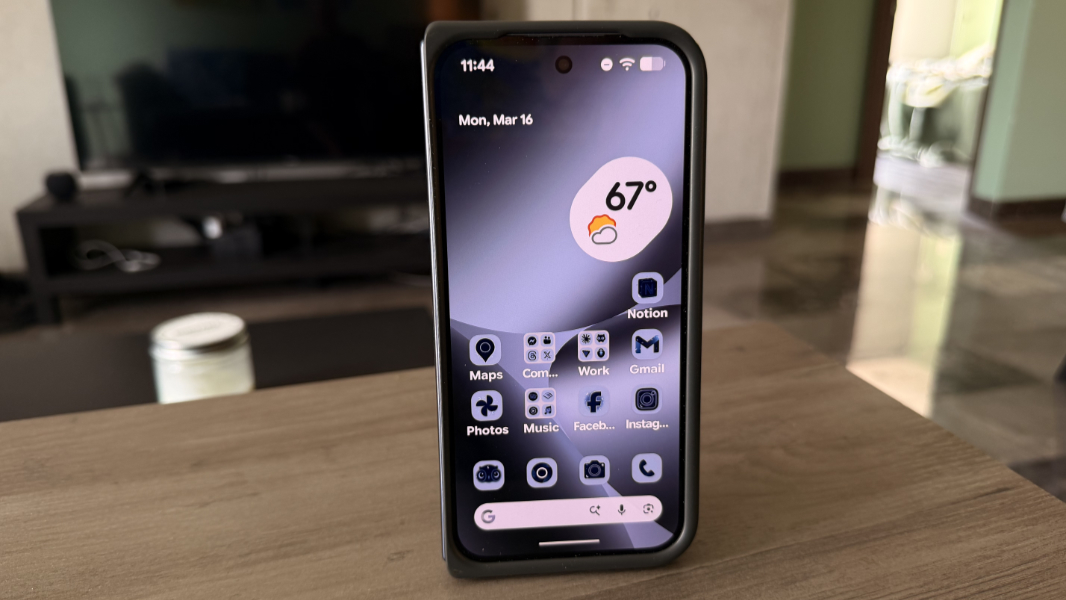
The exterior display has two small issues, both of which may not be problematic for you.
First, its 20:9 aspect ratio looks taller and thinner than is typical for other Pixel phones or other phones. This is something one would get used to, I think, but because I go back and forth between this and my iPhone, I always notice it.
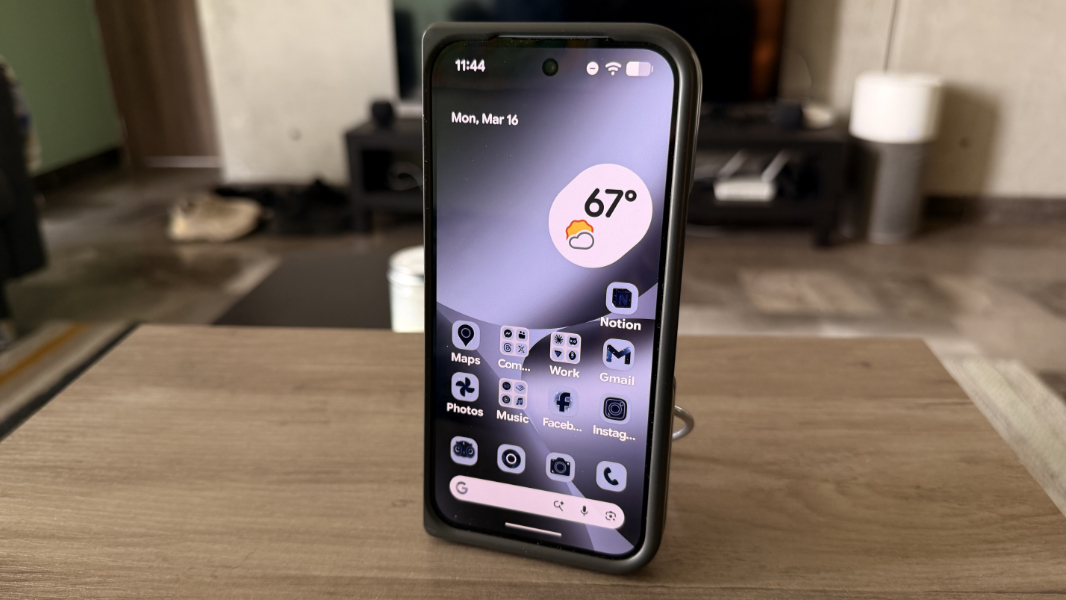
Second, the exterior display is a bit small to my old eyes–I very much prefer the 6.8-inch display on the Pixel 10 Pro XL or the 6.9-inch display on my iPhone 17 Pro Max–but Google does sort of make up for that with the internal display. I wish there were a way to configure the screens independently for things like text and icon sizes, but there is not.
The internal display is a revelation and the reason why someone might choose to pay so much money for this smartphone. This is an 8-inch Super Actua Flex display, to use Google’s term, with a 2076 x 2152 resolution (373 PPI), a 1 Hz to 120 Hz VVR, HDR, and 2000/3000 nits of peak brightness. Opening up the Fold to use this display is always delightful, though the nearly square aspect ratio takes some getting used to. I feel like both screens should be a tad wider, which would help the external display look more typical and give the internal display a likewise more traditional 4:3-ish aspect ratio.
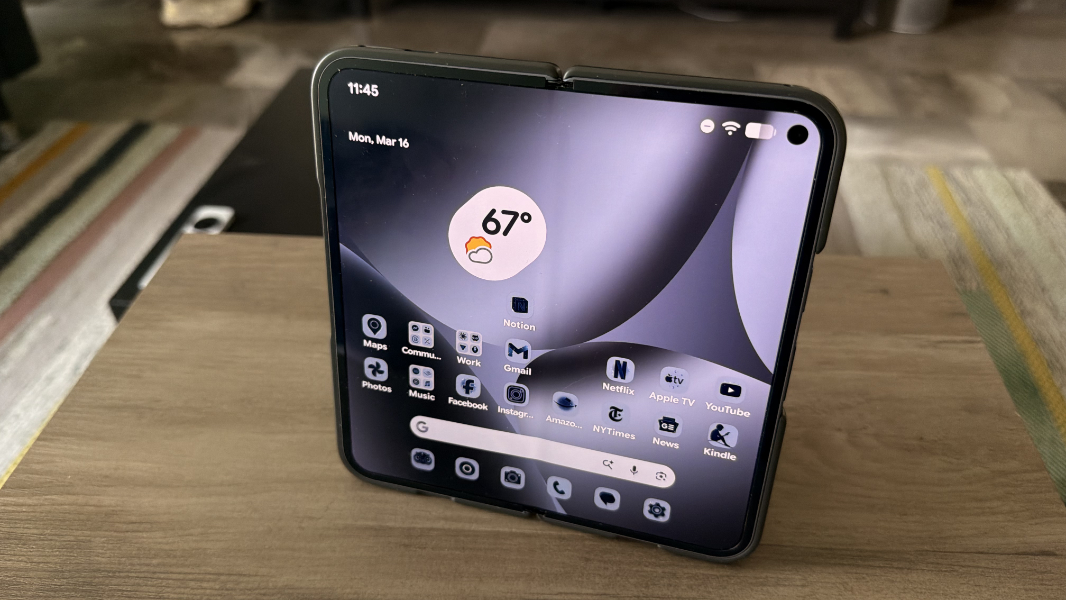
The internal display is like a gift to my eyes. It’s ideal for reading in Chrome, Kindle, and other apps, for using Google Maps and other apps that demand more space when on-the-go, and it even has benefits when taking photos–more on that below–though there’s some weirdness to taking 4:3 shots with what is essentially a square display and figuring out which orientation is portrait and which is landscape.
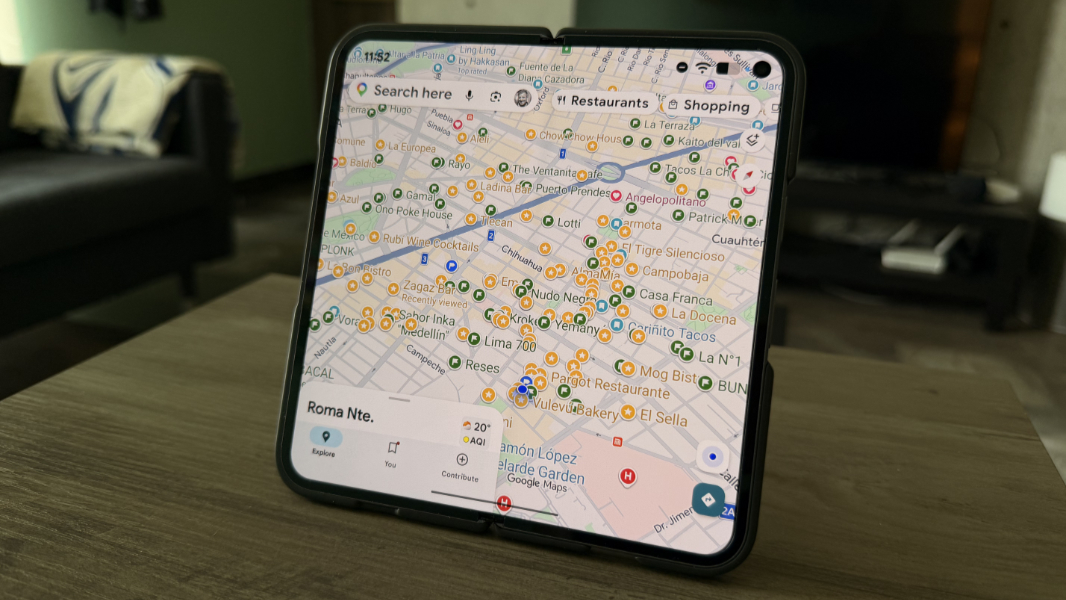
The internal display is also better for watching video, of course, though the aspect ratio of the content you’re viewing can vary, and so some traditional 16:9 videos leave half of the display a blank black color by default. Depending on the app, you can fill the screen or change the zoom on the video if desired, but it’s an odd moment when you realize that a video you’re watching is no bigger on the internal display than it is on the external display.
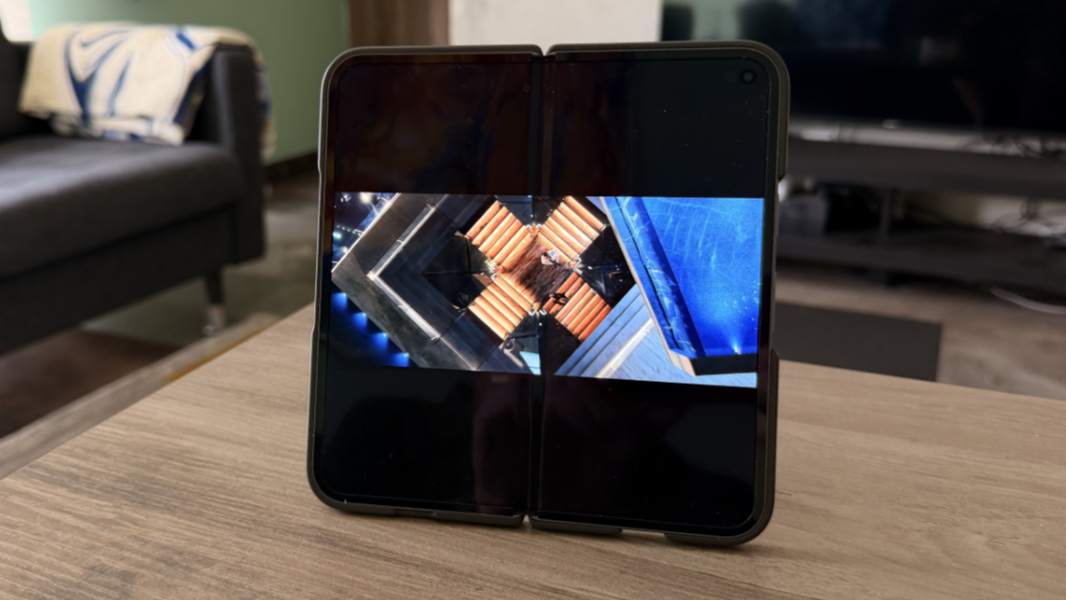
Granted, you can always fold the, um, Fold and watch videos that way, and at a comfortable angle.
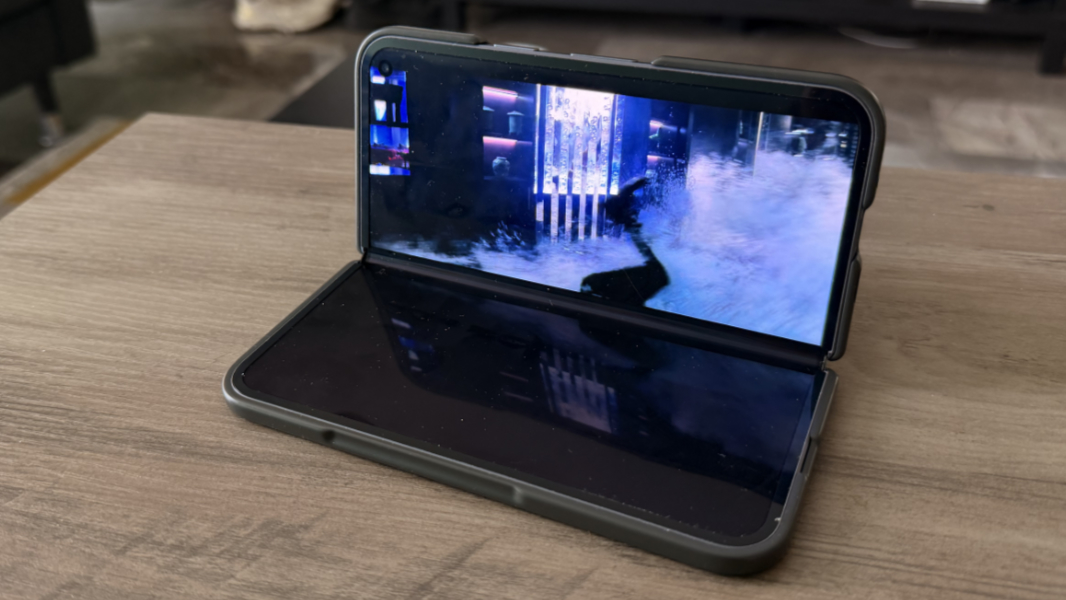
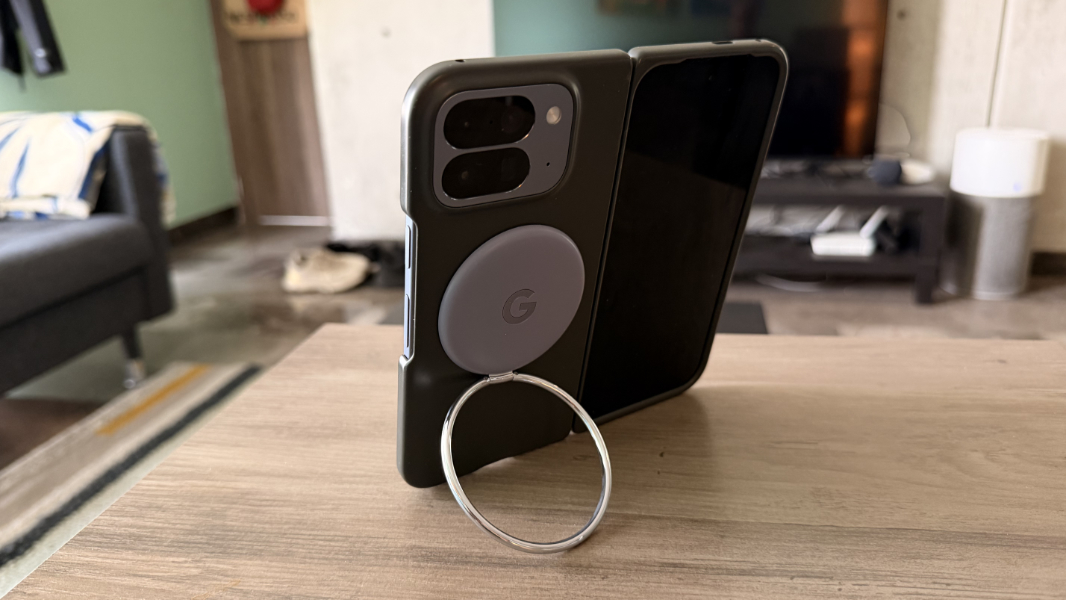
That’s kind of neat, though I like to use a Pixelsnap Ring Stand with the Fold. That works surprisingly well, and in any orientation, as the ring can be turned an angled as required. I love this little accessory.
Sadly, there are two notable downsides to this display.
First and most obviously is that crease in the center. It’s visible almost all the time and I can’t stop looking at it. I also can’t stop playing this little game that I suspect will be familiar to anyone with a folding phone, where I find myself constantly adjusting the angle I’m holding the device at, consciously or not, specifically to find that perfect spot where the crease finally disappears. That angle will depend on all kinds of ambient conditions, like lighting and whatever else, and so it changes all the time. That the crease is also obvious when you swipe across it is likewise disappointing.
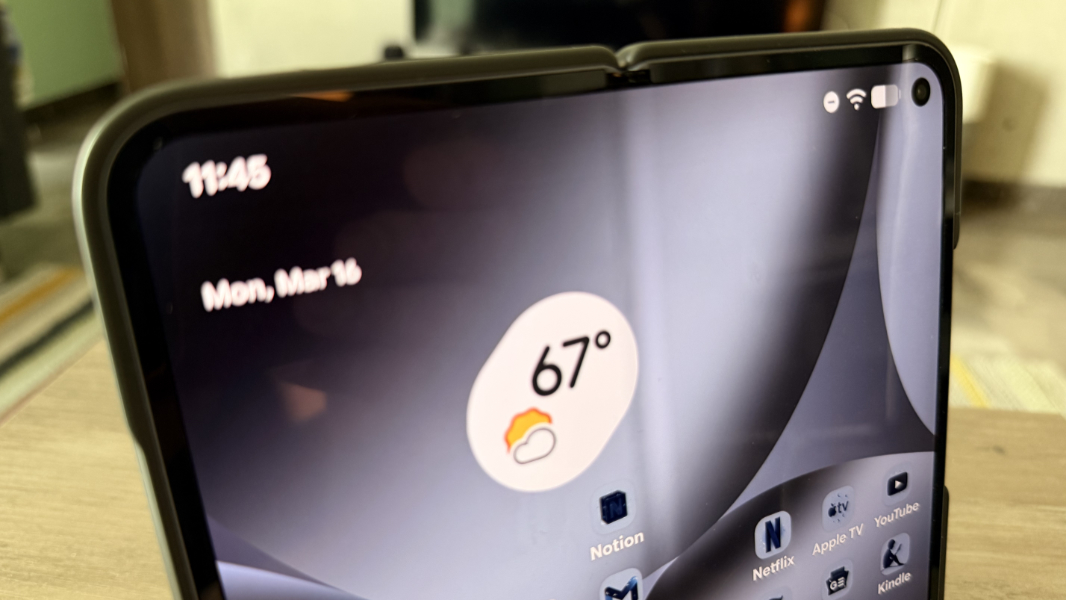
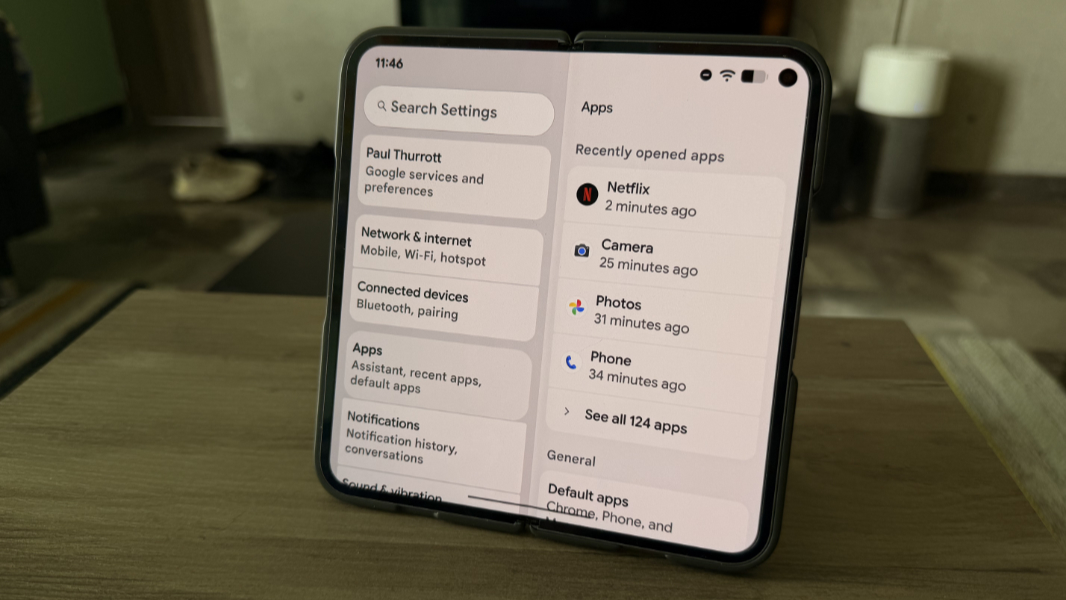
Second, oddly, is the collection of apps you use. It’s perhaps not surprising that some apps handle the bigger display–and the transition from the external to the internal display–better than others. But what’s odd to me is the inconsistency, even with Google’s apps. For example, some apps display a two column view when it makes sense, like Settings.
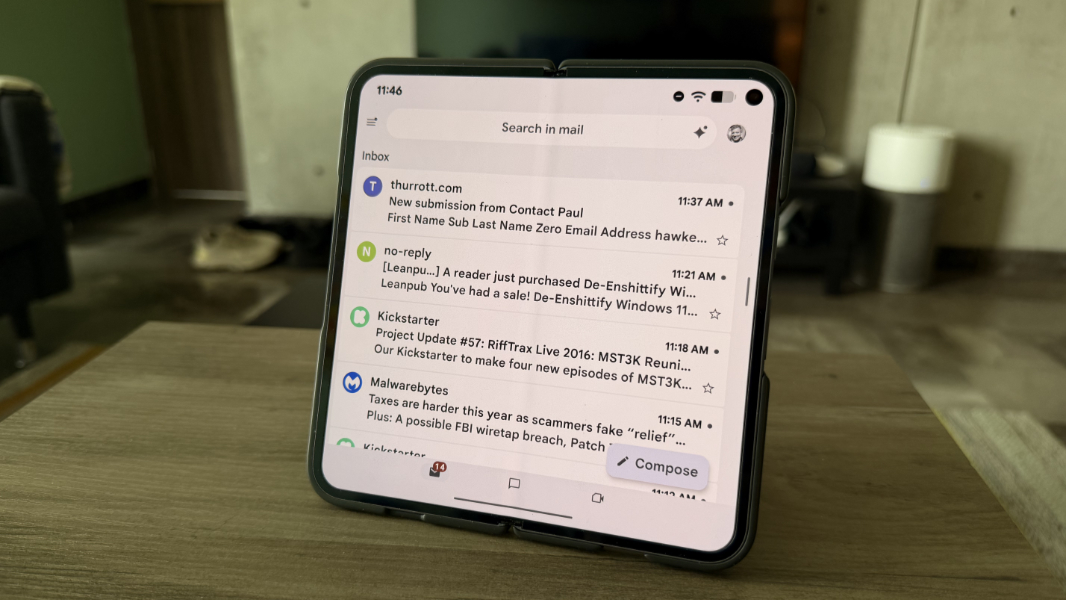
But others you’d assume would do so, like Gmail, do not. Instead, you just get a big, stretched out version of the normal single screen experience.
And while this is more of a pet peeve than a complaint, figuring out how to configure the icons on the Android home screen is problematic because the same icons appear on both, and in the same locations … but only some of them. The way this works is that the icons (and widgets) on the left side of the home screen as viewed on the internal display appear on the external display. That makes sense, but because the dock can hold far more icons on the internal display, you only see the leftmost dock icons on the external display too.
That seems to make sense, but it screws up my muscle memory because I always configure the dock icons identically on my Pixels, and the rightmost icons on the external display are no longer the rightmost icons when I open up the Fold. Here, too, I almost wish for the ability to configure the displays separately.
Hardware and specs
Internally, the Pixel 10 Pro Fold earns the Pro moniker with its Tensor G5 processor, 16 GB of RAM (compared to 12 GB on the non-Pro Pixel 10 and 8 GB on the Pixel 10a), and 256 GB of base storage. That’s more storage than the Pixel 10 Pro, Pixel 10, and Pixel 10a, each of which starts at just 128 GB, but you can also choose 512 GB or 1 TB of storage, both of which are of the faster zoned UFS variety, at purchase time, as per other Pixel 10 Pro series phones.
There’s little reason to beat this to death, but it bears repeating that Google’s Tensor series of processors has not lived up to the promises. The Tensor G5 in the Pixel 10 Pro Fold is less powerful and less efficient than the latest Snapdragon flagships used in other Android phones, and it’s not from the same planet as Apple’s stunning A-series silicon. The result is more heat, lower performance, and less battery life. The only thing it’s better than is its predecessor.
Yes, the day-to-day experience is mostly fine. I get that, it’s been repeated in every review of every modern Pixel. But I see issues here and there that give me pause. When you take multiple photos out in the world and want to review them quickly before moving on, you have to wait a bit for them to process. And in Duolingo, an app I use every day, the little cartoon characters who talk to you in certain lessons either don’t animate at all, as they do on the iPhone, or they animate slowly and don’t ever catch up with what’s being said. This is a midrange processor promoted as a flagship. It’s OK. It’s just not notably good. When you pay this much for a device, it should be notably good.
Connectivity
Connectivity is as modern as can be, with broad support for 5G and 4G/LTE wireless networks worldwide. The Pixel 10 Pro Fold supports multiple eSIM profiles and can have two active at once, but there’s no nano-SIM card slot. I’ve had no trouble using it on carrier networks in the U.S. or Mexico.
There’s also triband Wi-Fi 7 and Bluetooth 6.0, which is nicely future-proof. And a USB-C 3.2 Type-C port for 10 Gbps data transfers.
Audio-video
Like other modern Pixels, the Pixel 10 Pro Fold provides stereo speakers–one on the bottom right next to the USB port and one on the top left above the display–and three microphones. It supports spatial audio, sort of, though you have to use compatible earbuds or headphones and can’t get capability through the built-in speakers as you can on, say, an iPhone.
I don’t normally watch videos on a phone through the speakers, at least not for any amount of time, but the A/V experience is excellent, with vivid, rich colors, surprisingly loud, clear, and distortion-free sound, and nice stereo separation. As noted earlier, most movies and other videos (at least from the modern era) are in a widescreen aspect ratio that leaves much of the internal display an empty black.
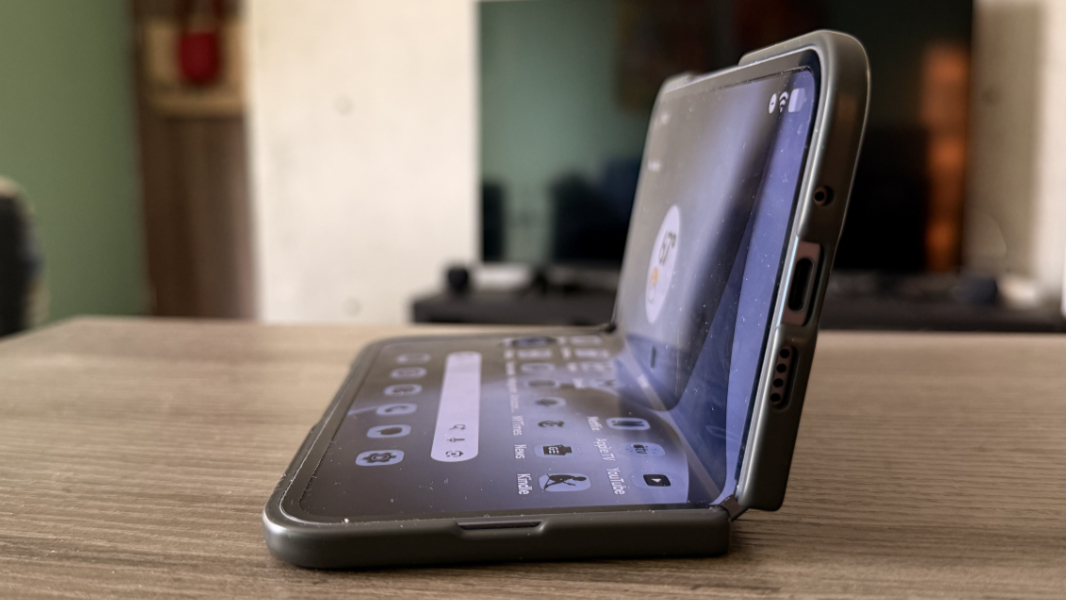
You can stretch and zoom video–the capabilities vary by app–but the result is often lackluster if your goal is to actually see the video and/or all the subtitles. Just using the external display seems to work the most normally.
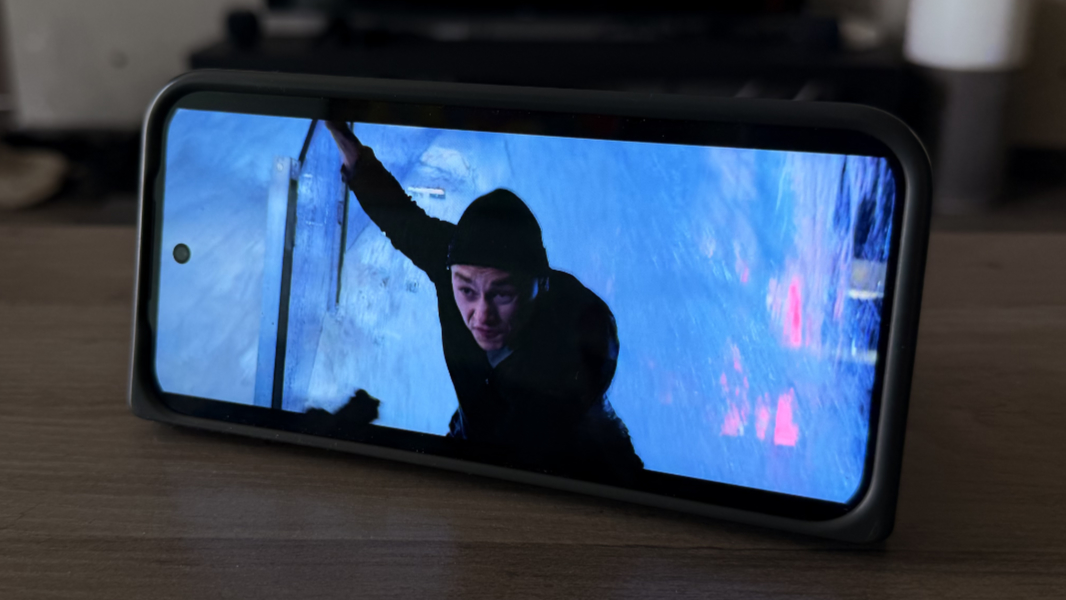
If there’s a difference in audio quality or separation when rotating the nearly square device, I couldn’t detect it. And that’s true of watching video on the external display, too. Which, again, is just about the same size as doing so on the internal display, at least for many movies.
Cameras
The camera system is the one aspect of the Pixel 10 Pro Fold that does not live up to the Pro moniker. The triple lens rear camera system aligns closely with the system on the Pixel 10, not the Pixel 10 Pro and Pro XL, and the single selfie lens is inferior to those on every Pixel 10 series phone, including the base Pixel 10a(!). With the caveat that all modern Pixel phones, including this one, effortlessly take terrific photos in all conditions, anyone paying $1700 or more for a smartphone is right to expect a pro camera experience. And that’s not exactly what you get here.
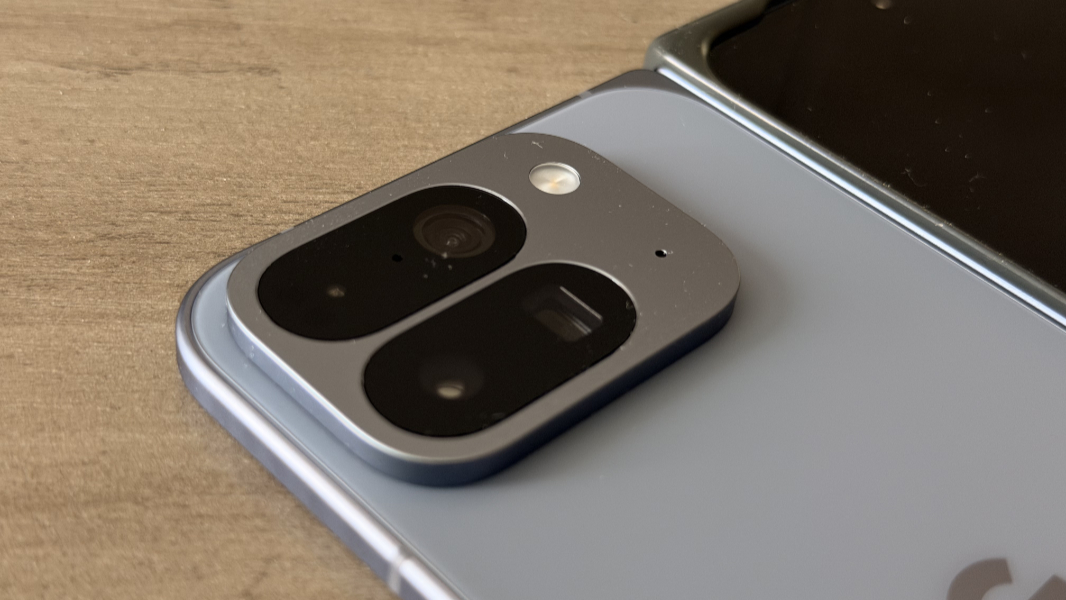
The main (wide) lens on the rear is a 25 mm equivalent and the only high resolution offering. It’s a 48 MP Quad PD (quad phase detection) lens with an f/1.7 aperture, an 82 degree FOV (field of view), dual-pixel PDAF (phase detection auto-focus), and optical image stabilization. It’s a terrific lens, and as is typical on all modern smartphones, it’s the best of the bunch. But it was also chosen specifically so it can taked binned shots at 12 MP (where 48 divided by 4 is 12), providing roughly the same resolution as the other two rear lenses (but still with noticeably better quality).

The ultrawide lens is a throwback, with a low 10.5 MP of resolution, less than any other Pixel 10 series phone, an f/2.2 aperture, a wide 127 degree FOV, and PDAF. It has notable distortion at the edges but the image quality is good.
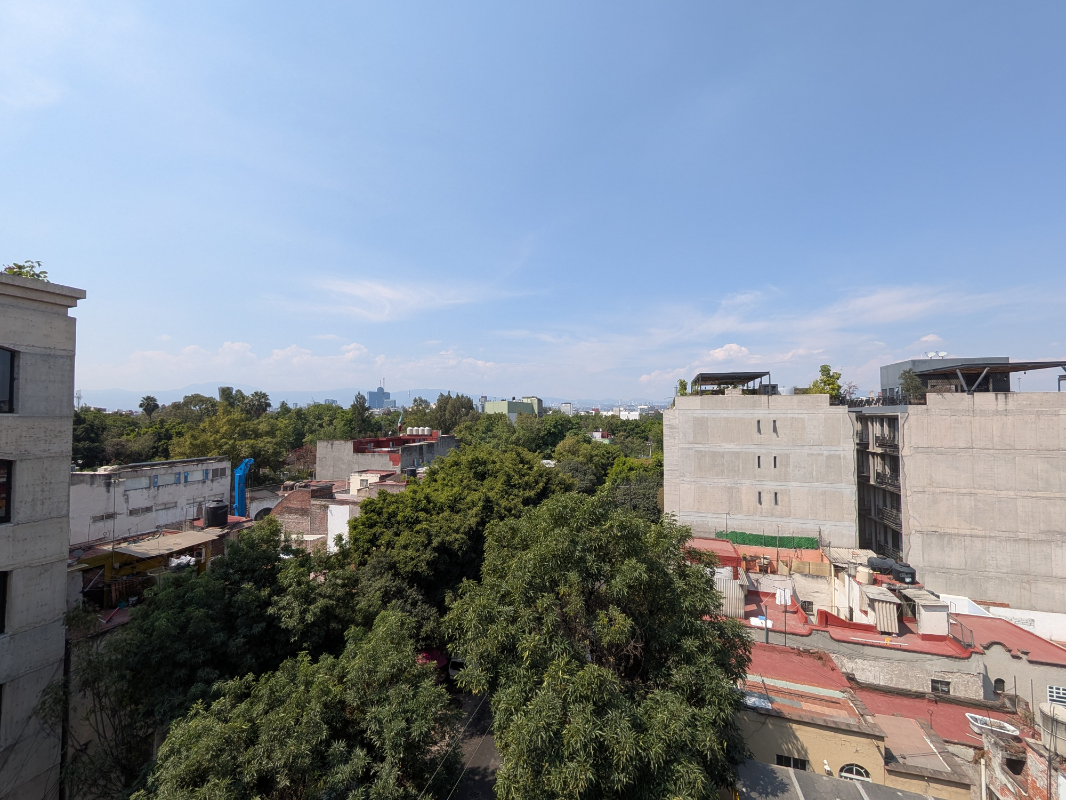
The 112 mm equivalent telephoto lens is likewise lackluster with its 10.8 MP of resolution, f/3.1 aperture, and 23 degree FOV, but like all other Pixel 10 series phones (save the Pixel 10a, which lacks a telephoto lens), it does at least provide 5X optical zoom.


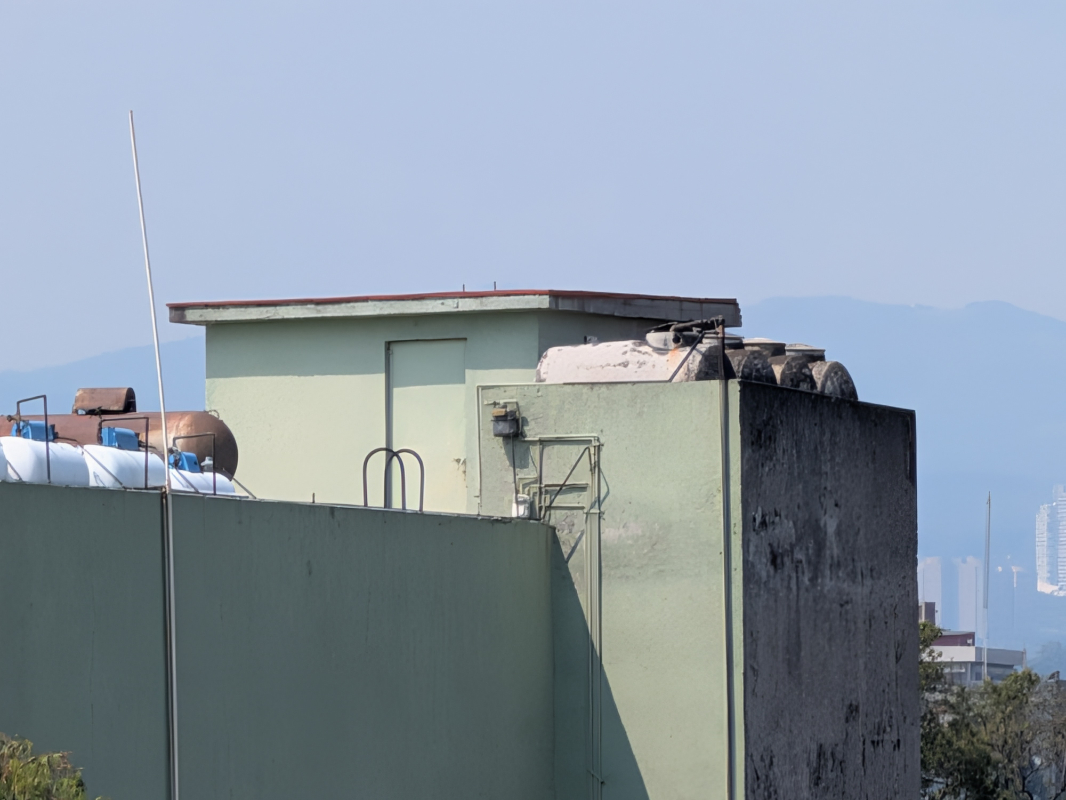
Sadly, the telephoto lens is also limited to 20X zoom, identical to the base Pixel 10, and so it doesn’t provide Pro Zoom (previously called Super Pro Zoom) capabilities) up to 100X like the other Pixel 10 Pro phones. It’s limited, instead, to digital zoom, or what Google calls Super Res Zoom, which uses machine learning to improve the quality.
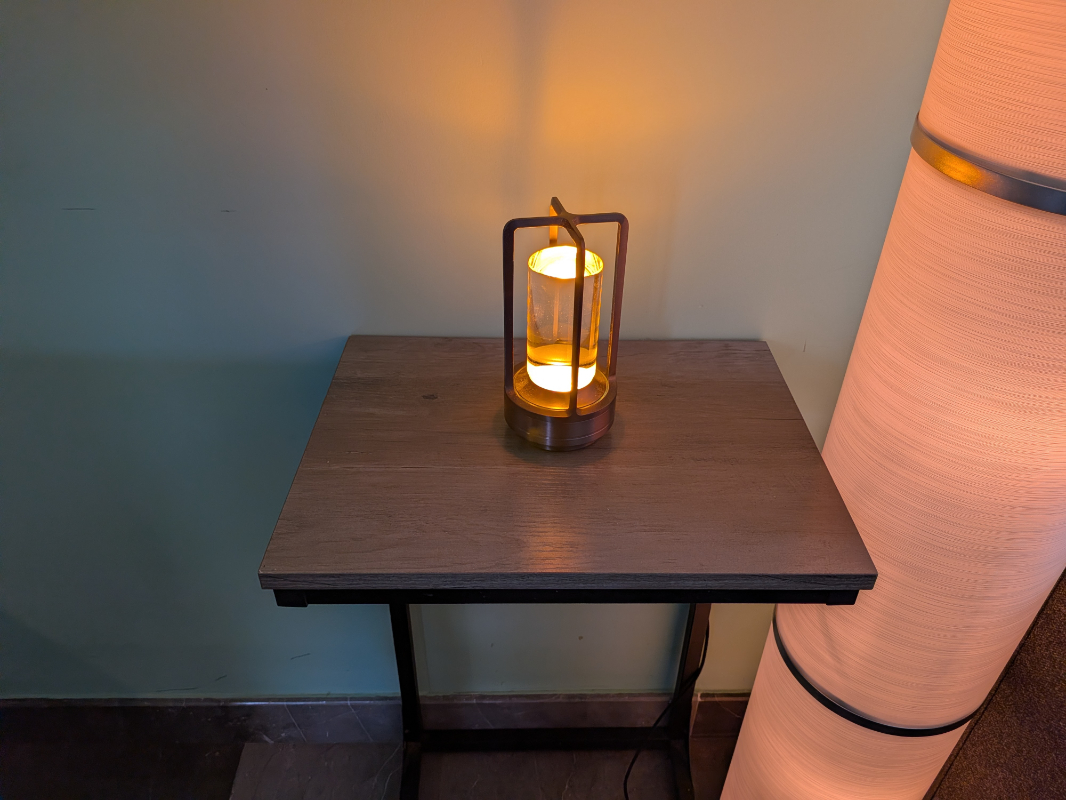
Comparing lens to lens across multiple Pixel models is tedious and perhaps pointless. But the easiest way to think of this is that the Pixel 10 Pro Fold has the same main (wide) and telephoto lenses as the base Pixel 10 and an inferior ultrawide lens to any current generation Pixel. This is what Google calls an “advanced” camera system as opposed to the Pro camera system in the Pro Pixel 10s. And I have to think the lens choices were in part determined by their relative size: Google clearly wanted to keep the Camera bar as small as possible.
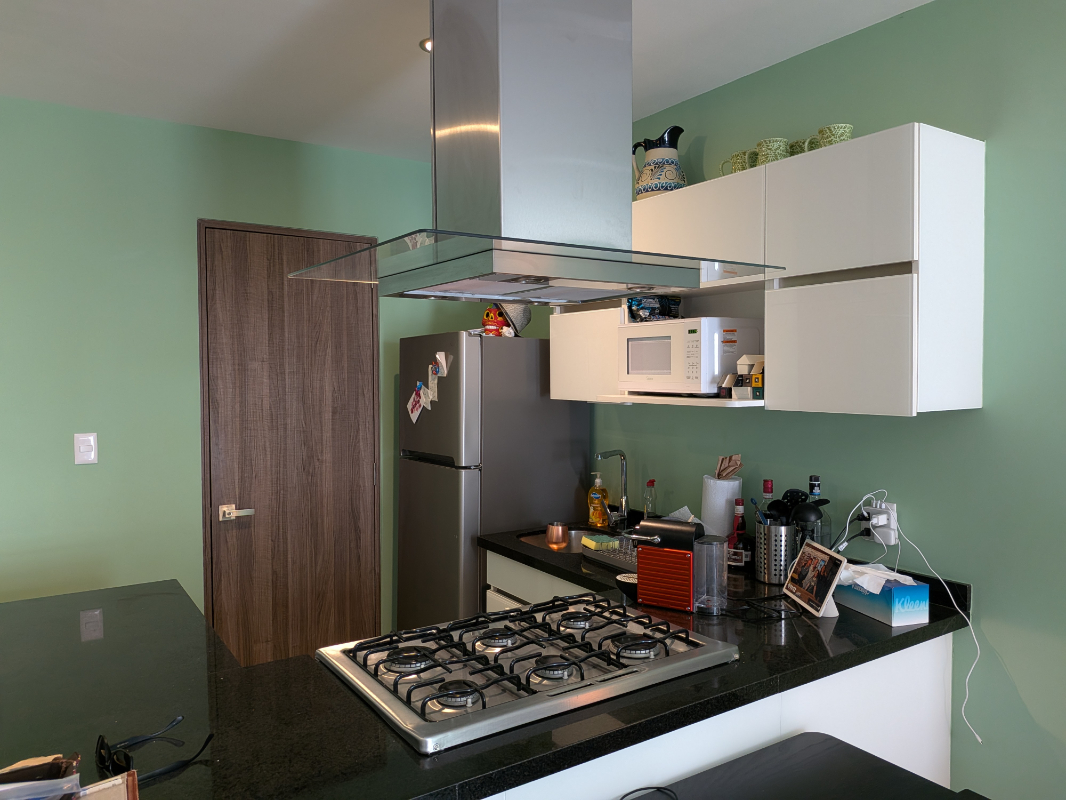
Fortunately, it doesn’t ruin the overall camera experience, and you do get a choice of Pro camera features. Even better, if you take photos with the Fold opened up, the Camera app takes good advantage of all the additional screen real estate. As noted previously, the only oddity is knowing which way is up: Thanks to its (basically) square aspect ratio, you have to pay attention if you mean to take photos in portrait or landscape mode. I’ve taken many inadvertent portrait shots. Like this one.

Which I meant to frame like so (and later did):

If you can get over the specifications–this is something I struggle with sometimes–and just live a little, you’ll discover that the Pixel 10 Pro Fold takes excellent photos. I’m a bit self-conscious, so I find myself doing so with the device in its normal, unfolded form factor, and the quality obviously doesn’t change based on which screen you’re using. Day, night, whatever, it delivers consistent–and consistently good–results, with the ultrawide and telephoto caveats noted above.

I have barely touched the selfie cameras on the Fold–there are two, and they are identical–but they’re mostly uninspiring and pedestrian. Both are 23 mm equivalent wide lenses with 10 MP of resolution, dual PD, an f/2.2 aperture and an 87-degree FOV. Nothing special.
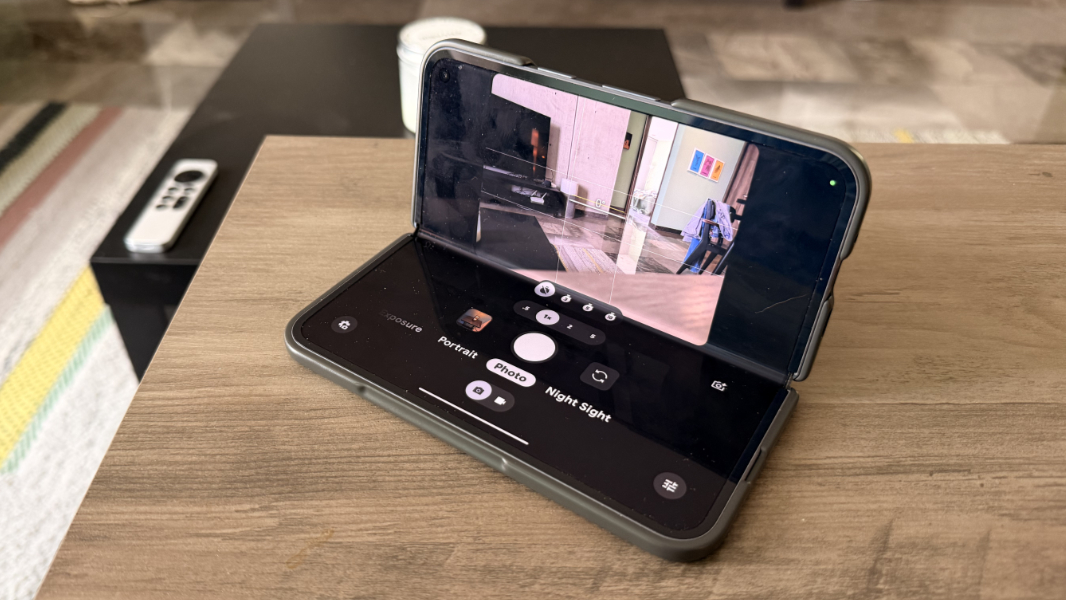
From a software perspective, the Camera app supports most of the Pro controls that the Pixel 10 Pro and Pro XL support. But in addition to Pro Zoom, a few features, like Action Pan and Cinematic Blur video, are also missing in action. And the Fold introduces some Camera app features that are unique to the Pixel 10 series lineup, including Dual Screen Preview, Rear Camera Selfie, hands-free shots from a tabletop or other flat surface (above), Instant View, and Made You Look, that require the folding internal display.
Security
Security is as solid as expected, thanks to the Pixel 10 Pro Fold’s Titan M2 security chip and Face and Fingerprint Unlock capabilities, the latter of which is built into the power button. That button is tall and thin, but it’s always been fast and accurate in my experience. If you have a Pixel Watch, you can also use that device’s proximity to unlock the Fold, which is nice. (Unfortunately, my wife’s Fitbit died, so I gave her my Pixel Watch 3 and haven’t been able to use that latter feature recently.)
Battery
Thanks to the demands of its large internal display, the Pixel 10 Pro Fold has a large 5015 mAh battery that’s split between both sides of the device. Overall, it appears to provide better battery life than the other Pixel 10 series phones I’ve used so far–the Pixel 10a is, as I write this, still an unknown in this perspective–though you will want to charge it every day, and usually at some point during the day if you’re using it heavily.
Fortunately, it supports high-speed wireless and wired charging and, for the former, the Pixelsnap/Qi2.2 capabilities that provide magnet connections and up to 15 watt charging. If you have a 30-watt or better PPS-style wired charger, you can charge the Pixel 10 Pro Fold to 50 percent in about 30 minutes, assuming you’re starting at a low battery level. But this feels a bit less fast than the other Pixel 10 series phones.
Unique hardware features
Aside from its most unique feature, those two displays, the Pixel 10 Pro Fold features IP68 dust and water resistance, a first for a folding phone.
Software
Like other Pixel 10 series phones, the Fold ships with a heavily customized version of Android 16 that I think of as Pixel Android. This is dramatically better to stock Android and provides a familiar list of Pixel-specific features, many of which are now Gemini-powered. This includes the full suite of recent AI features like Gemini Nano (the on-device small language model), Gemini with Gemini Live, Circle to Search, Pixel Screenshots, Magic Cue, Live Translate, Call Assist, and a lot more.
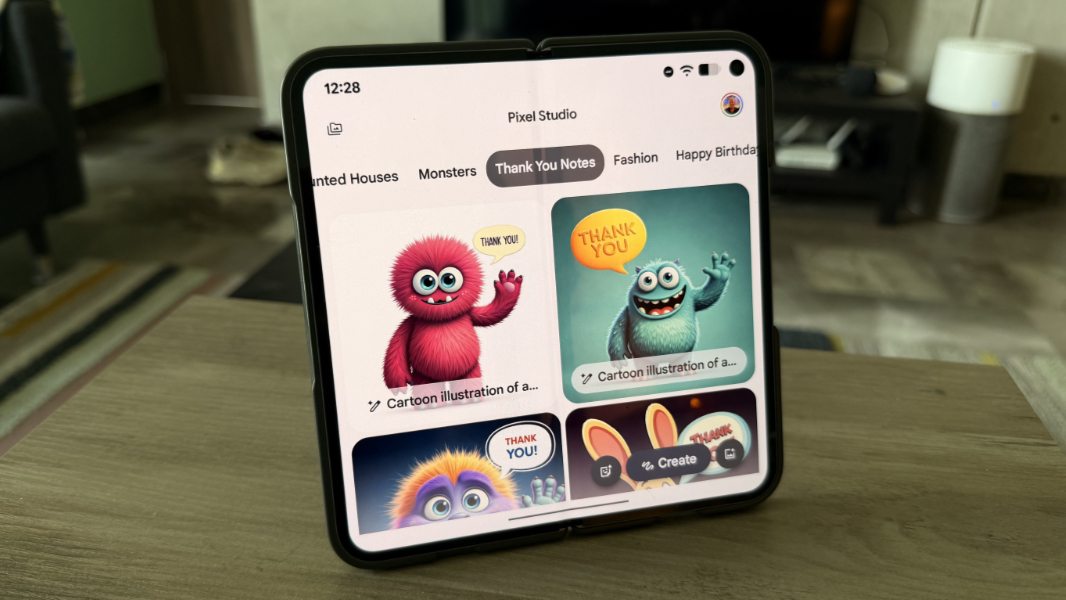
I’ve written extensively about various Pixel software features across my previous Pixel 10 series phone reviews and the Paul’s Pixel Diaries series, so I won’t belabor the point. But the software Google provides with Pixel remains a key differentiator compared to Samsung and Apple’s flagships. And while one might debate whether certain aspects of these platforms are better than the others, I feel that Pixel comes out ahead overall.
Pricing and availability
The Pixel Pro 10 Fold comes in Jade and Moonstone and starts at $1799 for a 256 GB configuration. Note, however, that the Fold is often on sale and it starts at $1499 from Google directly at the time of this writing.
You can upgrade the Fold at purchase time to 512 GB for $1919 or 1 TB for $2149 ($1619 and $1849 as I write this), and those storage allotments should be slightly faster than the base unit I bought, though I have never tested that.
Look, this thing is expensive. But you can soften the blow a bit by getting it on sale, trading in an existing device (with Pixels usually having higher resale values if you buy direct), or using a carrier plan to space out the payment. For example, a base Pixel 10 Pro Fold on Google Fi right now is $41.64 per month over three years.
Recommendations and conclusions
I was hoping to arrive at some definitive conclusion about the Pixel 10 Pro Fold and folding phones in general. But in using this fascinating device over the past four months, I’m struck as much by the compromises as I am by the wonderful internal display.
This phone is oddly thick in the pocket and in the hand when unfolded, the crease in the internal display is always visible unless you hold it just right, and the camera system is curiously non-Pro. You pretty much have to protect a device this expensive with a case, but the folding design makes that case awkward and weird, and even thicker and bulkier.
All that said, I love the Pixel 10 Pro Fold. Part of this is just age–my wife and I never leave the house without reading glasses now lest we happen upon yet another restaurant menu using what appears to be 1-point type–and the big internal display is a godsend. But part of it is the sheer elegance of this device, even with that weird case somewhat dulling the impact. It’s incredibly thin, solid, and well-made.
Can I recommend the Pixel 10 Pro Fold? Yes. With some notable qualifiers.
If you’re on the fence, and especially if that’s driven by the price, then I recommend waiting: Folding smartphones get better each year, and 2026 is seeing the first truly creaseless folding designs appear in the market. And if any of the downsides here, like the non-Pro camera system, are important to you, then move on.
But if you need that internal display–or just want it and can afford the pricetag–then the Pixel 10 Pro Fold won’t disappoint. This is a delightful, quirky phone, and I can’t help but smile to myself every time I open it up out in the world. In those moments, I am so happy to have that display.
The Pixel 10 Pro Fold is highly recommended for those with the means and the need.
At-a-glance
Pros
✔️ Versatile hybrid design with a gorgeous 8-inch folding display
✔️ Incredibly thin when used with the internal display unfolded
✔️ Clean Pixel software image with truly useful features throughout
✔️ 256 GB of base storage
Cons
❌ Very expensive
❌ Middling performance and battery life
❌ Crease is still visible when the inner screen is open
❌ Camera system doesn’t match that of other Pixel 10 Pro series phones
❌ Form factor makes a protective case less effective and less desirable