ChromeOS 131 Adds Safety Reset, Other New Features
- Paul Thurrott
- Dec 17, 2024
-
2
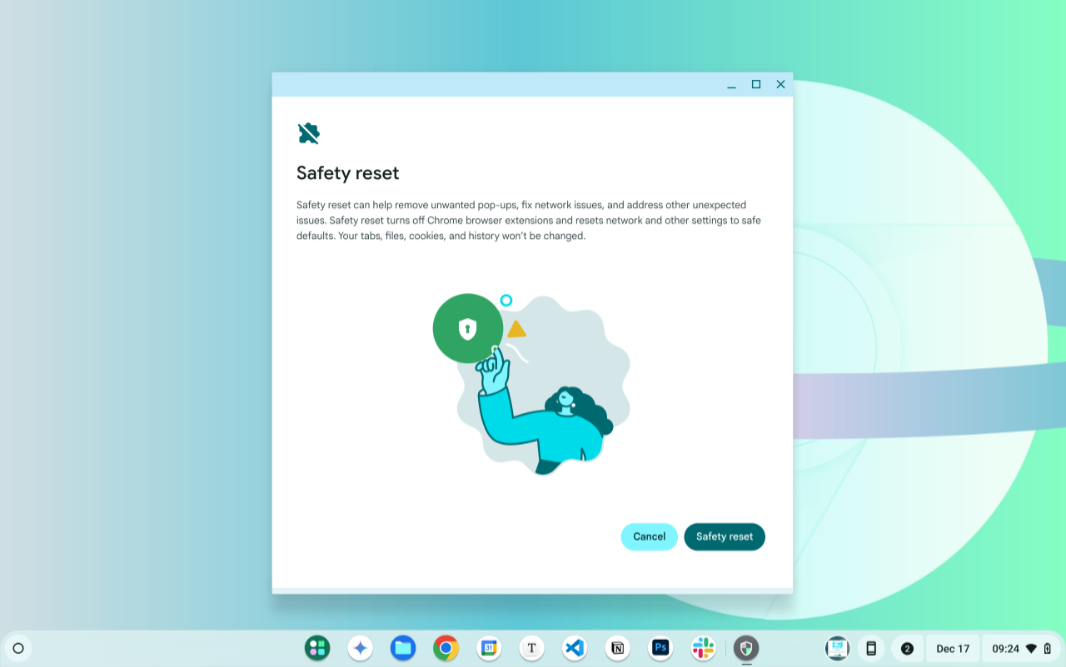
Google recently released ChromeOS 131. Among the new features is Safety Reset, which lets users get back to a known-good configuration with fully resetting the system.
“You should soon see an update on your device for ChromeOS M131,” the Chromebook Help website explains. “This update, and the features associated with it, will be progressively rolling out over the coming days.”
New features in ChromeOS 131 include:
Safety Reset. This features provides an interface for getting the Chromebook back to a known-good configuration non-destructively. It resets Chrome settings and shortcuts, disables extensions, and deletes cookies and other temporary files, but doesn’t impact your bookmarks, history, or saved passwords. Previously, the only option for this sort of thing was Powerwash, which is ChromeOS’s version of Reset this PC.
Quick Answers improvements. The Quick Answers generative AI reading assistant provides spell checking, definitions, translations, and unit conversion capabilities so you can learn more about a webpage or PDF file. It’s been updated with a new style in ChromeOS 131.
Flash notifications. This new feature is disabled by default, but when you enable it, ChromeOS will flash the screen whenever a notification arrives. This will help those who are hard of hearing or might otherwise miss notifications.