Google Brings More Gemini, More to Chromebook and Chromebook Plus
- Paul Thurrott
- Oct 01, 2024
-
2
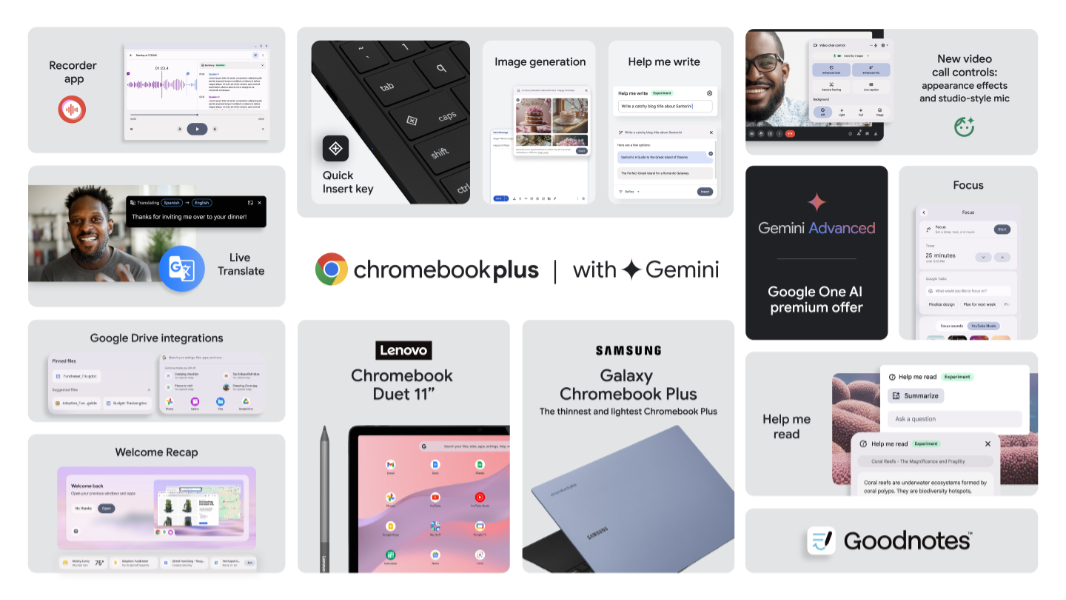
Google announced today that it is bringing more Gemini-based AI features to Chromebook and Chromebook Plus. There are also some interesting changes coming to Chromebook hardware. And its partners are announcing new devices, including an ultra-thin new Galaxy Chromebook Plus from Samsung.
“Today we’re announcing two new Chromebooks — our thinnest and lightest Chromebook Plus, and a refresh of one of our most portable Chromebooks — along with new software features that use Google AI to help you get more done,” Google ChromeOS vice president John Maletis says. “Starting this month, all Chromebooks will come with chat with Gemini, and Chromebook Plus laptops will also come with new Google AI features like Help me read, Live Translate, and much more.”
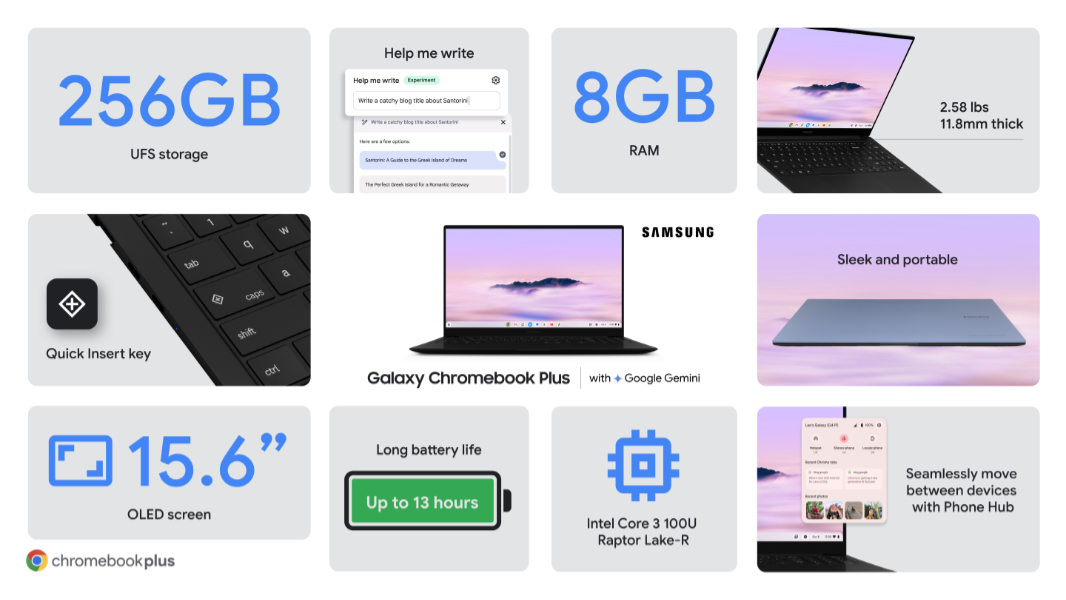
Google is overhauling the Chromebook keyboard, replacing the Everything key–Caps Locks on Windows PCs and Macs–with a new Quick Insert key that will deliver Gemini-powered, context-aware functionality as needed via an on-screen menu. It launches exclusively on that Samsung device, and can be accessed via a keyboard shortcut, but it will come to more new Chromebooks next year as well. The Everything key moves to a new location–where the Windows key is on PCs–and has a new Google “G” logo.
Chat with Gemini is coming to all Chromebooks, and Google is providing device buyers with Google One AI Premium for free for three months, with 2TB of Google Drive storage and Gemini Advanced functionality. There’s also a new Welcome Recap feature that appears when you sign in so you can select tasks you were previously working on and continue that work, and a Windows 11-like Focus mode with YouTube Music integration.
Chromebook Plus models are getting several new features, including Help me read (which summarizes, PDFs, web articles, and more), platform-level Live Translate with support for over 100 languages, a new Recorder app with speaker detect and transcriptions, and new video call features including appearance enhancements, AI noise reduction, and more, each of which works in any app.
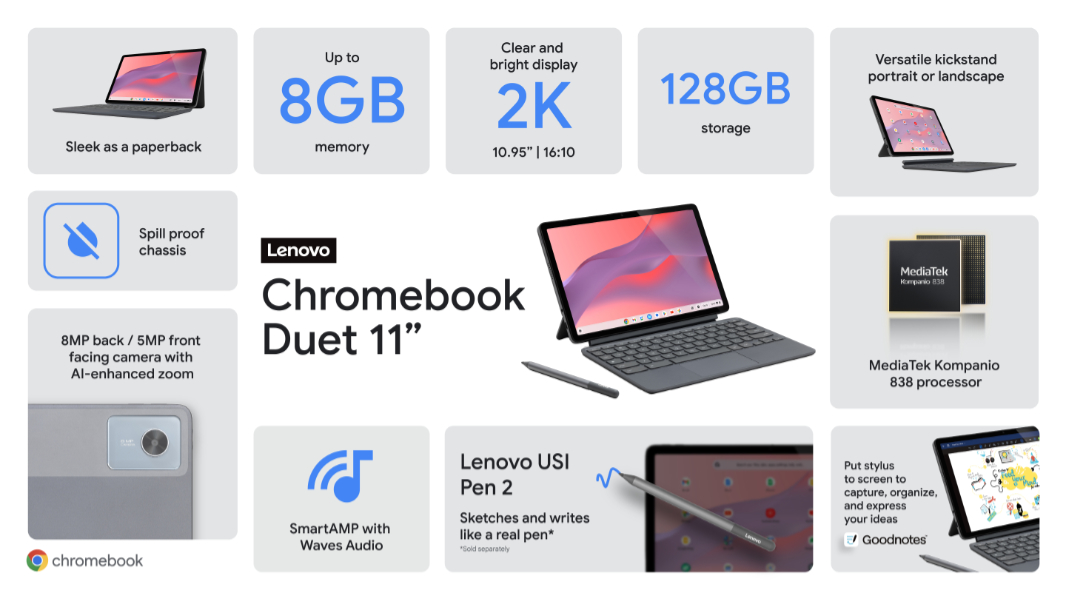
Google also announced that the Goodnotes app for web has been optimized for stylus-compatible Chromebooks like the Lenovo Chromebook Duet 11 that was also announced today. This inexpensive little device looks impressive, with a 2-in-1 form factor, a bundled keyboard cover with a portrait and landscape capable kickstand and stylus, and upgraded palm rejection capabilities. Prices start at just $339.
I visited Google in New York last week to learn about these developments. I’ll post some photos from the event soon.