Windows 11 PCs, AI PCs, and Copilot+ PCs, Oh My (Premium)
- Paul Thurrott
- Jun 22, 2024
-
21

With the introduction of the first Snapdragon X-based Copilot+ PCs this past week, Microsoft has added another layer of complexity to the Windows ecosystem. Or, another layer of choice, if you’re more of the glass half-full type. Regardless, this addition is confusing to many, as it’s unclear which software or hardware you need to access the many new features that Windows 11 users will get this year and beyond.
So let’s sort through it.
For starters, we’ve been dealing with this type of complexity and confusion for years: Modern, NT-based versions of Windows have always come in some range of product editions, each with a unique feature set and corresponding list price. Focusing solely on the product editions individuals will see in new PCs, Windows 11 today comes in Home and Pro editions, mirroring the original bifurcation we saw in the first mainstream NT-based Windows version, Windows XP.
Of course, some things have changed since 2001: Windows 11 is the first client Windows version to ship only in 64-bit variants. Unlike Windows 10 and earlier Windows versions, there are no 32-bit versions of Windows 11, and so that’s a nice reduction of complexity and confusion, one less technical detail for consumers to have to even think about. Today’s PCs are 64-bit only, or what we call x64 (sometimes x86/64) for almost all PCs, those that are built around Intel and AMD processors.
One of the key innovations of Windows NT was that it was platform agnostic, or cross-platform. That is, where the previous platform, the MS-DOS-based Windows, was coded specifically for Intel’s x86 line of processors (chips that were, in turn, 8/16-bit, 16-bit, 32-bit, and then 64-bit), NT was not. In its original form, it ran on Intel x86, MIPS, and Digital Alpha-based PCs. It was later ported to the Power PC and Intel/HP Itanium platforms as well.
By the turn of the 21st century, however, Intel’s x86 processor architecture—shared by AMD—had won in the market, and Microsoft dropped support for the non-x86 platforms that Windows/NT previously supported. And it remained x86-centric for over a decade, until Microsoft in 2011 announced its first port to the Arm architecture that had/has been so successful in smartphones, tablets, and other devices.
The resulting Windows variant, called Windows RT, was a dud, and it was quickly canceled. The reasons for that are many, but for the purposes of this discussion, there are two important takeaways. Microsoft had, for the first time in over a decade, done the difficult architectural work to bring the Windows codebase to a new hardware platform. And the Arm chips of that era—Microsoft had chosen Nvidia for the initial and, ultimately, only RT systems—while suitable for mobile devices, were no match for PC workloads. So Windows RT did not allow users to install and run standard x86 or x64 (Intel/AMD-type) apps, and developers never bothered to port their apps to this platform.
There is one other relevant detail from that era: This is when Microsoft transitioned away from using the term PC to describe the machines that run Windows. From this point forward, Microsoft has instead used the term device to reflect the diversity of the available form factors, which had expanded beyond desktop and laptop systems to include standalone (slate) tablets, 2-in-1/convertible PCs, and more. I very much prefer the term PC, and for many reasons—because it runs Windows, a tablet form factor PC is more PC than device, and bears little resemblance to an iPad or Android tablet, for example—and will continue to do so.
Microsoft released Windows 10, the most popular Windows version of all time by usage, in 2015. It arrived in 32-bit and 64-bit versions, and in Home and Pro product editions, enabling users on previous Windows versions to upgrade if they otherwise met the system’s hardware requirements. In this sense, Windows 10 was part of a continuum stretching back to 2001, the successor to Windows XP, Windows Vista, Windows 7, and Windows 8.
But Microsoft added choice—and complexity—in 2016, when it announced a new partnership with Qualcomm, the world’s biggest seller of Arm-based processors. The resulting product would be called Windows 10 on Arm (though Qualcomm preferred to use the term Windows 10 on Snapdragon), and it would ship in Home and Pro editions. But it delivered with one major advantage over Windows RT: Thanks in part to advances in the Arm architecture, the underlying Qualcomm chips were powerful enough to emulate (32-bit) x86 software code. That is, Windows 10 on Arm could run normal (meaning Intel/AMD-type x86) apps in addition to native Arm apps. Which were 32-bit only at the time.
Adding to the confusion, Microsoft created the Always Connected PC brand to promote Windows 10 on Arm, so named because PCs based on Arm-based Qualcomm Snapdragon processors included integrated cellular data connectivity, just like Qualcomm’s processors for mobile devices. Further adding to the confusion, Microsoft’s x86 silicon partners, in particular Intel, were unhappy to see the software giant partnering with a competitor, and they insisted on being included in the Always Connected PC initiative. And so there were x86/x64-based PCs that carried this branding as well.
But Windows 10 on Arm wasn’t just about connectivity. The first Qualcomm-based Windows 10 on Arm PCs delivered on some of the other mobile platform benefits that Microsoft had long wanted for PCs, like epic battery life—the first Windows 10 on Arm PC I reviewed delivered over 20 hours of real-world battery life—and thin, light form factors that didn’t require active cooling—i.e. fans—and were thus completely silent.
That sounds wonderful, and it was. The problem was that Windows 10 on Arm was otherwise completely hamstrung from the beginning. It could run 32-bit x86 apps, as noted, but the emulation was horribly slow to the point of often being unusable. It couldn’t run any of the increasingly common 64-bit x64 apps, harming compatibility. And it wasn’t compatible with the vast diversity of x86/x64 hardware drivers (and custom software) needed to use many PC peripherals effectively.
Microsoft and Qualcomm spent the next several years improving the platform, with Microsoft attacking the problem from the software side and Qualcomm improving the performance of its PC-based processors—really, systems on a chip, or SoC, designs with integrated CPUs (microprocessors), GPUs (graphics), and NPUs (hardware accelerated AI)—over several generations. In doing so, the two firms improved the performance and compatibility of Windows 10 on Arm, while lowering battery life: When forced to emulate x86 code at acceptable speeds, Qualcomm’s Arm chips were no longer as efficient.
Microsoft also confused matters—a theme with this company, it seems—by introducing its own Arm-based, Surface-branded PCs that came with Microsoft-branded SoCs. The first of these products was the Surface Pro X, a 2019 variant of Microsoft’s only truly successful Surface PC that utilized a Microsoft SQ1 processor. There were subsequent SQ2 and SQ3 processors, but we can largely ignore this pointless side-trip: Each is just a rebranded Qualcomm Snapdragon processor with negligible differences, and Microsoft has since shifted back to using Qualcomm’s chips for its newest Arm-based Surface PCs.
Microsoft announced and then released Windows 11 in 2021 as the successor to Windows 10. In doing so, it made some notable hardware shifts. Unlike its predecessors, Windows 11 would only run on 64-bit PCs, regardless of whether they were based on Intel/AMD x64 chips or Qualcomm Snapdragon Arm chips. Today, Windows 11 on Arm, like the x64 variants, is fully 64-bit only, though each version of the OS can run 32-bit x86 apps (in emulation in Windows 11 on Arm) in addition to 64-bit apps (Arm64 and x64 in emulation in Windows 11 on Arm).
Windows 11 (x64) comes in Home and Pro variants, as does Windows 11 on Arm. Because it is fully 64-bit, customers running 32-bit versions of Windows 10 were unable to upgrade in-place to Windows 11. But there were further upgrading complications: In a bid to drive a PC upgrade cycle and help its PC maker partners, Microsoft artificially restricted which PCs could upgrade by requiring a TPM 2.0 security chip and, more onerously, an 8th-generation Intel Core processor (or its AMD equivalents). PCs based on this generation of chips first appeared in the market in 2017, about four years earlier than Windows 11 arrived. And so hundreds of millions of PC users were unable (legally and/or technically) to upgrade to Windows 11. (There were until recently many workarounds to this and other Windows 11 upgrade restrictions for technical people.)
Microsoft’s plan backfired: Windows 11 usage grew slowly and never met the pace at which customers had upgraded to Windows 10. And so the software giant is now relying on Windows 10’s retirement—the platform exits support in October 2025—to drive customers to adopt Windows 11 and, more important, buy new PCs to get there.
Heading into 2024, Windows 11 accounted for about 25 percent of the installed base—a bit over 400 million PCs, if you accept an installed base figure of 1.5 billion—compared to over 1 billion for Windows 10. These PCs largely run on modern x64 chips, with Intel and AMD adopting Arm-like hybrid chip architectures with multiple cores, often with separate Performance, Efficiency, and (now) High-Efficiency cores.
And Windows 11 on Arm has plodded along with the same problems as ever: Qualcomm had adapted the smartphone processor it used for the initial Windows 10 on Arm PCs into a more modern chip family called Snapdragon 8cx, which over a few generations offered improved performance, graphics, and NPU capabilities. Microsoft provided most of its in-box Windows 11 apps in native Arm64 versions, and because x86/x64 hardware drivers would never work, it continually improved in-box hardware compatibility. But performance—especially of emulated x64—remained as the platform’s Achilles Heel. Not helping matters, the few PC makers that even offered Windows 11 on Arm PCs did so at premium prices, often close to or exceeding $2000. Few customers were interested.
Worse, Apple, which had previously undergone a successful Mac processor transition from Power PC to Intel, announced and then shipped its first Arm-based Apple Silicon Macs in 2020. Unlike with Windows on Arm, that transition was immediately successful. And the resulting M family of Apple Silicon chips is widely lauded for its performance and efficiency, putting even more pressure on the PC to deliver similar advances. Where Microsoft and promised and failed for over a decade, Apple delivered.
But Microsoft, Qualcomm, and their PC maker partners had not given up on the Arm dream: In 2021, Qualcomm acquired Nuvia at the urging of Microsoft because of the advances this small company had made adapting the Arm platform to run PC workloads effectively. And Qualcomm spent the next two years adapting Nuvia’s chipset into what’s now called the Snapdragon X family of chips.
Announced in October 2023, Snapdragon X is a revelation. It delivers everything that’s right about Arm—epic performance and battery life—and corrects all the major downsides of previous Arm chips for PCs. Thanks in part to a new emulation, called Prism, that was co-developed by Qualcomm and Microsoft, Snapdragon X runs x64 apps at near-native speeds. Microsoft optimized Windows 11 on Arm to run optimally on this new chip family, and Microsoft and Qualcomm did the difficult work of helping app makers port their apps to native Arm64 versions for the first time. By the end of 2024, most top-tier Windows apps will run natively on Arm or will simply just work, even in emulation.
But this story is all about complexity, and things are never that easy. In the wake of Qualcomm’s Snapdragon X announcement, Intel, upset as ever with Microsoft’s Arm dalliances and now worried that reality was finally catching up to the hype, demanded that software giant join it in launching a counteroffensive against Qualcomm, its suddenly potent foe. And in December 2023, Intel—with Microsoft—announced a new PC specification called the AI PC. These would be PCs that included an integrated NPU, just like Qualcomm’s Arm chips.
The problems with this announcement, and with the resulting PCs, are many. Intel—and AMD, which would also embrace the term AI PC for its own NPU-integrated PC chips—lagged behind Qualcomm and Apple when it came to NPUs. It also rushed its first NPU-based PC chip to market to save face, setting off what I feel is a catastrophic mistake in the form of a one-off, buggy chip family called Intel Core Ultra (“Meteor Lake”). The NPU in the Core Ultra (and in AMD’s contemporary PC chips) is a weakling compared to those provided by Qualcomm and Apple, offering only a tiny fraction of the AI accelerated performance.
But these chips do feature an integrated NPU. And thus they are AI PCs, in Intel’s (and AMD’s) view. And now we’re stuck with this term: All PCs with NPUs are considered AI PCs, and that includes Windows 11 on Arm PCs based on the Snapdragon X processor. Which Microsoft, Qualcomm, and their PC maker partners announced in May 2024. As … Copilot+ PCs. Yet another brand adding to the complexity and confusion.
Here, we must step back for a moment: Snapdragon X, Meteor Lake, AI PCs, and Copilot+ PCs didn’t happen in isolation. Microsoft, which has invested at least $11 billion in AI startup OpenAI, discovered that this firm had made major advances in its ChatGPT large language model (LLM), ushering in the current AI era of personal computing in late 2022. The software giant announced a major AI pivot in early 2023 and then spent the entire year announcing and then releasing new AI-based products and services across its cloud- and client-based software stacks. Microsoft in this time shifted from being focused on the cloud to being focused on AI.
What this means to Windows and the PC is still evolving. Microsoft’s AI efforts now often carry the Copilot brand, and it announced that it would bring Copilot to Windows 11 in 2023, delivering the integrated chatbot experience later that year. Normally, a feature like Copilot would be provided as part of a specific Windows 11 version, Windows 11 version 23H2 in this case. But because of a corporate mandate to spread AI broadly across the installed base, Microsoft instead provided Copilot and other new features to all Windows 11 versions (at the time, versions 22H2 and 23H2).
Until this month, Copilot and most other AI features in Windows 11—Image Creator and Background Removal in Paint, Background Removal and Blur in Photos, text recognition in images in Snipping Tool, Smart App Control, various Clipchamp video editing features, and so on—have utilized Microsoft’s cloud-hosted AI infrastructure to do their magic. The one exception was Windows Studio Effects, a set of AI-powered webcam effects that requires an NPU; this requirement limited this set of features to a very small subset of mostly Qualcomm/Microsoft SQL-based PCs until late 2023, when the first AI PCs based on Intel’s Core Ultra (“Meteor Lake”) chips arrived. Meteor Lake’s NPU is hot garbage compared to Qualcomm’s and Apple’s NPUs, but it can at least handle Windows Studio Effects.
And that brings us to 2024. Microsoft is keen to offload as many AI workloads as it can from the cloud—which is expensive to run–to the PC, which requires a reasonably powerful NPU to handle on-device AI acceleration. And that will require NPUs more powerful than the current Intel (and AMD) offerings. This explains, in part, why Microsoft created the Copilot+ PC brand (or specification), which we can for now properly see as a superset of AI PC. That is, where an AI PC requires an NPU, any NPU, to qualify for the brand, a Copilot+ PC requires a very specific NPU, one that can achieve 45 TOPS or more of AI-accelerated performance.
What that means is a bit complicated, but there are two key takeaways: TOPS, or trillions of operations per second, is basically just a performance score, a number that can be compared with the score delivered by competing NPUs in an apples-to-apples way. And only Snapdragon X delivers the NPU performance required to qualify for the Copilot+ PC brand. At least today: Intel and AMD have both announced new chips that will ship in PCs in late 2024 that will meet this requirement too. (And Intel’s chip family, called “Lunar Lake,” uses a different architecture than the rushed-to-market Meteor Lake it will immediately obsolete.)
Because TOPS matters—NPUs are dramatically more efficient than CPUs and GPUs, but they also provide much better raw performance for certain AI-accelerated tasks—the Copilot+ PC requirements, unlike those of Windows 11 generally, are not arbitrary: Microsoft is making certain on-device AI capabilities available only on Copilot+ PCs because these features would work so slowly or inefficiently on other PCs that they would harm performance and/or battery life dramatically. As important, third-party app makers, particularly those in the creator space—photo and video editor, for example, science and engineering solutions, and more—will use an NPU when present for certain features; on other PCs, these features will either run much more slowly or will not be offered at all.
There’s more.
On-device AI capabilities that utilize an NPU also require dramatically more RAM and storage space than do non-AI PCs. That’s because Microsoft—and, increasingly, third-parties—are relying on shrunken versions of LLMs, called SLMs, or small language models, that are installed on and run locally on the PC. These SLMs are optimized for very specific tasks—where LLMs are more general—and so they run much more quickly and are much more accurate than their “hallucinating” cloud-based LLM siblings. The first generation Copilot+ PCs ship with over 40 (!) SLMs, most of which are many gigabytes in size. And that explains the other Copilot+ PC hardware requirements, which are likewise not arbitrary: 16 GB of RAM and 256 GB of SSD storage. (By comparison, Windows 11 requires like 4 GB of RAM and 64 GB of any kind of storage.)
Several PC makers announced over 20 Copilot+ PC models in May 2024, and the first of those PCs—the ASUS Vivobook S 15, HP EliteBook Ultra 14, HP OmniBook X 14, Lenovo Yoga Slim 7x, Lenovo ThinkPad 14s, Microsoft Surface Laptop 7th Generation (13 and 15), Microsoft Surface Pro 11, and Samsung Galaxy Book4 Edge (14 and 16), are available for sale now. Compared to previous-generation Arm-based PCs, the Always Connected PCs of the previous era, these PCs all lack cellular connectivity to help solve one obvious complaint by lowering the starting price. These PCs start at just $999. (5G connectivity is coming to select Copilot+ PCs in the future, but you can expect this feature to be as limited on Arm as it is on x64.)
This holiday season, new Copilot+ PC-capable PCs based on new Intel and AMD chips with powerful NPUs will arrive in the market as well. Thanks to Microsoft’s inability to communicate and what is clearly a mandate to its partners to keep their mouths shut, it’s unclear whether these PCs will be branded as Copilot+ PCs at launch. It’s possible Microsoft and Qualcomm have a time-based exclusivity arrangement. But they will be eventually.
So here we are.
We have Windows 11 PCs that meet Microsoft’s somewhat arbitrary hardware requirements. All are 64-bit designs, and the x64 versions (Intel/AMD-based) can run legacy 32-bit and older code, whereas the Arm versions can run native Arm64 and 64-bit x64 code in emulation. There are Home and Pro editions for both platforms, each with its own unique set of features. Some features, like BitLocker and BitLocker to Go device encryption, are available only in Windows 11 Pro. And some features are available in both editions but require specific hardware components that may or may not be available in your PC. Windows Hello facial recognition, to use an obvious example, requires a compatible IR webcam.
We also have three supported Windows 11 versions: Windows 11 version 22H2, Windows 11 version 23H2, and Windows 11 version 24H2, the latter of which ships on new Copilot+ PCs but can be optionally installed by any Windows 11 user; 24H2 will ship as an update to existing Windows 11 version 22H2/23H2-based PCs via Windows Update in late 2024, probably around October. But here we see a glimpse of simplicity amidst the complexity: The feature sets of these three versions are, or will be, the same. This is tied to the mentality that triggered Microsoft delivering Copilot to Windows 11 outside of version 23H2, but the net result is that there are three supported versions of Windows 11 in the wild until October 2024, when 22H2 exits support.
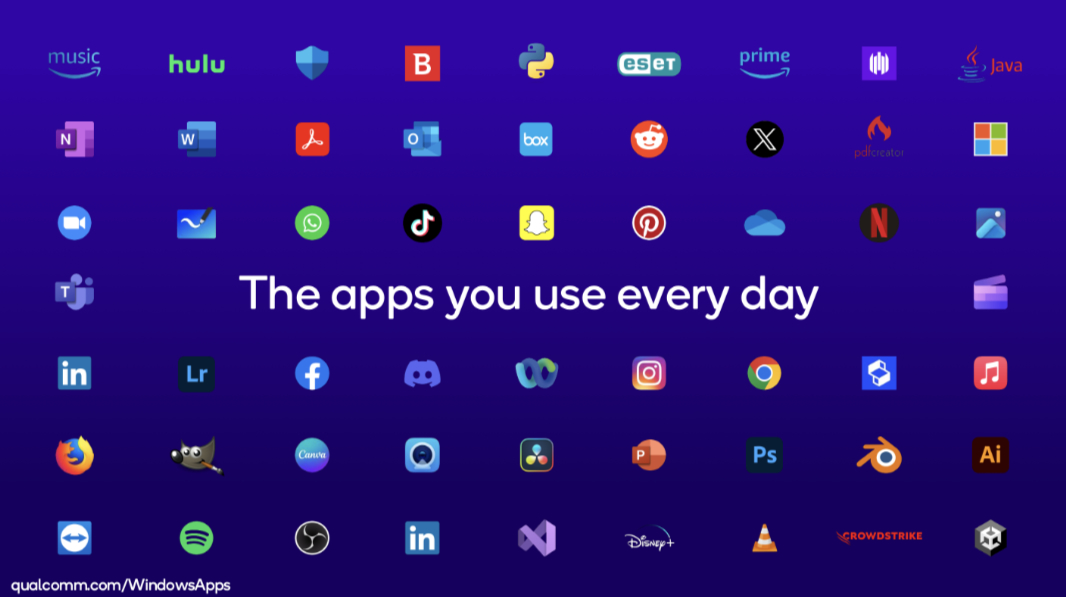
Moving sideways, it’s important to know how using an Arm-based Windows 11 PC changes the experience. While app makers completely ignored Windows RT and have largely ignored Windows 10 on Arm and Windows 11 on Arm to date, that’s changed with the arrival of Snapdragon X-based PCs (which, yes, are AI PCs and Copilot+ PCs). Today, we have a large and growing collection of Arm native apps of all kinds, and thanks to that Prism emulator, x64 app performance is dramatically better too. Most mainstream users should feel comfortable using Windows 11 on Arm now.
Moving up one level, we have the AI PC. AI PCs, as noted, offer an integrated NPU. They run on Meteor Lake or new Intel chips (or, as AMD will point out, the AMD equivalents). And more humorously, they include a Copilot key on the keyboard. (And Copilot software in Windows, which is a pointless requirement as all supported Windows versions now include this app.) AI PCs—really, any PC with an NPU—can run Windows Studio Effects, as described previously. And they can run other local, on-device AI accelerated tasks delivered through third-party apps and services, albeit with relatively poor performance. AI PCs can ship with Windows 11 Home or Pro, and can utilize x64 or Arm chips.
Where AI PCs are a superset of Windows 11 PCs from a specification perspective, Copilot+ PCs are likewise a superset of AI PCs. They can ship with Windows 11 Home or Pro. They can run on x64 or Arm chips (though, for now, only Arm variants are available). Just as Windows 11 Pro offers certain features that Windows 11 Home lacks, Windows 11 provides certain features on Copilot+ PCs that you won’t see in non-Copilot+ PCs. And as noted, thanks to their powerful NPUs, Copilot+ PCs can utilize a growing list of AI-accelerated apps and services that will not work or will work poorly on other PCs. Likewise, Copilot+ PCs can handle on-device SLMs far more efficiently, and with dramatically better performance, than can other PCs.
The list of in-box Windows 11 features that are unique to AI PCs (and thus Copilot+ PCs too) is not even a list, it’s one item: Windows Studio Effects. (And remember that this feature works on pre-AI PCs with an NPU too.)
The list of in-box Windows 11 features that are unique to Copilot+ PCs, meanwhile, is short. It includes:
Recall. This marque Copilot+ PC feature uses several of the on-device SLMs that ships on these PCs to monitor your activities, take snapshots as things change, and then use inference capabilities to help you find things later. Recall is exciting and should be truly useful for customers, but thanks to the controversial way Microsoft developed this feature—without ever formally testing it—and a series of largely baseless claims by security researchers, Microsoft has delayed Recall. It will appear in preview form later this year.
Live Captions with real-time language translation. Windows 11 includes a terrific accessibility feature called Live Captions that provides real-time captioning to any audio that occurs on your PC. But those with a Copilot+ PC receive additional Live Captions functionality in the form of the translation of audio from 44 languages—Arabic, Basque, Bosnian, Bulgarian, Chinese (Cantonese), Chinese (Mandarin), Czech, Danish, Dutch, English, Estonian, Finnish, French, Galician, German, Greek, Hindi, Hungarian, Indonesian, Irish, Italian, Japanese, Korean, Latvian, Lithuanian, Macedonian, Maltese, Norwegian, Pashto, Polish, Portuguese, Romanian, Russian, Slovak, Serbian, Slovenian, Somali, Spanish, Swedish, Thai, Turkish, Ukrainian, Vietnamese, and Welsh—to English in real-time. Microsoft says it will add more languages, on both sides of this translation, in the future.
Cocreator in Paint. Any Windows 11 user can take advantage of Microsoft’s Copilot-based Image Creator feature, which uses text prompts to create images. But those with a Copilot+ PC will also see a unique Cocreator feature in Paint that uses text or image prompts to create images. That is, you can draw a rough sketch in Paint—using a mouse, touchpad, touch, or a smart pen—and Cocreator will turn that into a more sophisticated image.
Restyle image in Photos. The Photos app provides AI-based features like Background Removal and Background Blur on all Windows 11 PCs. But those with a Copilot+ PC can use a unique Restyle Image feature to apply AI-generated styles to dramatically change an existing photo or other image.
Auto SR. Though Snapdragon X-based Copilot+ PCs—that is, all Copilot+ PCs for the time being—must use x64 emulation to run most games, these games deliver surprising performance and graphical quality thanks to underlying Microsoft and Qualcomm platform advances. Key among them is Auto SR (super resolution), which automatically visually upscales games and improves frame rates. That is, you can run emulated games at a low resolution to improve the performance, and Auto SR makes it look like it’s running at 1080p. A win-win, as we say.
And … that’s about it. I assume that Microsoft will enhance some existing AI-based Windows 11 capabilities on Copilot+ PCs by adapting them for the NPU. But most of the advances we’ll see will come from third-party apps, not from Windows itself. And that makes plenty of sense: We don’t use Windows for Windows, we use Windows for apps. Most of which are not included with Windows or don’t come from Microsoft.
The list of third-party apps that provide better performance or unique features on Copilot+ PCs is long, and it will grow steadily moving forward, especially when Intel and AMD enter the game later this year. But this list is further confusing because most of these apps will only use the NPU for specific features. App makers would never ignore the installed base of 1.5 billion PCs just so they can offer better performance on the unestablished Copilot+ PC market.
Keeping track of individual features in specific apps is a fool’s game, but I’m a fool, so here are a few key Copilot+ PC experiences that may be of interest. With the understanding that this is by definition only representative. Plus, we’re still on day one.
DaVinci Resolve. This professional video editor provides two NPU-powered experiences, Magic Mask and Super Resolution. Magic Mask lets you select an object in a video frame and then mask that object so that you can apply effects to it across all the frames in which it appears; for example, you might use this to remove people from videos. And Super Resolution lets you upscale SD and HD video to 4K resolution.
CapCut. This complex but free video editor offers an NPU-powered feature called Auto Cutout that emulates a green screen by automatically removing the background from every frame of a video so you can replace it with something else.
GIMP. This popular open source Photoshop alternative supports a Stable Diffusion plug-in that lets Copilot+ PC owners use their NPUs to quickly create photo realistic images or alter existing images dramatically. I assume this feature works on almost any PC, but it will work much more quickly on a Copilot+ PC.
Luminar Neo. This photo editor is leaning heavily into generative AI, and if you have a Copilot+ PC, you can hardware accelerate its Photo Upscaling and Supersharp features that I assume are obvious by their names.
Games. Let’s not forget the games. I noted Auto SR above, but Qualcomm and Microsoft are also highlighting the growing collection of games that run at 1080p and 30+ FPS, which would be impressive on any Ultrabook-class PC, but it’s particularly impressive here, as they’re running in an emulator. Select titles that meet this level of performance and visual quality include Balder’s Gate 3, Borderlands 3, Control, God of War, Grand Theft Auto V, Shadow of the Tomb Raider, and The Witcher 3. And I’ve found one game, World of Warcraft, that’s apparently available natively on Arm at 1080p/30 FPS too. The Windows on Arm Ready Software site offers a comprehensive list of games that have been tested on Arm, so you can see how your favorite titles will perform.
So there you go. The PC ecosystem as it was, and as it exists today. A confusing mess of hardware requirements, specifications, and brands. And knowing Microsoft—and its hardware partners—we can expect further changes in the years ahead.
At least they keep it interesting.

Gain unlimited access to Premium articles.
With technology shaping our everyday lives, how could we not dig deeper?
Thurrott Premium delivers an honest and thorough perspective about the technologies we use and rely on everyday. Discover deeper content as a Premium member.