Lenovo Yoga Slim 7x 14 Gen 9 Review
- Paul Thurrott
- Jul 16, 2024
-
9
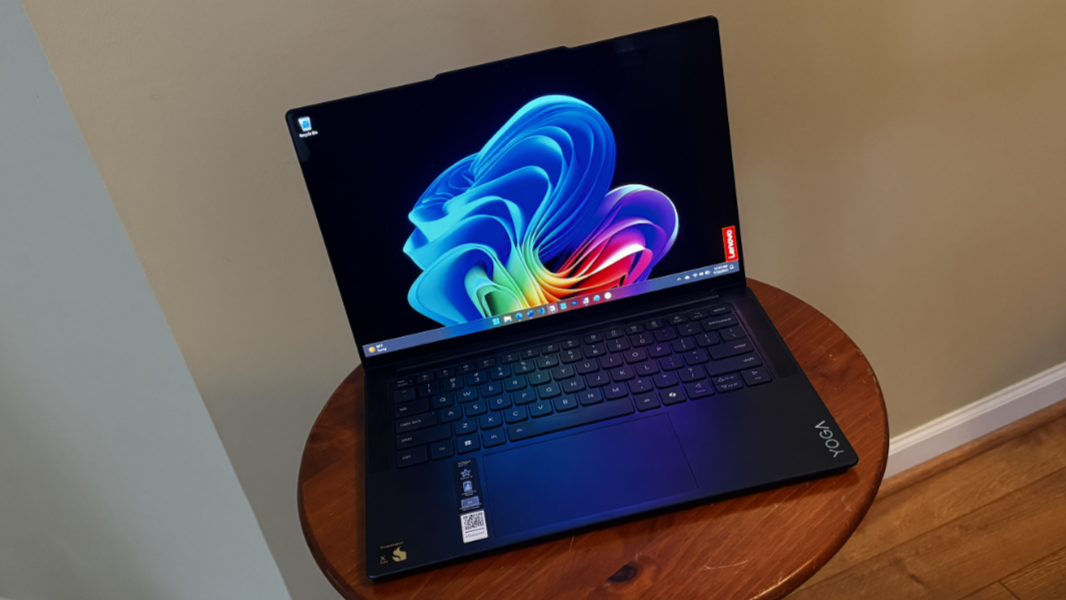
The Lenovo Yoga Slim 7x 14 offers terrific performance, incredible battery life, reliable instant-on capabilities, and a gorgeous 14.5-inch OLED display in a thin, light, and premium laptop form factor. Despite running on a new Arm-based Qualcomm Snapdragon X hardware platform, it delivers incredible software and hardware compatibility that should satisfy almost any mainstream need. Houston, we don’t have a problem: This Yoga proves that Copilot+ PCs are ready to take on the best that Intel and AMD can muster in this part of the market.
Design
From a design standpoint, Lenovo didn’t stray too far from its successful Yoga formula with the Yoga Slim 7x 14 Gen 9. This is a familiar premium product that looks at home alongside similar offerings like the Intel-based Yoga Slim 7i and the AMD-based Yoga Slim 7.
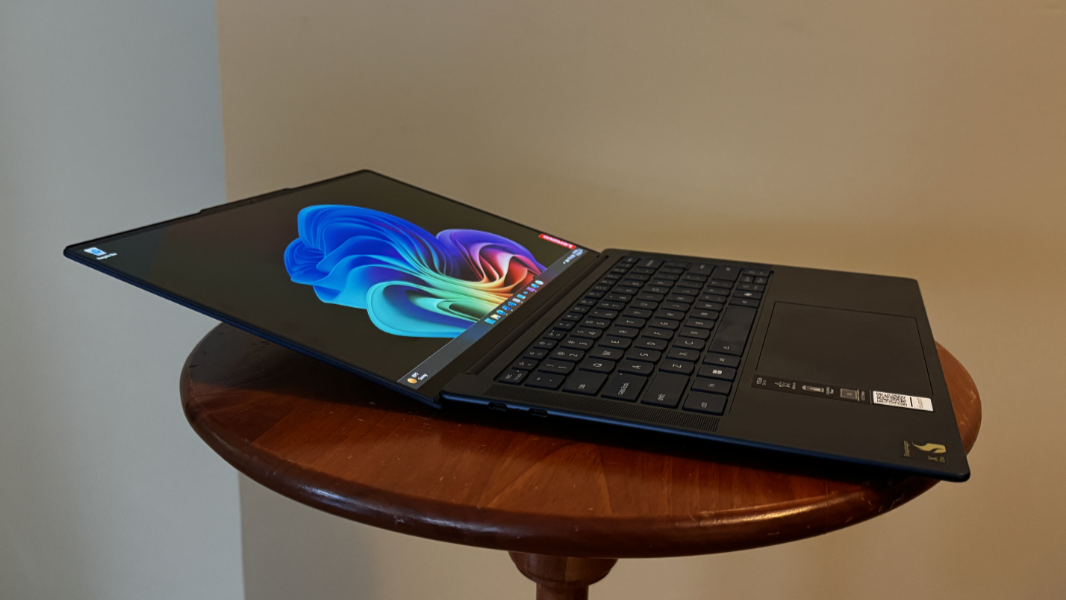
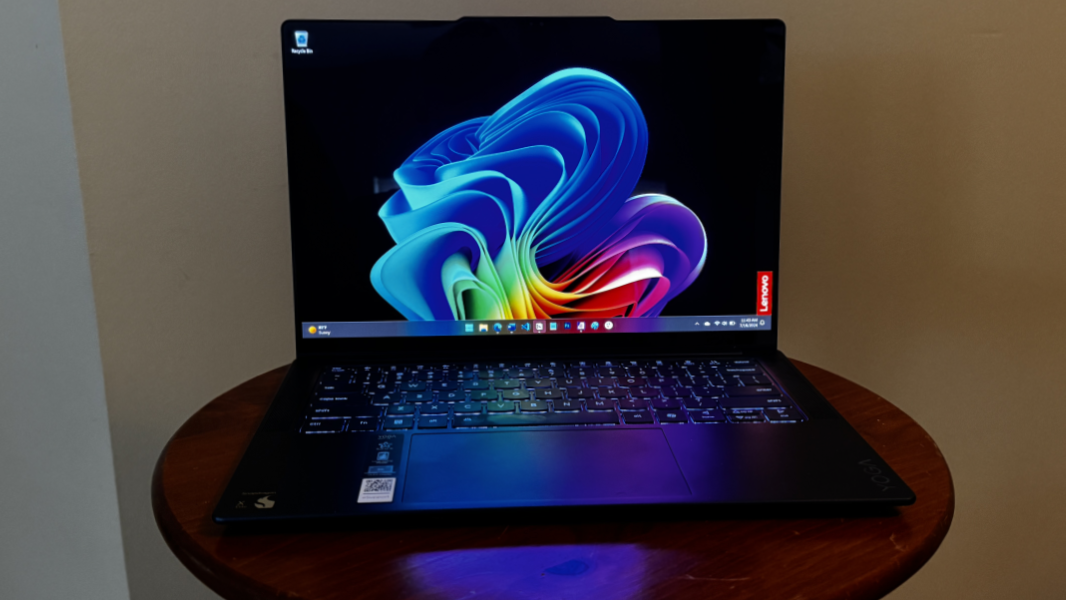
There are some differences, of course. The Yoga Slim 7x is decked out in a unique Cosmic Blue color, and at barely half an inch thick, it’s one of the thinnest Yoga Slim models that Lenovo’s ever made. That color differentiation applies to the blue-hued keyboard as well, a nice touch.
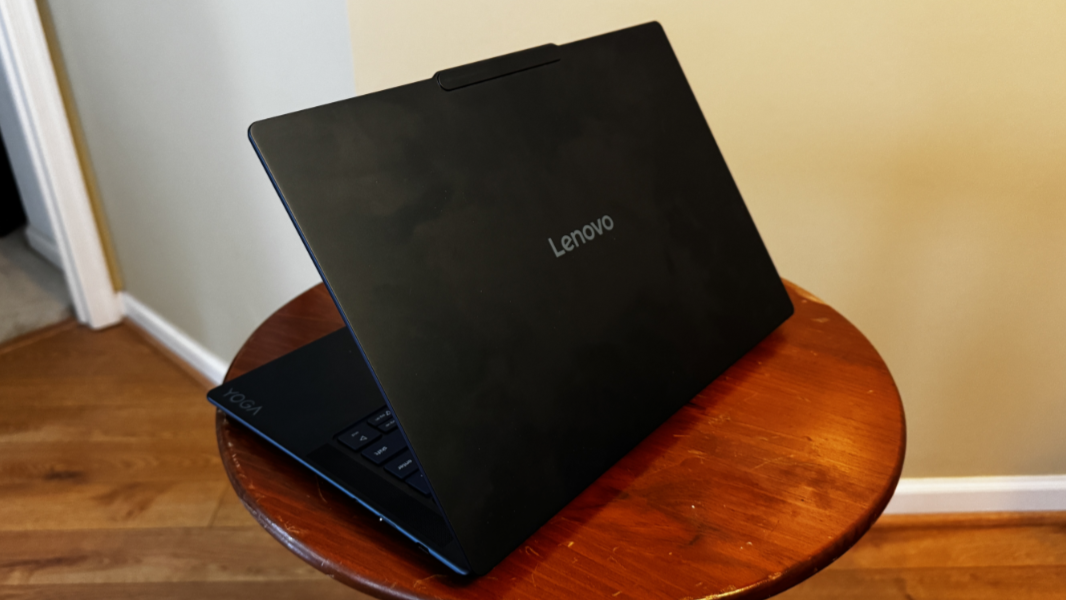
Like other Lenovo laptops, the Yoga Slim 7x utilizes a raised communications bar (a “reverse notch”), giving the display lid a unique and oddly attractive bump that also eases opening the lid for use.
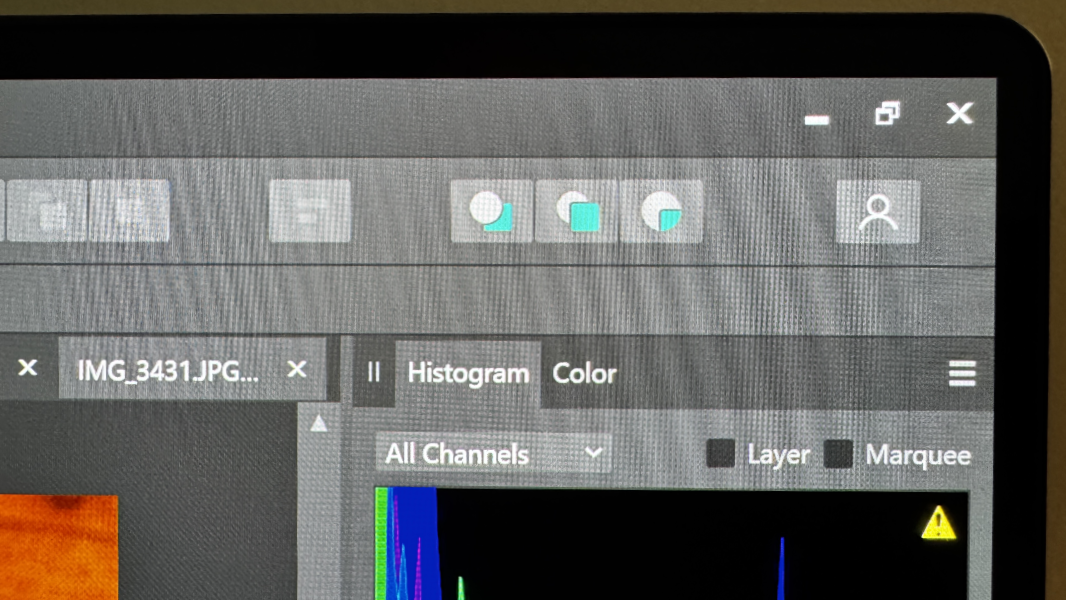
And the display bezels are notably thin all around, not just on the left and right sides. This design allows the gorgeous OLED display panel, described in the next section, to appear to float above the keyboard deck in a very natural way. It’s a great look.
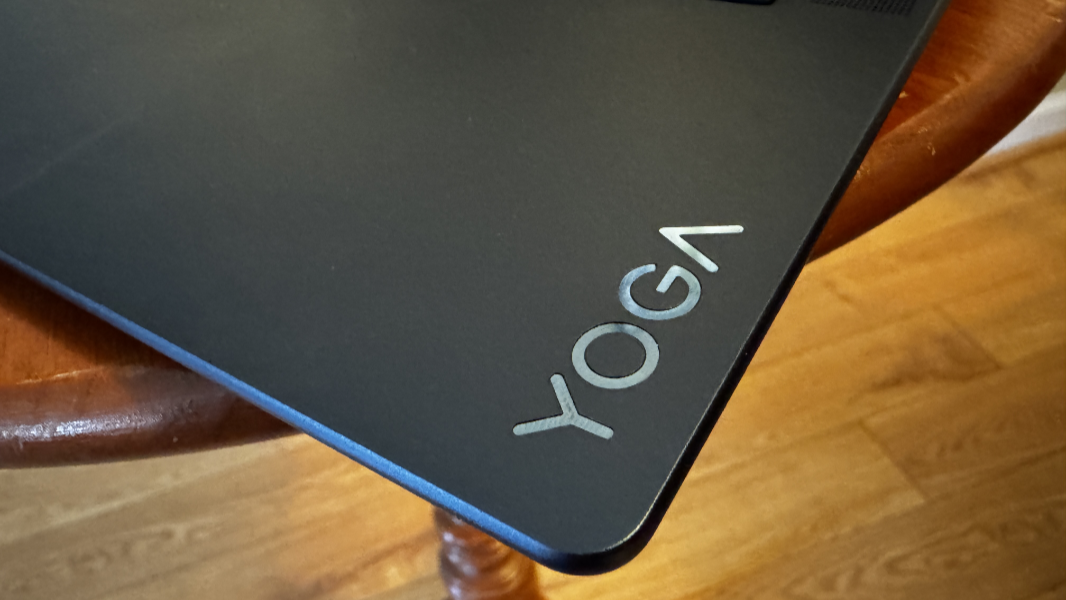
The keyboard deck has speaker grills on either side of the full-sized keyboard and a large 5.2-inch glass touchpad, and each of these components is nicely curved, as are the PC’s corners, display lid edges, and keyboard deck side edges. Branding is light and professional in the standard Yoga fashion, which I like. And there’s only a single hard-to-remove manufacturer sticker, for the Snapdragon X Elite, marring the wrist rest.
The power button with its bright white pinprick power light is on the right side of the device, as is a hardware webcam privacy switch. But the sides of the PC are otherwise quite spartan, with just USB Type-C ports—two on the left, one on the right—for expansion. The overall look is minimalistic, which I also like, though the exterior surfaces can pick up some light hand oil stains.
Display
The Yoga Slim 7x’s 14.5-inch OLED display panel is one of this PC’s key differentiators compared to other first-generation Copilot+ PCs: This display is bright, colorful, and gorgeous, and its unique size places it somewhere between a more typical 14-inch design and those used by bulkier, larger laptops. I’m surprised it’s the only display panel option, but it’s a terrific choice, with a 3K (2944 x 1840) resolution, a perfect 16:10 aspect ratio, plus Dolby Vision HDR, True Black 600, and low blue light capabilities.
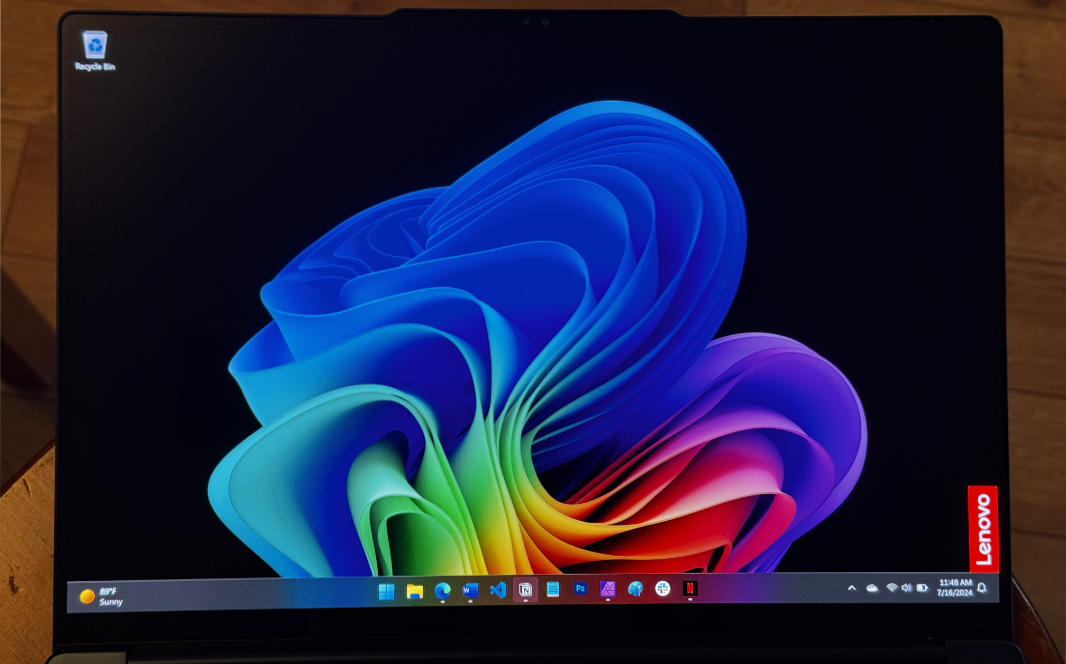
If there’s a downside to this display, it’s that it’s quite glossy and reflective, which is quite noticeable in bright environments. It also supports an odd 90 Hz refresh rate, higher than the 60 Hz norm but also lower than the 120 Hz we see with other high refresh rate display panels. Unfortunately, it doesn’t support a dynamic refresh rate, which would help with battery life by automatically scaling the refresh rate as needed. And so I left it on 60 Hz after testing the 90 Hz display mode for a while.
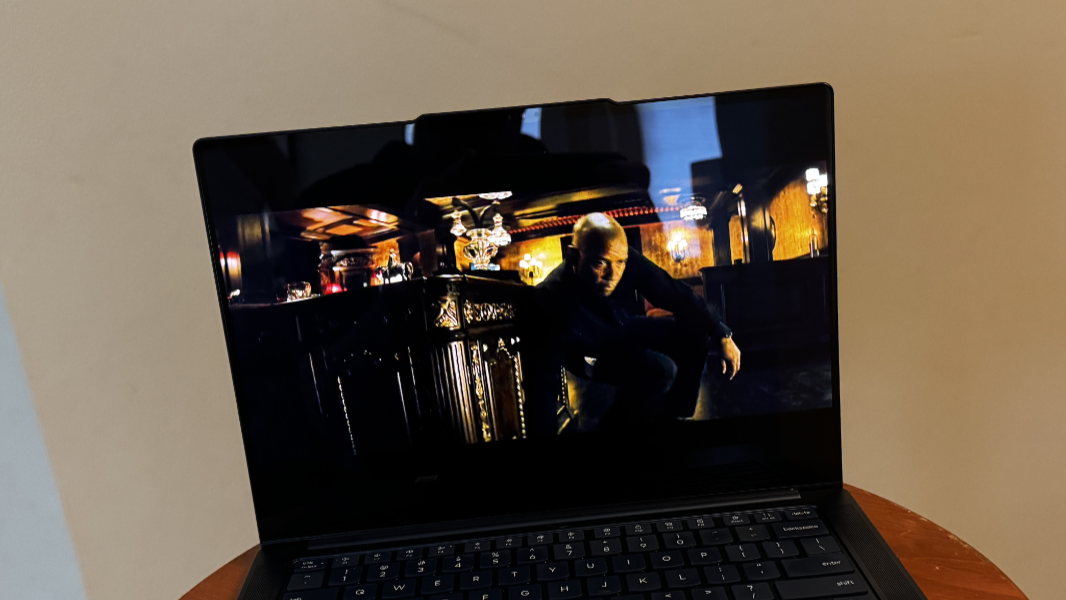
The display gets quite bright—it emits up to 500 nits of brightness with SDR content and 1000 nits with HDR—and content creators will love its color accuracy: This panel supports 100 percent of the sRGB and P3 color spaces. A bundled app lets you choose the color calibration you want or otherwise configure the display output.
As a Copilot+ PC, the Yoga Slim 7x supports the Auto SR (automatic super resolution) capabilities that come with Windows 11 version 24H2 and enhance the visual quality of compatible videogames in real-time. It also supports Auto HDR, which enhances compatible games from SDR into HDR. These capabilities seem promising, but neither improved the PC’s game playing capabilities enough to warrant much attention.
Internal components
As one of the first PCs based on Qualcomm’s new Arm-based Snapdragon X processor series, there were a lot of questions about performance, efficiency, and compatibility heading into this review. Further confusing matters, Qualcomm offers five discrete Snapdragon X processor models, four branded as Snapdragon X Elite and one as the lower-end Snapdragon X Plus.
Without getting too far into the weeds here—Qualcomm’s processor branding and model differentiation is just as confusing as anything Intel or AMD have come up with—the Snapdragon X Elite X1E78100 processor powering the Yoga Slim 7x 14 is the lowest-end of the X Elite chips. Like its stablemates, it offers a 12-core processor, Qualcomm Adreno graphics, and a Qualcomm Hexagon NPU (neural processing unit) with 45 TOPS of hardware-accelerated AI performance. But the processor in this SoC (system on a chip) runs at 3.4 GHz, whereas the higher-end chips are 3.8 GHz. It’s the only X Elite processor that doesn’t offer dual-core boost capabilities. And its GPU delivers just 3.8 TFLOPS of graphics performance, while the higher-end X Elite chips hit 4.6 TFLOPS.
Like most other PC makers offering Snapdragon X-based Copilot+ PCs, Lenovo doesn’t offer processor choices when you buy a Yoga Slim 7x. The general feeling—which Qualcomm, Lenovo, and the other PC makers would likely never admit to—is that this limitation is tied to manufacturing yields for this new chip family. That is, we should see more choices, and more of the higher-end Snapdragon X Elite variants, in the future. It’s not clear.
What I can tell you is that it doesn’t matter in the slightest: The Yoga Slim 7x offers effortless performance across the productivity and creator workloads I engage in daily, and it never once hitched, paused, or stuttered no matter what I threw at it. That the Yoga did this without generating any fan noise at almost any time—video encoding and modern videogame playing being the only, and understandable, exceptions—is incredible. When the fans do kick in, the sound is more of a low whoosh than the clarion alarm you hear with Intel Meteor Lake-based PCs: The fans in those PCs aren’t just louder, much louder, but the noise is more frequent too.
This combination of power and silence is especially impressive because the Snapdragon X’s Arm architecture requires that many of the apps we use on these PCs be run through an emulator. This emulator, called Prism, ships with the Arm versions of Windows 11 version 24H2, and it offers dramatic performance improvements over previous generation emulators. Indeed, it’s never obvious when you’re even using it. In my experience, about 60 to 65 percent of the apps I use normally are available natively in Arm64 versions, while the rest are emulated. And I only ran into two incompatible apps, Google Drive and OBS Studio, in the set of apps I use regularly. This is a big improvement over previous Windows on Arm systems, but your results may vary: The more mainstream your needs, the better the results.
On that note, Qualcomm is understandably proud of the performance it’s able to deliver with the Snapdragon X chips. But those with very specific needs—content creators who edit and encode videos, especially, and videogame players—will want to check the compatibility of their favorite titles before buying a Yoga Slim 7x or another Copilot+ PC. Oddly, developers should be all set: Visual Studio 2022 and Visual Studio Code, both of which I used regularly, run natively on Arm.
The videogame experience is particularly lackluster: Only a small handful of games are guaranteed to work well, which makes sense since almost none run natively on Arm. But those games, and hundreds of others that may or may not benefit from Auto SR and Auto HDR will require a lot of tweaking, waiting, and retrying before they run on this PC (or other Copilot+ PCs). And though I did see some success with games like Borderlands 3, Control, and Doom (2016), this isn’t something I can recommend to others. You don’t buy a PC like this to play games. Snapdragon X is amazing, but videogames are a bridge too far.

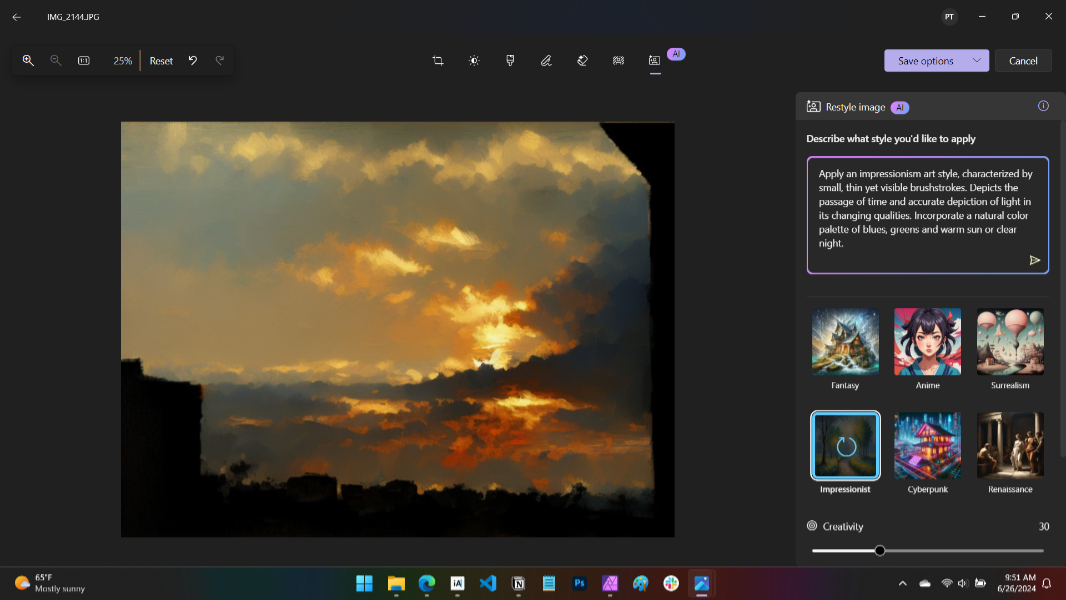
The Snapdragon X processor’s integrated NPU also enables new on-device hardware-accelerated AI experiences. But these, too, are largely lackluster and don’t constitute a reason to choose a Copilot+ PC like Yoga Slim 7x over other Intel- and AMD-based thin and light PCs. The central advantage here is real—the NPU runs so efficiently that these tasks will barely impact battery life, even over a long period of time—but only a few of the capabilities stand out. The Restyle Image feature in the Windows 11 Photos app is truly impressive, as is Live Captions with real-time language translation, assuming you speak English. And you get the full set of Windows Studio Effects for online meetings, whereas other AI PCs with lesser NPUs only get a subset of them. But that’s about it.
The on-device AI value proposition will probably change dramatically, and for the better, when the unfairly maligned Recall feature in Windows 11 version 24H2 reappears. Microsoft delayed this feature to appease privacy critics, as many know, but it should belatedly arrive in preview form within the next few months. I’ll revisit the on-device AI capabilities in the Yoga and other Copilot+ PCs then.
One last note here: The Lenovo Vantage app includes a Modes interface that lets you customize the performance profile of the system for specific use cases like meetings, media, gaming, and the like. I’m not clear what the point of that is, but I left it on automatic after trying to figure out whether doing otherwise made any sense.
Connectivity
Microsoft’s previous Windows on Arm push centered on what it called always-connected PCs which required onboard, integrated 4G/LTE or 5G cellular connectivity capabilities. But with Copilot+ PC, Microsoft and Qualcomm lowered costs to make the resulting systems more affordable to consumers. And so cellular connectivity is now optional, just as it is with other PCs. And the Yoga Slim 7x 14, like all other first-generation Copilot+ PCs, doesn’t even offer it as an option.
What you do get is modern, albeit traditional, connectivity capabilities via Wi-Fi 7 and Bluetooth 5.3. I tested the Yoga against two of my Wi-Fi 6E networks, in Pennsylvania and Mexico, and while travelling, and I used it with dozens of Bluetooth devices. I never experienced any issues at all.
Lenovo offers two optional Wi-Fi features in its Vantage app: WiFi Security, which helps sniff out unsafe public Wi-Fi networks you may wish to avoid, and Wifi Auto-Recovery (yes, one feature uses WiFi and the other uses Wifi), which automatically connects the PC to trusted Wi-Fi networks when in range. I left WiFi Security on, but disabled the other because Windows already offers this functionality.
Ports and expansion
As a modern thin and light laptop, or what we used to call an Ultrabook, the Yoga Slim 7x 14 understandably delivers only modern expansion capabilities. In this case, in the form of three identical USB Type-C ports, two on the left and one on the right. These are full-featured USB4 Gen 3 ports with 40 Gbps of data transfer performance, plus Power Delivery 3.1 and DisplayPort 1.4 capabilities.
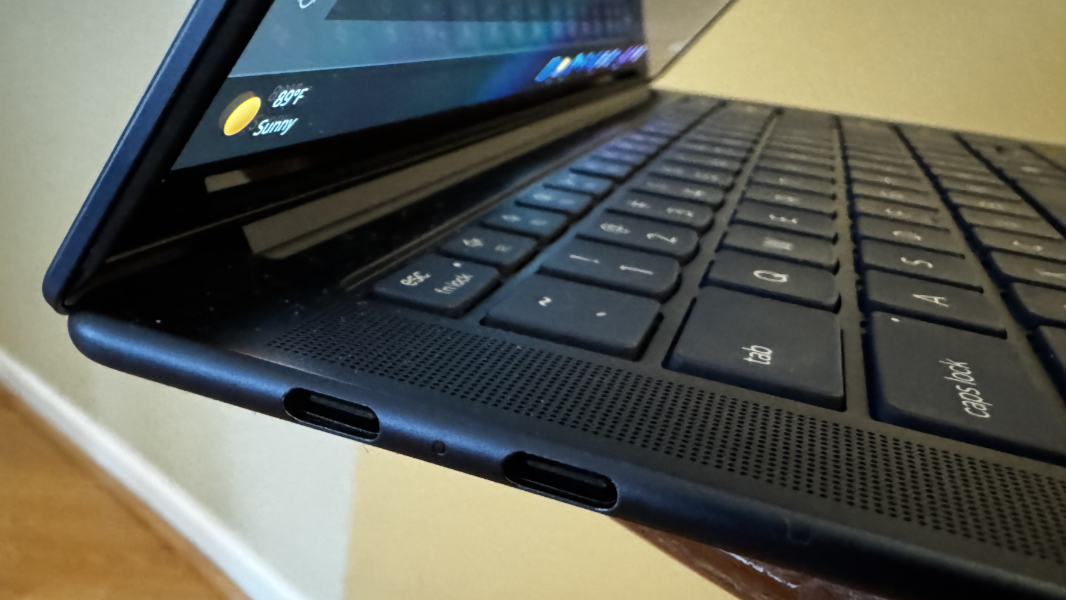
Having at least one USB Type-C port on each side of the PC is the desired configuration. Having three identical USB-C ports, each of them the best-possible USB4 port, is unprecedented. Bravo, Lenovo.
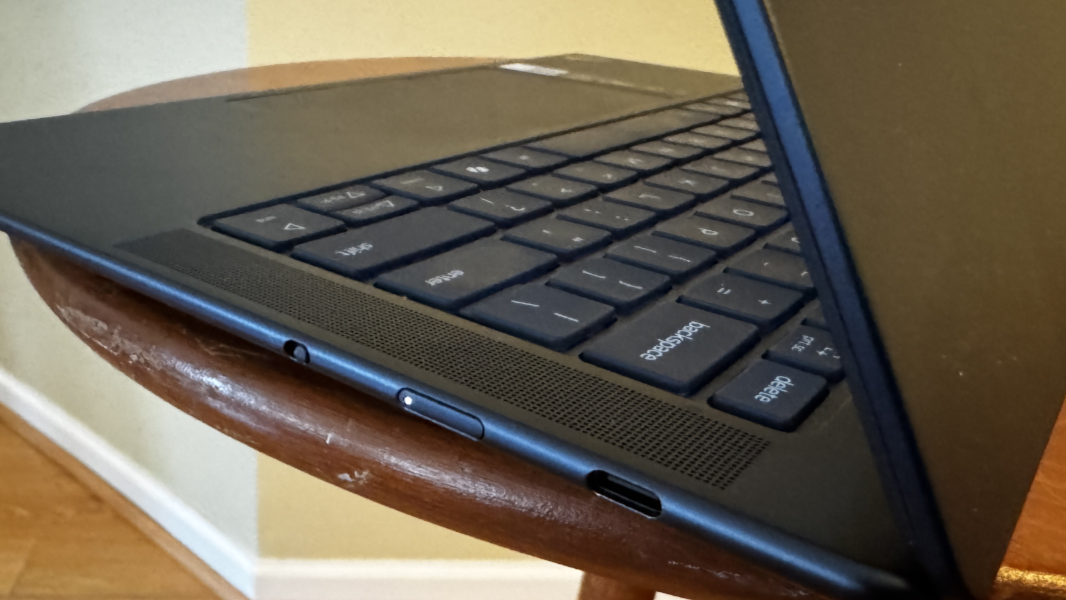
From a compatibility perspective, the Yoga Slim 7x comes on strong: I saw full compatibility with the HP Thunderbolt 4 dock I use in Mexico and with the Anker PowerExpand 8-in-1 USB-C hub I usually travel with. When I got home, I also used it successfully with my CalDigit TS3 Thunderbolt 3 dock, though the Ethernet port didn’t function; CalDigit is aware of this issue and is awaiting a driver update from the component supplier.
Only one of my devices, a Focusrite USB audio interface, didn’t work at all with the Yoga. As with software compatibility, the more mainstream the use cases, the more likely you’ll encounter few if any issues. Your biggest issue will likely be finding a USB-C dongle.
Audio and video
Lenovo wisely paired the Yoga Slim 7x’s terrific Dolby Vision-enabled OLED display with four two-watt speakers and Dolby Atmos spatial sound capabilities, enabling a sweet portable multimedia experience. The stereo separation in movies like The Equalizer and 1917 was immersive and positional, and especially good if the laptop was placed on a hard surface where the bottom-firing woofers can do their thing.

Music likewise sounded great (via YouTube Music), though I would like to have bumped up the bass just a bit. The speakers get quite loud and don’t distort or rattle at 100 percent volume.
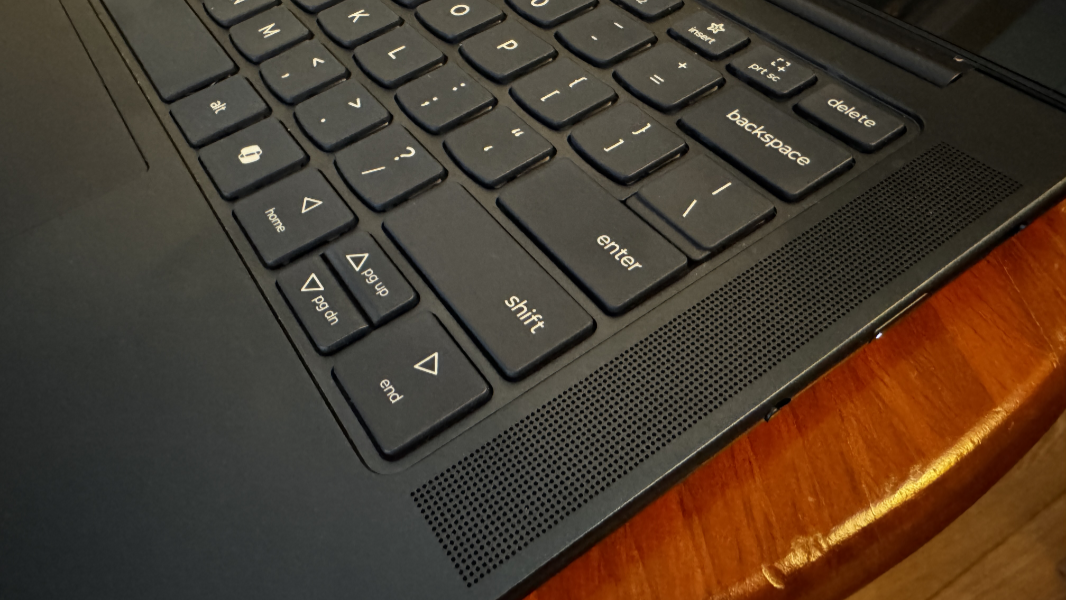
On the downside, and this is a big one, the Yoga Slim 7x inexplicably doesn’t include a combo headphone/microphone jack. Even Apple hasn’t taken that radical step with its laptops.
Hybrid work
For hybrid workers, Lenovo supplies a Full HD (1080p) front-facing webcam with an IR sensor for Windows Hello and quad microphones.

With many PC makers switching to more impressive 5 MP or better webcams, I was initially worried about the video quality. But webcam quality was quite good, and it supports a hardware privacy switch on the right side of the PC next to the power button. Thanks to the system’s powerful NPU, the Yoga supports the full suite of Windows Studio Effects for video calls too.
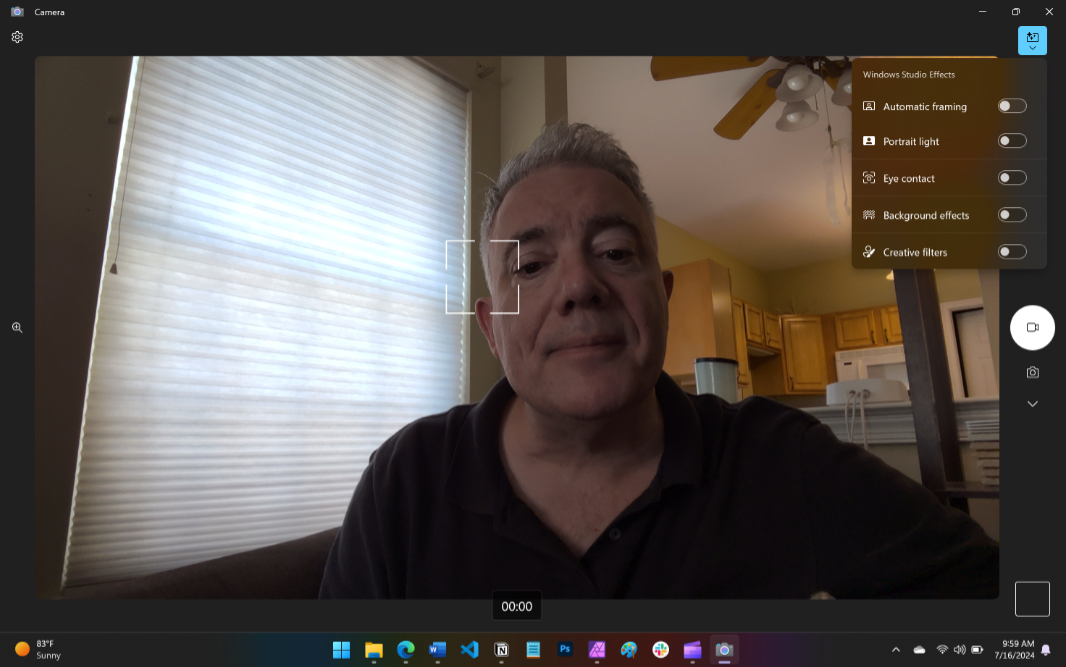
Audio quality was excellent in my voice recording tests, and that was before I experimented with its more advanced capabilities using the Lenovo Smart Noise Cancellation app. Noise cancellation is off by default, but you can configure it using various modes, like Voice ID mode, in which the microphones will mute all sounds but your voice. In quiet spaces, I found that leaving this off was the right choice, but I do like any option to help combat background noise.
Keyboard and touchpad
As with its vaunted ThinkPad line of business laptops, Lenovo has long provided similar high-quality keyboards with its Yoga PCs, and the Yoga Slim 7x doesn’t disappoint. It provides a full-sized, island-style keyboard with six rows, dedicated function keys, automatic backlighting, and no weird key placements. The typing experience is terrific, with quick, snappy, and short key throws, and pleasant, non-tinny feedback. The keys are scalloped as we see elsewhere with Lenovo’s portable PCs, except on the bottom and function rows for a cleaner look.
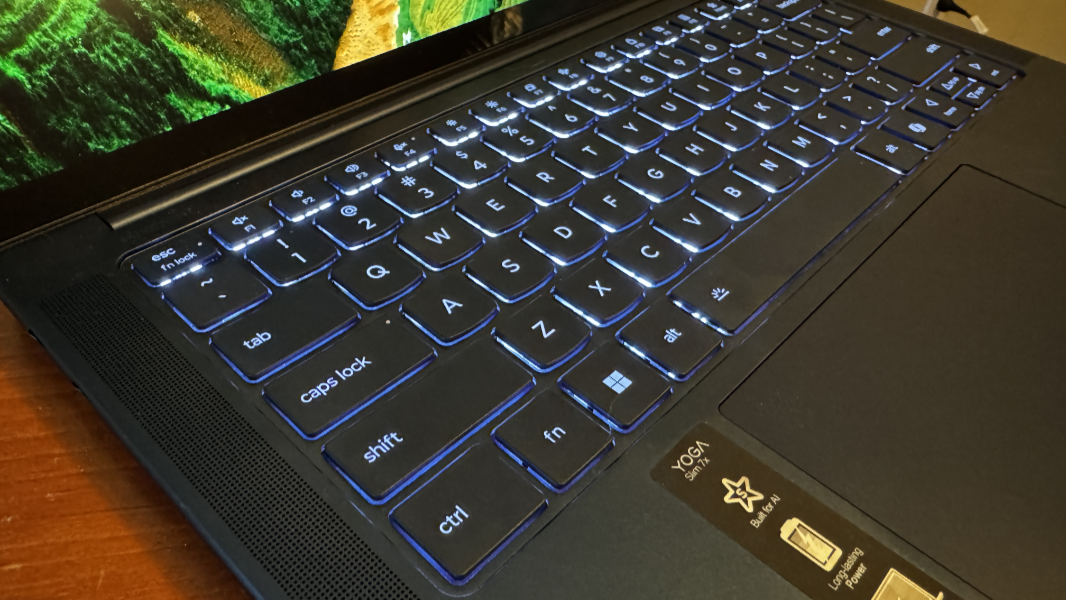
As a Copilot+ PC, the Yoga does of course have the superfluous Copilot key to the left of the arrow keys. And those arrow keys are not bogged down with tiny Pg Up and Pg Dn keys, which I appreciate. Instead, those options, like Home and End, are handled via Fn + arrow key keyboard shortcuts like God intended.
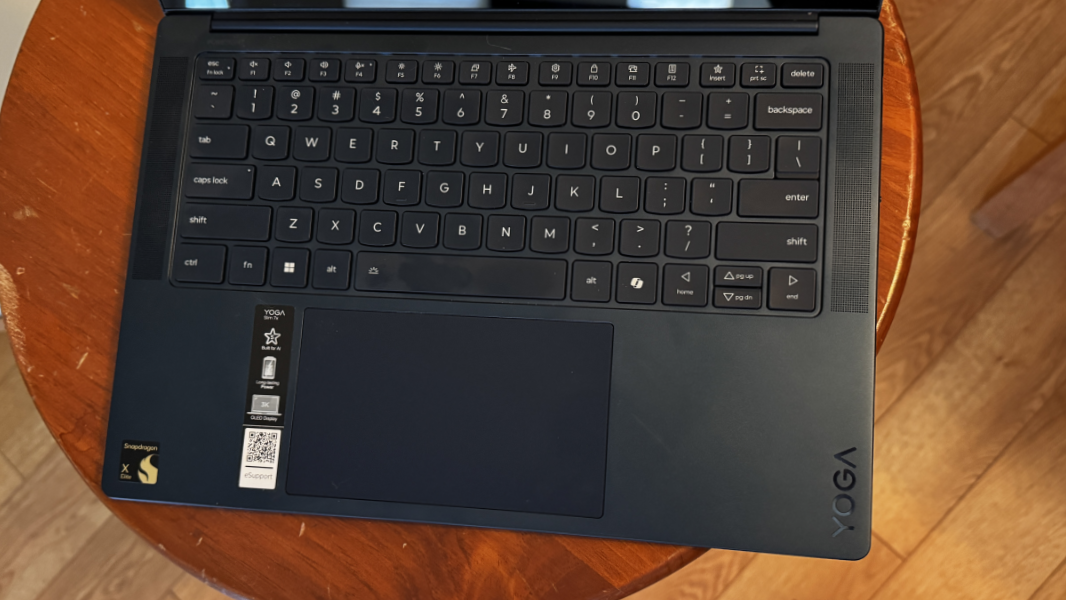
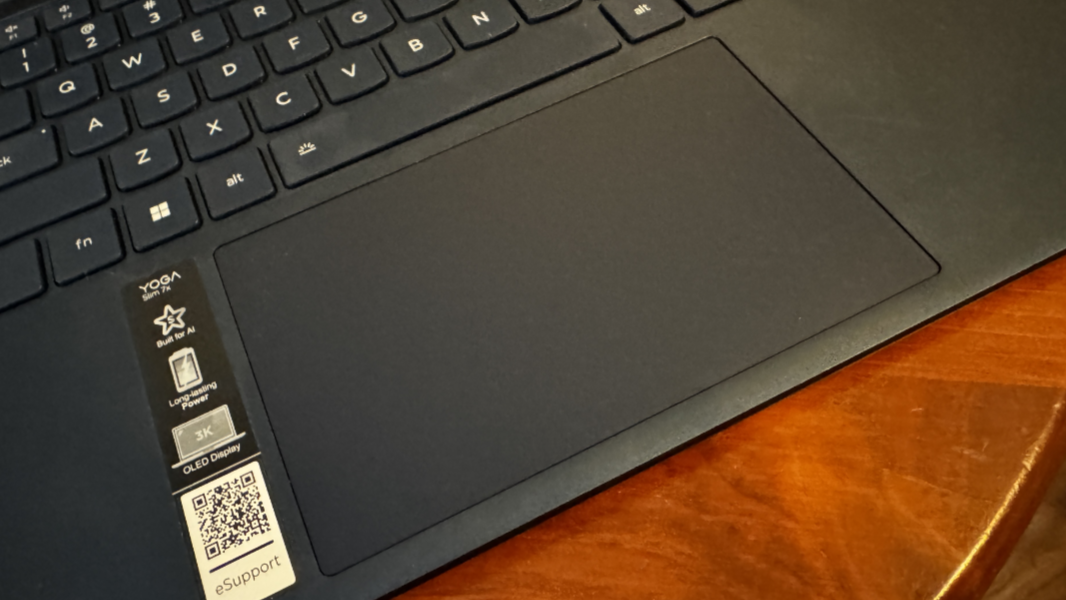
The glass precision touchpad is a bit large and was just average quality: I disabled three- and four-finger gestures but sometimes still experienced errant swipes on its 135 mm of surface area while I typed, sending the cursor flying. It worked fine overall, but it isn’t a standout.
Security
Like all Copilot+ PCs, the Yoga Slim is protected by a Microsoft Pluton security processor and Windows Hello Enhanced Sign In Security (ESS) and its incredibly stringent build-time requirements. It features Windows Hello ESS-based facial recognition and presence sensing capabilities for the most secure and seamless sign-ins and automated system locking imaginable, and this combination worked reliably during the entire review process. The only downside here is that the Yoga lacks a fingerprint reader, even as an option. I prefer to see both biometric sign-in options.
Sustainability
The Lenovo Yoga Slim 7x features a 50 percent recycled aluminum base, 50 percent post-consumer recycled (PCR) plastics in the keyboard, and 90 percent PCR plastics in the power adapter. And Lenovo’s packaging features plastic-free FSC-certified paper pulp with a 100 percent bio-based system bag.
The Yoga is almost completely user- and technician serviceable as well, with four Torx screws on the bottom, none hidden under rubber feet. Most of the system components are easily replaced or upgraded, with the integrated RAM being the one exception. This is common to all Snapdragon X-based PCs.
Portability
Heading into my first round of Copilot+ PC testing, I was hoping for a mobile experience that rivaled that of the Apple Silicon M3-based MacBook Air. But with 25 years of Windows laptop reviews under my belt, I knew it was unlikely that even these dramatically more efficient PCs would rise to that level.
Well, color me surprised. The Yoga Slim averaged nearly 10.5 hours of real-world battery life over a full month of use, with the best day netting just under 13.5 hours. Yes, this figure is shy of the 15 hours I averaged with the Apple MacBook Air 15-inch M3, but it’s additionally impressive given the Yoga’s battery-sucking OLED display. (In my experience, OLED lowers battery life by over 20 percent compared to a standard IPS display.)
These figures aren’t unprecedented in the x64 Windows laptop market, but they are incredibly rare. And when you combine this uptime with the device’s incredibly reliable instant-on experience and sophisticated power management—it lost just 1 to 2 percent battery each night while asleep—it’s even more miraculous. The Yoga Slim 7x is the total package, and I never had any weird issues related to power management or battery life.
At 12.80 x 8.86 x 0.5-inches, the Yoga Slim is the smallest and thinnest of the three Copilot+ PCs I’m currently evaluating, and yet it delivers a bigger and better 14.5-inch display than the otherwise similar HP EliteBook Ultra. And at 2.82 pounds, it’s not as heavy as the HP, at 2.9 pounds.
Lenovo claims that a 15-minute charge can add three hours of uptime to the Yoga’s 70-watt-hour (Whr) battery, which is a curious way to describe fast charging. (More typically, it’s about x percentage gains.) It includes a standard Lenovo 65-watt USB-C power supply in the box.
Software
Like other Snapdragon X-based PCs, the Yoga Slim 7x ships with Windows 11 Home version 24H2 and its handful of minor usability improvements. (You can upgrade to Pro inexpensively, however. See the next section.) It also includes a small set of unique Copilot+ PC on-device AI features, as noted above. For the most part, it’s just a traditional Windows 11 experience despite the Arm underpinnings.
There isn’t that much in the way of crapware, thankfully: McAfee is the only exception, and I uninstalled that immediately as always. Beyond that, Lenovo includes just two of its own utilities—Lenovo Vantage and Lenovo Smart Noise Cancelling—plus two Dolby apps (Dolby Access plus a redundant Dolby Vision standalone app), a link to the PC’s user guide online, and X-Rite Color Assistant, for color calibrating the display.
Most of this is non-objectionable, but Lenovo Vantage has been split in two, with the top section dedicated to useful configuration functionality and the bottom half paid services you can opt into like Lenovo Smart Performance ($29.99 per year) and Lenovo Smart Lock ($49.99 per year) plus, oddly, parts you can buy.
Pricing and configurations
The Lenovo Slim 7x 14 Gen 9 isn’t particularly configurable. There’s only one model, and it comes in only one color, the unique Cosmic Blue. That model costs $1199.99 and provides a Qualcomm Snapdragon X Elite X1E78100 processor, 16 GB of LPDDR5X 8448 MHz dual channel RAM, 512 GB of PCIe M.2 Gen 4 PCIe SSD storage, and a 14.5-inch 3K OLED display. There are two available hardware upgrades, to 32 GB of RAM and 1 TB of storage, and they are so reasonably priced—$69 and $45, respectively—you’d be a sucker not to get both.
You can also upgrade from Windows 11 Home to Pro for $28, a huge savings over the $99 Microsoft charges in its Store app. And there are various Microsoft 365 consumer subscriptions and standalone Microsoft Office add-ons, each of which is also reasonably priced if you need such a thing.
It’s difficult to argue with the pricing.
Lenovo charges the same $1199.99 for its AMD Ryzen 7 7735HS-based Yoga Slim 7, which also has 16 GB of RAM, 512 GB of SSD storage, and a 14.5-inch display. It also has dedicated Nvidia GeForce RTX 3050 laptop graphics, which is probably a step up from the 7x. But the RAM is slower at 6400 MHz, and the display is a lower-resolution 2.5K (2560 x 1600) IPS panel at 90 Hz, not OLED. That system isn’t a Copilot+ PC, of course, but then the Copilot+ PC extras are, for now, not particularly interesting.
You can also configure an Intel-based Yoga Slim 7i for about the same price, $1142. That system features an Intel Core Ultra (“Meteor Lake”) 7 155H processor, 16 GB of RAM, 512 GB of SSD storage, and a 14-inch Full HD+ (1920 x 1200) OLED display at 60 Hz. This PC offers similarly reasonable RAM (32 GB for $66) and storage (1 TB for $32) upgrades as the Snapdragon X-based Yoga Slim 7x.
Recommendations and conclusions
Despite the hand wringing over Windows 11 on Arm and Microsoft’s silly Copilot+ PC positioning, the Lenovo Yoga Slim 7x 14 Gen 9 is a no-brainer for anyone looking for a thin and light laptop with a gorgeous OLED display, epic battery life, reliable instant-on capabilities, and effortless, silent performance. It’s a viable Windows-based alternative to Apple’s M3-based MacBook Air, and I have no problem recommending it to mainstream users who need a productivity- or creator-focused workhorse. That said, you should do a bit of research to ensure that the apps and devices you rely on are compatible with Windows 11 on Arm: My experiences were overwhelmingly positive, but this will vary by person. The weirder your needs, the bigger the possibility of incompatibilities.
Despite Qualcomm’s marketing, no one should buy a Yoga Slim 7x or any other Snapdragon X-based Copilot+ PC for gaming, given the inconsistencies and quality issues. And while the on-device AI capabilities are few and mostly lackluster today, Recall is coming and should change that dynamic dramatically for the better. All the more reason to opt for those inexpensive RAM and storage upgrades: The Yoga Slim 7x 14 isn’t just special, it’s a terrific value too.
At-a-glance
Pros
- Colorful and bright 3K OLED display with Dolby Vision HDR
- Epic battery life and reliable power management
- Instant-on that rivals an Apple Silicon MacBook Air
- Effortless, silent performance with native and emulated apps
- Three 40 Gbps USB4 Type-C ports
- Terrific keyboard
- Dolby Atmos sound
- Excellent software and hardware compatibility (with caveats)
- Windows 11 version 24H2 includes some small but meaningful updates
- System pricing, RAM and storage upgrades are incredibly reasonable
Cons
- No headphone jack
- No fingerprint reader, even as an option
- On-device AI features are lackluster for now, but that will change
- Touchpad can trigger mis-swipes