HP OmniBook X Flip 16 Review
- Paul Thurrott
- Jul 30, 2025
-
1
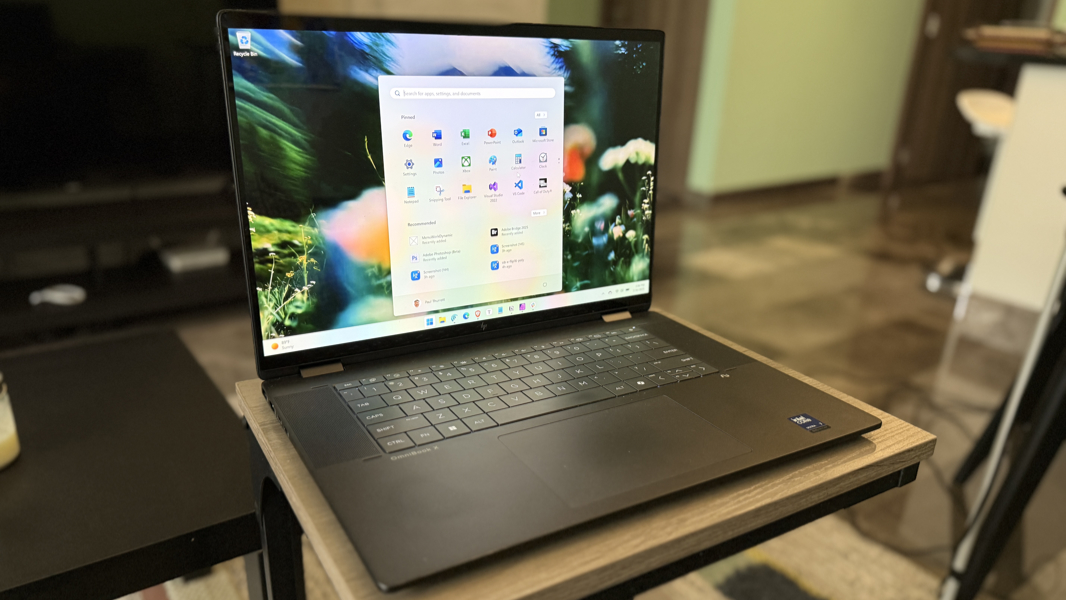
I love the HP OmniBook X Flip 16 for its expansive, gorgeous display, the design, and its reasonable pricing given the quality. But the performance is inconsistent, and there are some curious component choices, both of which serve to undermine the overall experience. And so the question becomes whether the issues outweigh this laptop’s benefits.
As is so often the case, the answer is that it depends, and what it depends on are your needs and how you weigh the respective pros and cons. But before we can step through that, a quick sidebar about this laptop and some similar siblings that HP also makes available.
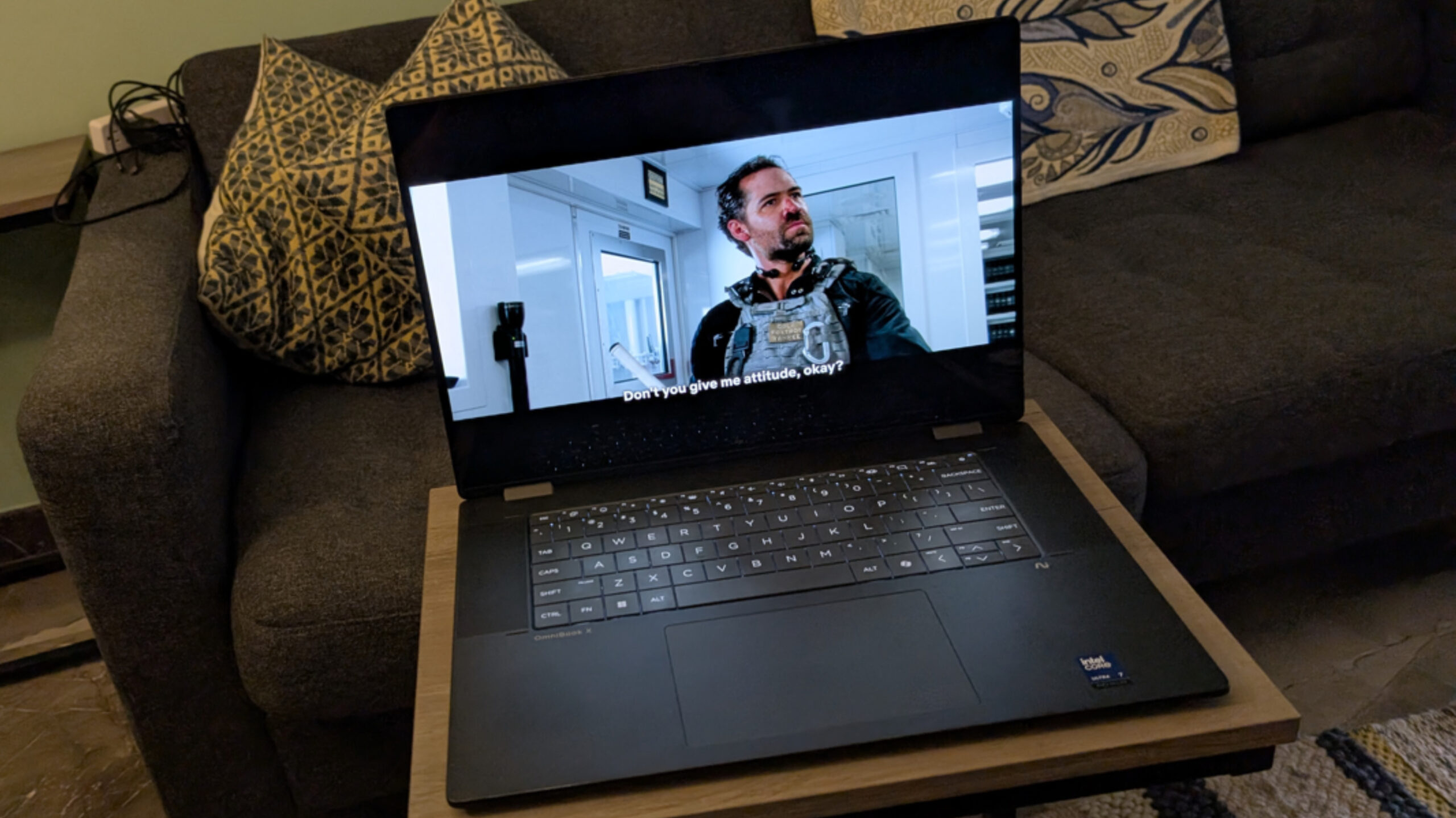
There are 14- and 16-inch versions of the HP new OmniBook X Flip convertible laptops, and each can be had with recent AMD or Intel mobile processors that meet the Copilot+ PC specification requirements. That could make for an interesting comparison if I had two laptops that were identical save for the processor and related internals. But instead, I have a 14-inch OmniBook X Flip with an AMD processor and this 16-inch model that’s based on the Intel “Lunar Lake” Core processor.
It’s still an interesting comparison, of course. Both are worthy in unique ways, and each has some advantages over the other. Both have some issues as well, sadly.
Design
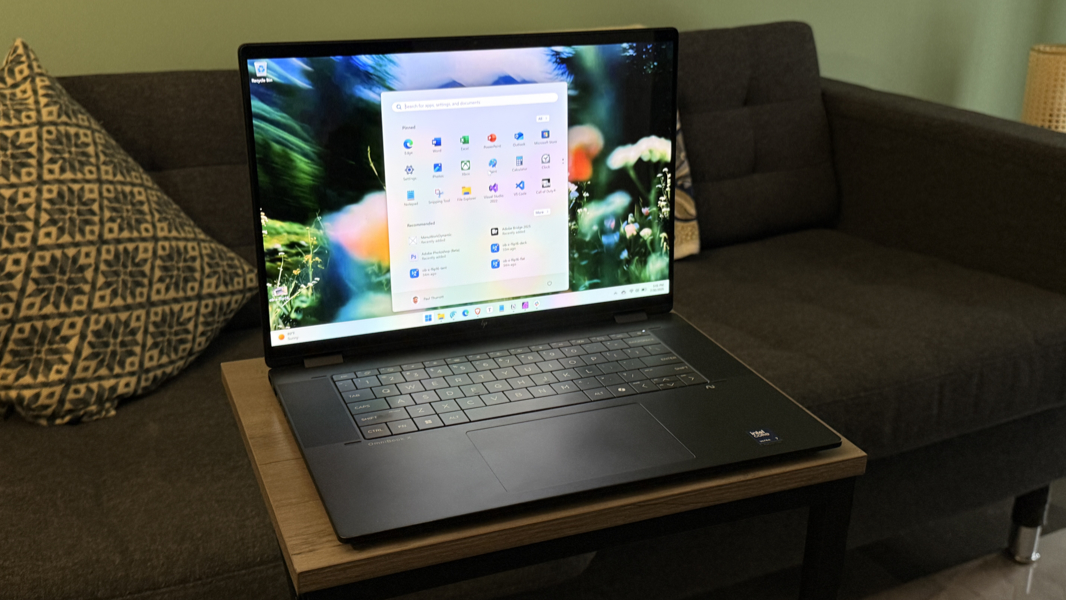
The basic design is the same across both OmniBook X Flip model sizes and processor choices, but it’s especially handsome in the 16-inch review unit thanks to the space allotted to the keyboard: It seems to float in the center of the keyboard deck between two large upward-firing speaker grills. I love the look, and I especially love that there’s no numeric keypad, a vestigial feature most don’t need or want.
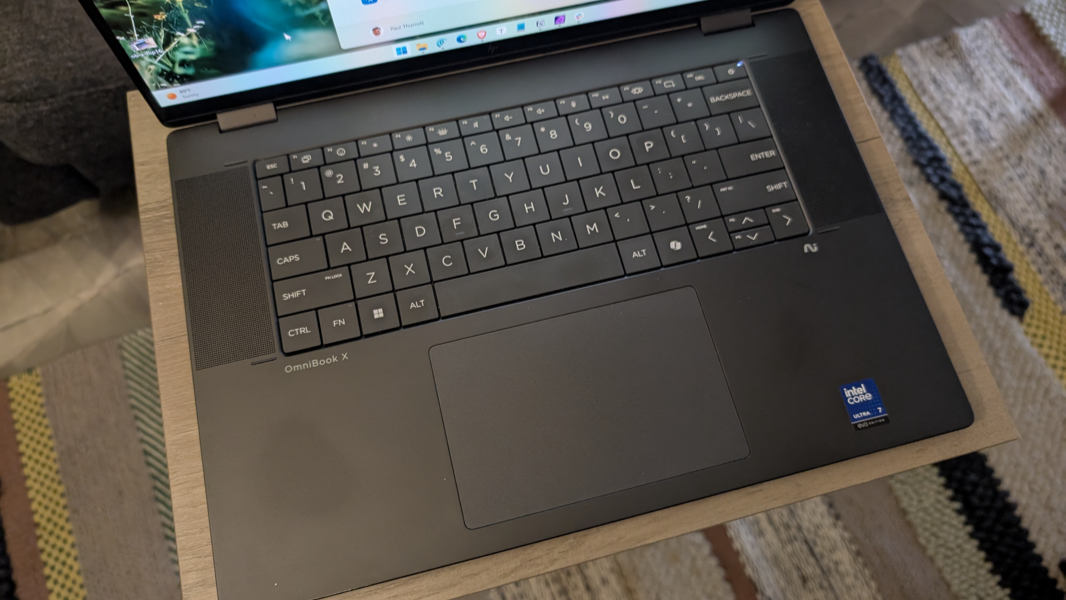
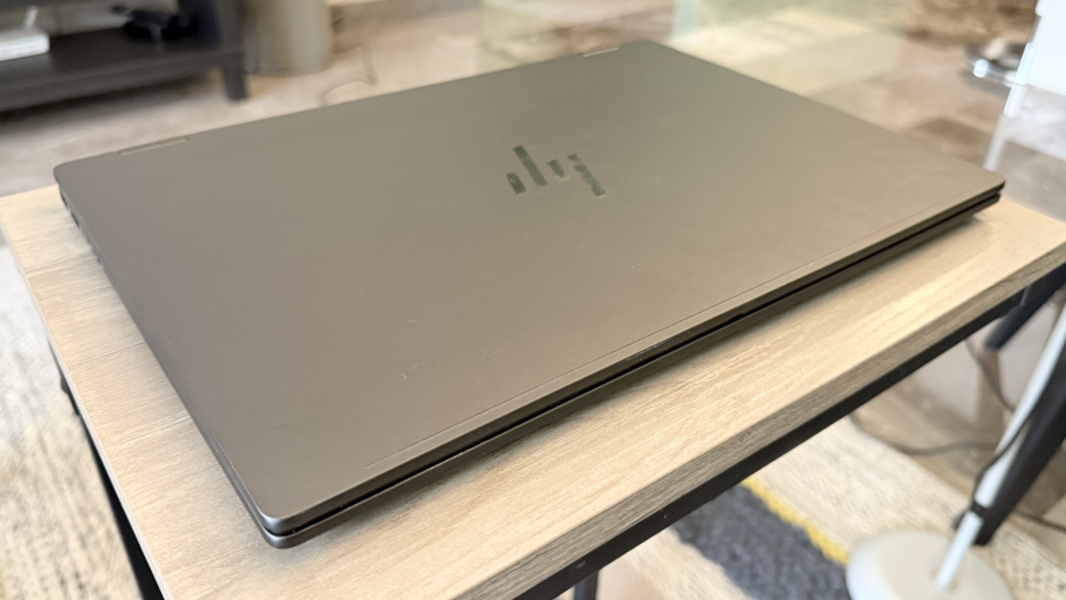
Like other PC makers, HP often employs a two-tone color scheme in which a laptop’s keyboard is visually offset from the surrounding hardware. And it does so on the gray 14-inch OmniBook X Flip. Here, however, it’s all one color, and in the review unit, that color is a menacing black that I love. Of course, this is anodized aluminum, so it will develop metal-colored scratches at some point.
This is controversial in some circles, but touch typists don’t need the visual cue, and you can enable keyboard backlighting if you want some contrast. If this were a lighter color or a gray, as with the smaller unit, I might prefer it just for aesthetics, but this looks great to me.
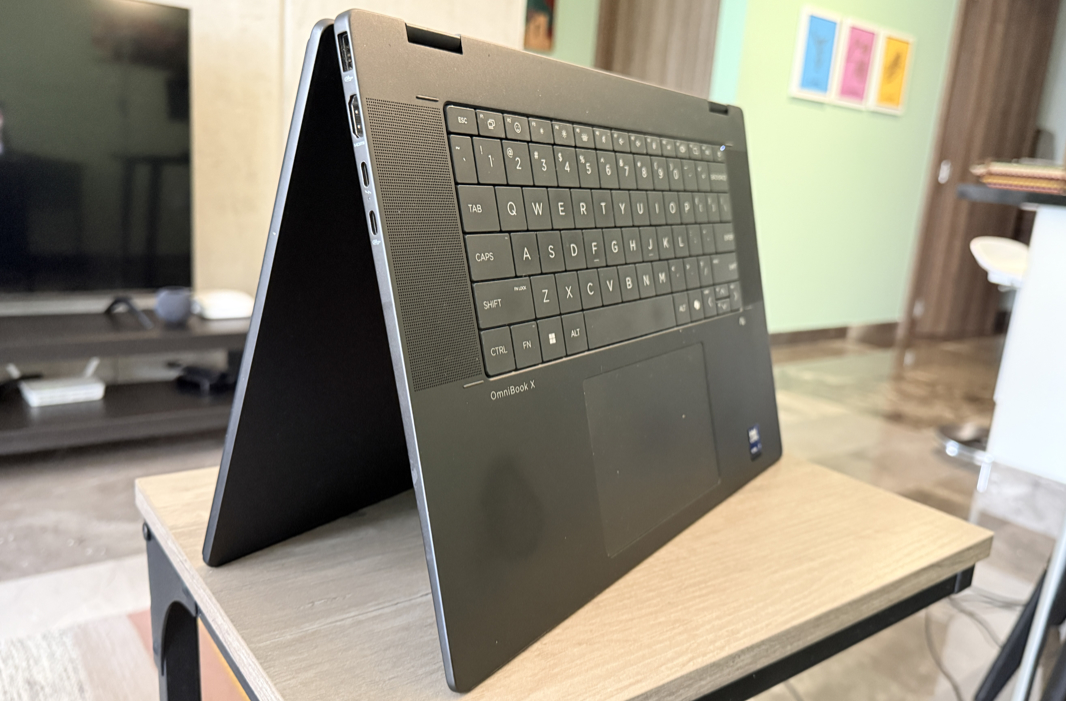
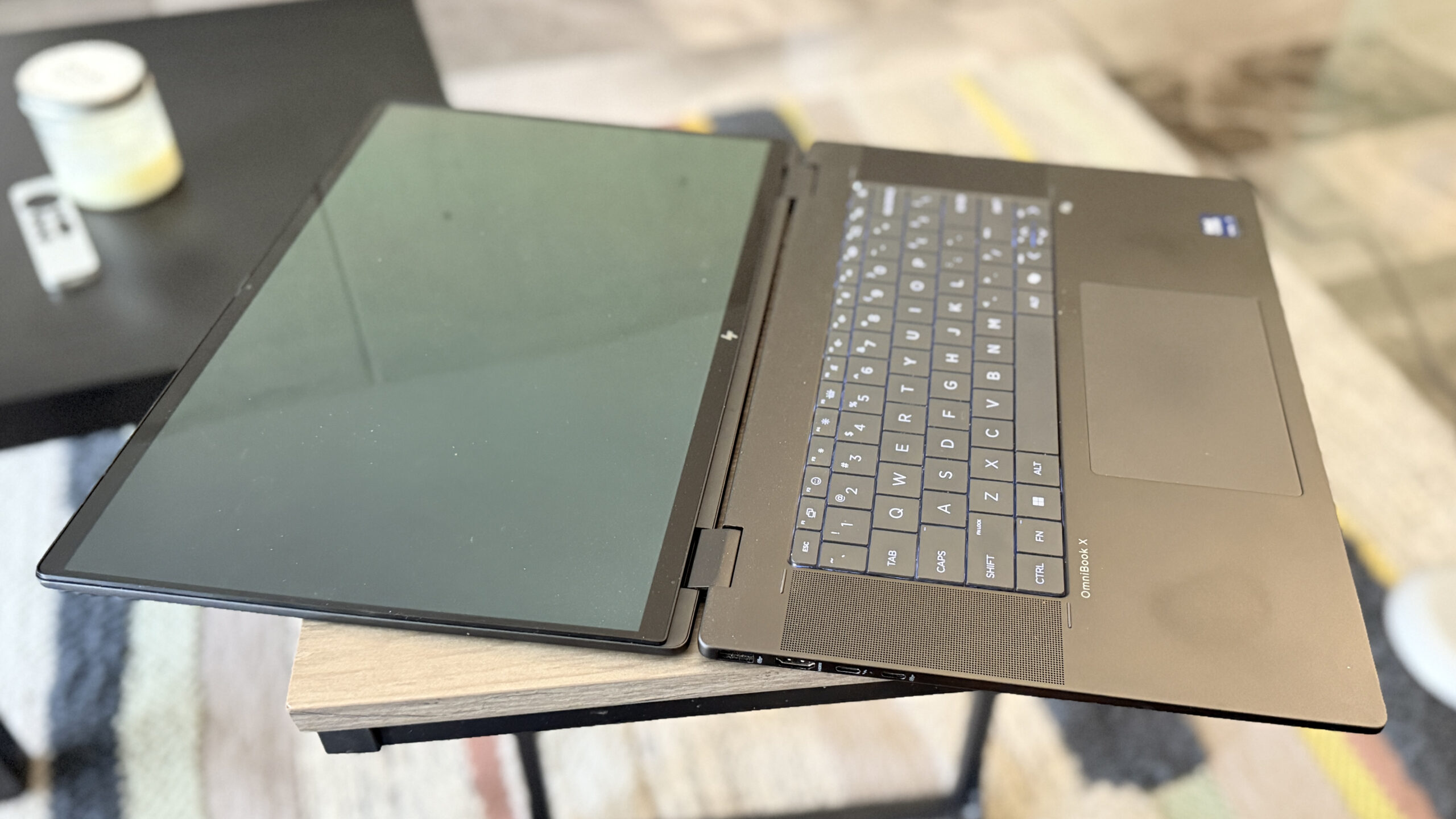
As a convertible laptop, the OmniBook X Flip 16 can flip around and be used in other, non-traditional form factors like a (very thick and heavy) laptop, tent mode, or presentation mode. It has a multitouch and smart pen-capable display for those modes, and though the 16-inch model is quite big for those use cases, those who do need them will appreciate their inclusion here.
Personally, I don’t need that versatility. But it doesn’t get in the way per se if you mostly stick to the clamshell usage mode as I do. It’s a bit odd when the screen rotates as I carry the laptop around, but it’s not problematic.
Display
I split my time in Mexico on this trip between the 14- and 16-inch OmniBook X Flips, and while I tried to be fair and balance that time as equally as possible, I very much preferred the bigger one because of its more expansive display. This is my middle-aged eyes talking, I guess.
Customers can configure the OmniBook X Flip 16 with a Full HD+ 1920 x 1200 IPS panel or with the stunning 3K (2880 x 1800) OLED panel that came with the review unit. The Full HD+ option would likely help with battery life, but even my eyes would likely see jaggy text with such a low resolution and such a big display.
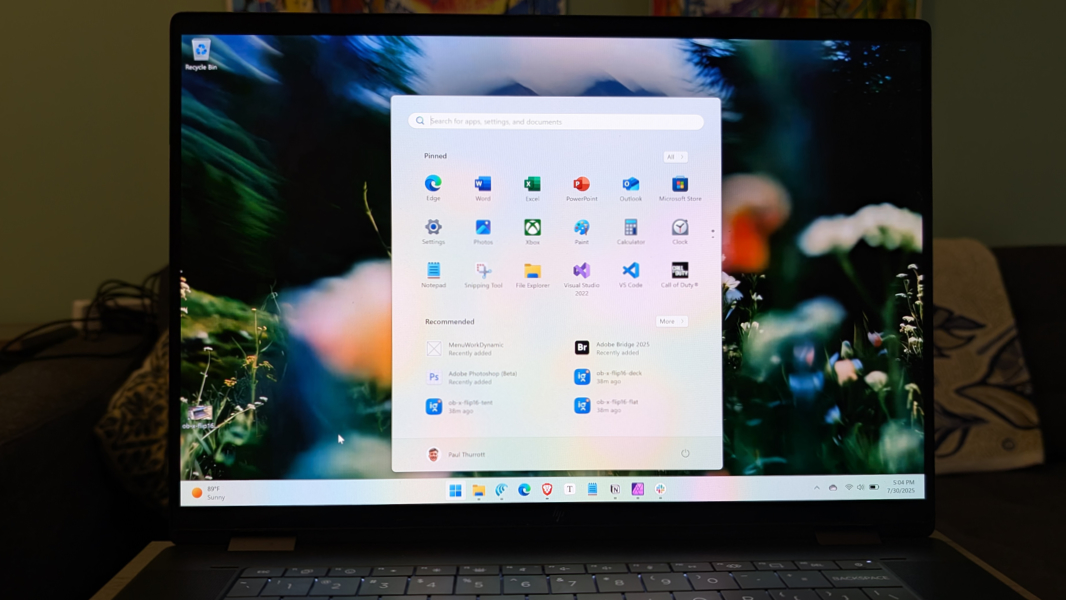
I would–and did, as noted below–sacrifice some battery life to get the higher-end display. It’s stunning, with all the expected benefits of OLED (the darkest blacks, the deepest colors, you know the drill). And the glossy, reflective downsides as well.
It’s also technically excellent, with an ideal 16:10 aspect ratio, a variable refresh rate ranging from 48 to 120 Hz, and 100 percent coverage of the PCI-P3 and sRGB color spectrums. The display panel emits 400 nits of brightness, or up to 400 nits for HDR content.
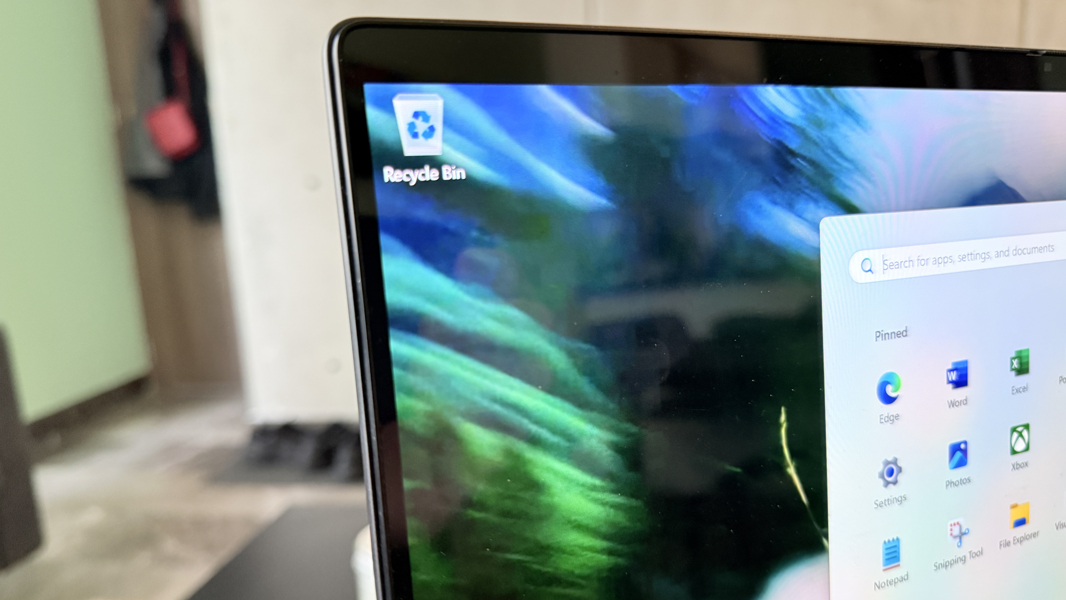
The display bezels are incredibly small, especially on the sides, giving the OmniBook X Flip an excellent 91 percent screen-to-body ratio. And of course, the panel can lay flat or flip behind the laptop for other use cases.
Internal components
As noted, HP sells versions of the OmniBook X Flip 16 with recent Intel and AMD chips. The review unit is the former variety, and it arrived with a Core Ultra 7 258V chip of the Lunar Lake variety, which features 8 total cores (4 performance, 4 low-power efficient), Intel Arc 140V graphics, and an Intel AI Boost NPU capable of 47 TOPS of hardware accelerated local AI. It also features 32 GB of integrated and non-upgradeable LPDDR5x RAM, though you can configure the laptop with the Core Ultra 256V processor variant that includes 16 GB. You can also choose between 512 GB, 1 TB, or 2 TB of PCIe NVMe M.2 SSD storage at purchase time. And the SSD is, of course, replaceable.
Lunar Lake got off to a bad start in late 2024, but my understanding was that Intel had gotten on top of the reliability and performance issues by early 2025 via a series of firmware updates. And my experiences with several Lunar Lake-based laptops before this were all reasonably good. So I was surprised by what I saw here.
The Intel-powered OmniBook X Flip 16 delivered inconsistent performance throughout my month-plus of usage, and it could get quite frustrating. Most of the time, it worked normally, whether it was on battery or connected to power. But performance on battery life was noticeably worse than on power much of the time, an issue I never experience with Snapdragon X-based laptops and less frequently with those running AMD Zen 5 chips. And sometimes, it was much worse, with performance slowing to an annoying crawl.
I experienced this most frequently with whatever web browser I used. In fact, I switched from Microsoft Edge to Brave and then the Perplexity Comet browser during this time, and I experienced issues with each. I assume most are familiar with how web browsers with many open tabs can sometimes bog down a computer, but I routinely work this way, and I’m not sure if I’ve experienced this issue in recent years. But I did with this laptop. More often than I care to discuss.
Last Friday, while trying to get a massive 10,000-word installment of Ask Paul completed, it failed me completely. Performance slowed to the point where the laptop was unusable, even on power, and even after closing everything but Microsoft Edge. I had to stop what I was doing completely a reboot to get it back.
Granted, it’s not usually that dramatic. But this morning, while writing a few news posts on battery with just Typora, Comet, and Affinity Photo actively running, the laptop slowed down so much I ended up plugging it in. This is the sort of reliability and performance issue that PCs are unfairly famous for, as it doesn’t really work this way. Except that, this case, it did.
Noise and heat were never an issue, but I was sure to keep the laptop on hard, even surfaces so that it could more effectively vent heat out the bottom grill.
Connectivity
Thanks to its Lunar Lake innards, the OmniBook X Flip features modern, future-proof connectivity, with Wi-Fi 7 and Bluetooth 5.4. I used both extensively and never had issues with either here, on the plane, or in Pennsylvania.
Ports and expansion
Despite being significantly bigger and heavier than its 14-inch sibling, the 16-inch OmniBook X Flip delivers the same expansion ports and in the same layout. And that’s too bad: There’s no excuse for a premium laptop like this not to offer at least one USB-C port on each side, and no one can argue there isn’t enough space for it.
Here’s what you do get.
On the left, HP provides a 10 Gbps full-sized USB Type-A port, a full-sized HDMI 2.1 video-out port, one 40 Gbps Thunderbolt 4/USB4 port (with Power Delivery 3.1, DisplayPort 2.1, and HP Sleep and Charge capabilities), and one 10 Gbps USB 3.2 Type-C port (with with Power Delivery 3.1, DisplayPort 1.4a, and HP Sleep and Charge capabilities).
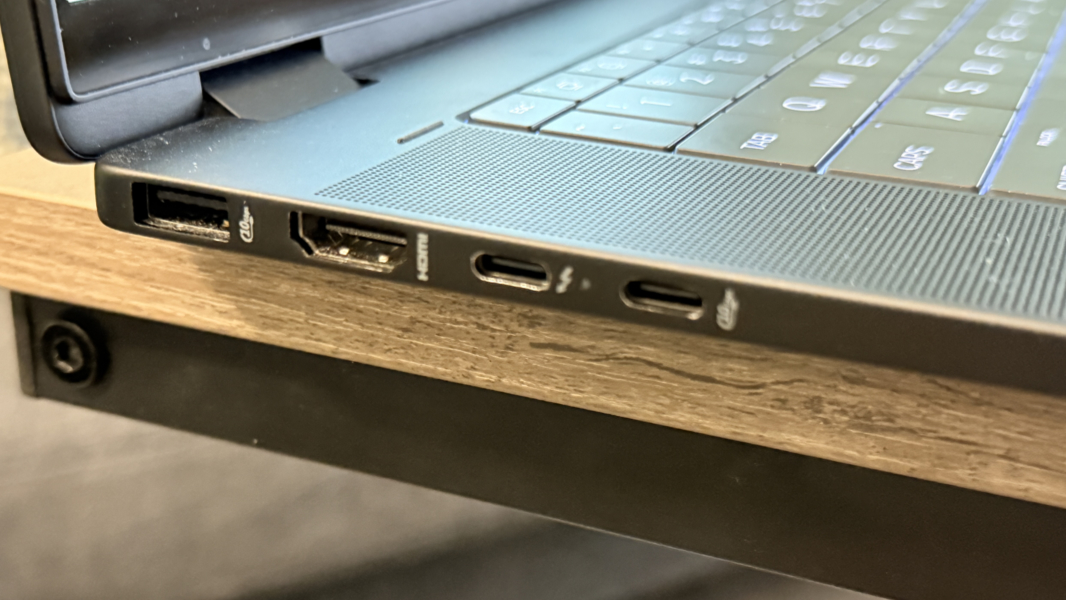
On the left, you’ll find a second 10 Gbps full-sized USB Type-A port and a combo headphone/microphone jack.
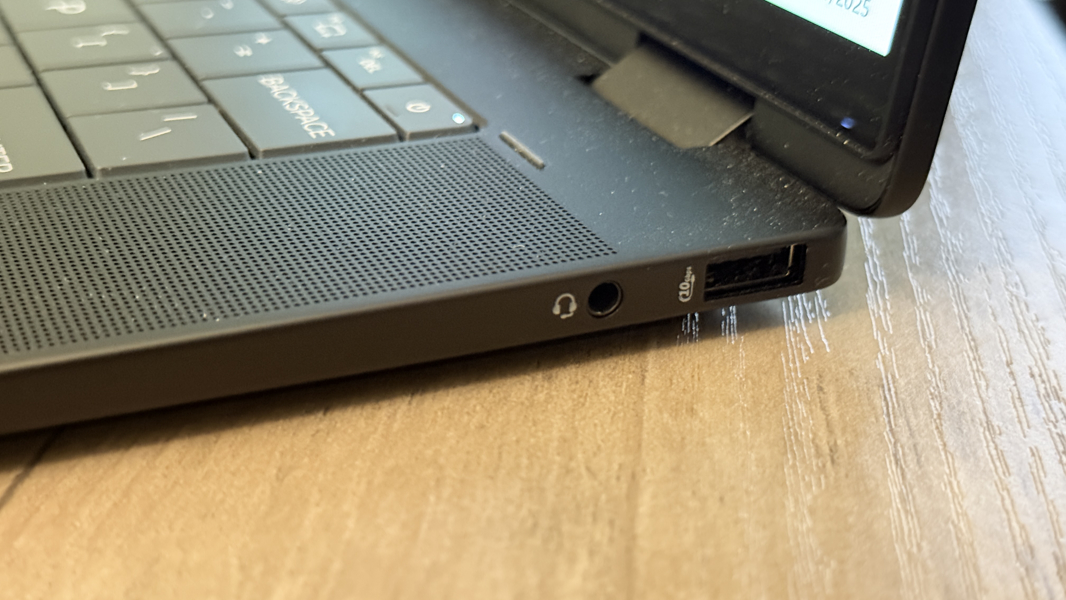
In case it’s not obvious, this enormous premium laptops comes with two USB-C ports, both on the same side, and both different; one is Thunderbolt and one is not. And yeah. There are no words.
Audio and video
With its large speaker grills on either side of the keyboard, one would think that HP had positioned two large upward-firing speakers there. But that’s not the case. There are two speakers in the OmniBook, but they’re forward of the grills and placed so that audio output sounds good in whatever form factor you’re using. So in addition to those grills, there are also two speaker slits in the front of the laptop, below the wrist rest and on either side.
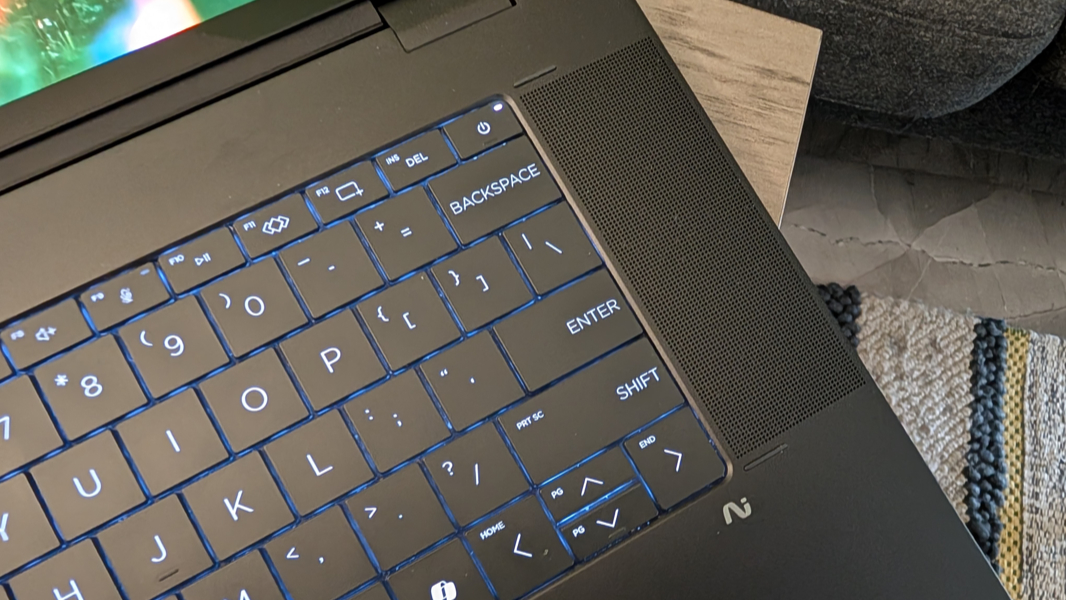
Given this, I was curious whether movies, TV shows, and music would sound any good. But the speakers are powered by DTS:X Ultra, HP Audio Boost, and Poly Studio, and I was quite happy with the sound quality, lack of distortion, and overall volume. DTS:X is a less common choice than Dolby Atmos, and there’s definitely more volume out of those front-facing speaker slots than the top grills, but the combination still delivered a solid stereo presentation with music and a positional experience with the right video content.

Granted, I only used this laptop in the traditional clamshell mode, and if I were using it on a plane where a tablet or tent usage mode might be preferable, I’d be using headphones anyway. Which is great, as the OmniBook also provides DTS Headphone:X for even more immersive audio.
Hybrid work
The OmniBook X Flip will appeal to consumers and business users alike, and so it provides the expected hybrid work functionality with a 5 MP IR webcam with temporal noise reduction and dual-array microphones.
The camera is notably good, with strong colors and details, and HP’s Poly Camera Pro is a thing of beauty if you’re looking to configure it in an incredibly granular fashion. It also supports Windows Studio Effects, of course.
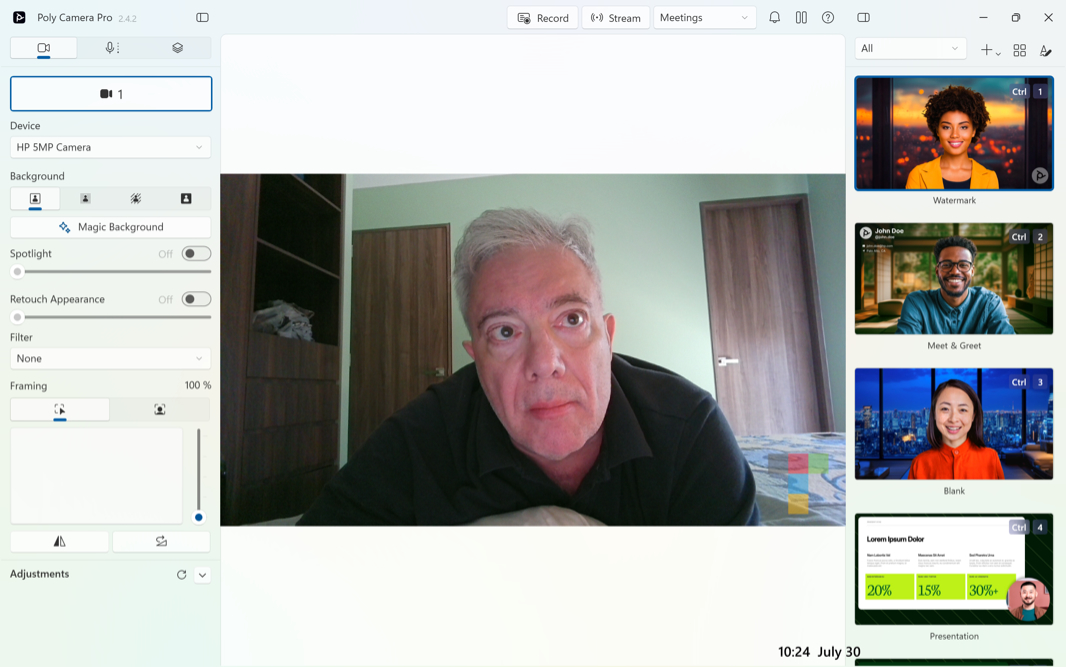
The dual-array microphones are actually pretty good, too, which was unexpected. I generally recommend using headphones or earbuds for meetings, unless you’re just listening in. But these did a better than expected job of removing echoes and other noise during my tests.
Keyboard and touchpad
The keyboard that HP uses with its new OmniBook X laptops is unusual and unlike its other keyboard designs. It’s a so-called lattice-free keyboard, meaning the keys aren’t separated from each other with empty space, as they are on more common island-style keyboards. And so they bump up against each other.
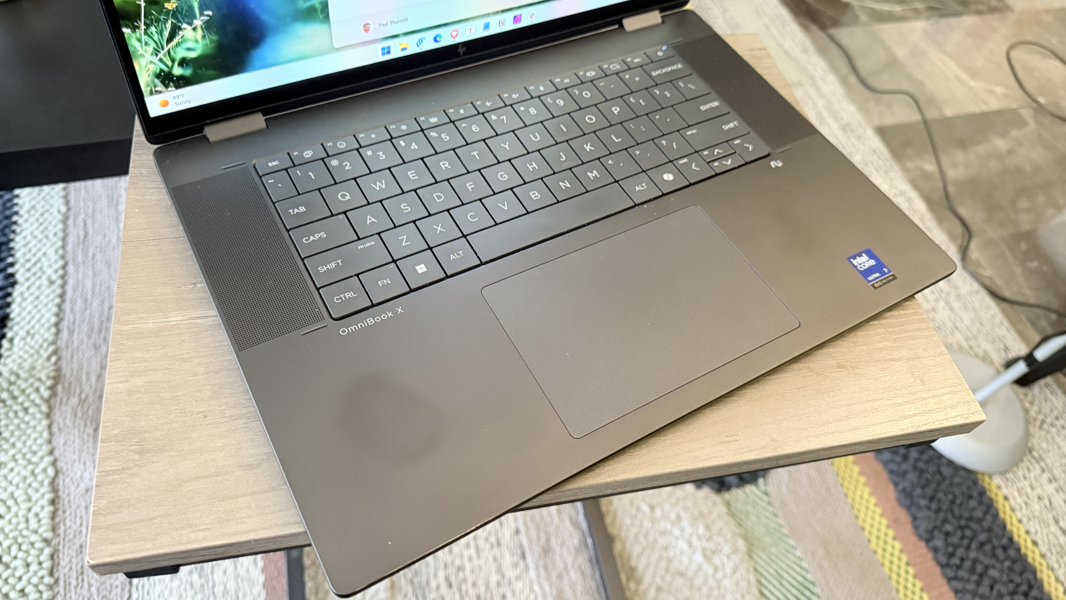
This is a nice look, frankly, and I suspect that one reason for this change is that this design is more reliable on a convertible laptop where the keyboard could be facing down and lying directly on a table or other surface. With an island-style keyboard, it’s possible that a key could get caught on something in this mode and potentially snap off.
In use, I had to get used to the keyboard a bit at first, but I also used this and the 14-inch OmniBook semi-exclusively, and so it quickly became second nature. The key feel is snappy, the key throws are delightfully short, and I didn’t have too many problems with the overall layout. I appreciate that HP didn’t try to add tiny PgUp and PgDn keys around the arrow keys.
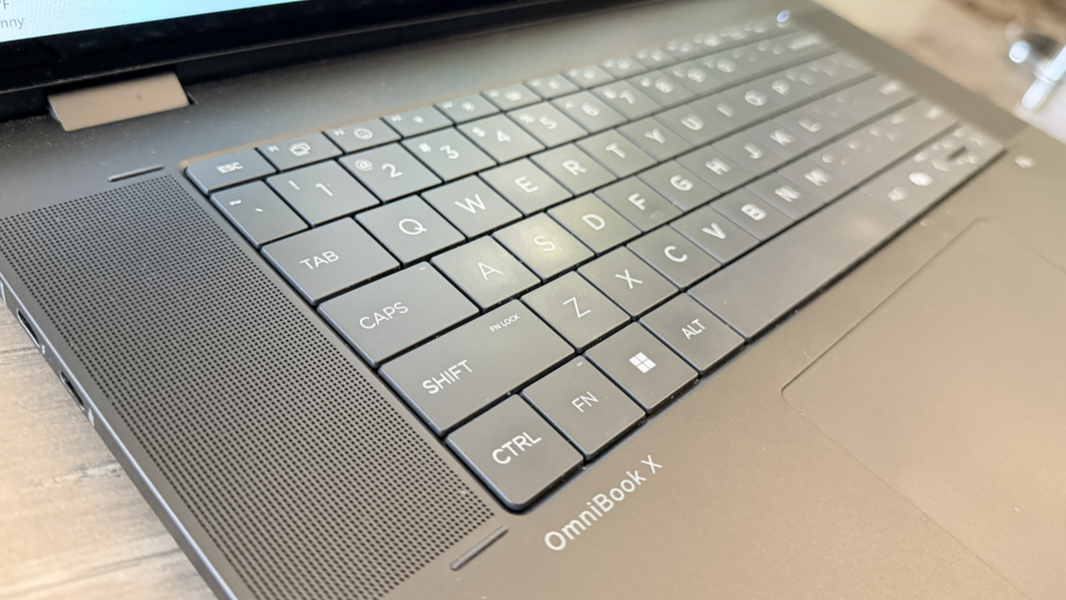
The keyboard is, of course, full-sized, and it supports a unique set of backlighting features that I’ve really come to love. You can toggle the backlighting between on and off, two brightness levels, and the backlighting can stay on for 30 seconds, 3 minutes, or always. It’s a nice system.
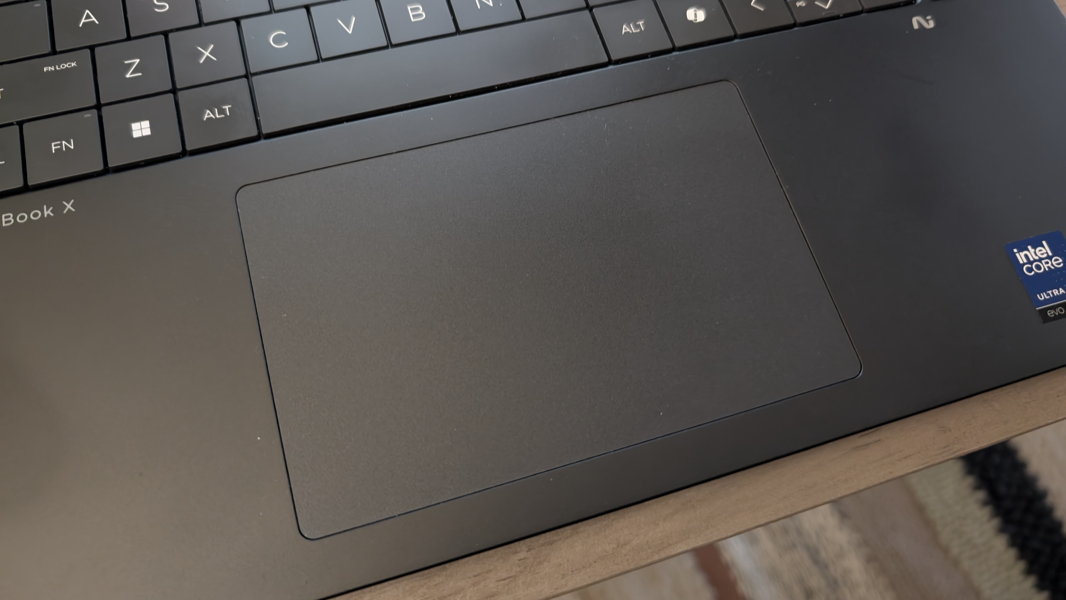
Unfortunately, the large mechanical touchpad was less than ideal. In direct use, it was mostly fine, and worked accurately and reliably. But I had to disable three-finger gestures to reduce mis-taps, and even then, it would trigger a cursor move as I was typing throughout each day, causing mistakes.
Security
The OmniBook X Flip 16 is a Copilot+ PC, so you get the most secure Windows experience available, thanks to the Secure Core PC architecture with Windows Hello Enhanced Sign-in Security and its other enhancements. HP provides a fast and accurate Windows Hello facial recognition experience, which is only problematic sometimes because of the standard x86 instant-on consistency issues. But there’s no fingerprint reader.
Sustainability
The HP OmniBook X Flip 16 is made from 20 percent post-consumer recycled (PCR) plastics and recycled metals. There is ocean-bound plastic in the speaker enclosures and display bezels, recycled metal in the keyboard deck cover, base, and frame, and in the hinge caps, and PCR plastics in the keyboard key caps and scissor mechanisms.
Repairability is solid, too, with four exposed Torx screws at the corners of the bottom cover and some clips to detach with a pry tool. The battery and SSD are then accessible, as are other components, though HP recommends using a repair service for other parts.
Efficiency and portability
The 16-inch HP OmniBook X Flip is big and heavy at 14.02 x 9.67 x 0.61 inches and 4.15 pounds. But this is explained by the convertible design and the larger (and OLED) display, and while I don’t need or want the former, I’m happy to make some compromises for the latter.
Of course, that assumes all the fundamentals are solid, too. And in addition to its troubling performance irregularities, this laptop also delivered sub-par instant-on performance and efficiency, plus middling battery life. Granted, that was expected, thanks to Lunar Lake, and I saw an average of about 6 hours of real-world battery life with this PC.
In isolation, that’s not all that concerning: few will travel extensively with a laptop this big, and I had to force myself to use it on battery and deal with the resulting performance irregularities just so I could observe the uptime. But those performance issues often caused me to reach for a power cord or amp up the power management setting to Best Performance, too. What else could I do?
The OmniBook supports fast charging, though it’s not that fast: You can achieve a 50 percent charge in about 45 minutes.
Software
As a premium-ish laptop aimed at consumers, the OmniBook X Flip provides a cleaner than expected software image. There are several HP and Intel utilities, plus DTS Sound Unbound for the speakers, but no real crapware besides whatever Microsoft burdens us with in Windows 11 Pro. I’d like to see HP hone its first-party utilities into a shorter, more cohesive list of choices. But there are no major issues here.
Pricing and configurations
The HP OmniBook X Flip 16 sits in an interesting space as a sort of entry-level premium convertible laptop. And it can be purchased inexpensively if you are OK with certain configuration choices.
At the time of this writing, you could buy a 16 GB/512 GB configuration with a Full HD+ (1920 x 1200) IPS display for $1050, or about $150 off the normal list price. That’s a great value, but the 32 GB RAM option is just $80, so I strongly recommend doing that at least. You can also upgrade to the 2.8K OLED display for $210, or to 1 TB ($80) or 2 TB ($170) of storage. The review configuration with 32 GB/2 TB and the 2.8K would set you back a bit over $1500, and that’s edging a bit too far into true premium territory, given the performance and reliability issues I experienced.
Which raises an interesting question: In a “you get what you pay for” sense, where might one draw the line? A 32 GB/512 GB/Full HD+ configuration for just over $1100 might just sway me, actually.
Recommendations and conclusions
Despite its performance irregularities and short battery life, I really like the OmniBook X Flip 16. I prefer large laptop displays without a numeric keypad, and so it’s semi-ideal in that sense. And the design is terrific in this minimalist black color. If you’re going to use it at home or in whatever space while plugged in most of the time, as I think most will, its most obvious issues become less problematic. And its reasonable pricing can help put this choice over the top. And so I can recommend the OmniBook X Flip 16 to those who won’t need to use it on battery most of the time. In that capacity, it ticks enough boxes to be a worthwhile purchase.
At-a-glance
Pros
- Handsome design
- Gorgeous and expansive 16-inch OLED display
- Reasonable pricing
- Very good keyboard
- Solid hybrid work functionality
- Surprisingly strong speakers
Cons
- Inconsistent performance
- Middling battery life
- Only one Thunderbolt port; both USB-C ports are on the same side
- Balky touchpad