Affinity Comes to iPad
- Paul Thurrott
- Nov 02, 2026
-
0
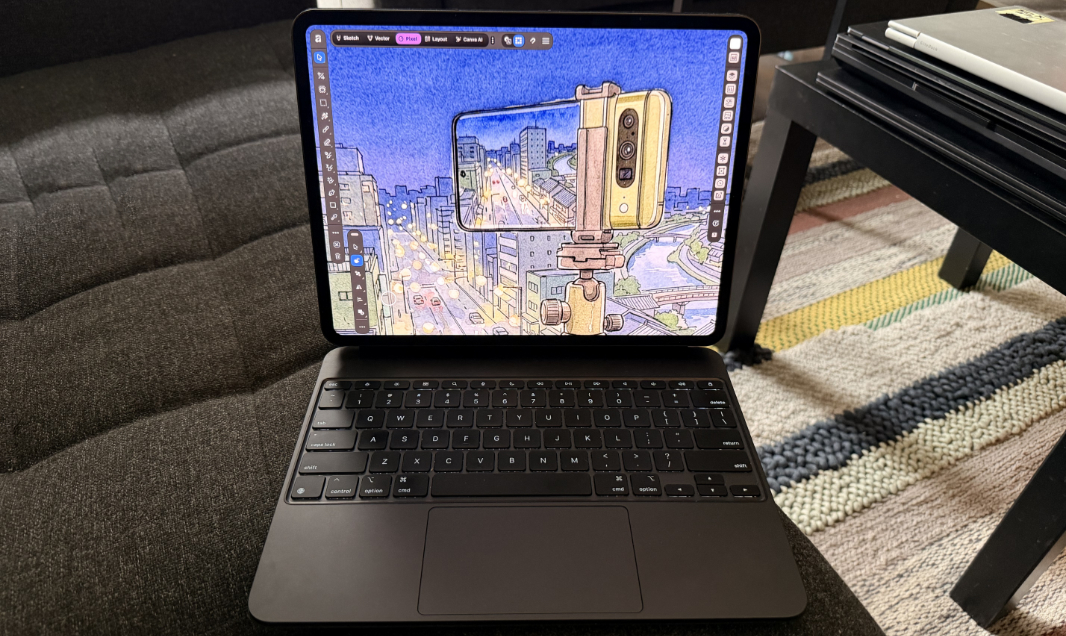
Last week, Affinity finally revealed that its all-in-one creator app would soon ship on iPad. And now it’s available for free from the App Store.
“Affinity for iPad is a creative solution for mobile pro designers,” the Affinity release notes reads. “The free all-in-one app offers feature parity with its desktop equivalent, but also includes sketching and all the features you’d expect from a pro-level mobile device such as touch, Apple Pencil, and many gestures.”
Affinity for iPad–which, like the desktop apps, is really Affinity v3–isn’t quite what I expected. Yes, it largely provides feature parity with the desktop versions of the app, which is impressive given that Affinity is now three apps in one–Photo, Vector, and Page Layout–whereas the previous app on iPad was just the Photo editor. But it’s also very optimized for touch and Apple Pencil usage, and doesn’t present the desktop-style UI when used with a Magic Keyboard or similar keyboard case.
Supporting touch and the Apple Pencil makes sense on an iPad, obviously. I just sort of wish there was a more traditional desktop-style UI choice too. But the way this works now is that Affinity presents a handful of floating toolbars and a weird touch-based circular UI for doing touch-based keyboard shortcuts, even when a keyboard is attached. There’s also a new Sketch interface for use with Apple Pencil, in addition to Photo, Vector, and Page Layout.
Affinity for iPad is missing a few desktop features, including the Books, Batch, Data Merge, Quick Adjustments, Info and Scope panels, macro recording, and the Astrophotography Studio. But it says it will bring more features to the iPad over time and, to be fair, the desktop app functionality it already supports right now is impressive.
Affinity for iPad is available now from the Apple App Store. It supports iPad (7th generation or newer), iPad Mini (5th generation or newer), iPad Air (3rd generation or newer), and iPad Pro (various versions) running iPadOS 18, 26, or 27, though the Machine Learning tools require an iPad with an M-series chip.