Microsoft Photos on Windows 10 is Getting iCloud Photos Integration and More
- Laurent Giret
- Sep 06, 2024
-
0
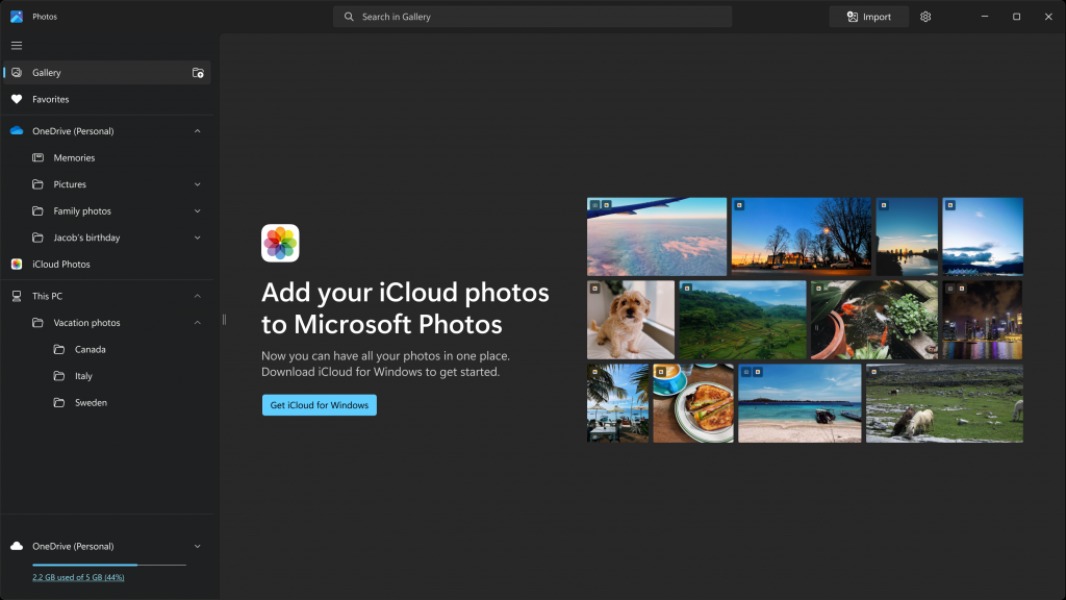
A new update for the Microsoft Photos app has started rolling out to Insiders on all channels. This includes Windows 10 Insiders on the Beta and Release Preview Channels, which are now getting the same version of the app as Windows 11 users.
For Windows 10 testers, this new update for Microsoft Photos will bring the iCloud integration that Windows 11 users have been enjoying for almost two years. To see their iCloud Photos library in Microsoft Photos, Windows 10 testers will need to install the iCloud app for Windows from the Microsoft Store and then enable iCloud photos syncing in the app.
With this update, Microsoft Photos on Windows 10 is also being upgraded to the new Windows App SDK platform that’s already available on the Windows 11 version of the app. Windows 10 users can expect a more modern UI and performance improvements.
Other changes included in this update for Windows 11 an Windows 10 users include a redesigned left navigation panel with new subsections for OneDrive, iCloud, and local photos. At the bottom of the Viewer, Microsoft also added a Visual Search with Bing button to find similar images or related products.
Lastly, Microsoft added an option to keep running Microsoft Photos in the background to improve the app’s startup time, but this can be disabled in Settings. A new option to edit an image in the Photos will also appear when right-clicking on an image in File Explorer. The Windows Insider team said that this Photos app update will roll out gradually to all Insiders, so don’t be surprised if you don’t see these new features right away.