Google Releases ChromeOS 128 with Snap Groups
- Paul Thurrott
- Sep 06, 2024
-
1
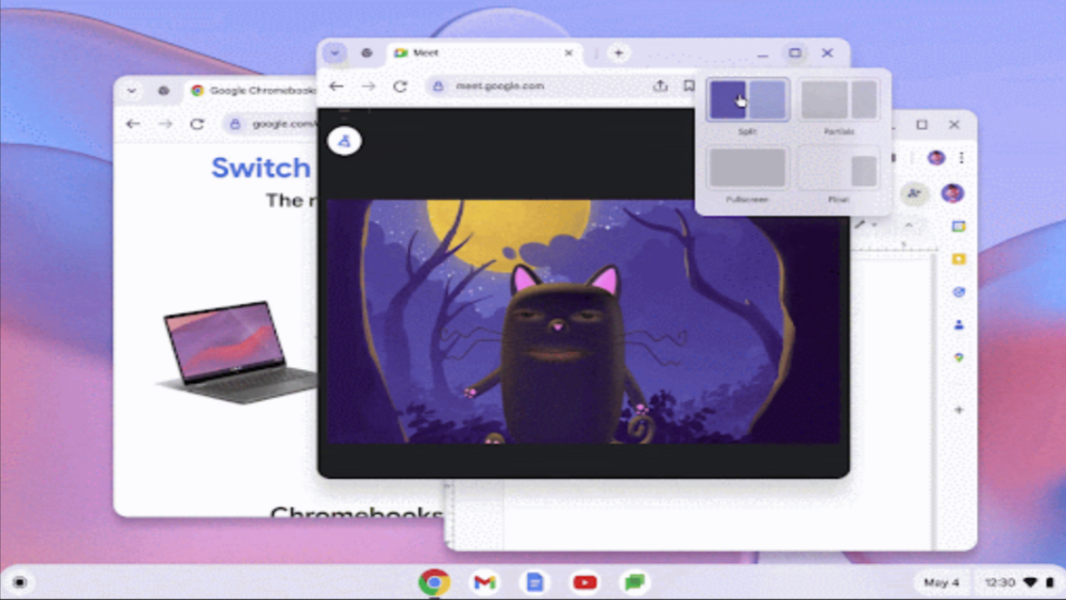
The latest version of ChromeOS is now available with a Snap groups feature that will be familiar to Windows users.
Here’s what’s new.
Snap groups. As is the case with Windows, Snap groups lets you group windows in ChromeOS when you pair them in a side-by-side view. The Snap group is formed when you pair the windows, and you can then bring them back together, resize them simultaneously, or move them to other virtual desktops as a group.
Privacy control reminders. ChromeOS lists privacy controls and app permissions in separate places in app settings. But it will now provide actionable reminders when you change one or the other, so you can more easily enable certain features–like microphone or camera access–for a particular app.
Android app vitals improvements. ChromeOS will now store aggregated app vitals data–including performance metrics like crash rate–for one year so that it can better track progress over time. These metrics help Google improve Android app performance on ChromeOS devices, it says.
Camera app improvements. The Camera app now supports a machine language-powered optical character recognition (OCR) feature in 77 languages. It lets you copy and search text in images, speak text in images using screen reader, and create searchable PDFs from images. Text detection in Photo mode is disabled by default, but it can be enabled in Settings > Text detection in preview.
Magnifier follows ChromeVox. Designed for people who are blind or have low vision, the feature allows the screen magnifier to automatically follow the words on-screen when you read them aloud using ChromeVox.
Auto gain control improvements. Auto Gain Control (AGC) is an optional new feature that allows video calling apps and other apps to automatically optimize microphone volume for best audio quality. It’s enable by default and ignores the microphone gain slider.
Pinned notifications. ChromeOS now visually separates pinned notifications from other notifications to reflect their relative differences.
APN management. Those with cellular-enabled Chromebooks can more easily view, manage, and add Access Point Names (APNs), along with other quality improvements.