Microsoft Drops New Windows 11 Dev and Beta Builds With Lots of Changes
- Laurent Giret
- Mar 28, 2025
-
1

Microsoft is wrapping up the week with two new Windows 11 Insider builds for the Dev and Beta Channels. If the former just started receiving 26200 series builds, it’s going to miss one new feature that’s coming to the Beta Channel that’s part of the Windows Resiliency Initiative Microsoft announced at Ignite 2024.
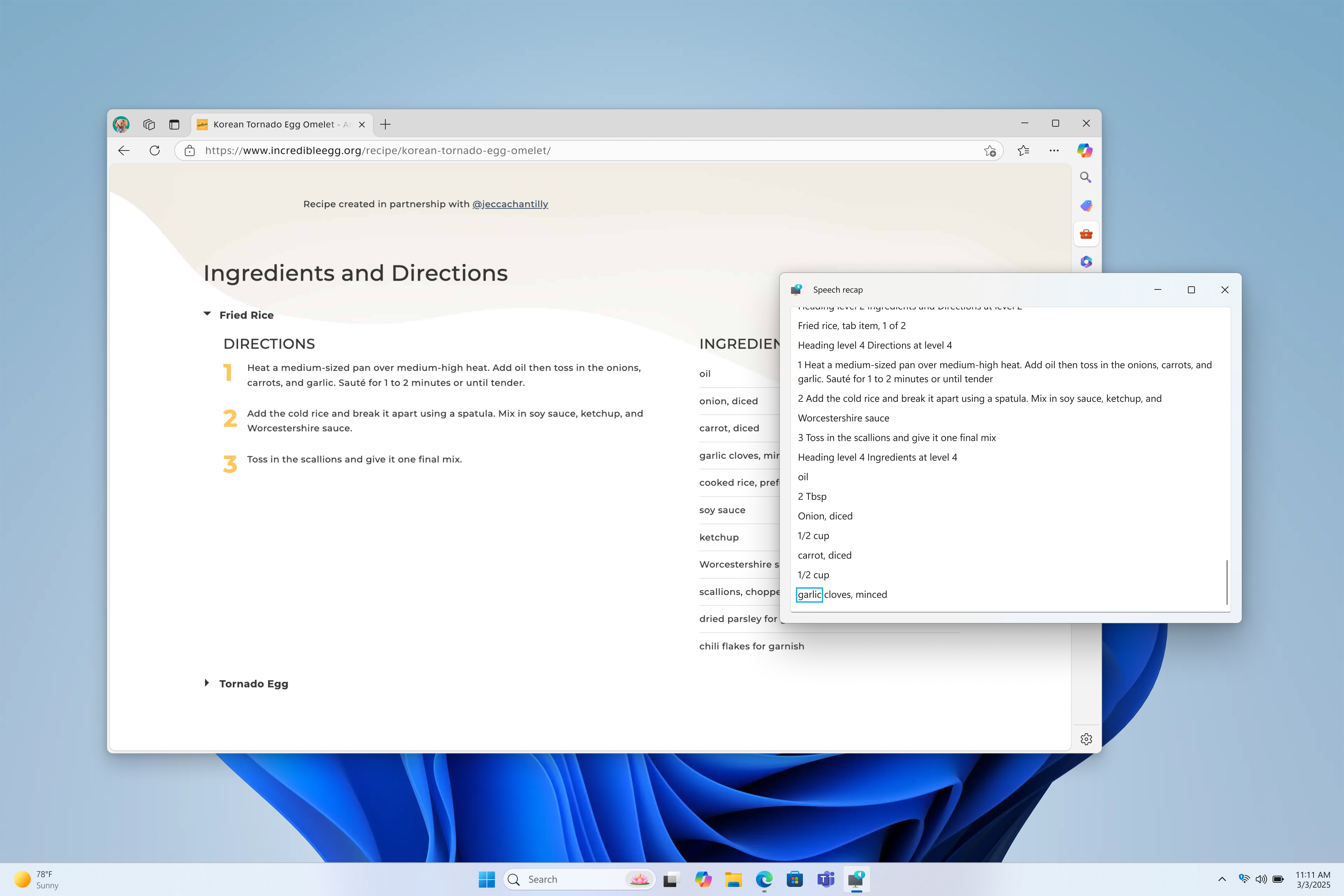
The main new features that Insiders can test today include Speech Recap in Narrator, a new UI for unexpected restarts, and support for additional languages in Click to Do. On the Beta Channel, the new Quick Machine Recovery feature will allow IT admins to deploy targeted fixes on all PCs via Windows Update, even on devices that are unable to boot.
You can find a list of the main new features in the Dev build 26200.5516 and Beta build 26120.3653 below:
Quick Machine Recovery (Beta Channel only): When enabled, this IT Pro feature can help to address boot issues on Windows 11 PCs by automatically detecting and applying fixes directly from the Windows Recovery Environment (WinRE). You can find more information about this feature on Paul’s article.
Speech recap in Narrator: This new feature lets Narrator users keep track of what Narrator has spoken in a separate window showing real-time transcriptions. This also makes it easy to copy what Narrator said with keyboard shortcuts.
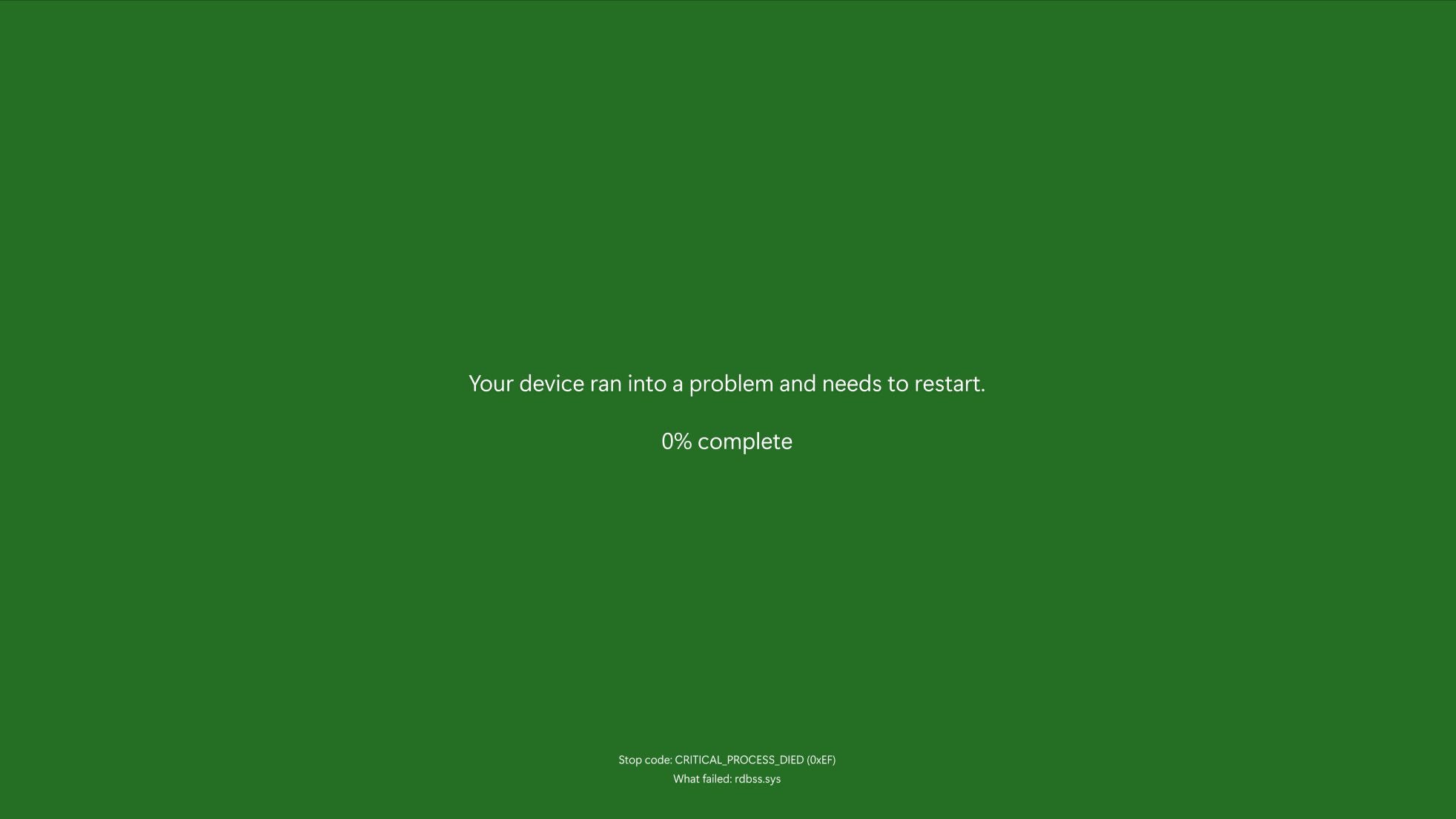
New UI for unexpected restarts: Microsoft redesigned this green screen to make it match the design language of Windows 11, all while keeping technical information on the screen.
Copilot on Windows improvements: Insiders can now launch Copilot on Windows with Win + C. They can also access the new press to talk feature by pressing this keyboard key combination for 2 seconds.
Click to Do improvements: On Qualcomm-powered Copilot+ PCs, Click to Do can now perform intelligent text actions in Spanish and French in addition to English, and there’s also a new text action to create a bulleted list. Additionally, Click to Do can now be accessed from the Start menu and pinned to the Start Menu and taskbar.
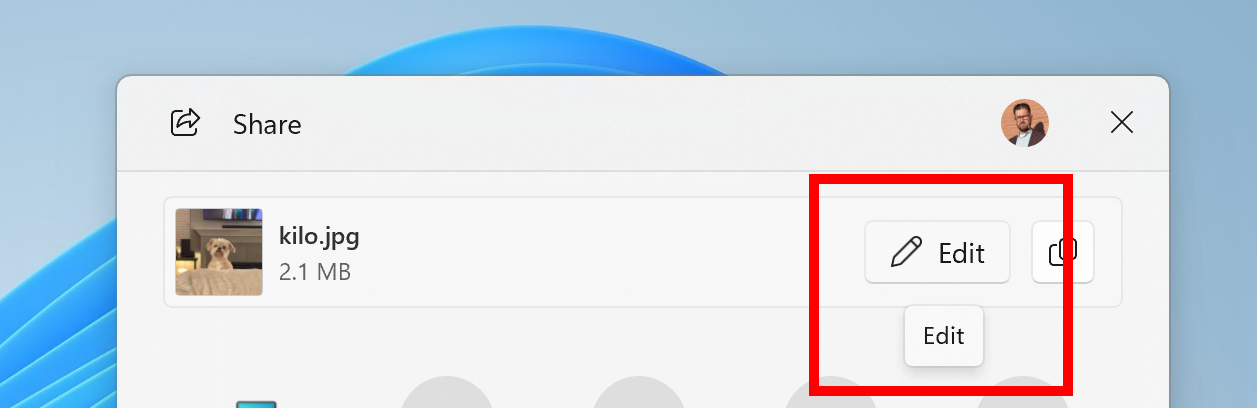
Windows Share improvements: When sharing links or web content, Insiders will now see a visual preview for that content in the Windows Share window. An Edit button will also appear when sharing local images, allowing users to quickly crop, rotate, compress, or add filter to these images.
AI-powered Windows Search (Dev Channel only): AMD and Intel-powered Copilot+ PCs are getting access to the same local semantic search experience that’s been available in testing on Qualcomm-powered Copilot+ PCs. Support for AMD and Intel models previously went live on the Beta Channel on Tuesday.
That’s it for the main changes coming to the Windows 11 Insider Dev and Beta Channels today. If the 26200 series builds that Microsoft is now flighting to the Dev Channel continue to be based on Windows 11 version 24H2, the Windows Insider team said earlier this week that future builds will introduce “behind-the-scenes platform changes.” In the meantime, however, these 26200 series builds will contain many of the same features and improvements as the 26120 series builds that continue to be released in the Beta Channel.