Windows Insider Program Releases Copilot Actions, New Release Preview Builds
- Paul Thurrott
- Nov 18, 2025
-
0
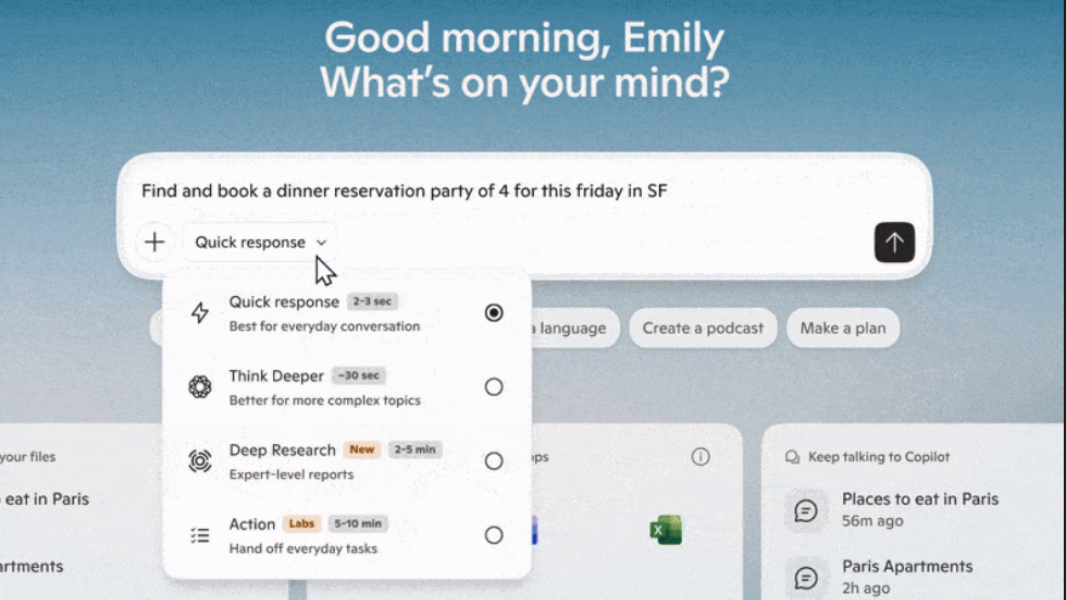
With Microsoft Ignite 2025 now underway in San Francisco, the Windows Insider Program is lighting up with some new updates. Among them is the first preview of Copilot Actions across all Insider channels and new Release Preview builds for Windows 11 versions 24H2 and 25H2.
Here’s what’s new.
Copilot Actions
Copilot Actions is a coming new agentic AI feature of Copilot on Windows 11 that lets you describe a task you want an AI agent to complete and then it will set out to do so using Windows desktop apps and web apps. At this time, Copilot Actions is an experimental Copilot Labs feature, so you need to get the latest version of the Copilot app (version 1.25112.74 and higher) and then enable it in settings.
The latest Copilot app with Copilot Actions is now rolling out to all Insider channels. You can learn more about Copilot Actions on the Microsoft Copilot website.
Release Preview builds
Windows 11 versions 24H2 and 25H2 are functionally identical and with the release of cumulative update KB5070311 to the Release Preview channel, you will be updated to Windows 11 build 26200.7296 (25H2) or 26100.7296 (24H2) and get a preview of the Patch Tuesday update we’ll all see in December. New features in these builds include:
- Windows Studio Effects on USB webcams and other secondary cameras (Copilot+ PC only)
- Click to Do improvements, including a streamlined context menu and the automatic opening of that menu when there is a large image on table on-screen (Copilot+ PC only)
- Agent in Settings improvements, with more results in the search results menu, recommended settings, and an information dialog (Copilot+ PC only)
- File Explorer with updated search box placeholder text to highlight the enhanced Windows Search (Copilot+ PC only), more pervasive dark mode support, context menu improvements, and various fixes
- Desktop Spotlight improvements
- Drag Tray improvements, including multi-file sharing and the ability to toggle this feature off entirely
- Settings improvements, with new settings related to the keyboard, Device Card, and About, and some fixes
- Windows Hello Enhanced Sign-in Security (ESS) now supports external fingerprint sensors
- Share improvements, including the ability to share OneDrive files from other apps
- Mobile Device settings improvements, including inline mobile device management
- Quick Machine Recovery improvements, including a behavior change so that it doesn’t keep scanning in a loop
- Widgets improvements, including configuring a default dashboard
New Canary build
And not that there’s anything going on here, but if you have a PC in the Canary channel for some reason, you can download KB5068860 and update to Windows 11 version 26H1 build 28000.1199. There are no new features or meaningful changes.