Microsoft Reveals New AI Features Coming in Preview on Copilot+ PCs in November
- Laurent Giret
- Oct 01, 2024
-
1
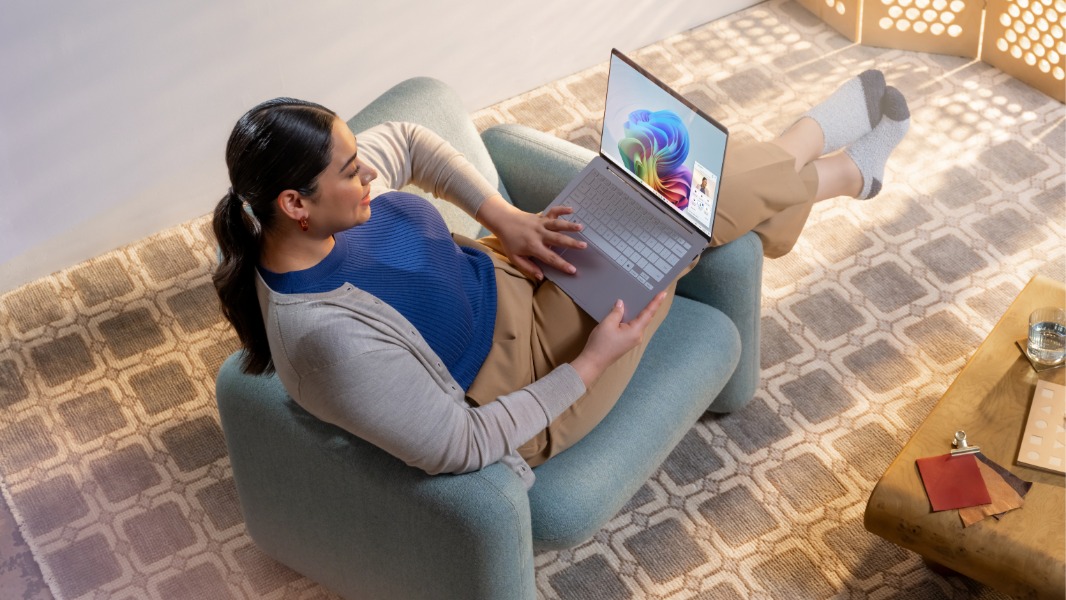
Microsoft has unveiled today a couple of new AI experiences that it’s planning to launch in preview on Copilot+ PCs in November. These new AI features have been announced alongside a new Copilot experience designed to make the chatbot work more like a true AI companion.
In October, Windows Insiders on Copilot+ PCs will be able to test the delayed Recall feature that was initially set to launch in June. Recall will offer a new way to instantly find something users have previously seen on their PCs by taking snapshots of what appeared on their screen.
Last week, Microsoft detailed the changes it made to make Recall more secure. The feature will be off by default on all Copilot+ PCs, and the Recall snapshots that are stored locally will be automatically encrypted. They will also automatically exclude sensitive information such as credit card details and passwords.
Today, Microsoft announced that Recall will also be available in preview on new Copilot+ PCs powered by Intel and AMD CPUs in November via the Windows Insider Program. However, the company isn’t ready yet to announce when the new AI feature will be broadly available on Copilot+ PCs.
Since the launch of the first Qualcomm-powered Copilot+ PCs in June, Microsoft and its PC partners have not been able to use groundbreaking AI features to market these devices. The main selling point of these ARM-based Copilot+ PCs remains a better performance per watt ratio compared to similar devices with Intel and AMD CPUs.
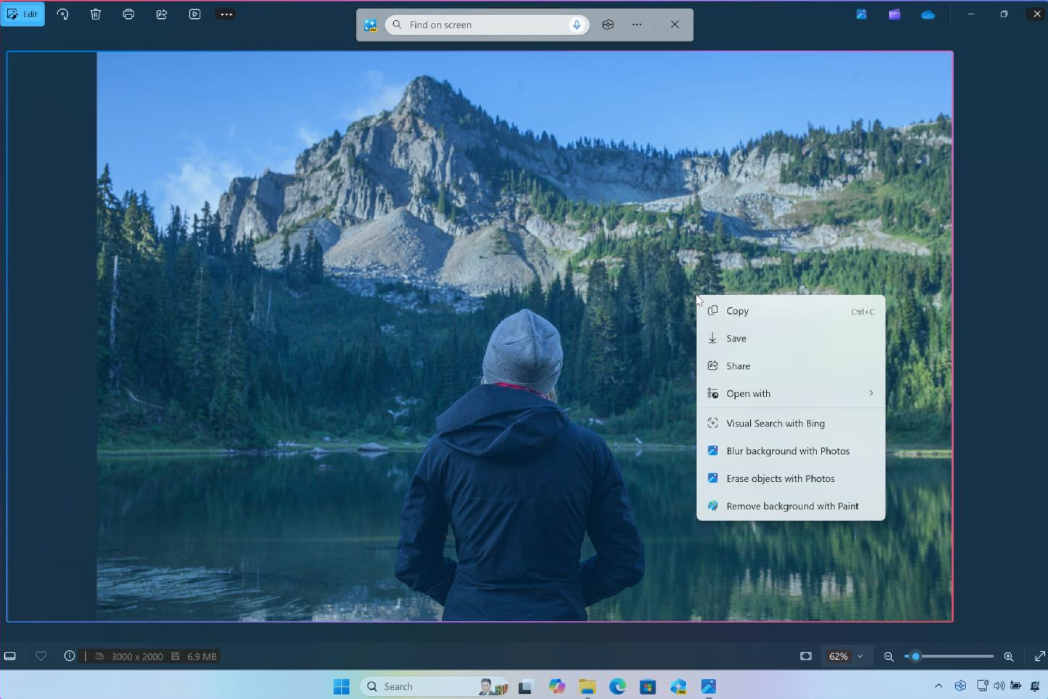
However, Microsoft is about to give Copilot+ PCs more exclusive AI features later this fall, with some new capabilities coming via Windows Update, and others coming via Microsoft Store app updates. Click to Do is one of the new AI features that Microsoft will start testing in November with Insiders on Copilot+ PCs.
The intelligent feature will be able to suggest context-aware quick actions when users are checking photos, reading text, browsing the web, and more. Microsoft plans to first integrate Click to Do with apps like Snipping Tool or Print Screen, with more actions to be added in the coming months.
“At your request, Click to Do seamlessly connects you to tools and actions to accomplish tasks, like suggesting help with Visual Search with Bing, background blur or erasing objects in Photos, removing backgrounds with Paint, and more,” explained Pavan Davuluri, Corporate Vice President, Windows + Devices. “It also assists with text-related actions such as rewrite, summarize or explain text in line, opening in a text editor, sending an email (with a recognized email address), web searches, and opening websites (with a recognized URL).”
On Copilot+ PCs, Microsoft will also soon start testing an improved search experience in File Explorer. It will let users find files using natural language prompts, with no need to remember file names. This AI-powered search experience will also be able to identify objets in pictures, and it will work without an Internet connection. Microsoft plans to expand it to Windows Search and the Settings app in the coming months.
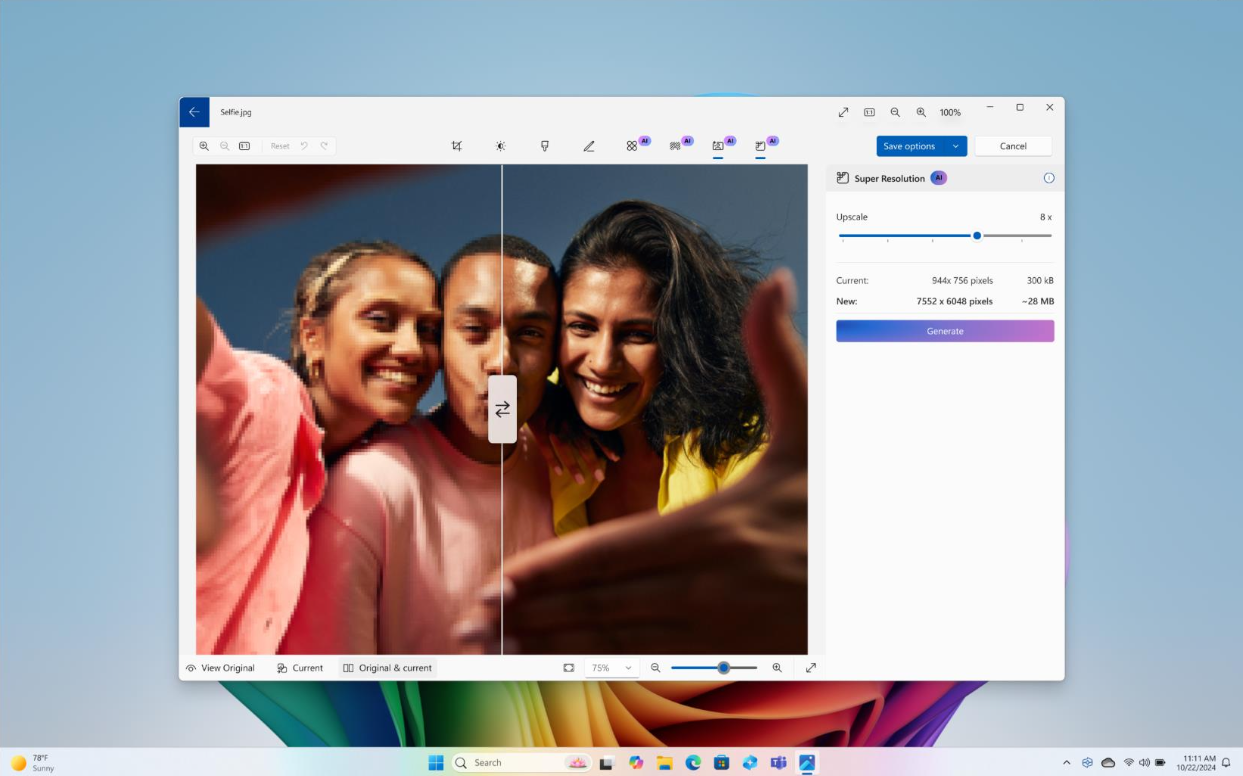
Also coming later this year to Insiders via a Microsoft Store update is a new Super resolution feature in the Windows Photos app. It will leverage the NPUs on Copilot+ PCs to turn lower-quality images into high-resolution pictures, with a slider allowing users to crank the resolution by up to 8x. Microsoft Paint app will also get new generative fill and generative erase capabilities to complete the app’s existing image generation capabilities.
Lastly, Microsoft highlighted the growing number of apps that now run natively on ARM-powered Copilot+ PCs, including the recent additions of Adobe InDesign, Illustrator, and Premiere, Libre Office, 1Password, Todoist, and ExpressVPN. More are coming soon including Vegas Pro, Fantastical, Sketchbook Pro, Arc Browser, and Google Drive. The software giant also emphasized the already solid driver support on Windows 11 on ARM, with over 90% of printers purchased in the last 7 years working without any issues.