Microsoft Drops New Windows 11 Builds on the Dev and Beta Channels
- Laurent Giret
- Oct 25, 2024
-
0

Microsoft is once again wrapping up the week with two new Windows 11 Insider builds for testers on the Dev and Beta Channel. The changes are quite minor, and while there’s still one week left before the end of the month, the AI-powered Recall feature is still nowhere to be seen.
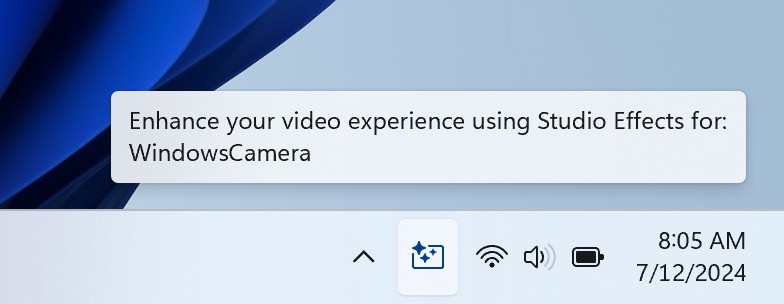
The Dev build 26120.2200 brings changes to how Windows Studio Effects appear in the system stray area of the taskbar. An new icon will now appear in the system tray when an app that uses these AI-powered effects is in use. Clicking on this icon will open the Studio Effects page in Quick Settings, and hovering the mouse cursor over the icon will also reveal which app is using the camera.
Microsoft previously added a Dynamic Lightings page to the Windows 11 Settings app to let users manage devices with RGB lights without the need for third-party apps. This page is still a work in progress, however, and today’s Dev build adds Forward, Backward, Outward and Inward direction options to the Wave effect, as well as the Forward direction option to the Gradient effect. This page will also be disabled when no compatible devices are attached.
Let’s conclude with the build 22635.4435 for Beta Channel testers: This one includes the same changes to the Dynamic Lighting settings page I mentioned earlier, and it also brings back the ability to configure the Copilot key to open another app than Copilot (this was previously disabled in the build 22635.4291. The option to configure what the Copilot key does is once again available in Settings > Personalization > Text input, though Microsoft has now restricted it to apps that have opted into this new experience.
As usual, most of these changes will roll out gradually to Insiders, and those who turn on the “Get the latest updates as soon as they’re available” toggle in Windows Update will get them first.