Vivaldi 7.2 is a Major Update with Several New Features
- Paul Thurrott
- Mar 18, 2025
-
0
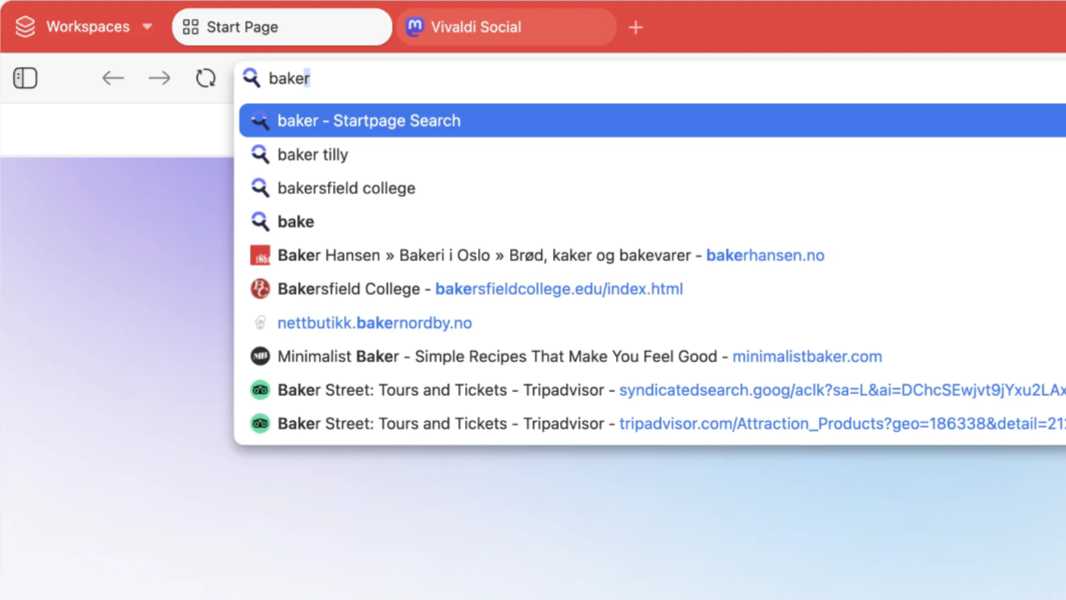
Don’t be confused by the version number: Vivaldi 7.2 for desktop is a major update with several new features and performance improvements.
“With Vivaldi 7.2, we’re stepping on the gas, making sure your browsing experience is better than ever, and faster,” Vivaldi founder and CEO Jon von Tetzchner writes. “Whether you’re a power user with custom keyboard shortcuts or more spartan in your style, this update has something for you.”
Here’s what’s new.
Address bar improvements. The Vivaldi address bar is newly optimized, with improved suggestions, improved search accuracy, and it’s now dramatically faster than before.
Page loading performance improvements. Vivaldi also optimized the connection handling, resulting in up to 2X faster page load times. “No tricks, no gimmicks, just good old-fashioned optimization,” von Tetzchner says.
Keyboard shortcut overrides. Vivaldi has long offered extensive keyboard shortcut support, but in this release, it’s been updated with a priority list so you can override websites that try to use or block them.
Create an event from an email message. Now, you can right-click on an email message and select Add to Calendar > Event to create a new calendar event without needing to copy and past information.
Currency widget. You can use this new widget to do real-time conversions right in the Vivaldi dashboard.
Workspaces in Quick Commands. You can use this addition to find your workspaces more quickly.
Reorder mail accounts. If you’re using multiple email accounts, you can now reorder them in Vivaldi Mail.
You can download Vivaldi 7.2 for Windows, Mac, and Linux from the Vivaldi website. Versions for Android, iPhone, and iPad should be ready soon as well.