Microsoft Issues New 23H2 Build to the Beta Channel
- Paul Thurrott
- Mar 31, 2025
-
0
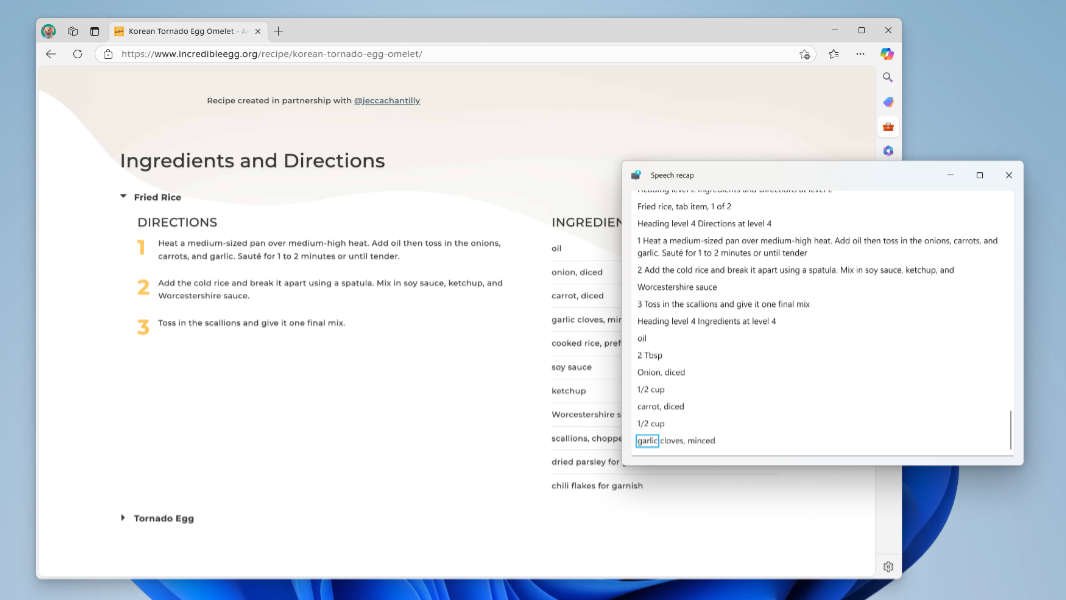
Microsoft has issued a new prerelease build of Windows 11 version 23H2 for those with PCs enrolled in the Beta channel of the Windows Insider Program. (Those in the Beta channel can optionally move forward to 24H2.)
If you do have such a PC, you can install KB5053654 now to upgrade the PC to build 22635.5160. Key new features include:
Narrator improvements. Narrator is getting a speech recap feature that will let you access a history of the last 500 items of spoken content, follow along with live transcription, and copy what Narrator last said. You can open this feature by typing Narrator Key + Alt + X. You can also copy the last spoken phrase to the Clipboard by typing Narrator Key + Ctrl + X, or re-hear what Narrator last said with Narrator key + X.
Copilot on Windows improvements. Copilot finally gets its original keyboard shortcut, Windows Key + C, back, which uses the same customize functionality as the physical Copilot key. You can also access Copilot’s Press to talk feature by pressing and holding the Copilot key or Windows Key + C for 2 seconds. And you can end that conversation by typing Esc.
Windows Share improvements. When you share an image file, the Share pane is getting a new “Edit” button so that you can quickly edit that image in-line before sharing. It supports basic editing functionality like Crop and Rotate, Light and Color, Filter, and Markup, and can compress images as well.
System > About improvements. The System view in Settings (at System > About) is getting a new Frequently Asked Questions section below the Device specifications section that provides stupid answers to stupid questions no one asks about their PCs.
Note that many new features in the Windows Insider Program–and in stable, for that matter–roll out in random order via Microsoft’s Controlled Feature Rollout (CFR) feature. Note, too, that these features are all being tested in other Windows Insider channels, including the Dev and Beta (24H2) channels.