New Windows 11 Insider Builds Bring Voice Typing and Click to Do Improvements
- Laurent Giret
- Apr 25, 2025
-
3
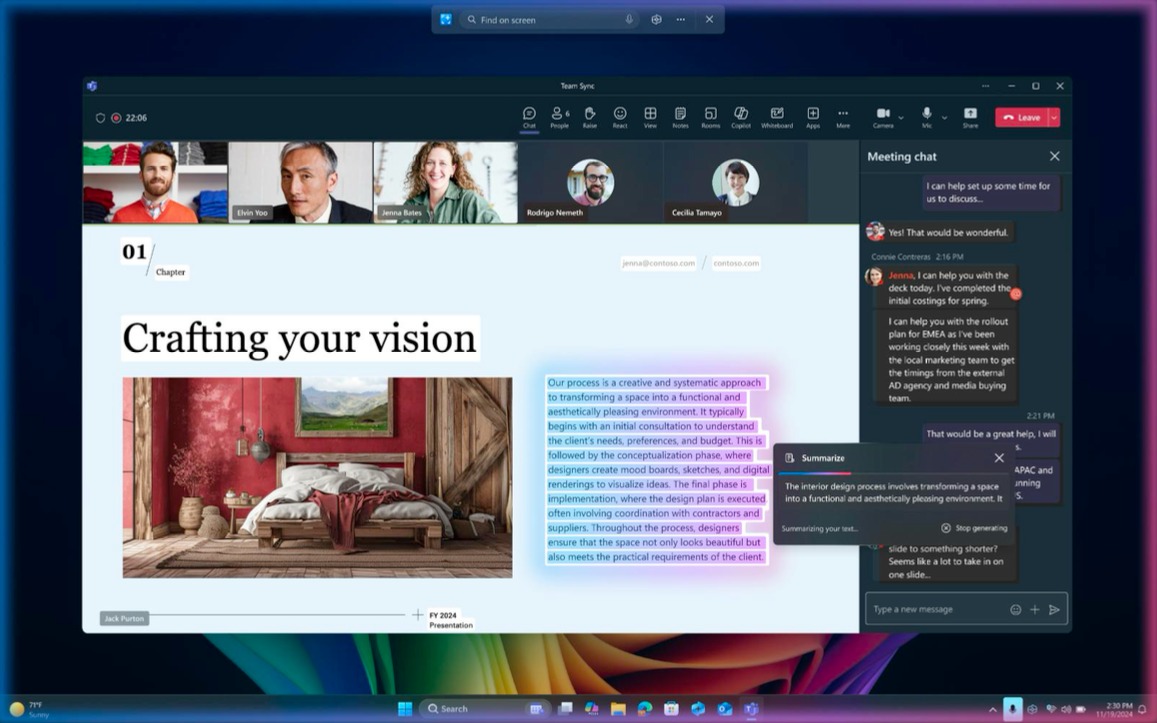
The Windows team is firing on all cylinders today with the release of the April optional update for Windows 11 version 24H2, plus three new Insider builds for Dev and Beta Channel testers. The 24H2 preview builds bring a new profanity filter setting for voice typing and a new option to launch Click to Do on Copilot+ PCs using the shortcut button of a Bluetooth pen.
The Dev build 26200.5570 and Beta build 26120.3941 once again bring a similar set of changes as they’re both based on the version 24H2 of Windows 11. However, Beta Channel testers still on the 23H2 bandwagon are getting the build 22635.5305 with fewer changes.
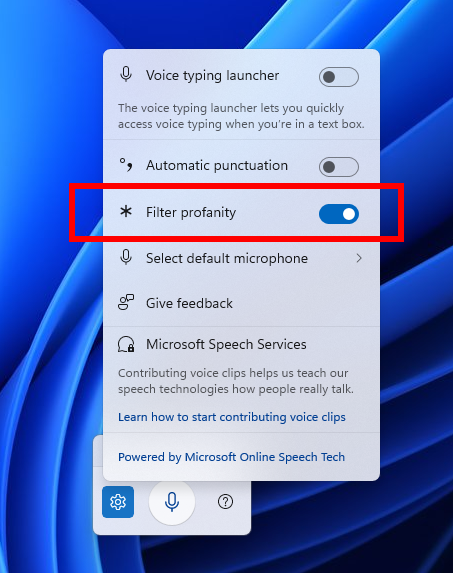
The three new builds released today are all getting a new profanity filter setting for voice typing: This top-requested option allows users to disable the profanity filter to have their profanity typed out like any other words. When the filter profanity toggle is enabled, voice typing will continue to mask profanity with asterisks, as it already did.
The three new features listed below are only available on the new 24H2 builds for Dev and Beta Channel testers:
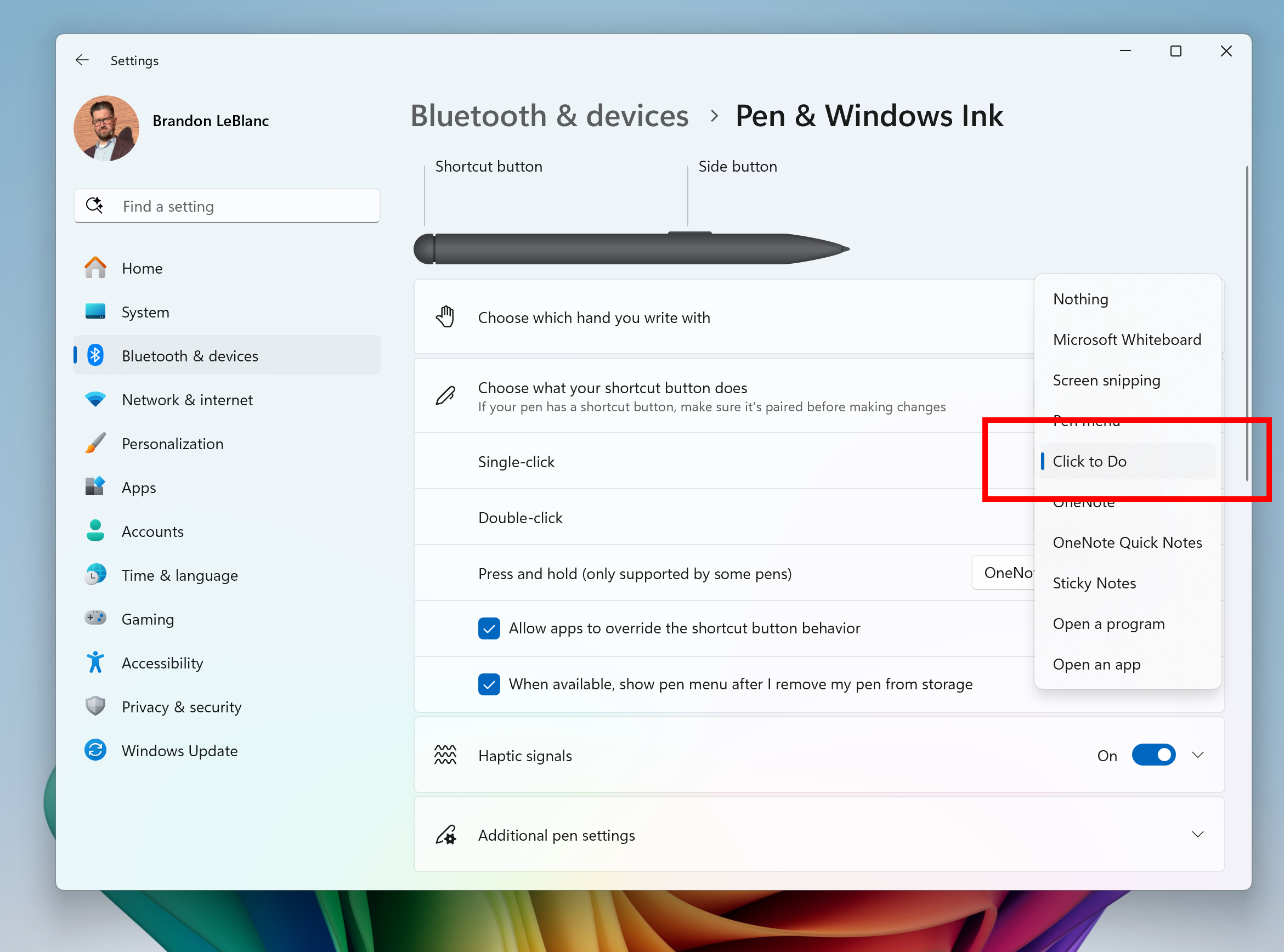
Opening Click to Do with the Pen shortcut button: Copilot+ PCs users with a Bluetooth pen can now configure its shortcut button to open Click to Do with a single-click, a double-click, or by pressing and holding it. Click to Do can also be added as one of the four apps accessible via the pen menu.
Improved Windows Search for work and school accounts: Copilot+ PCs users who are signed into OneDrive with a work or school account will now only see matches for keywords they are searching for within the text of their cloud files in the results shown in the Windows search box on the taskbar (not photos).
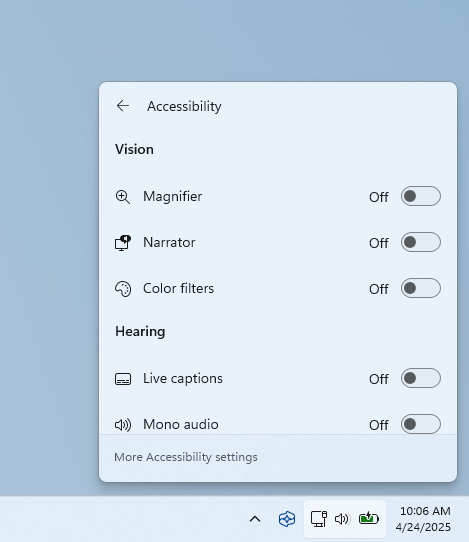
Accessibility flyout in quick settings: Microsoft is grouping assistive technologies in this menu by vision, hearing, motor, and mobility.
Following the release of the Windows 11 build 27842 on the Canary Channel earlier this week, the Windows Insider team announced today that ISOs for this build are now available to download. While Recall and other AI features are now available on Copilot+ PCs with the just-released April optional update for Windows 11 version 24H2, these features are still not available on the Canary Channel for some reason.
If you’re wondering why the Canary Channel often looks like it’s lagging behind other Insider channels, Brandon LeBlanc from the Windows Insider team posted this explanation on X two days ago: “There hasn’t been a specific order for a long while now. There isn’t a progression like we had with rings. That’s why we moved to channels. Features can and will show up and preview in Dev and Beta often before Canary simply due to the way code flows on our side and the codebase.”
There hasn't been a specific order for a long while now. There isn't a progression like we had with rings. That's why we moved to channels. Features can and will show up and preview in Dev and Beta often before Canary simply due to the way code flows on our side and the codebase.
— Brandon LeBlanc (@brandonleblanc) April 23, 2025