Microsoft Drops New Windows 11 Canary and Beta Builds
- Laurent Giret
- May 23, 2025
-
2

Microsoft has just released two new Windows 11 preview builds for Insiders on the Canary and Beta Channels. The Canary build 27863 enables post-quantum cryptography capabilities on Windows 11, allowing organizations interested in quantum safety to start experimenting with the new technology within their operational environments.
“As announced this week at the Build conference, we are adding support for post-quantum signature algorithm ML-DSA in NCrypt and BCrypt cryptography API surfaces, as well as Crypt32 certificate APIs,” the Windows Insider explained today. “Three variants are supported, ML-DSA 44, 65, and 87. In Build 27858 and higher, we encourage you to try out using and validating ML-DSA certificates with these changes.”
The Windows 11 24H2 build 26120.4161 for Insiders on the Beta Channel brings more consumer-facing changes. Here are the new features that will roll out gradually to Beta testers:
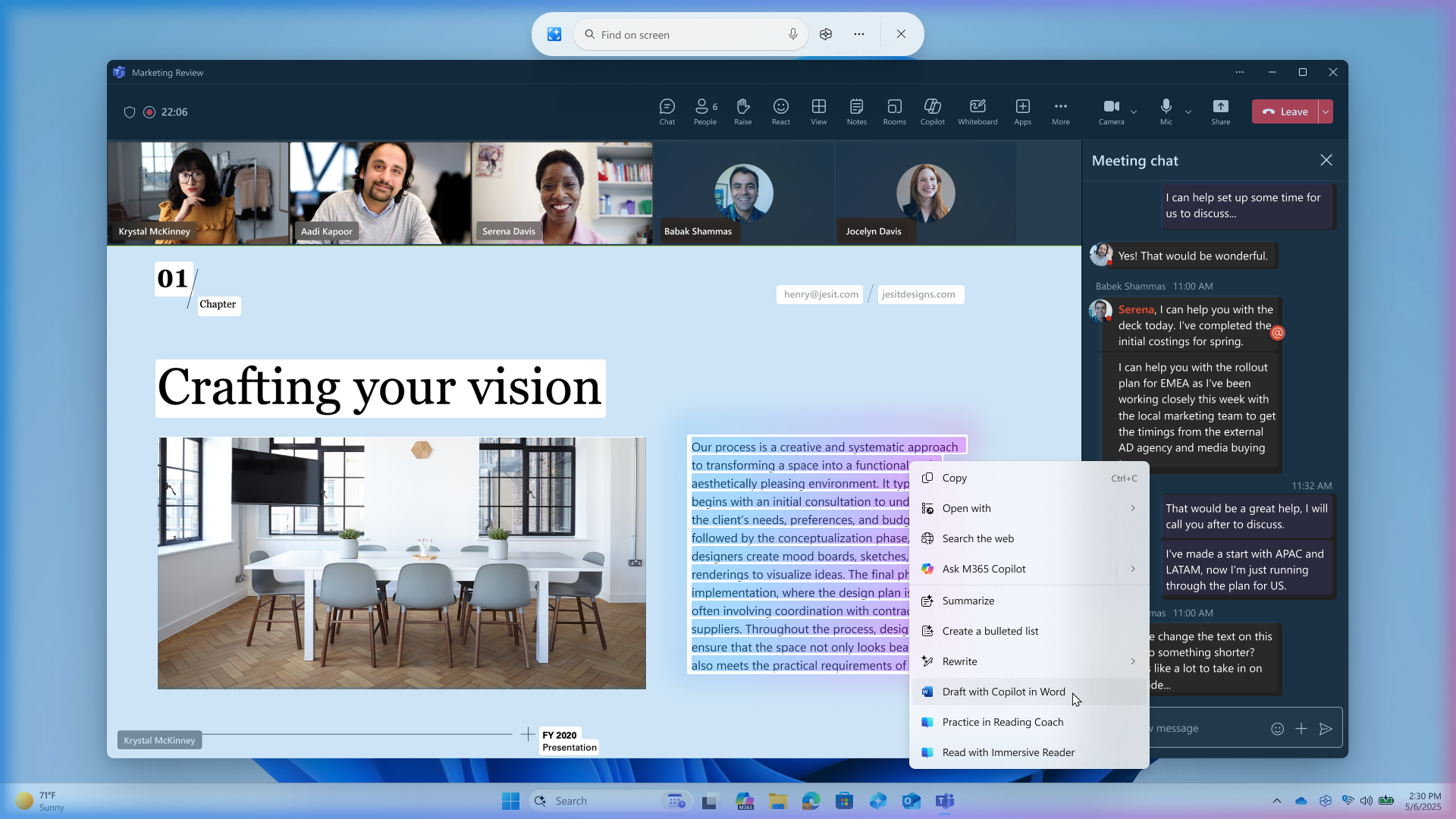
New Microsoft 365 text action in Click to Do: On Copilot+ PCs, Click to Do will show a new “Draft with Copilot in Word” action on content that’s highlighted on the screen. A Microsoft 365 Copilot subscription will be required to see this new action.
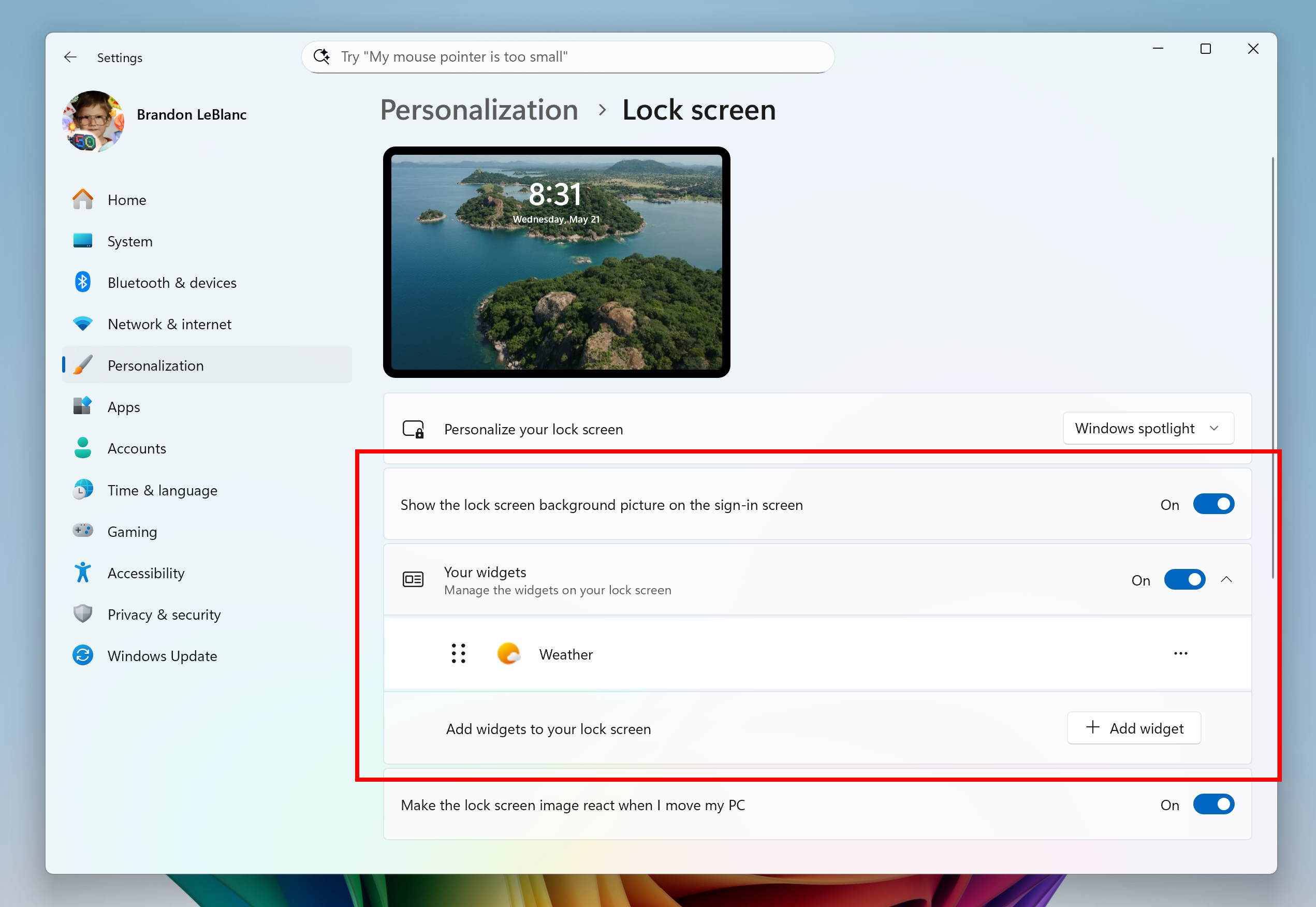
Customization settings for lock screen widgets: Insiders outside of the EU will be able to add, remove, and rearrange lock screen widgets such as Weather, Watchlist, Sports, Traffic, and more.
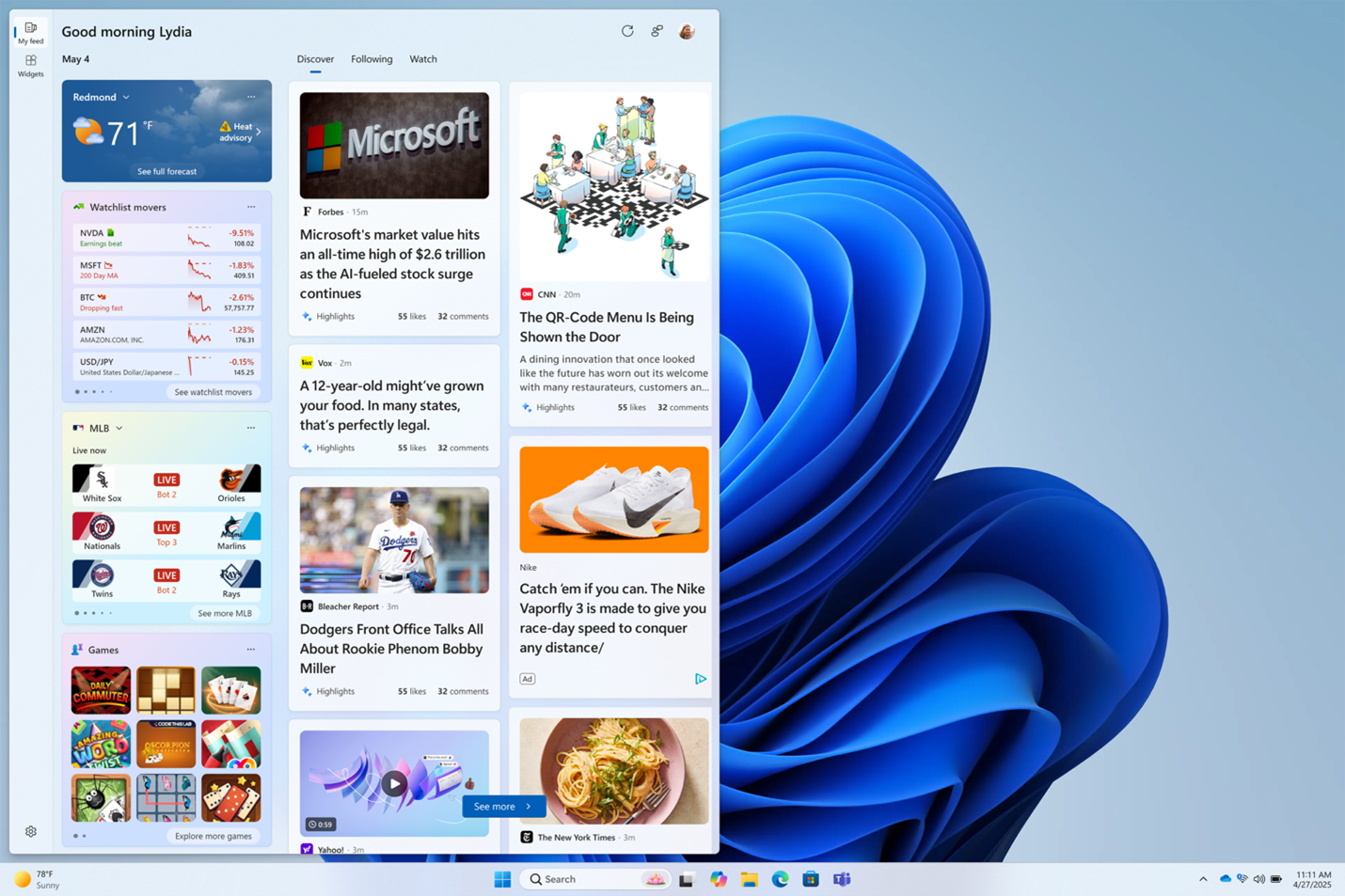
Multiple dashboards in the Widgets board: Insiders outside of the EU can now create multiple dashboards and switch between them using the new navigation bar on the left side of the Widgets board.
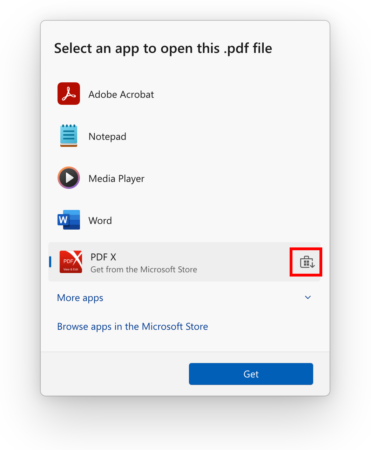
App recommendations in the “Open with…” dialog: This dialog, accessible when right-clicking on a file, will now show app recommendations from the Microsoft Store for opening files.
New PC-to-PC migration experience: Microsoft is getting ready to test a new PC-to-PC migration experience that will let users seamlessly transfer their files and settings from their old PC to a new one during the PC setup process. To start, the Windows Backup app is being updated to show the new landing and pairing page, and the full migration experience will roll out to Insiders soon.
Earlier this week, Microsoft also released the 24H2 build 26100.4188 for Release Preview testers with new Copilot+ PCs features. New Paint, Snipping Tool, and Notepad updates are also rolling out to Canary and Dev testers, adding AI-powered text writing capabilities to Notepad and a Sticker generator in Paint for Copilot+ PC users.