Opera for iPhone and iPad Gets Major Update to Tabs
- Paul Thurrott
- Sep 03, 2025
-
1
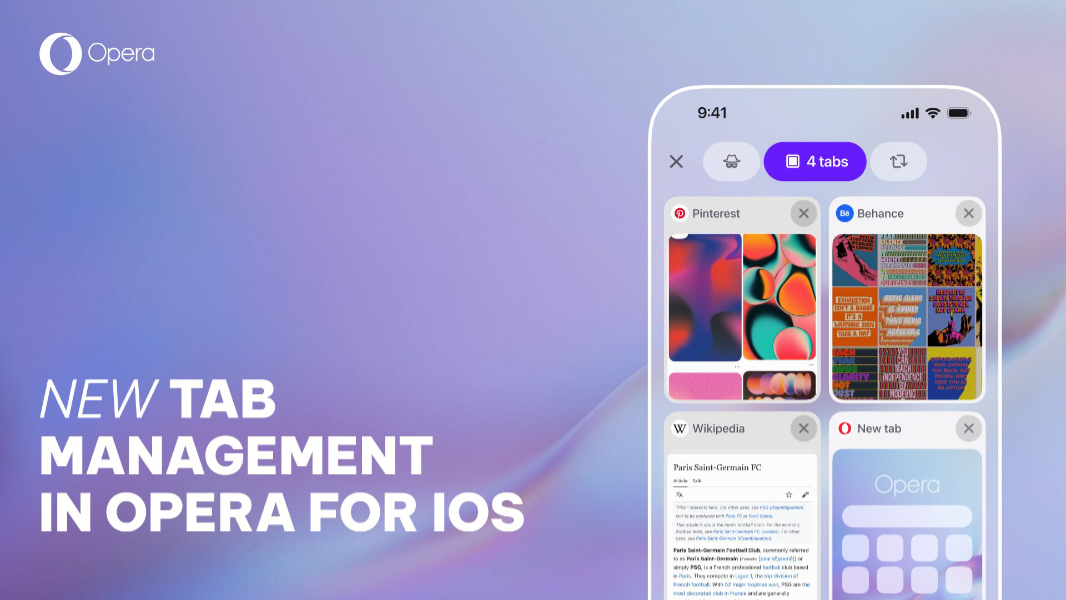
Opera for the iPhone and iPad has been updated with the same tab management system overhaul that the Android version got in May.
“We’re really happy with how this new Tab Management system has been received by you, and how it has improved your experience managing your tabs,” Opera’s Santiago Benavides García writes. “We’re introducing this update just ahead of the launch of the new iPhone 17 so you can have the best browser for iOS on the most powerful iPhone.”
The new tab management system in Opera for iPhone and iPad includes:
New Tab Layout customization. Now, you can choose between list and grid views when viewing open tabs in Opera’s tab gallery. And you can toggle the view on the fly using a new layout icon in the bottom bar.
Tab grouping. The iPad version of Opera now supports a Tab Islands-like feature that lets you create tab groups that can be named and customized with a color.
Search tabs. A new Search tabs button in the bottom bar lets you quickly find any tab by typing keywords related to the webpage title or URL.
Easy swipe to access private tabs, and synced tabs. The tab gallery now displays icons for private mode, tabs, and synced tabs so you can swipe between them to access those features
In addition to the tab management system, Opera for iPhone and iPad also moves Aria, the in-browser AI, to a prominent new location in the center of the bottom bar. You can now customize the browser’s menu so that the commands you use most often are more easily accessible. And you can now import bookmarks from Opera on desktop through an Opera account. (Opera will make this process two-way in a future update.)
You can download Opera for iPhone and iPad from the App Store.