Lenovo Yoga Pro 9i Aura Edition 16 Review
- Paul Thurrott
- Sep 15, 2025
-
2
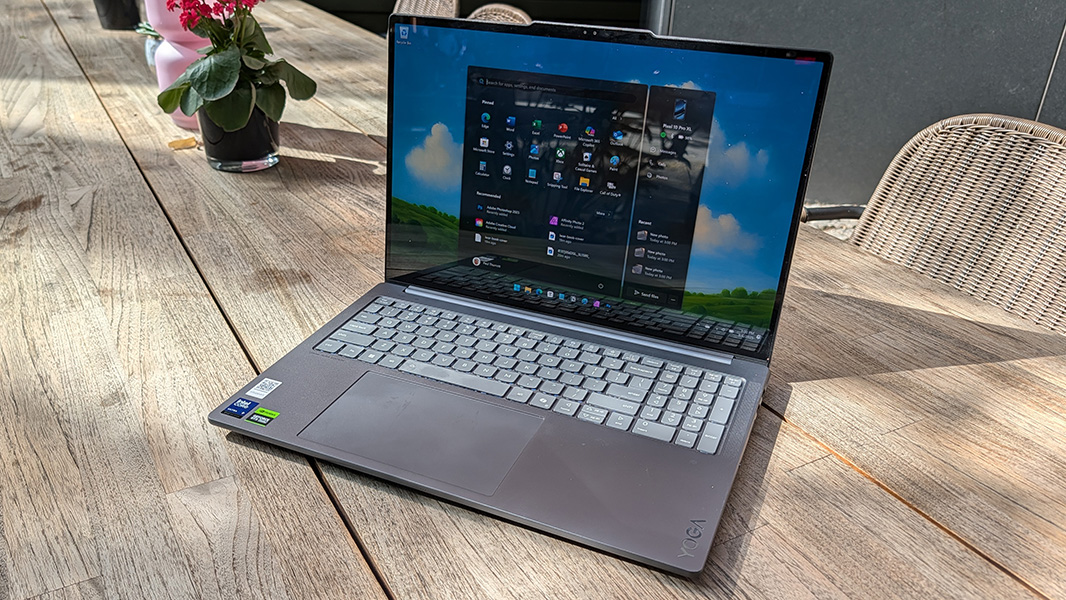
The Lenovo Yoga Pro 9i Aura Edition is the muscle car of laptops, with beefy performance that should satisfy creators and gamers alike.
Design
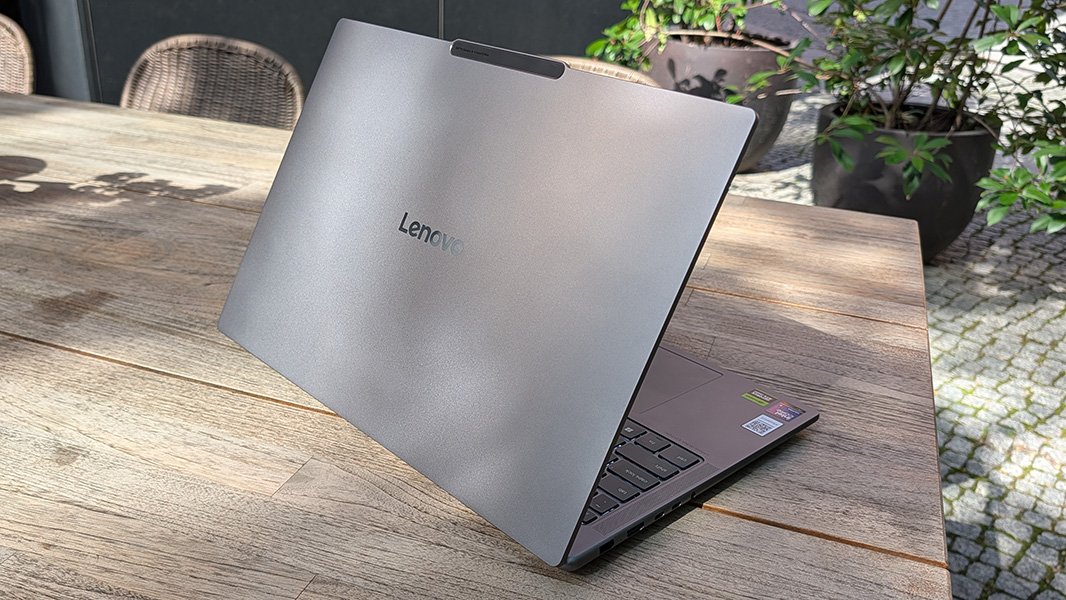
This is a big laptop and its dull Luna Grey color doesn’t help with the visual appeal. But the Yoga Pro delivers the same premium build quality that we see across the Yoga lineup, with a solid metal construction and no flex at all despite the epic expanse of its keyboard deck.
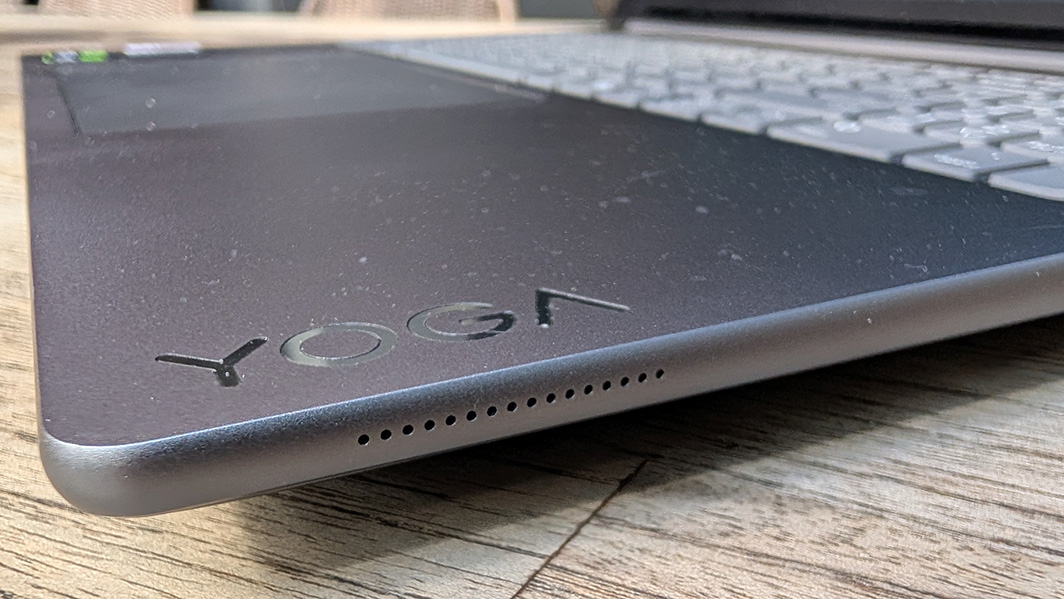
Lenovo softens the corners and some edges with elegant curves, though I wish the front of the wrist rest was given that treatment, as it can be a bit sharp on the wrists. Branding elements are mostly subtle beyond the YOGA logo on the right wrist rest. But it’s marred by three stickers on the other side too.
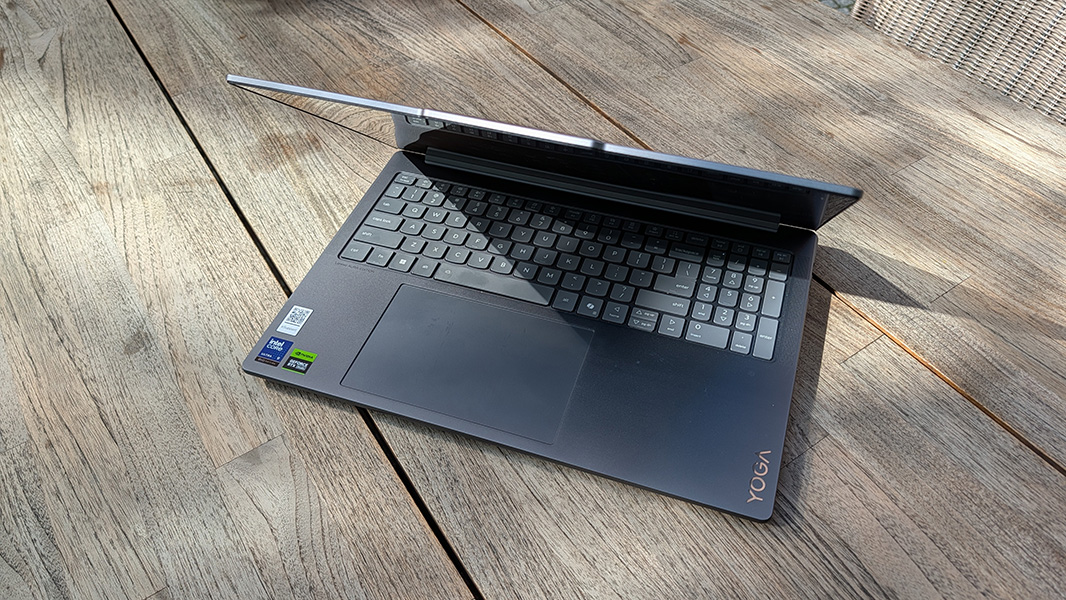
It’s unclear why there’s a numeric keypad here other than the available space, but it’s smallish, at least, as these things often are. And I do like the look of the keyboard nestled between two thin speaker grills.
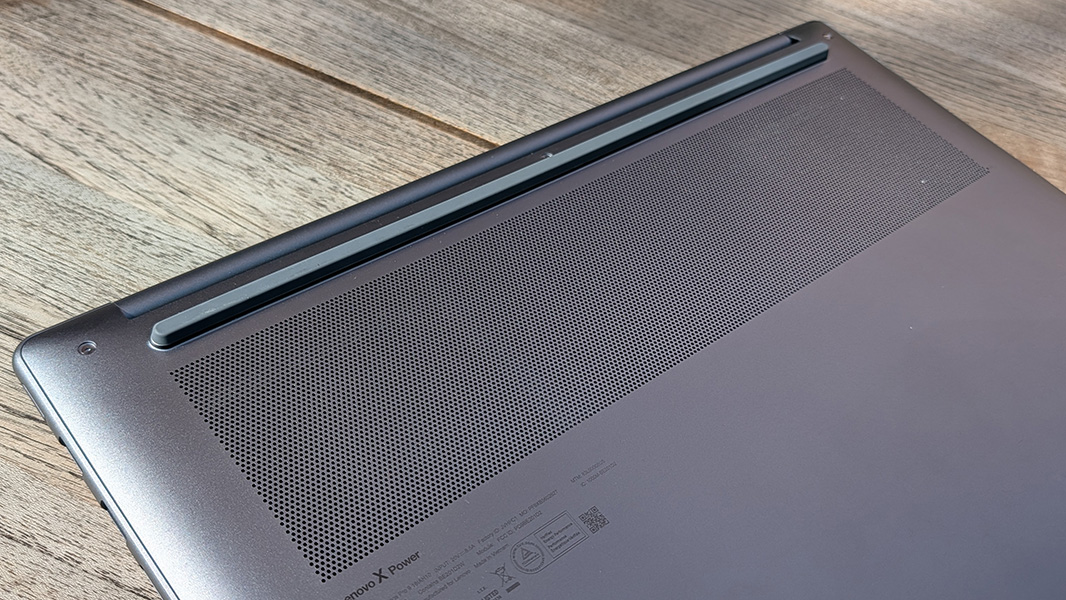
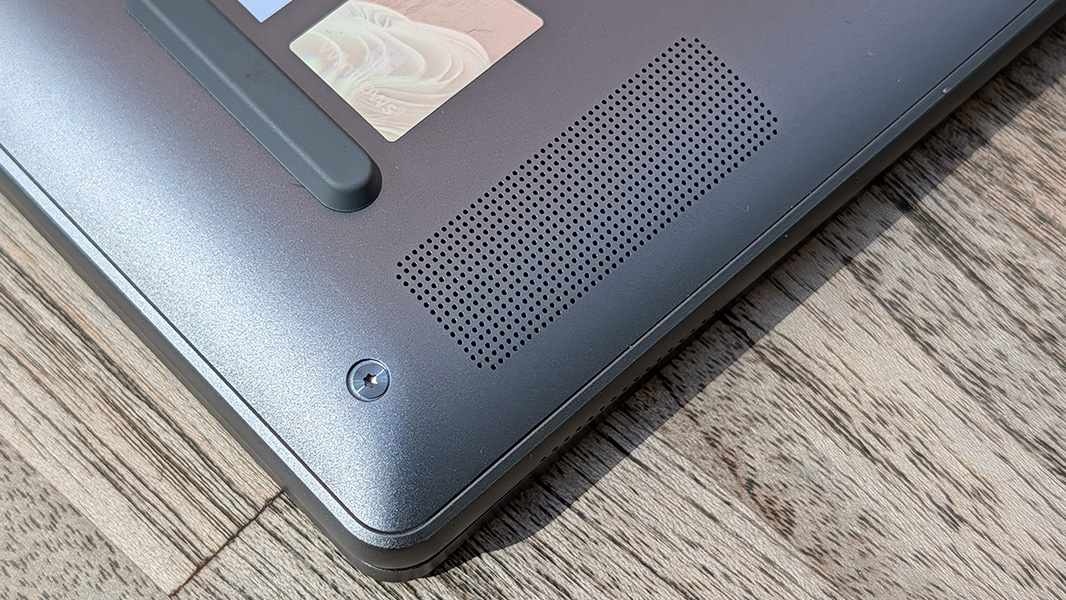
Thanks to the heat intake needs, the bottom rear of the laptop features a long (and tall) single foot instead of two smaller feet, and I wish more laptops used this design (front and back). This makes it easier to position on small spaces like the little tables I use in my living room or an airplane tray, where it can hang off one edge without causing any problems. (The 16-inch HP OmniBook 5 I’m also reviewing does this correctly.)
The display panel lays flat, which I like, but this isn’t a convertible laptop, so it’s unclear why the power button is on the (right) side instead of somewhere in or around the keyboard. There’s obviously plenty of space, and because a little white light in the power button pulsates constantly, it can be annoying at night, even when the laptop’s not in use.
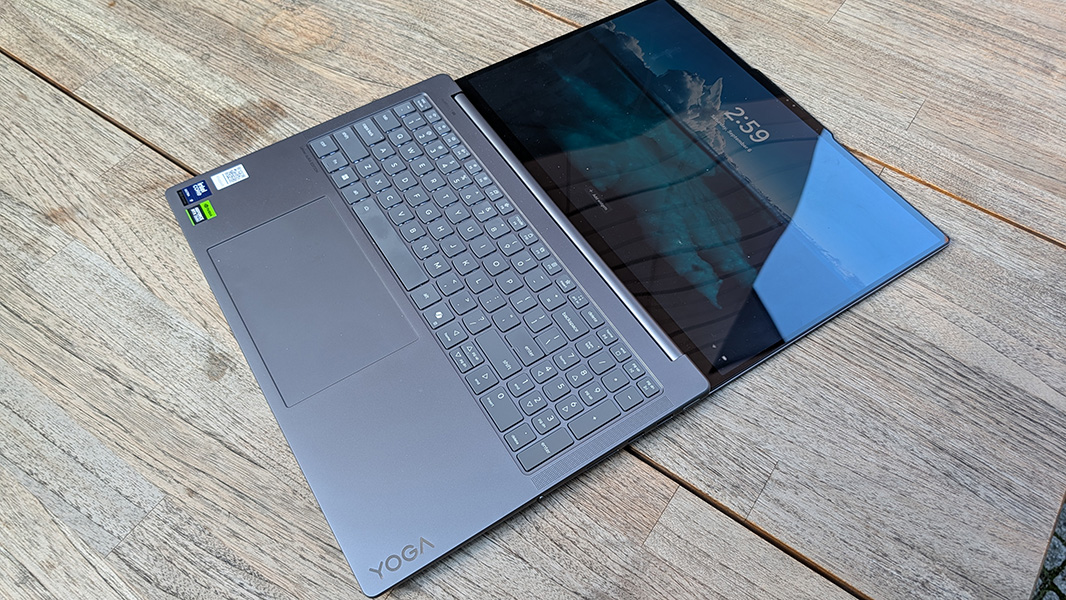
In any event, this is a stealth design that looks conservative and doesn’t in any way hint that there’s such impressive power inside. No one will look twice at it.
Display
Unless they see the display, that is. Lenovo offers customers a choice of two 16-inch OLED touch displays, both of which offer a 16:10 aspect ratio, a 120 Hz variable refresh rate, a TÜV Flicker Free certification, and a matte coating to try and cut down on the glare. So either choice will be pretty amazing, with the deep contrasty colors that OLED panels are so well known.
The first is a standard OLED panel with a 2.8K resolution (2880 x 1800), 100 percent sRGB and P3 color gamut coverage, DisplayHDR 1000 and TÜV Low Blue Light capabilities that emits 500 nits of brightness for SDR content and 700 nits for HDR content. This is the display that came with the review unit, and it is next-level, especially for entertainment content like games and videos.
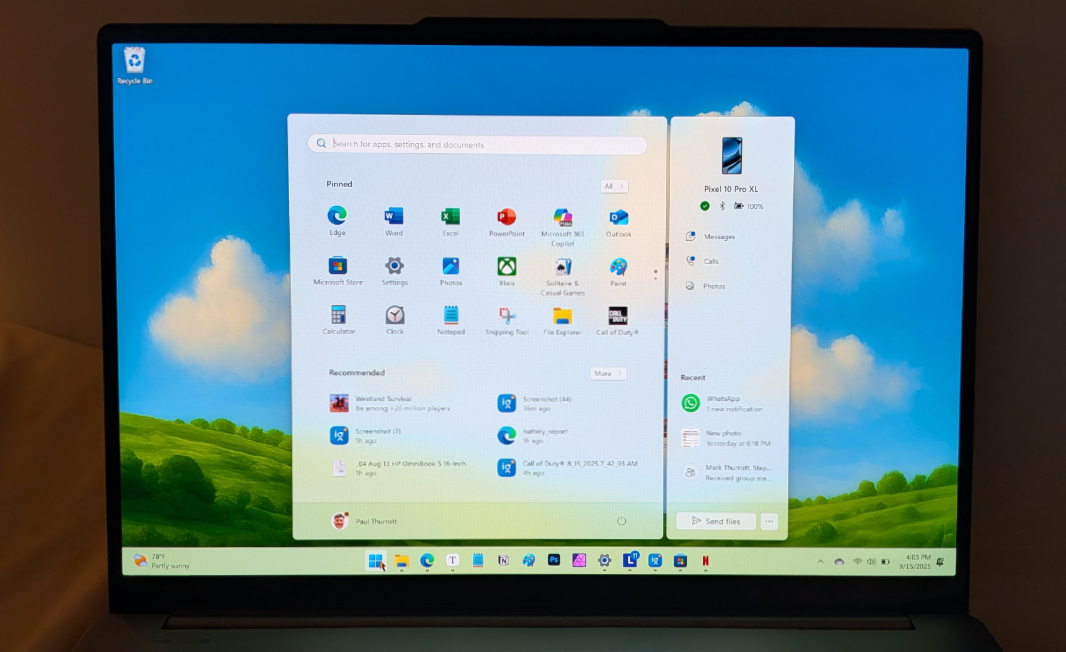
The second is a 3.2K (3200 x 2000) tandem OLED panel that emits 1000 nits of brightness for SDR content, 1600 nits of brightness for HDR content. It also provides 100 percent sRGB and P3 color gamut coverage, plus 100 percent Adobe sRGB coverage. And it supports DisplayHDR True Black 1000. I’ve never used a tandem OLED, but this explains the additional brightness and it should offer even more contrast and color pop, as hard as that is to imagine. But I suspect it would impact the battery life as well.
Reflections are always an issue with OLED panels and that’s true here, too, despite the anti-glare coating. But it’s fine indoors, in my experience. The photos here were mostly taken outdoors on a sunny day, which can exaggerate this effect. But I liked having OLED for day-to-day use. It didn’t impact my work and it really makes games and videos pop.
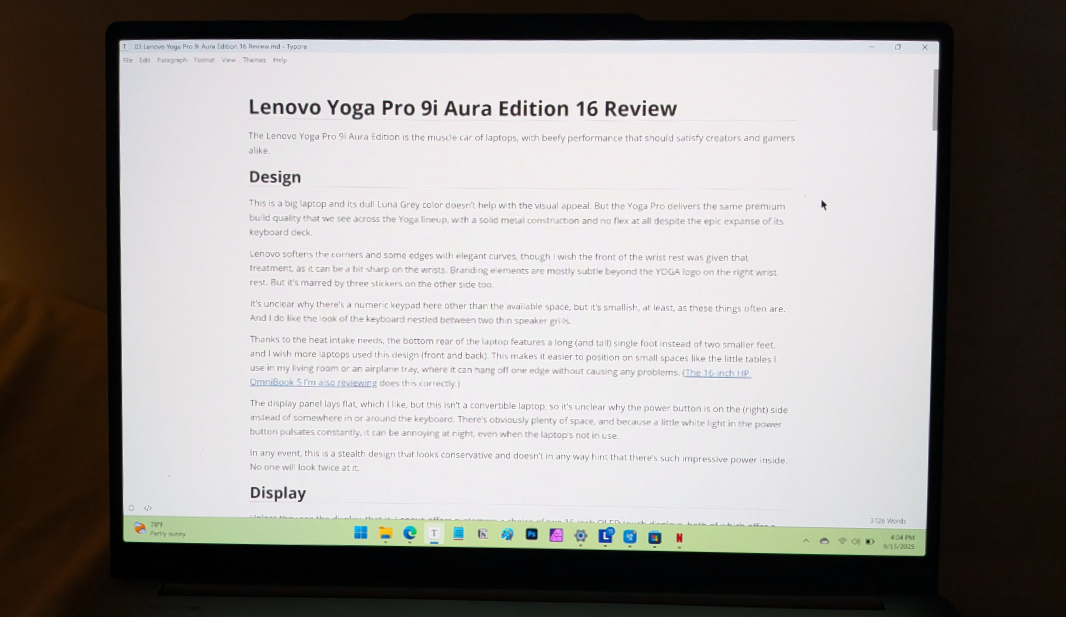
As noted above, the display lies flat, which is useful. The bezels fall into a pattern we see everywhere: Small on the left and right, larger on the top and bottom. And the corners of the display are lightly curved, which I like.
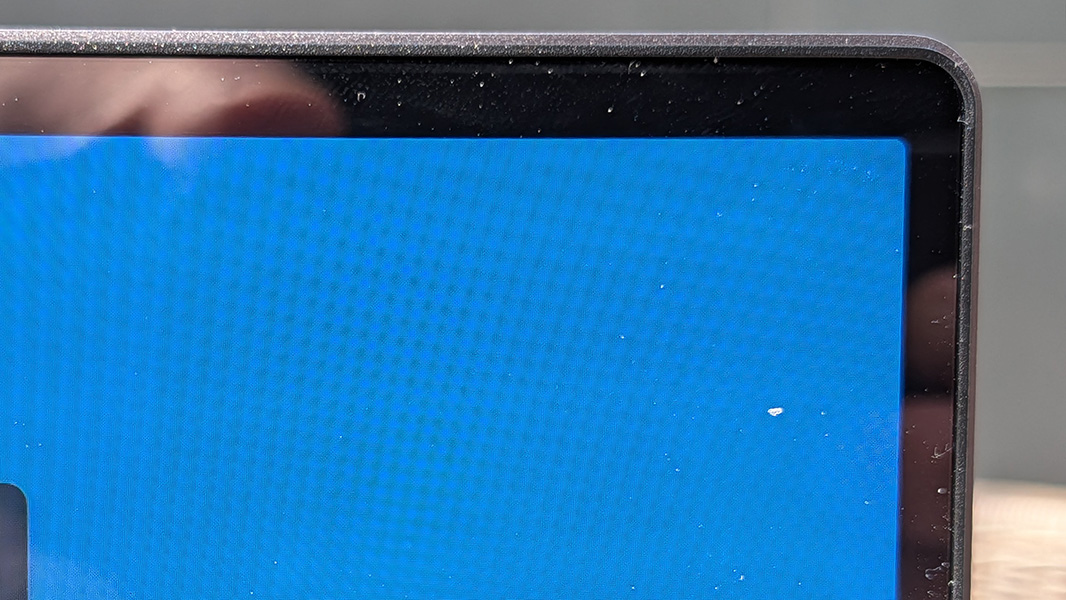
Windows 11 doesn’t enable HDR by default, or at all when on battery. But I enabled it for games and other content, and it makes a big difference, as noted below.
Internal components
The Yoga Pro 9i is powered by an Intel Core Ultra 9 285H “Arrow Lake” processor, which features 6 Performance cores, 8 Efficient cores, and 2 Low Power Efficient cores. This is a much more powerful chip than those in the “Lunar Lake” series that’s far more common in modern laptops, but it’s also less efficient. In my limited experience, the reliability is typical for an x86 processor, but without the rampant issues we see on Lunar Lake.
That’s likely because the underlying architecture is more traditional and the latest generation of several. As a result, the integrated Intel Arc 140T graphics are different from what we see on Lunar Lake, though I don’t have a handle on how they compare. And the NPU is dramatically worse, just 13 TOPS. And so this laptop isn’t a Copilot+ PC and can’t take advantage of most local AI-based features one gets from Windows 11 with that type of PC.
But that won’t matter to most. And that’s doubly true because the Yoga Pro 9i also includes an Nvidia GeForce RTX 5050, 5060, or 5070 laptop GPU with 8 GB of dedicated GDDR7 RAM, depending on the configuration. And you can configure a Yoga Pro 9i with 32 GB or 64 GB of soldered (and thus non-upgradable) LPDDR5X-8400 RAM and one or two M.2 PCIe Gen 4 SSD modules, each of which can be up to 1 TB in size.

The performance is breathtaking. This laptop cuts through day to day productivity work, multiple Visual Studio instances, and anything else I threw at it with ease. The videogame performance is particularly notable: Call of Duty: Black Ops 6 automatically configured itself to run at 1920 x 1200 with graphics effects on high or very high and it consistently delivered framerates north of 90 FPS. That’s incredible, but the spatial-like sound and graphical fidelity are instantly noticeable and endlessly enjoyable as well. I got distracted many times by all the additional details that I was seeing for the first time ever. This is a killer portable gaming rig.
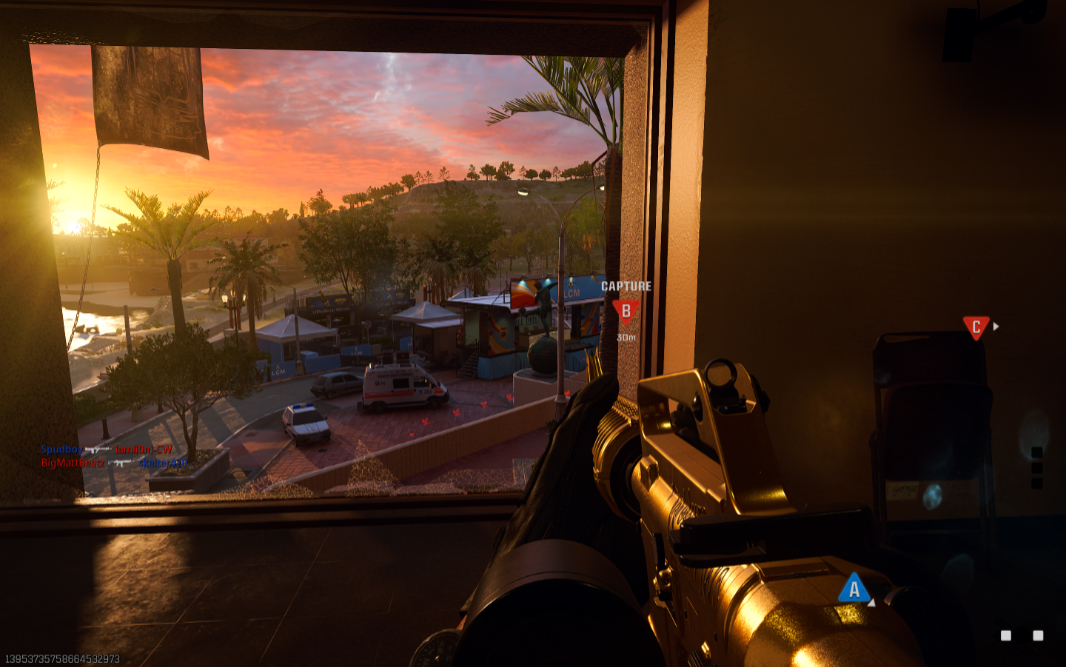
Of course, that power brings heat and fan noise. But this was only truly noticeable during and right after gameplay. For the most part, the fans remain quiet or silent, likely because the GPU isn’t typically needed. It’s nice to have when you do need it.
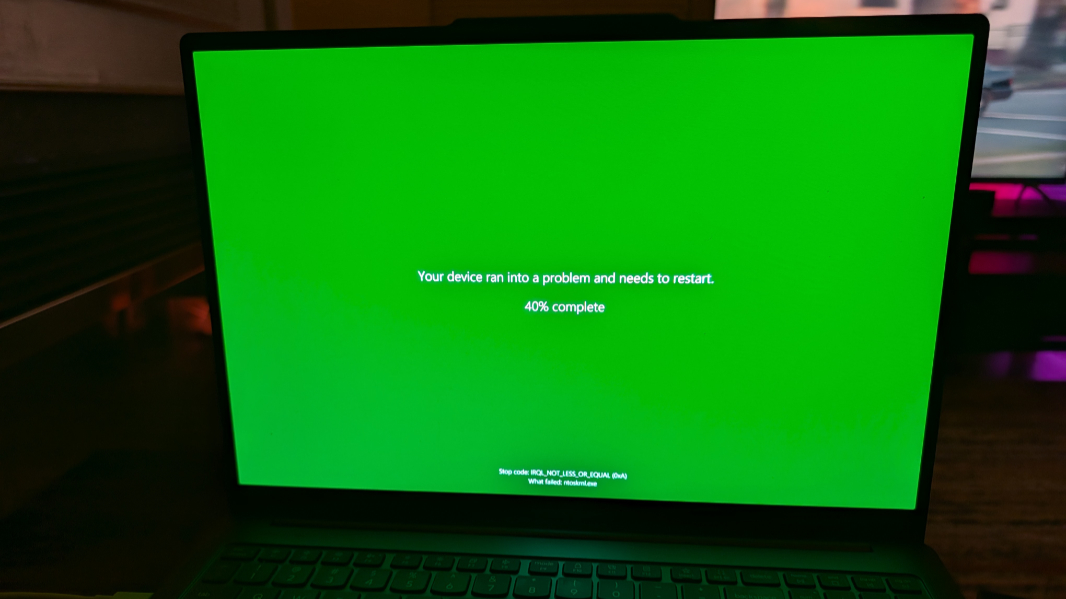
It may be worth noting that I did experience a few green screens recently after installing the Release Candidate builds of Windows 11 version 25H2. This may be tied to the pre-release software, of course. But I feel like it was tied to the GPU, and not the near-final OS.
Connectivity
Like Lunar Lake, Arrow provides the latest connectivity capabilities in the form of Wi-Fi 7 and Bluetooth 5.4. I never had any issues with either, here or in Berlin.
Ports and expansion
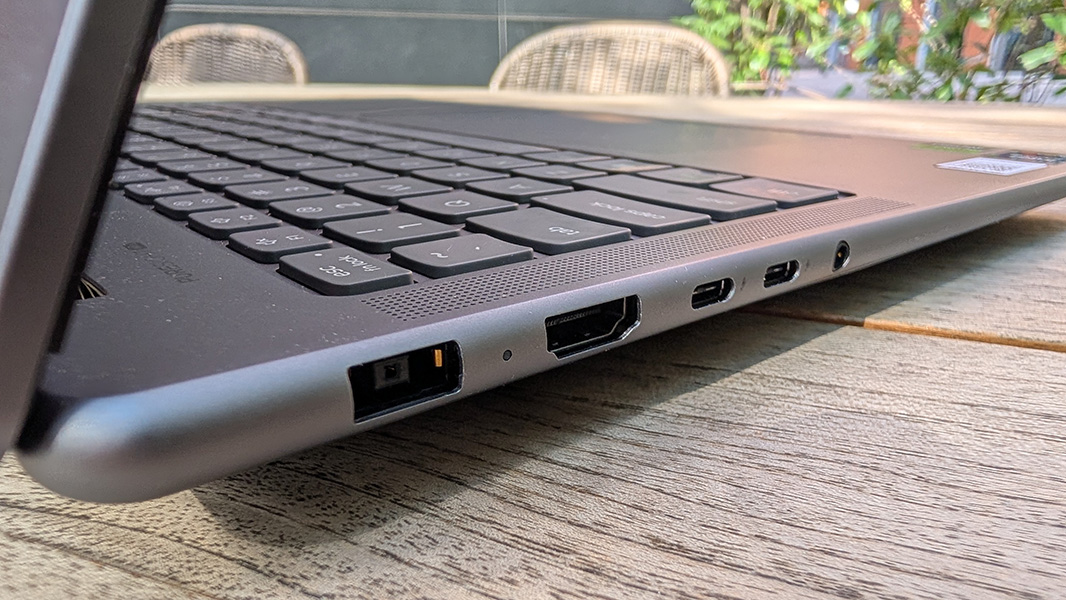
The Yoga Pro 9i provides plenty of expansion, but I always want to see at least one USB-C port on each side of any laptop, and that’s not the case here.
On the left, you will find the laptop’s proprietary power connector, a full-sized HDMI 2.1 port, two 40 Gbps Thunderbolt 4/USB4 Type-C ports with Power Delivery 3.0 and DisplayPort 2.1 capabilities, and a headphone/microphone combo jack.
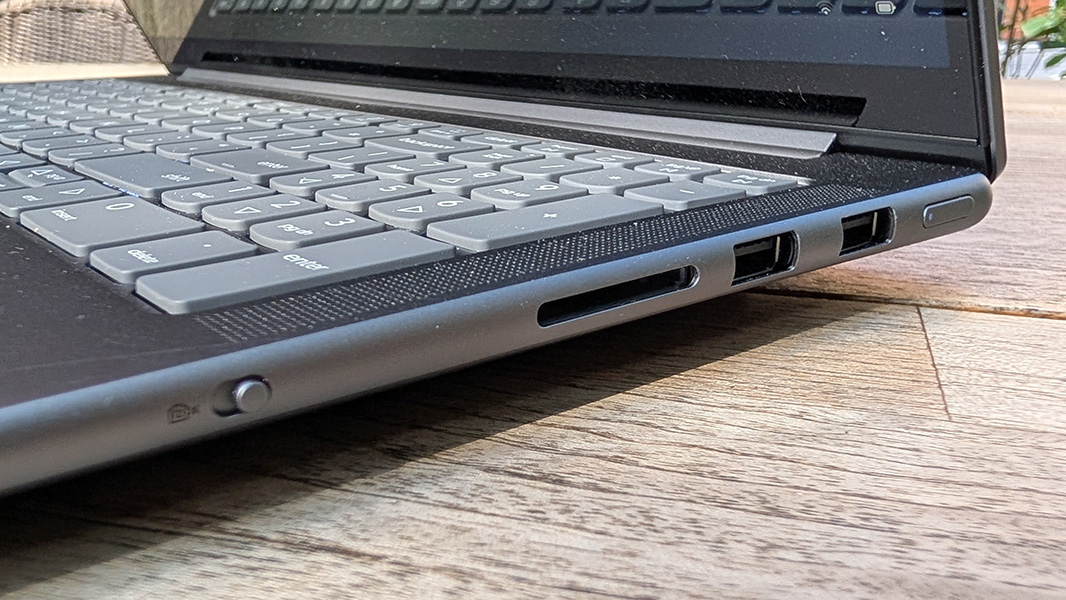
On the right, Lenovo placed two 5 Gbps USB Type-A ports, one with always-on capabilities, and a full-sized SD card reader.
The proprietary power connector somewhat undercuts my normal complaint about USB Type-C ports. But with all the available space, it’s curious that Lenovo couldn’t accomplish this or even a dedicated Ethernet port.
Audio and video
The audio quality lives up to the high standards set by the laptop’s performance and video quality. It has six total speakers—two 2-watt tweeters and four 2-watt woofers—backed by a “smart amp,” whatever that is, and Dolby Atmos spatial audio.
And it is awesome.
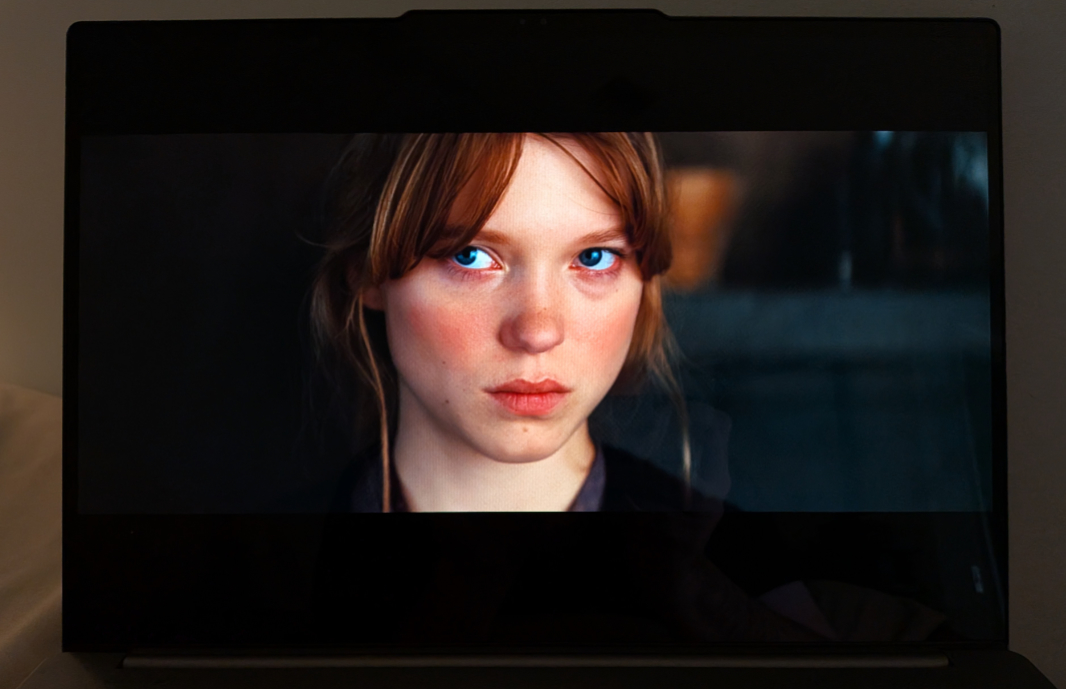
As I mentioned above, the sound in games like Call of Duty: Black, Ops 6 is notably good, with a wide, almost spatial sound stage that offers punchy bass while remaining crisp and distortion-free. The volume can get stupid loud, too.
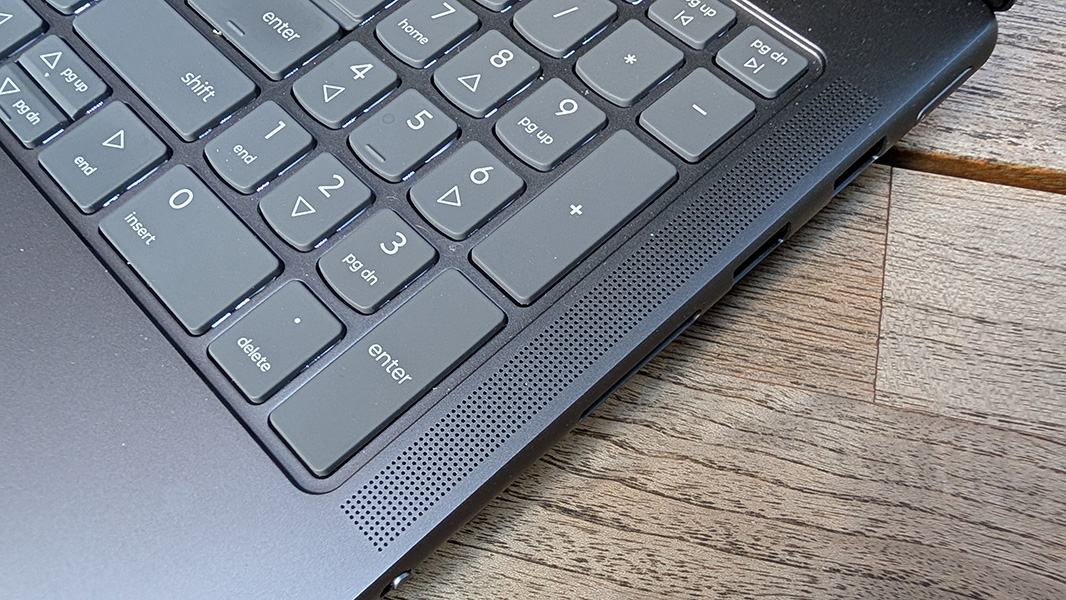
I used the Dolby Access app to configure Dolby Atmos sound for Auto, meaning it optimized for the type of content on the fly. And I set Dolby Vision to Vivid. And if anything, the audio playback in movies and music was even better than it was in COD, with a clearly spatial soundstage in compatible content. Plus HDR and Dolby Vision-compatible movies look incredible. The usual note about placing the laptop on a hard surface obviously applies.
Hybrid work
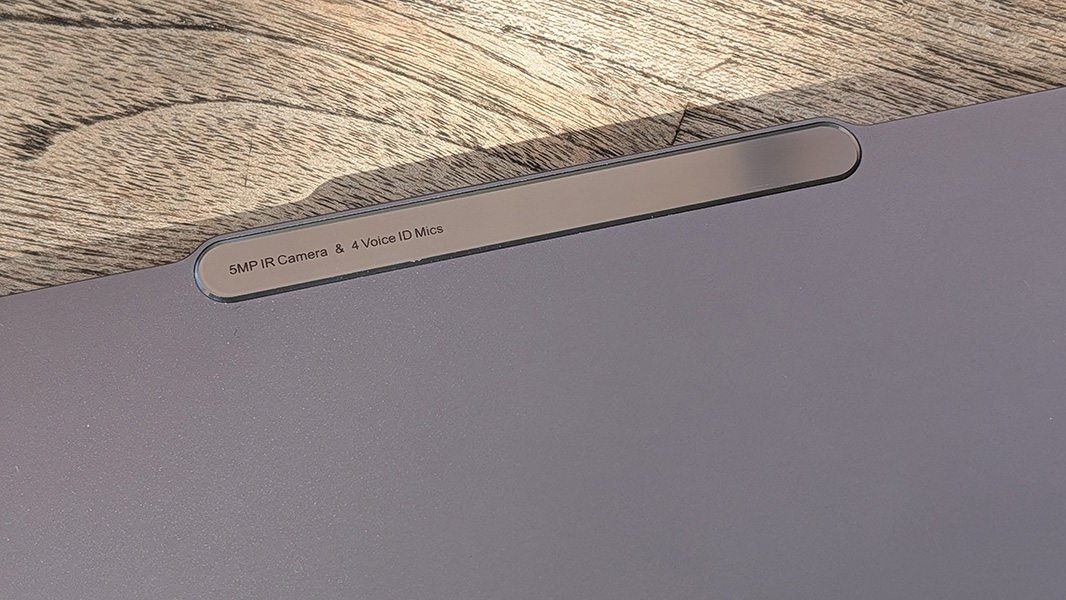
Like most of the laptops I review these days, the Yoga Pro comes with a 5 MP webcam. But this one includes a time-of-flight (ToF) sensor, which was more common in smartphone camera systems a few years back, where it was used for depth sensing. I assume its presence here is for similar reasons, but tied to AI-based background replacement.
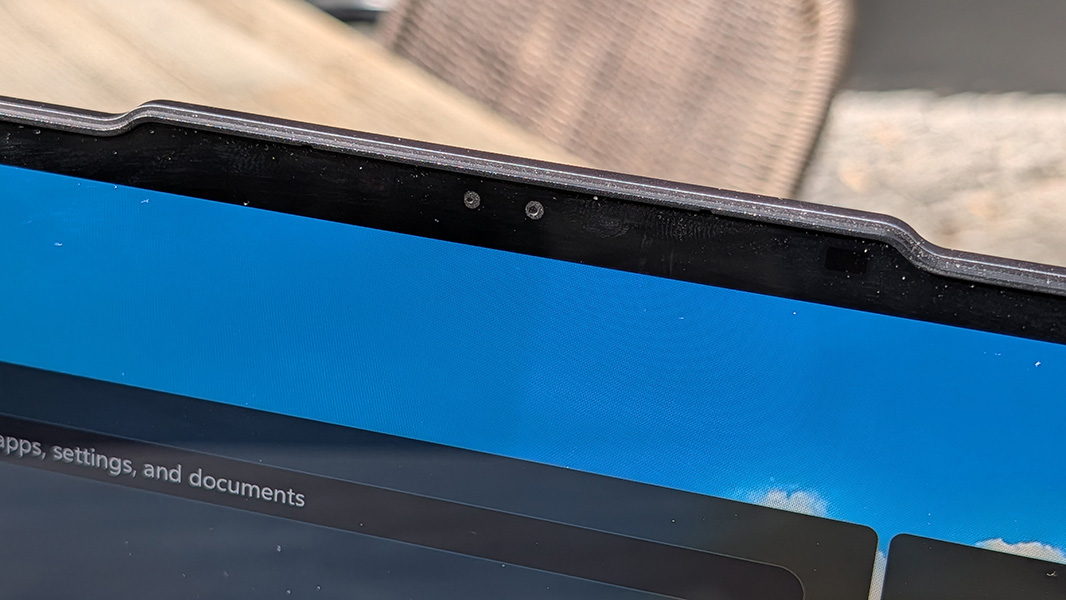
Also unusual is a four (rather than two) microphone array, with two in their normal positions on either side of the webcam and two in the front-center edge of the keyboard deck, below the touchpad. I jokingly wondered whether this was to offset the fan noise or perhaps just because of the sheer size of this laptop. But it seems to work about as well as any other microphone array. Almost any external mic would be better.
Keyboard and touchpad
Aside from the superfluous numeric keypad that offsets the typing position to the left, triggering some unwelcome typing mistakes, the Yoga Pro 9i’s full-sized keyboard is mostly excellent. It has the same scalloped-shaped keys we see across Lenovo’s laptop lines but with a soft, comfortable feel and short snappy keystrokes.
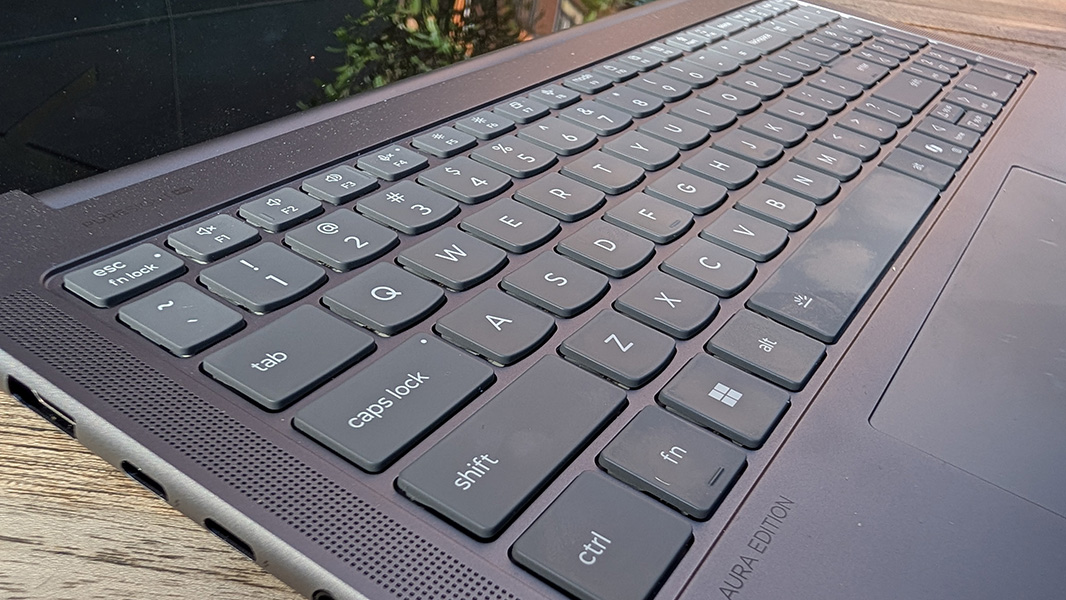
The keyboard supports multiple levels of backlighting with an automatic mode that I prefer, and all the standard Fn-based keyboard shortcuts work normally, as God intended, despite the presence of dedicated Home and End keys above the numpad. The Copilot key remains a pointless nuisance, but that’s common to basically all laptops today.
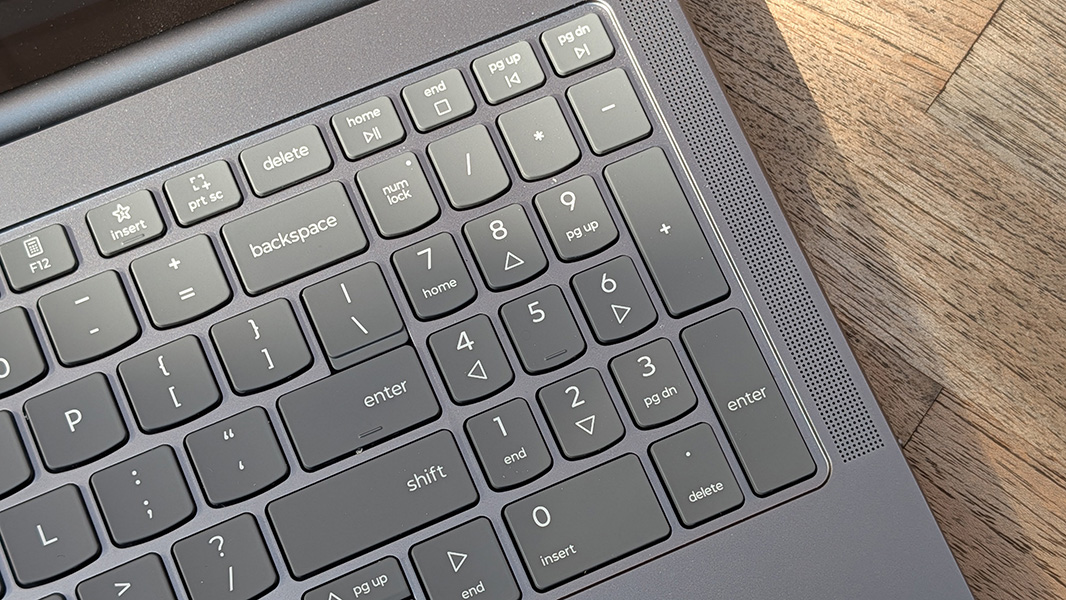
The sheer size of the laptop combined with two design decisions does pose one usability problem, however: It’s difficult to find a comfortable typing position over long periods. With the keyboard shifted to the left (thanks, pointless numpad), the left wrist rest is curiously tiny, and because this laptop is so big, the bottom of the keyboard is quite far from the front of the keyboard deck. So the sharp front edge of the laptop digs into my wrists as I type. It can get uncomfortable.
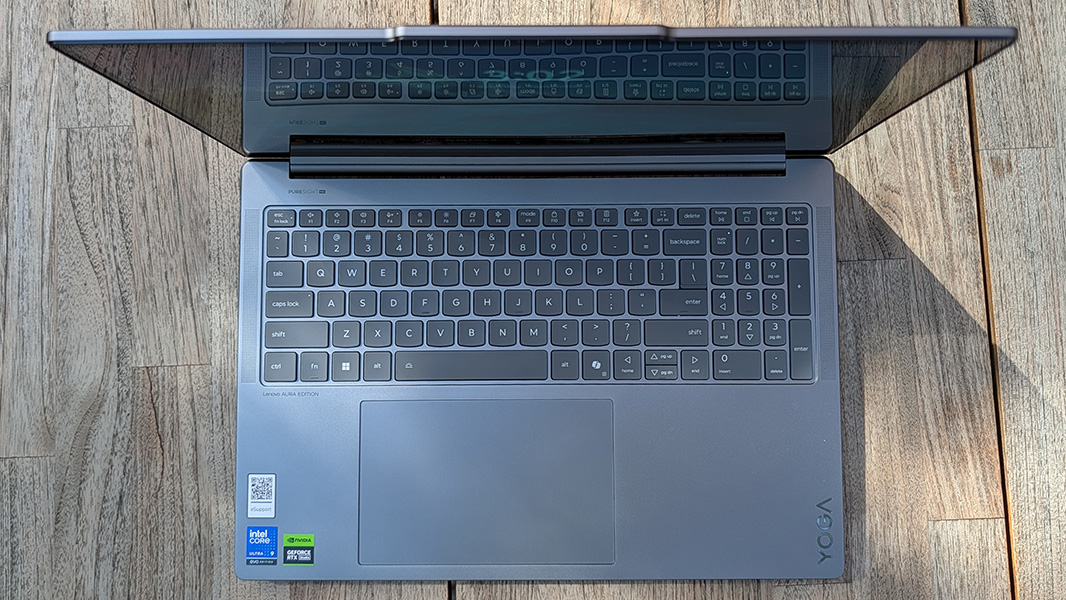
The touchpad is humongous but it mostly worked fine once I disabled three-finger gestures. Otherwise, I kept launching into Task view by mistake. That said, the size is a problem for clicking since you have to stretch way over to its left to get an accurate left click.
Security
The Yoga Pro 9i isn’t a Copilot+ PC, but it does include the more secure Windows Hello Enhanced Sign-In Security (ESS), which I appreciate. And it works reasonably well with the webcam’s facial recognition capabilities with the usual x86 reliability fun. There’s also a hardware privacy switch for the webcam, and though it’s in a weird spot near the middle of the right side of the laptop, I prefer that to one right on the camera itself.
There’s no fingerprint reader, something I prefer seeing in premium laptops, and a feature that would be easier to implement if the power button were where it belongs and not on the side of the laptop.
Sustainability
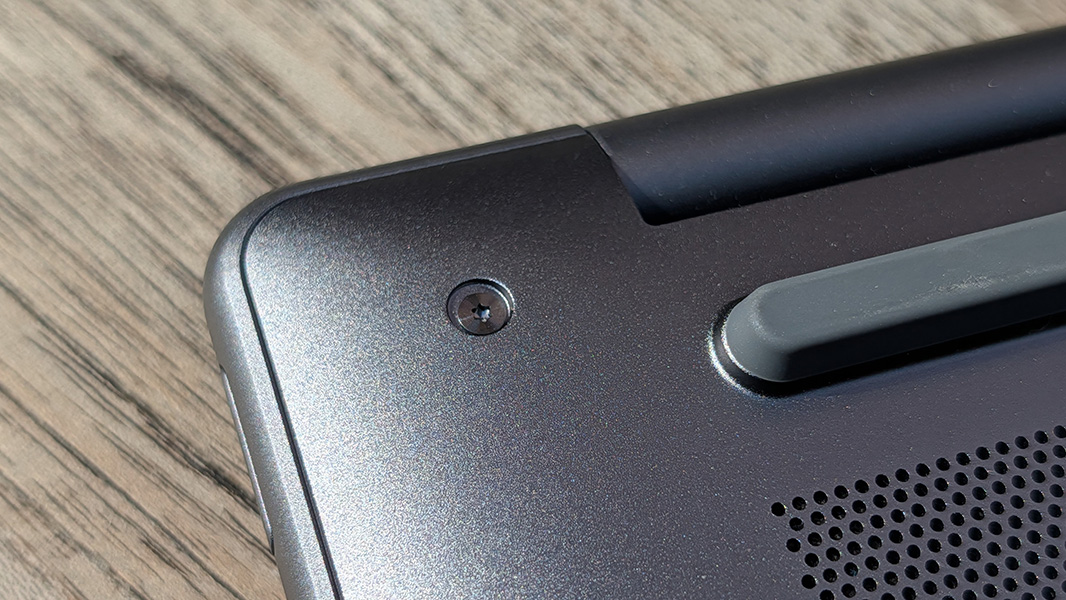
The Yoga Pro 9i can be user serviced to some degree, but you need to remove 8 screws (!) on its bottom and then use a thin plastic pry tool to fully separate the bottom panel. With that done, you can replace the battery and SSD modules (and/or add a second SSD). The RAM, as noted, is soldered on and non-upgradeable.
Efficiency and portability
My travel schedule this month is complicated, with long flights to Berlin (now complete) and Hawaii and then a flight in between to Mexico City. I prefer to fly light, but I also have several laptop reviews to complete, in whatever order, necessitating certain compromises. Among them, I would have to bring the next two review laptops with me to Berlin. One of them was the 4.25 pound Yoga Pro 9i.
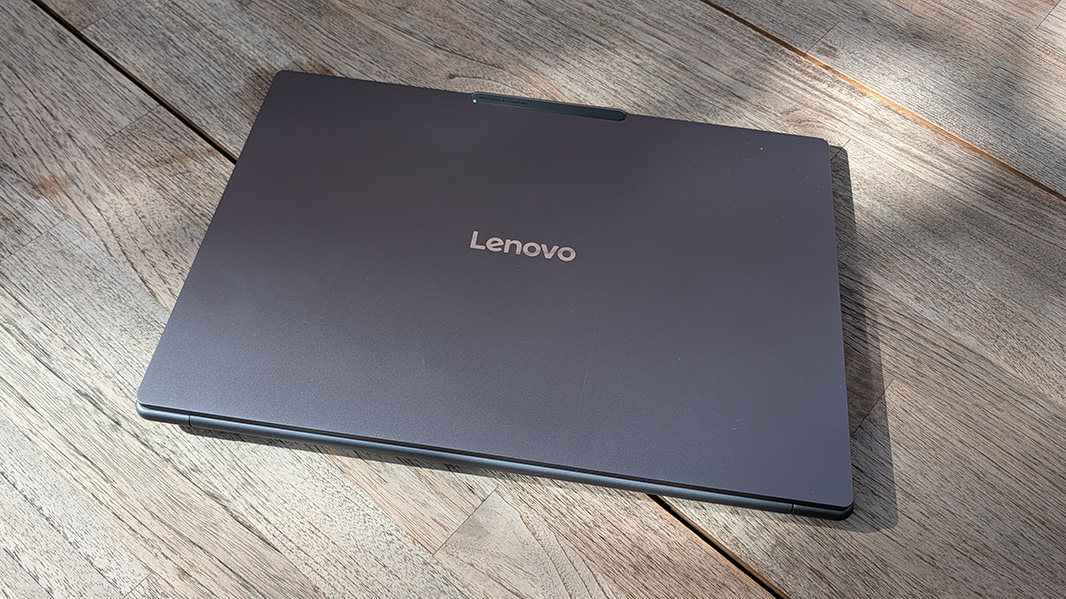
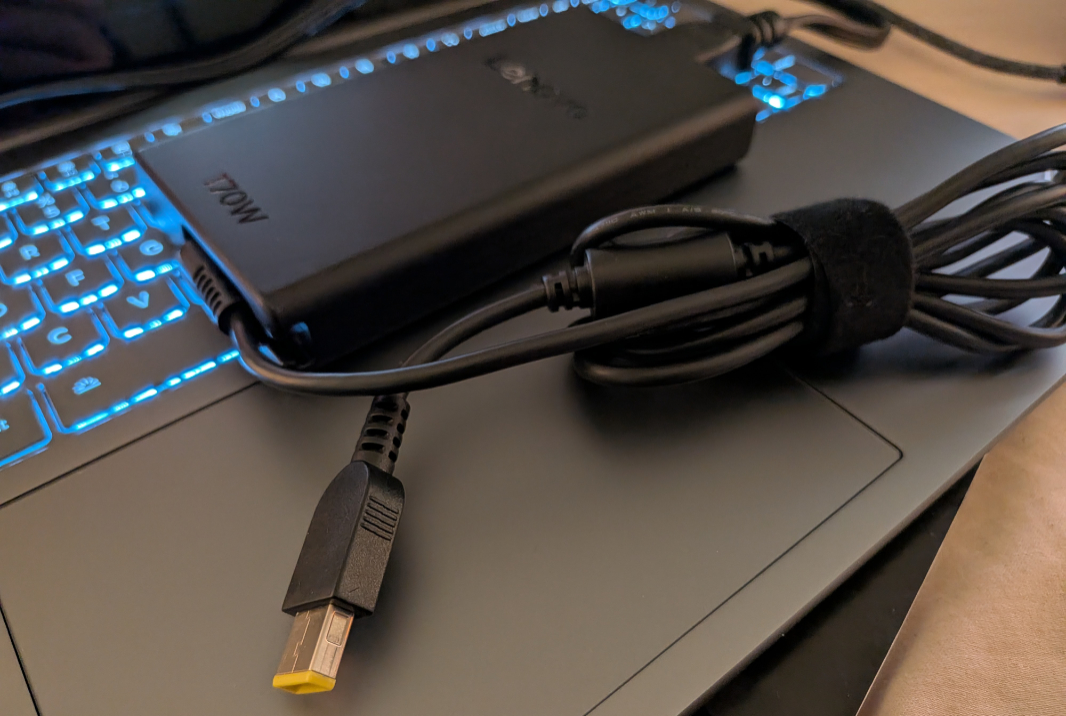
With that weight and its 14.28 x 9.99 x 0.7 inch dimensions, not to mention an enormous 170-watt power supply that’s the size of a Volkswagen Beetle, this is anything but thin and light. But I was glad I had it: The other laptop I brought was the HP EliteBook X G1i 14 I reviewed last week. And while that PC is much lighter and thinner than the Yoga Book, it was also a lot less reliable. The Yoga Book mostly came on instantly when I opened the display lid, though there were the usual games there.
The problem, of course, is battery life: I saw an average of just 4 hours per charge on the default power management configuration. And though I later examined whether any of the modes or charging features available in the Lenovo Now app might help matters there, they did not.
But here’s the thing: I’m not sure that it matters. No one is buying a 4.25 pound laptop—probably 4.5 pounds with the power adapter—to travel around with it. This is a device you will use in a home or office, and if there’s any moving around, it will be from chair to chair in that building. This is a laptop, yes, but it will be used mostly on power, not battery.
That enormous charger is proprietary, not USB-C, but that frees up both USB-C ports, enables the powerful CPU and GPU to work to maximum effect, and it can fast charge the laptop’s 84 watt-hour battery. Also good, you can use a standard USB-C charger to charge the laptop at up to 100-watts, and I typically used that type of charger around the house.
Software
Yoga is a premium brand, but it’s also a consumer brand, and so Lenovo colors its software image with a few questionable choices, most notably McAfee, which I always uninstall immediately, an Adobe Creative Cloud 2-month trial, and a rather dubious new entry called Lenovo Subscription Marketplace. Beyond that, there are several other Lenovo utilities, three Intel utilities (including, for now, the discontinued Intel Unison), two Nvidia utilities, and Dolby Access.
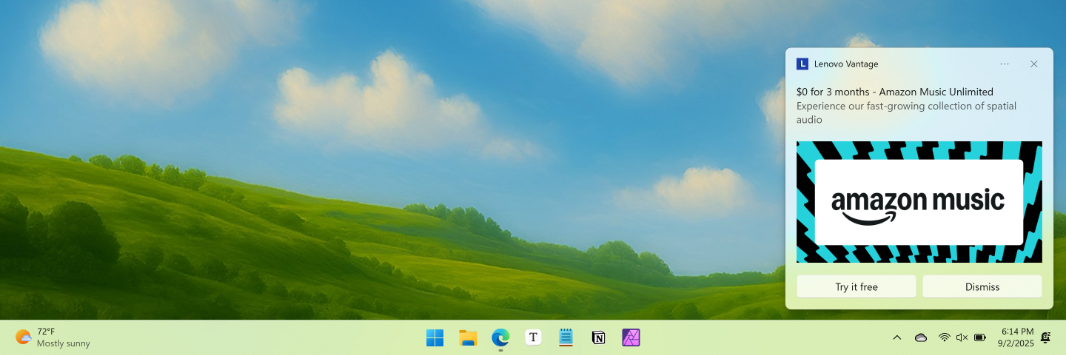
More troubling, to me, is the way Lenovo mixes necessary utilities with ads for upsells, as it does in the Lenovo Vantage app. Here, you can find such a range of hardware configuration features that it’s impossible to ignore. But as you browse through the options, it pops up ads to sell you services no one wants like Identity Advisor and Smart Lock. These ads pop-up while you’re otherwise using Windows, too. Boo.
Aura Edition laptops like this one include unique Smart-branded utilities that were codeveloped with Intel. There are three.
Smart Modes sits alongside the previous automatic optimization modes (called Scenario Modes here) in Lenovo Vantage, but you can summon this feature’s widget by tapping the F9 key too. They’re scenario-based. For example, a Collaboration mode can be configured to come on when the camera is engaged, but all it does is enhance the video in low-light situations. And a Shield mode helps protect the data you’re displaying from onlookers by blurring the screen when viewed at an angle and firing off a notification when it detects someone looking over your shoulder. There are also Attention, Wellness, and Power smart modes.
Smart Care is like an electronic concierge for troubleshooting problems. It uses a Lenovo-branded AI assistant called Lena for chat-based assistance, but there are also links to the user guide, article and video libraries, and troubleshooting and diagnostic tools. And you can engage customer service to get human-based help when needed, or submit a support ticket. This all happens in Vantage, too, though Lenovo also has Smart Care mobile apps for iPhone and Android too.
Smart Connect is by far the most interesting of these unique features. This is the replacement for Intel Unison, and a neat way to share information between the PC and your smartphone. As such, there’s a standalone app rather than having to hunt around in Vantage. You have to install a mobile app, of course, and there are versions for iPhone and Android. But once you get it all set up, Smart Connect provides an interesting mix of features. Some are similar to what Microsoft provides in Windows 11 with Phone Link. But some are unique, too. For starters, you can connect a compatible tablet, too.
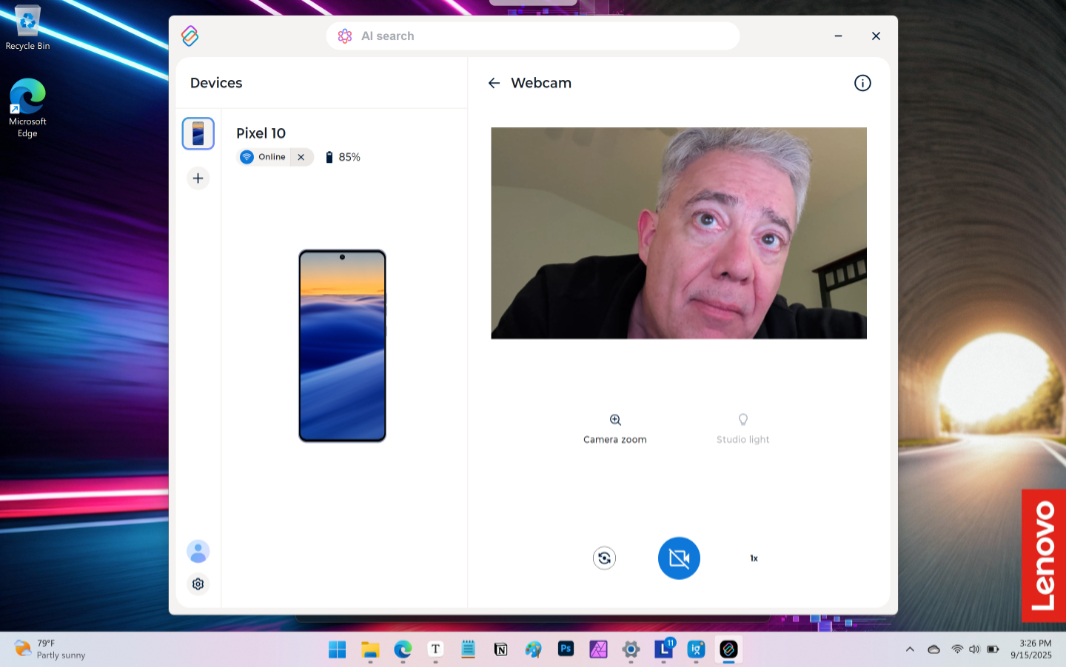
I just tested this with my phones. It lets you copy and paste between the devices, use the phone’s camera as your PC’s webcam, and drag and drop files between the devices. What’s missing (for now) is the neat proximity-based functionality that this feature’s Unison-based predecessor provided. But I assume that’s going to make a comeback as this app gets improved. Either way, this one is useful.
Pricing and configurations
The Yoga Pro 9i is not inexpensive, but that’s no surprise given its premium components. A “base” version with 32 GB of RAM, 1 TB of storage, GeForce RTX 5050 graphics, and the 2.8K display costs about $1900. Some upgrades are in packages. For example, going up to 64 GB of RAM (normally $110 on its own) also adds the 3.2K tandem OLED display (a reasonable $150m extra) and GeForce RTX 5070 graphics ($300 more), for a total of $2430. And you can add a second 1 TB SSD for $80.
Recommendations
If you’re a creator who needs high-end performance in a (semi) portable package, the Lenovo Yoga Pro 9i delivers. Its high-end H-series Intel Core Ultra processor, RAM, and storage, and dedicated Nvidia graphics can handle any task (or game) you can throw at it, and its 16-inch OLED display is a colorful expanse of HDR goodness. This is the best mobile gaming experience I’ve had in recent years, though it comes in a modest-looking form factor that most would mistake for a business-class PC. My only regret is that I need to send it back to Lenovo: Call of Duty will never look or sound as good as it does on the Yoga Pro.
Highly recommended.
Pros
✔️ Terrific workstation- and gaming PC-class performance
✔️ High-end RAM and SSD configurations
✔️ Epic 16-inch OLED display
✔️ Six-speaker sound system with spatial audio
✔️ Windows Hello ESS security
Cons
❌ Pedestrian design
❌ Poor battery life
❌ Mostly middling Aura Edition utilities, though Smart Connect shows promise
❌ Crapware and pop-up upsell ads
❌ No fingerprint reader, power button on the side, USB-C ports on one side