Lenovo Legion Go 2 Review
- Paul Thurrott
- Nov 19, 2025
-
2
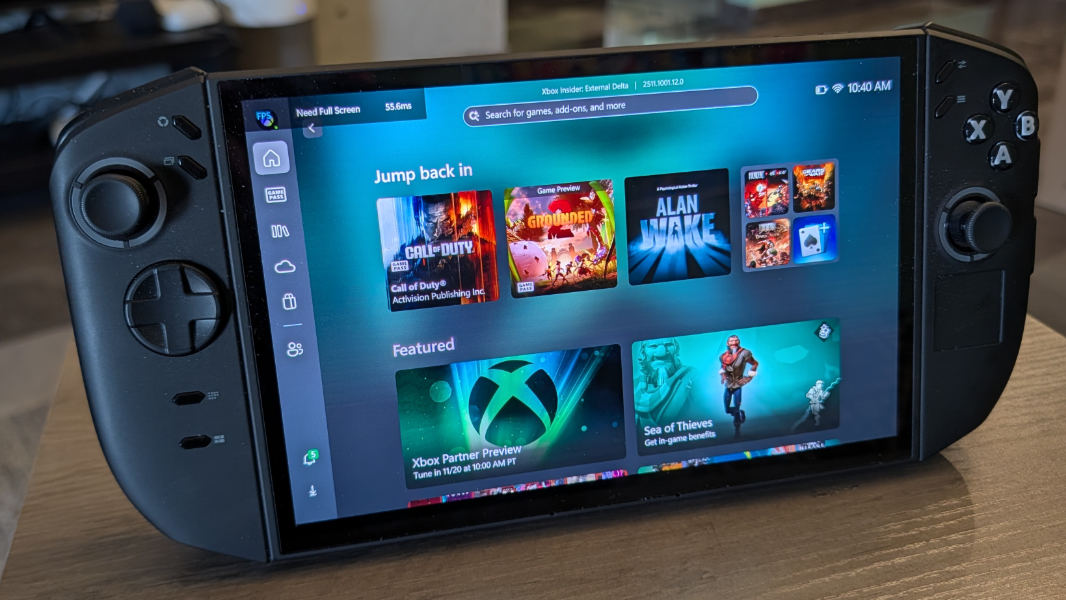
The Lenovo Legion Go 2 is like a big, heavy, and muscular Nintendo Switch 2 that plays Windows games. That’s either exactly what you’re looking for, or it isn’t. But the Legion Go 2 does make a good case for Windows 11 evolving into a viable gaming handheld platform, despite some rough edges.
Design
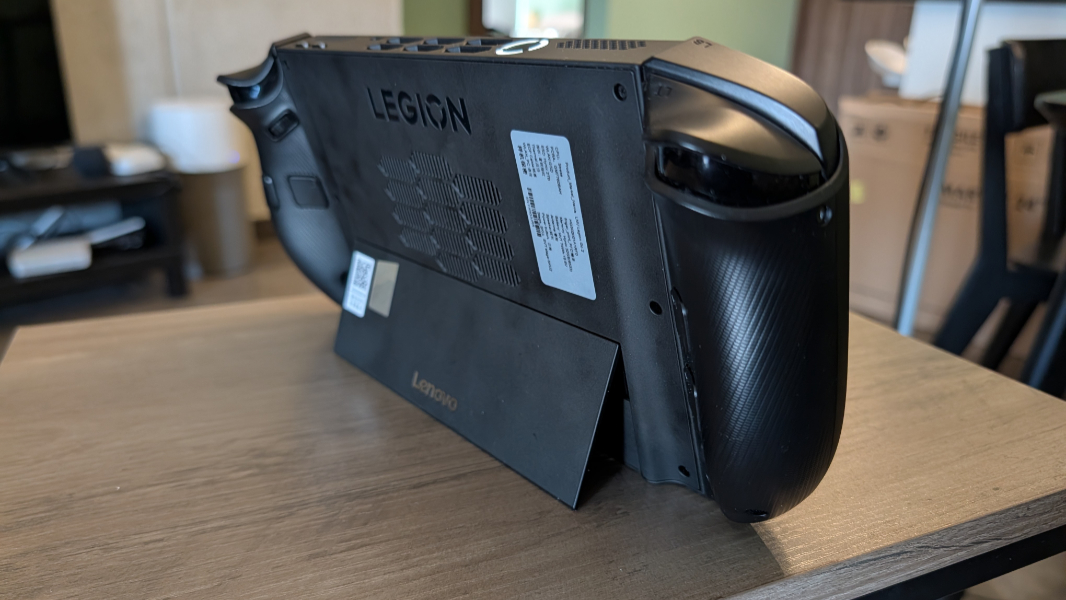
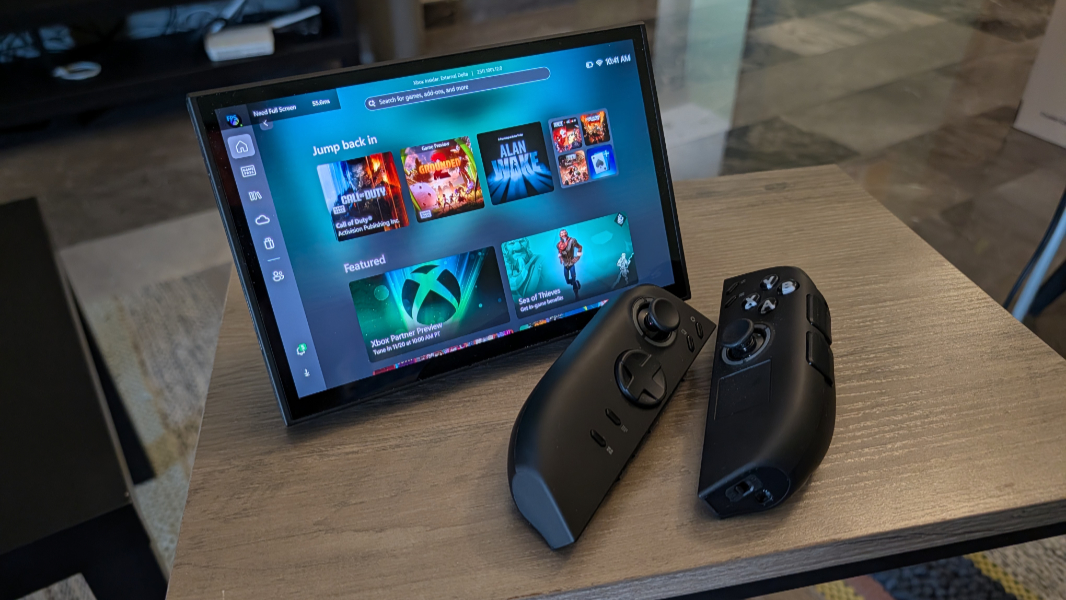
The Legion Go 2 is essentially a very thick tablet PC with a built-in kickstand and two detachable controllers that most customers, I suspect, will leave attached.
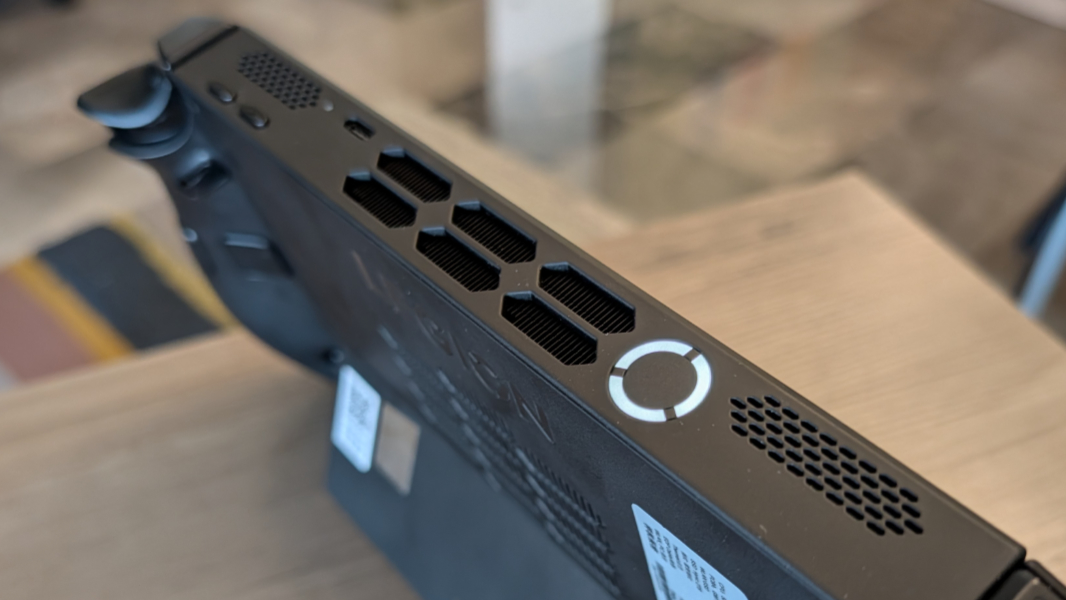
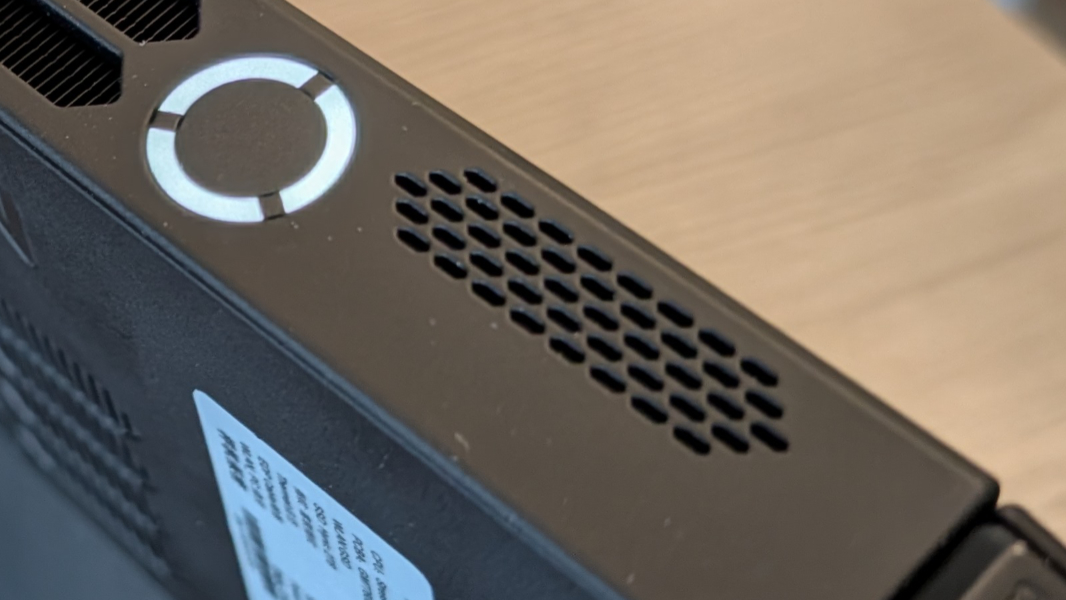
The kickstand is solid and steady, and nicely adjustable. And there’s a fingerprint reader built into the large power button on the top of the unit that saves a lot of time otherwise spent fussing with a PIN and the on-screen keyboard. It’s a bit chunky, yes, but it wields considerable power and looks like something Darth Vader might design with its black body and vents on the top and back.
If you play games with a controller on an Xbox console or PC, the buttons, sticks, triggers, and other controls provided by the Go 2 will be mostly familiar and work as expected. But there are also several additional buttons all over the controllers, plus some additional capabilities built into each controller side for key mappings, but also to accommodate Windows.
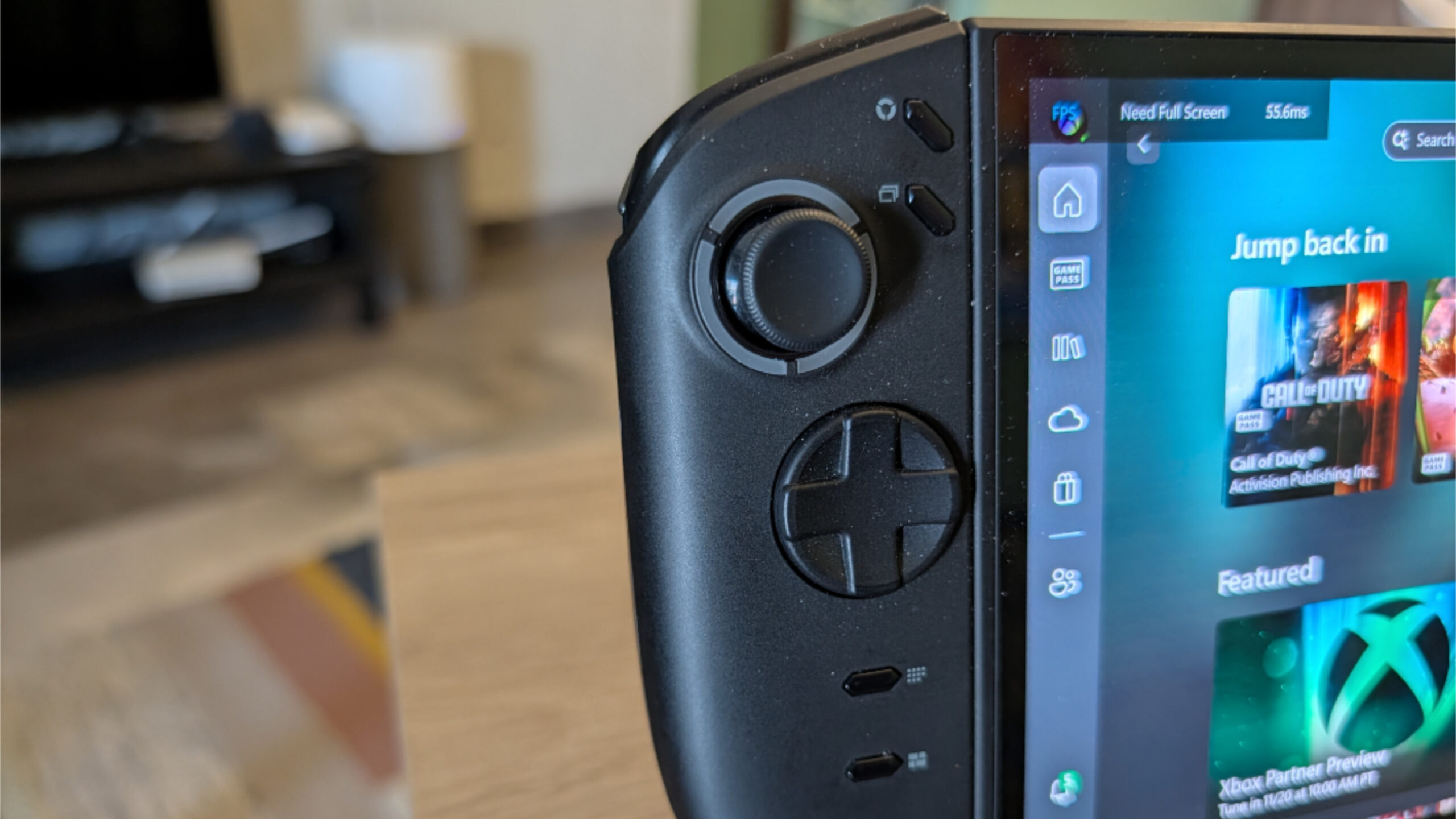
This is, after all, still a PC. But credit to Lenovo for building in ways to access common Windows functions without needing a keyboard or mouse: The little touchpad built into the right controller, for example, is a nice touch.
Those who have experience with a Backbone Pro or similar controller for a smartphone or another gaming handheld know that transitioning from a traditional Xbox controller requires a bit of time, since the two halves of the controller are now much further apart. And this is especially true of the Legion Go 2 thanks to its size. I can’t say I ever fully made it work, as I found myself using my Xbox controller instead of the built-in controllers much of the time.
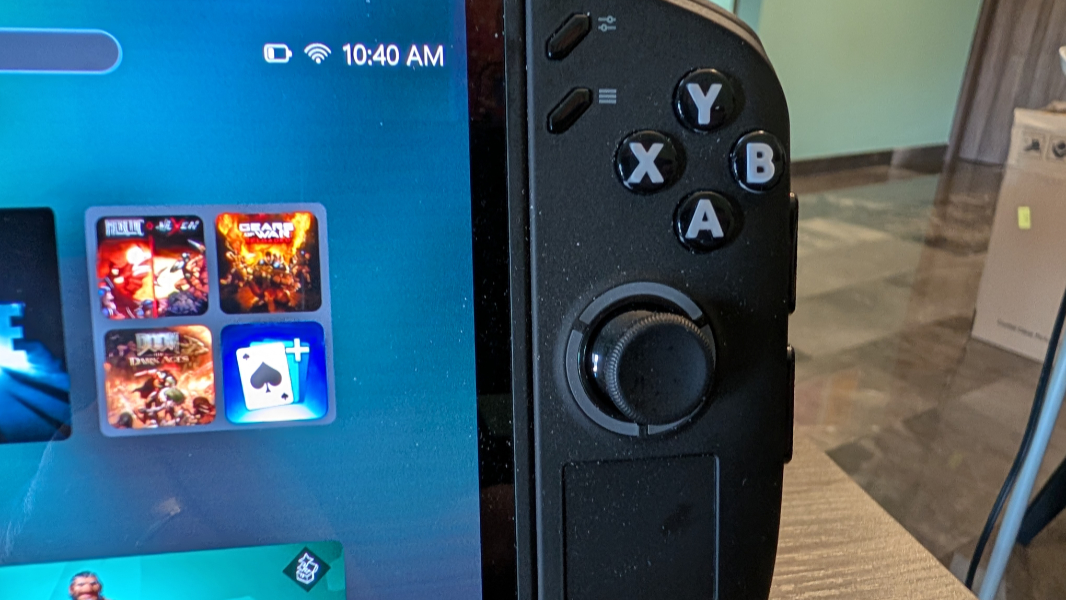
But the Legion Go 2 controllers are well done. They utilize Hall-effect joysticks to eliminate the stick drift and dead zones that can otherwise undermine the experience. The layout is correct if you’re used to Xbox controllers, though the Go 2 doesn’t provide a few of the buttons I expect, including the Xbox button that invokes the Game Bar. This feels short-sighted to me, given that the Go 2 will be transformed into an Xbox Ally gaming handheld via a software update next year. Fortunately, you can map buttons in the bundled Legion Space app or access those functions via a Quick Settings panel.
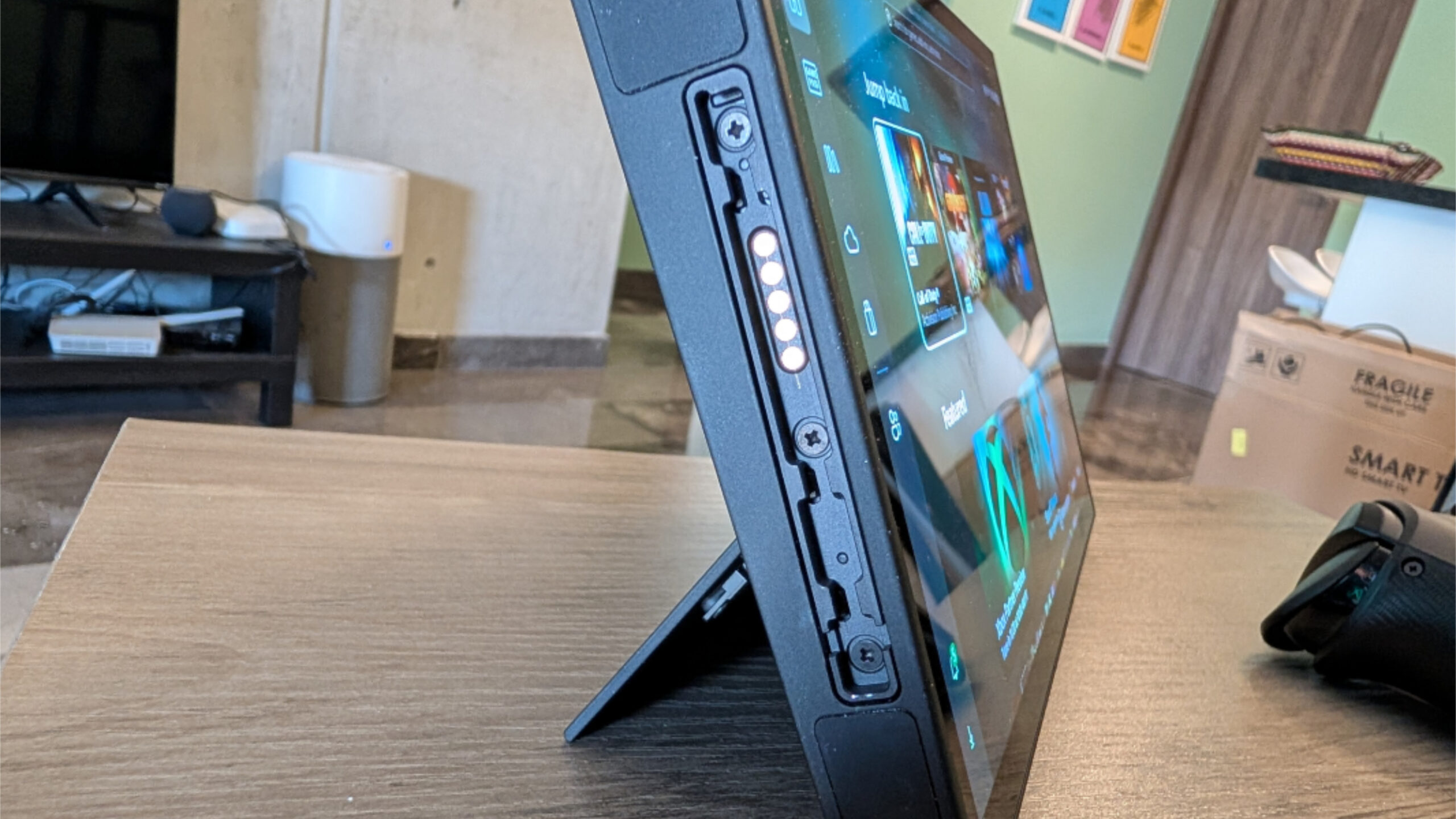
The controllers are removable and connect via pogo pins on either side of the Go 2. This is a bit more painful than it should be, but though most likely won’t bother anyway.
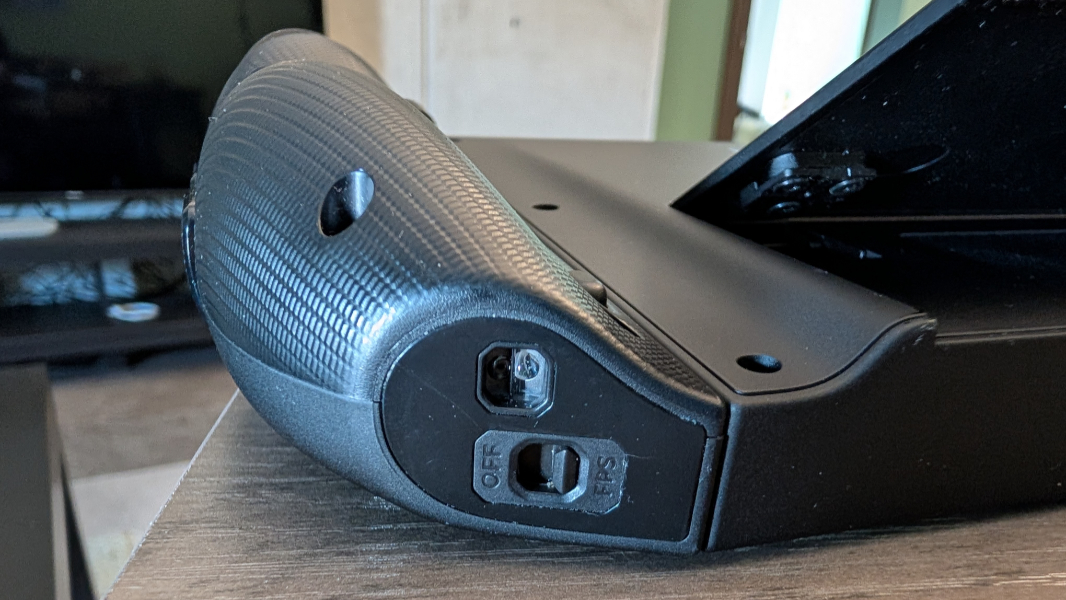
The intention is good: You can use one of the controllers like a mouse in a special FPS (first-person shooter) mode that might appeal to classic PC gamers who prefer more precise keyboard/mouse controls. But I feel like the Legion Go 2 and other gaming handheld are more naturally used with game controllers. Plus, the FPS mode configuration doesn’t work well, and you of course need to bring your own keyboard, undercutting the point of this form factor. I experimented with this briefly before giving up.
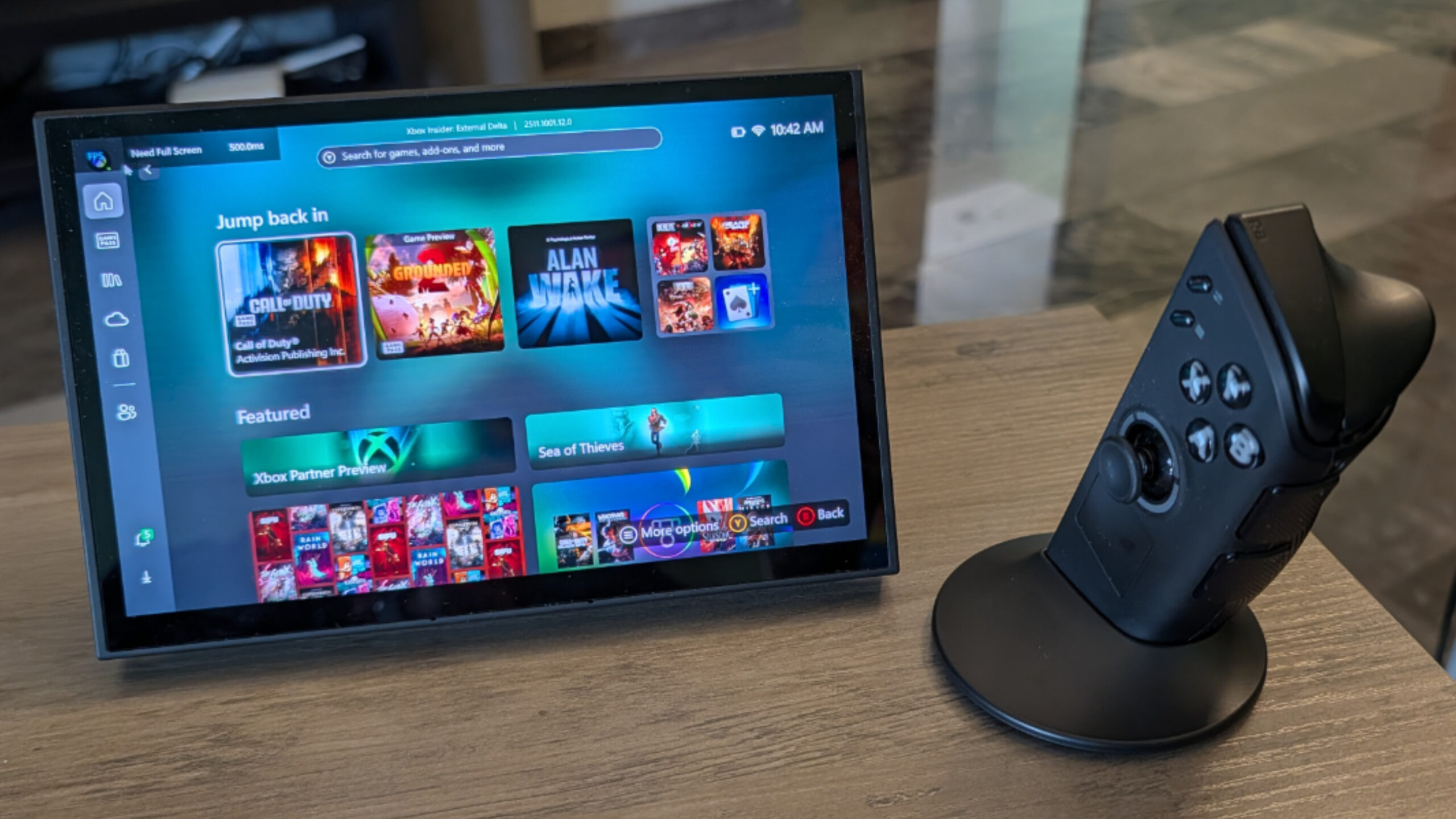
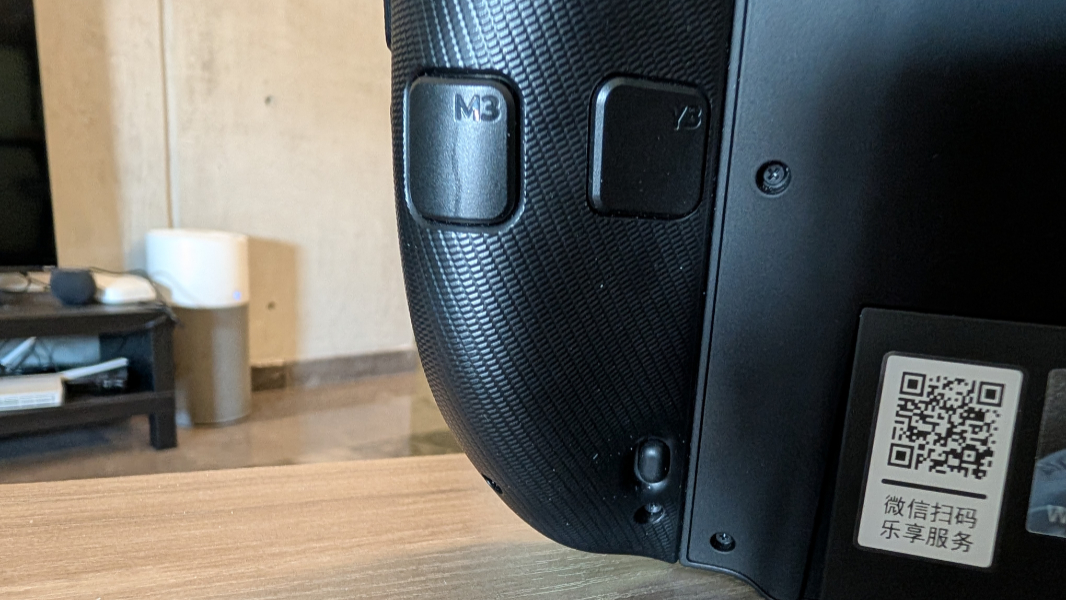
There’s almost too much functionality baked into the controller halves. Each has extra rear buttons in addition to the usual controller buttons, and two small front-facing buttons. And as noted, the right controller half has a buttonless Mylar touchpad that can be toggled on/off but is useful for those moments Windows needs to remind you it’s still there with dialog boxes and other interfaces that hopefully disappear with the 2026 FSE (Full Screen Experience) update.
You can configure all kinds of controller settings, including the button layout, vibration level and mode, the lighting effects, hibernation (separate from the system itself), and more. This all occurs through Legion Space, but there’s also a useful Quick Settings interface that’s triggered by the top, front-facing button on the right controller half that provides fast access to many controller and other settings too.
Display
The 8.8-inch Full HD+ (1920 x 1200) OLED multitouch panel that Lenovo provides on the Legion Go 2 is the biggest offered on any gaming handheld PC today. It offers a 30 to 144 Hz variable refresh rate (VRR), a 16:10 aspect ratio, and 100 percent PCI-P3 color gamut coverage, though it’s unclear why we’re even discussing that latter capability. And it can output 500 nits of brightness, or 1100 nits of peak brightness with HDR content.
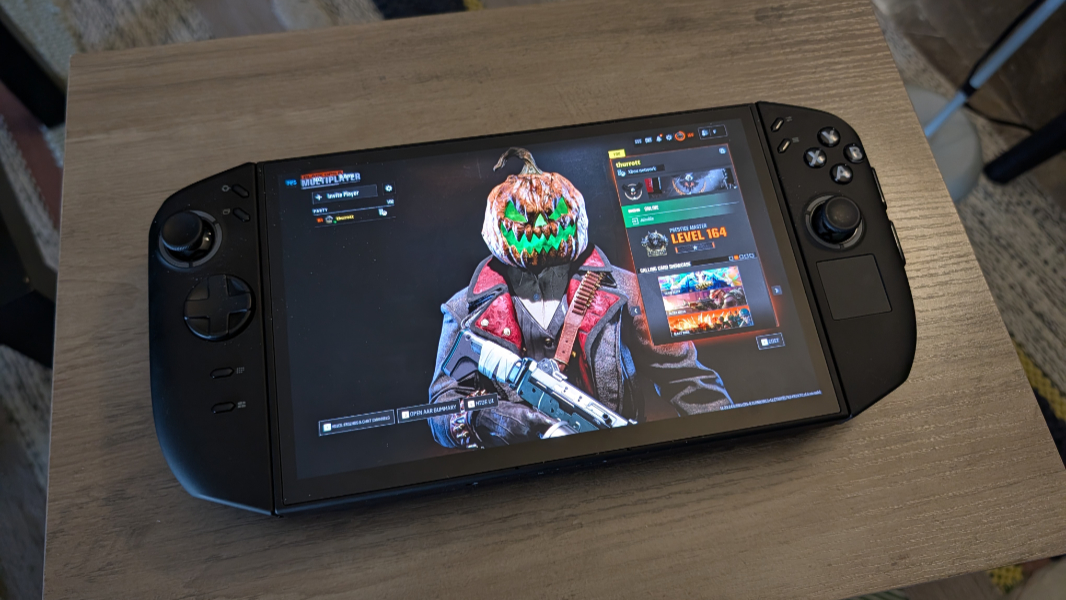
The display may be big for gaming handhelds, but I’ve been playing games on 16-inch laptop displays for the past year. And at first, it was small to my old eyes, too small, and I started seeing (and imagining) one pixel-sized snipers in the distance in Call of Duty matches, and wondering what I’d gotten myself into. But I am surprised to tell you that I adapted to the screen in time. And now I have no issues using it.
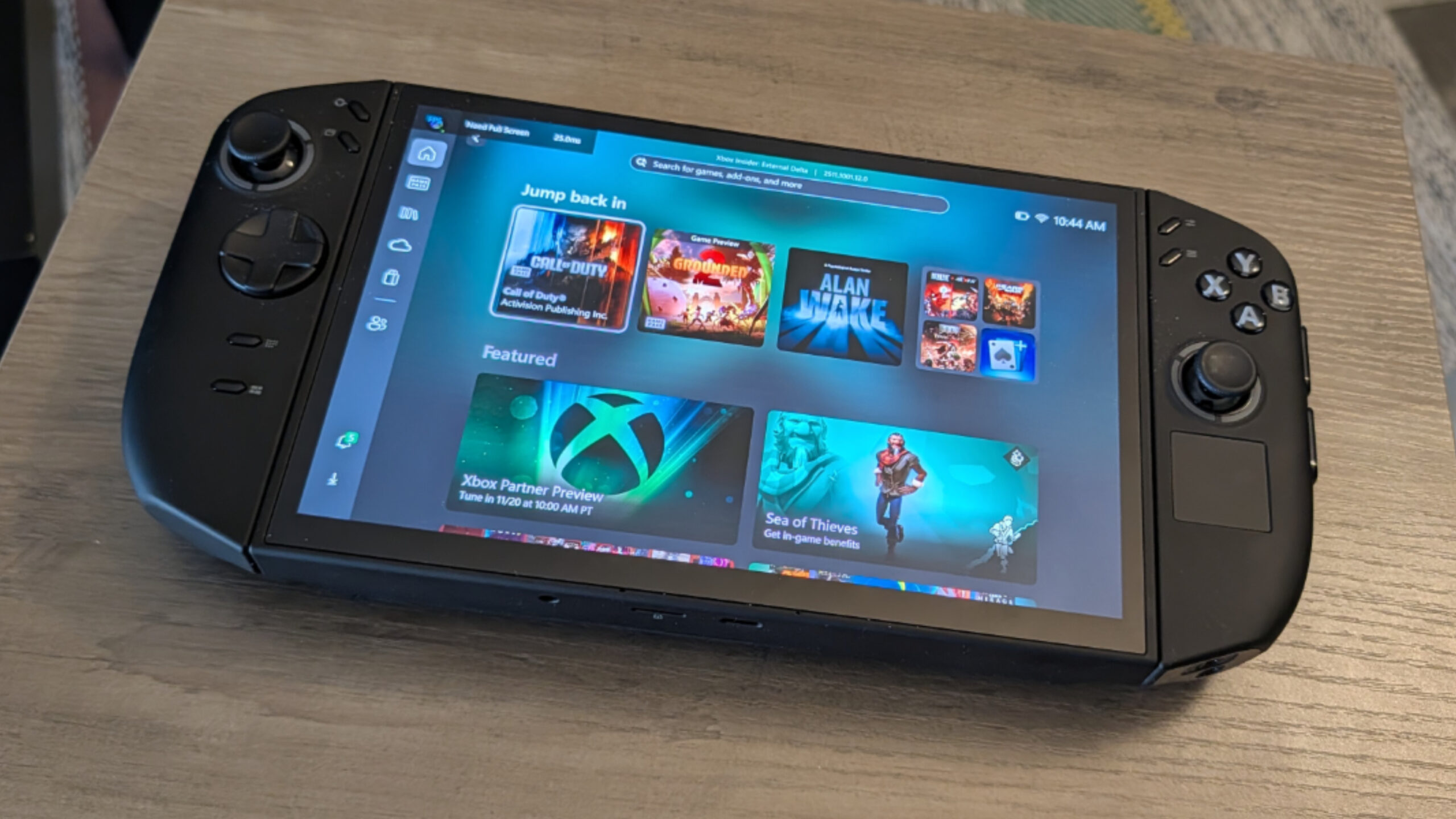
Indeed, I almost prefer it. The OLED panel helps, with its radiant colors and deep blacks. I assume the VRR going up to 144 Hz helps as well, though I’m one of those people who seem to have difficulty seeing high refresh rates. But I certainly didn’t see any screen tearing, which is particularly common on PCs with Intel integrated graphics.
Internal components
The Legion Go 2 is the first gaming handheld I’ve used, but I’ve been subjecting most of the laptops I’ve reviewed over the past year to Call of Duty: Black Ops 6 and other games, and so this makes for an interesting comparison. Yes, I did play various games, including more casual fare like Grounded 2. But to me, this PC/device is most interesting because it can handle the types of AAA titles that play best on PC. And I will cut to the chase: The Legion Go 2 acquits itself quite well.
Credit for that falls largely in the lap of the AMD processor inside the Legion Go 2. Lenovo offers two choices here, both in the AMD Ryzen Z2 family, a special class of “Zen 5” chips aimed at handheld PC gaming devices. Looking at the specifications, these processors—the Ryzen Z2 and Ryzen Z2 Extreme—aren’t as different from the terrific Ryzen AI/AI PRO chips found in traditional laptops as I had expected. They all have similar TDP (thermal design power) ratings (28 watts by default, a range of 15 to 35 watts for the Z2 chips), but the Z2/Z2 Extreme processors lack NPUs and have slightly older graphics.
Whatever the differences, the Ryzen Z2 Extreme processor in the review unit delivers. But it took a bit of work to get it there.
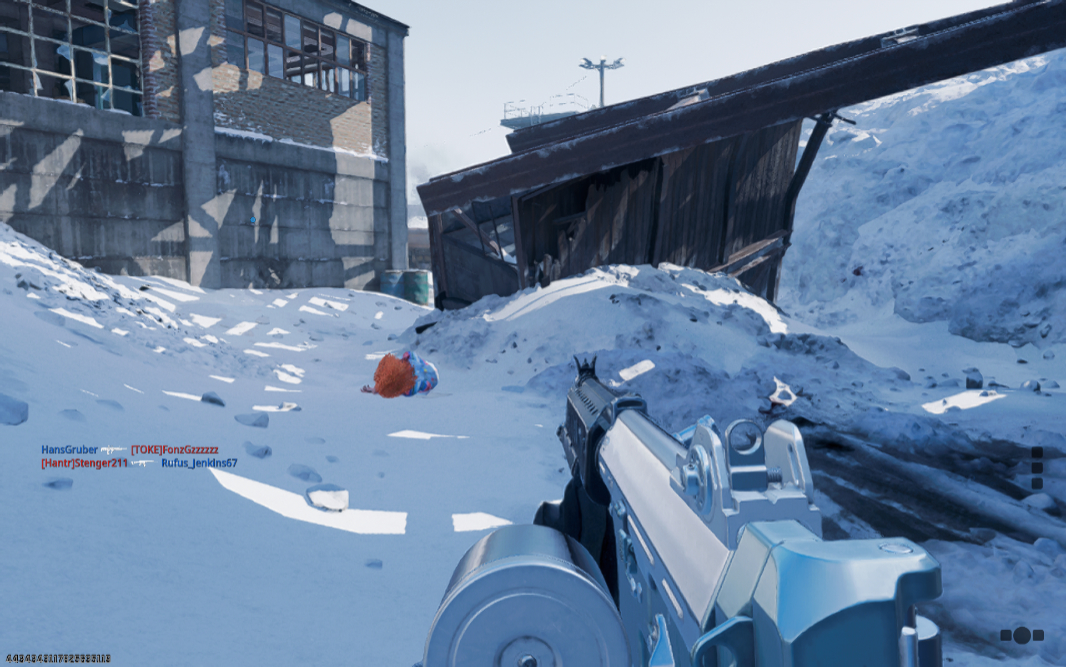
When the Legion Go 2 first arrived, it was most notable for the loudness of its fans, which were on constantly, even when idling and not playing a game. In time, this subsided as I experimented with the thermal and power management configurations, which are confusingly independent of each other. But what I found simply by using it on Balanced with both, whether on power or not, is that the performance was still excellent while the fan noise went down considerably. The fans still kick in while playing games, of course, and it gets quite hot around the massive heat exhaust on the top of the unit. But it’s never problematic where you would hold the Go 2. (And complexity be damned, you can even configure the fan speed separately if desired.)
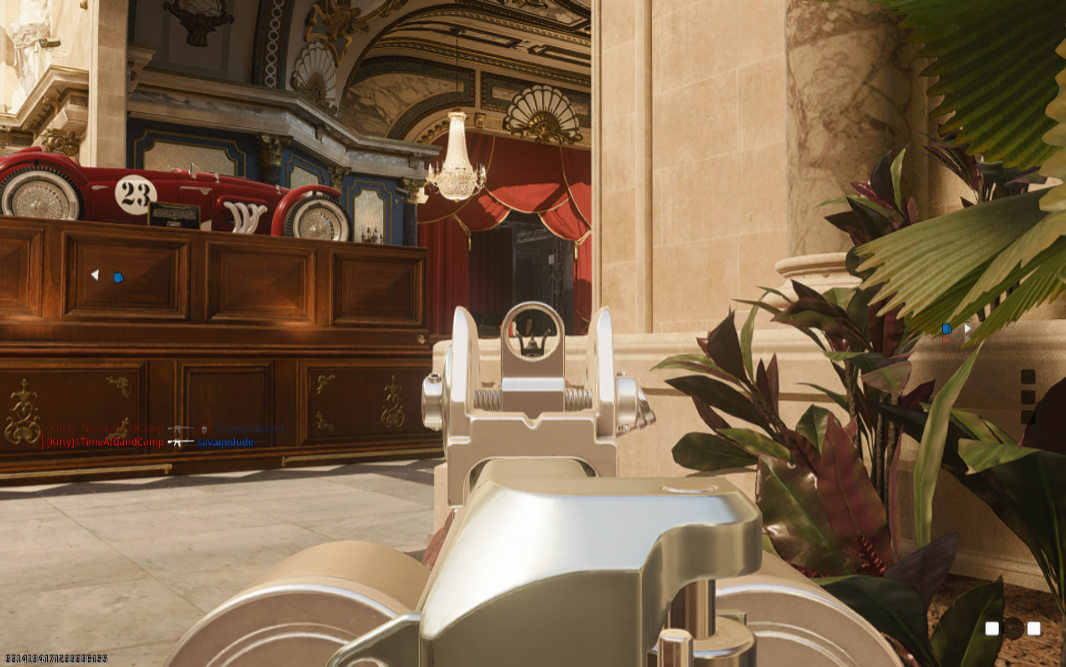
Running at native resolution, 144 Hz, and with the graphics settings configured to Normal or High, Call of Duty: Black Ops 6 hit 55 to 75 FPS consistently, with no hiccups, pauses, or other glitches, on power or off, and the Balanced thermal and power management modes. And the frame rates go up when you connect to power and twiddle with the settings.
Better still, though I can’t explain this, after installing the Full Screen Experience (FSE) described below, I now see frame rates that are routinely above 80 FPS and sometimes meet and exceed 100 FPS in multiplayer matches. This is superior to the mainstream laptops I review and a big improvement over the initial experience. It’s astonishingly good.
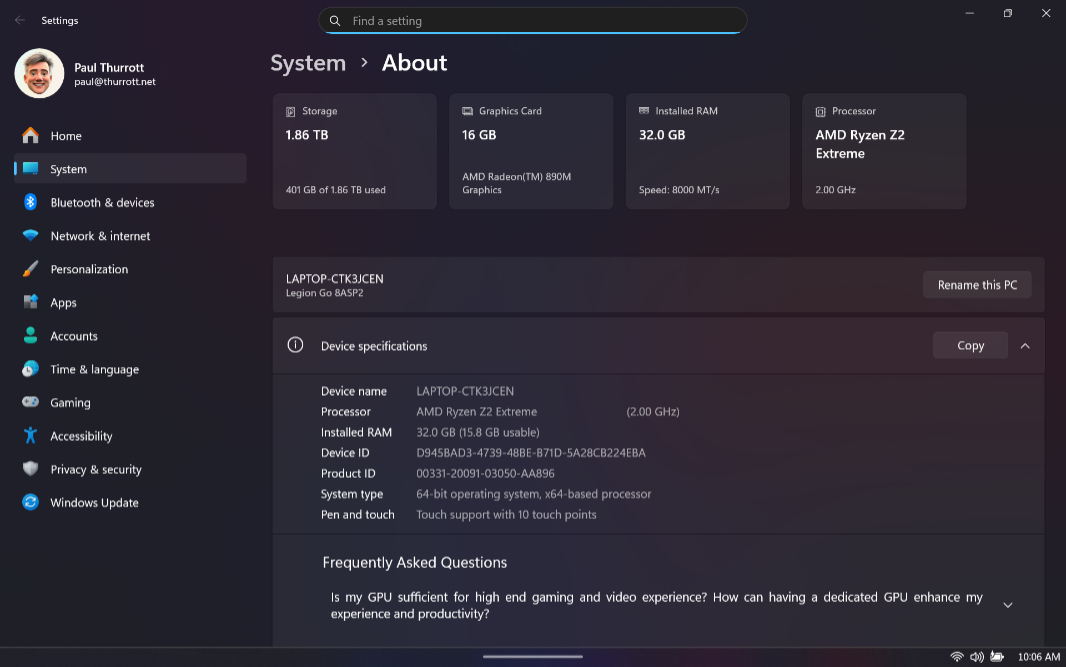
Of course, your mileage will vary based on the configuration. You can order a Legion Go 2 with 16 GB of 7500 MHz LPDD5X and TB of PCIe Gen4 M.2 SSD storage or a configuration with 32 GB of 8000 MHz LPDD5X RAM and 2 TB. If you know anything about modern PC games, you know that you want as much storage as you can get. The review unit shipped with 32 GB of RAM and 2 TB of storage, which feels like the right configuration for the types of games I play. But as is the case with most modern PCs, the RAM is soldered on, so plan ahead. You can at least increase the storage either by upgrading the SSD or adding a microSD card.
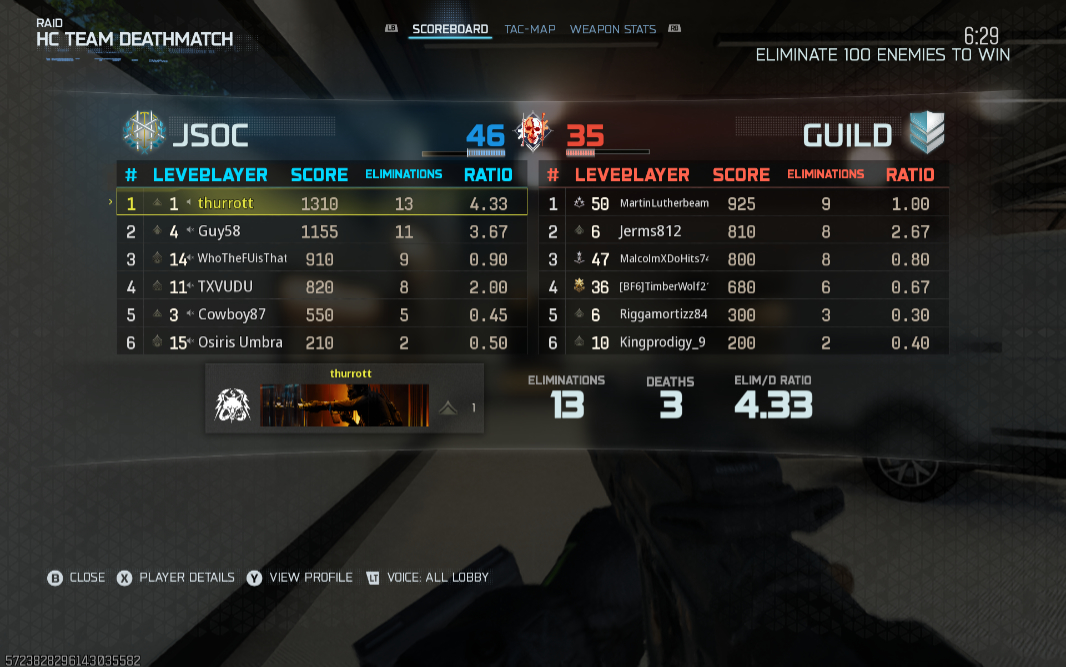
As you amp up the performance and power usage, the battery life of course suffers. And regardless of that, I experienced numerous reliability issues while gaming on the Legion Go 2. This is discussed later in the review.
Connectivity
The Legion Go 2 provides reasonably modern connectivity, with Wi-Fi 6E 2×2 and Bluetooth 5.3. I alternated between Wi-Fi and Ethernet (via a USB-C dongle and then, more recently, an Anker USB-C dock) for multiplayer gaming, but that’s more related to the performance and latency I get from my Wi-Fi network and is unrelated to the PC hardware. I had no issues either way.
Ports and expansion
The Legion Go 2 comes with two 40 Gbps USB4/Type-C ports with data transfer, DisplayPort, and Power Delivery capabilities, which is good. But the position of those ports isn’t ideal: One is on the top and one is on the bottom, and so you can’t access the latter one elegantly unless you are holding it or lay the handheld gaming PC on its back. I get that there’s no ideal port position given the form factor. But a second USB port on the top, or even one on the back, would be more useful and usable.
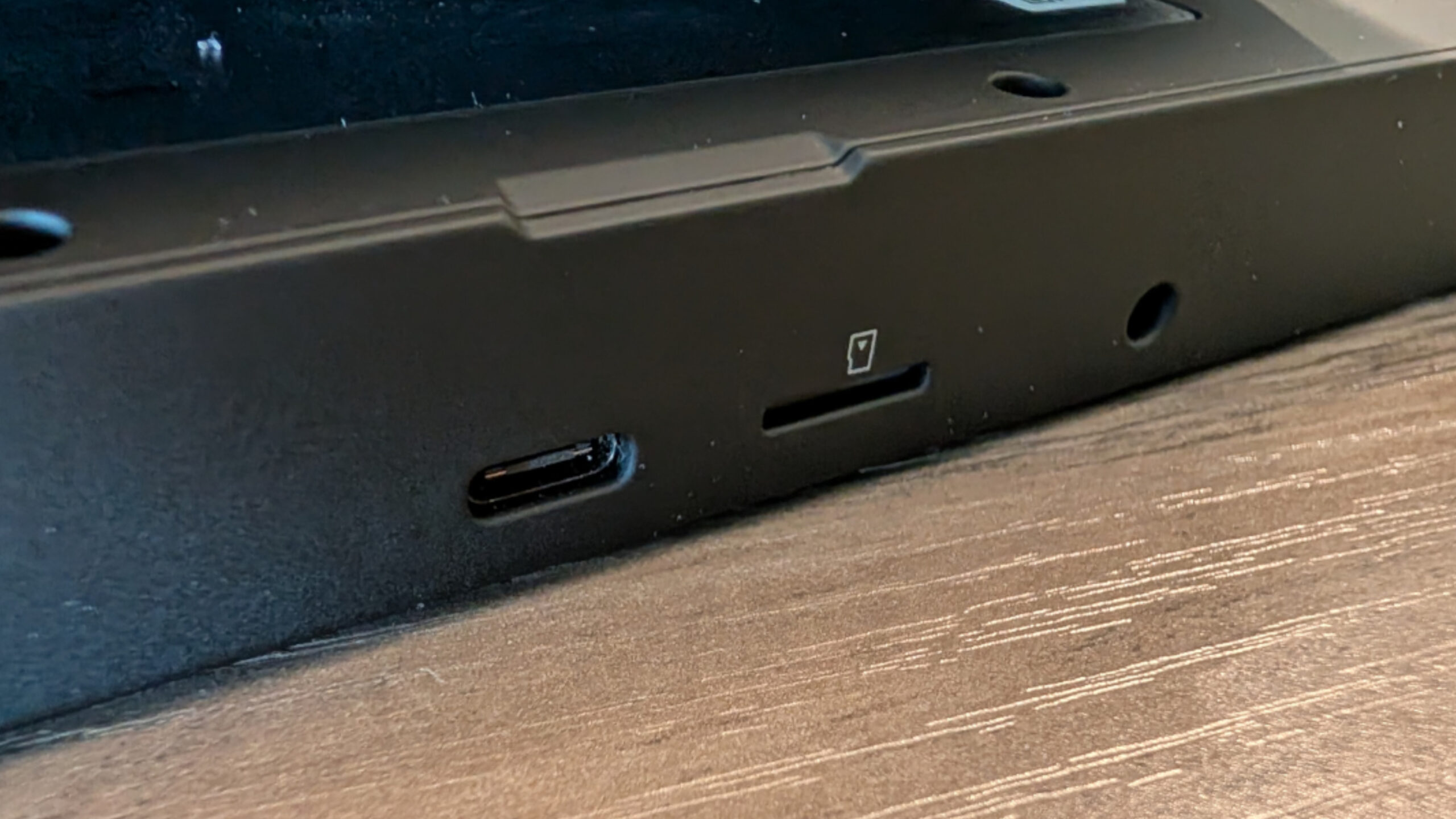
As it is, things can get awkward if you need to use two or more USB devices. So I finally started using my Anker USB-C dock with the Legion Go 2, which let me connect to power and Ethernet via the single port on the top.
In addition to the USB-C ports, there’s also a microSD card slot and a combo headphone/microphone jack on the bottom. That, too, is less than ideal, though I understand that the “handheld” in gaming handheld suggests many will be holding this PC while playing games on it.
Audio and video
The Legion Go 2 provides two upward-firing 2-watt stereo speakers integrated into the top of the PC and enhanced by Nahimic Audio, which I’m not sure I’d ever heard of before. I never really tested videos or music on this PC, but the speakers work very nicely in games with a solid spread of immersive sound. And the volume is easily adjusted at any time using the two buttons next to the right speaker. They get surprisingly loud and don’t distort at full volume. That said, I assume most will use headphones, and there is a standard audio jack, though it’s on the bottom of the PC.
Sustainability
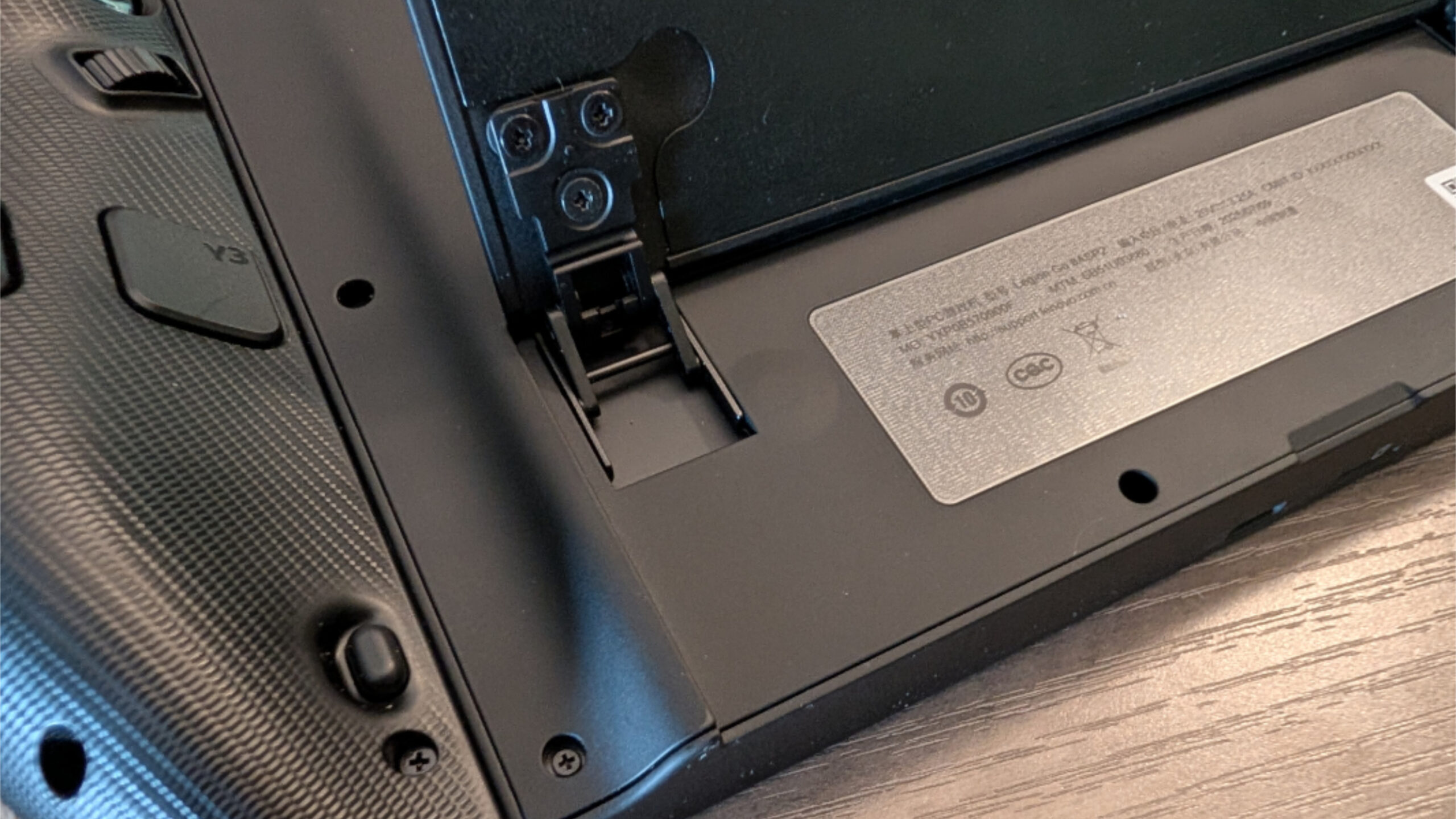
The Legion Go 2 is more device than PC, but it’s still repairable and even user-serviceable to some degree. For example, though it ships with a small M.2 2242 drive, that part can be upgraded or replaced, and there’s room for a larger M.2 2280 drive. No, I didn’t try opening it up, but doing so is easy enough via 6 exposed Philips head screws on the back.
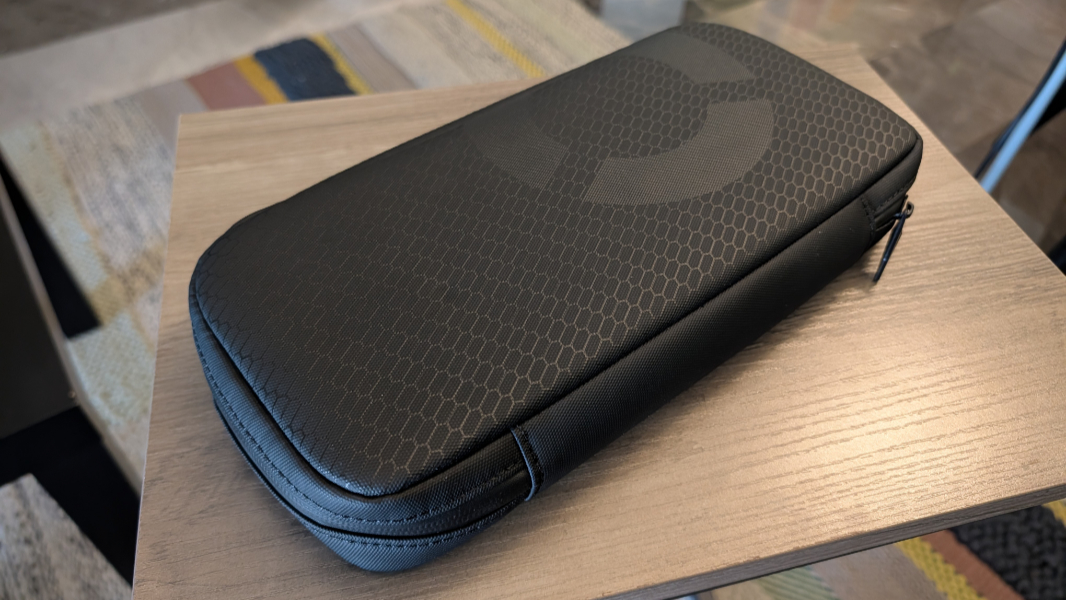
And kudos to Lenovo for including such a nice travel bag with the Legion Go 2.
Efficiency, portability, and reliability
The Legion Go 2 is of course portable, it’s literally a handheld gaming PC. But it’s also big and bulky for a device you hold in your hands, and it can feel heavier and heavier over time. As bad, the battery life is terrible: I averaged roughly 2.5 hours of uptime playing Call of Duty: Black Ops 6 while using the Balanced power management and thermal modes.
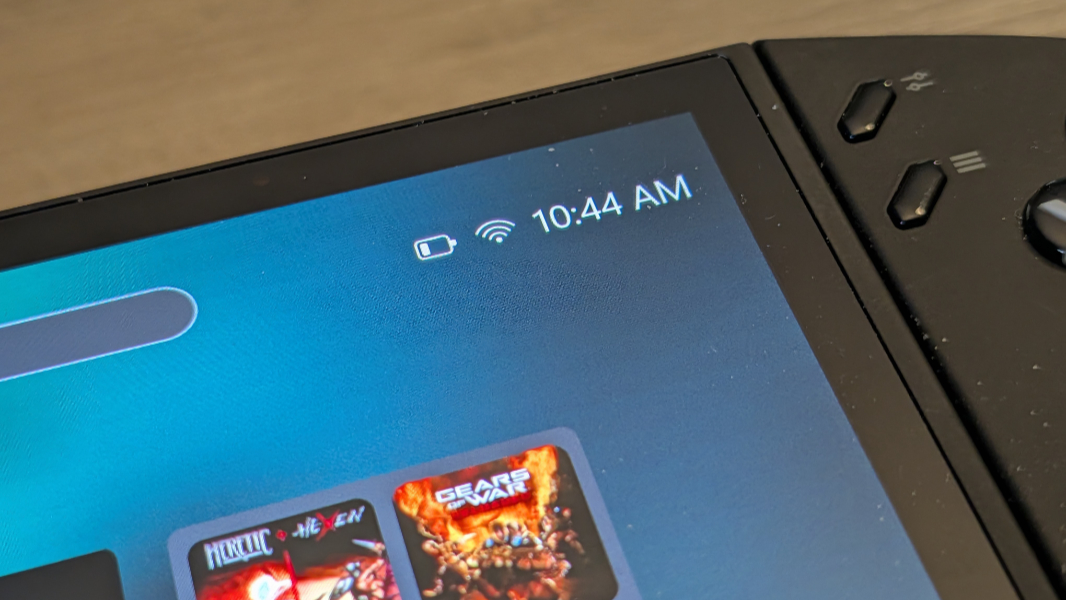
But help is on the way. As noted earlier, Lenovo is bringing the Xbox Full Screen Experience (FSE) to the Lenovo Go 2 in early 2026 with the promise of better performance and battery life. Late in the review process, I installed this update and was happily surprised to see battery life improve by 30 to 45 minutes.
That may not seem great. But put in perspective, this is while playing modern AAA PC game titles. When I play Black Ops 6 and other games on laptops, I’m always plugged into power and using the Best Performance power management mode. Playing Black Ops 6 for 3+ hours on battery, and not suffering from any performance issues I ever noticed, is perhaps impressive.
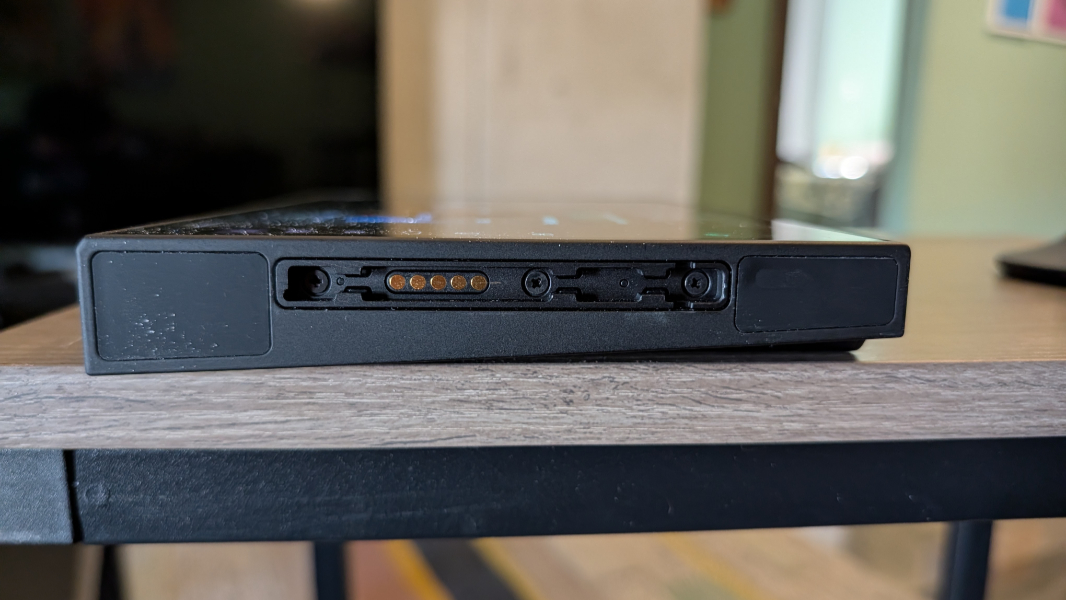
I did have other issues, however. Hopefully, these can be fixed through firmware and drive updates in time.
Most alarmingly, the Legion Go 2 suffered from consistent power management-related reliability issues that endured throughout the couple of months I was playing on this PC. It wouldn’t go to sleep, with the screen coming back on within a few seconds every time. And if I left it alone, the battery would simply drain over time, so I took to powering it down manually like it was the 1990s all over again.
Researching this, I discovered that this problem is common to current generation gaming handheld PCs, including the Xbox Ally devices. And it appears that Microsoft is aware of this issue: This month’s Patch Tuesday update included a fix for “an issue that affects gaming handheld devices. These devices were unable to stay in low-power states, which caused faster battery drain.” But this update didn’t fix the issue on the Legion Go 2, and neither did installing the FSE.
System reliability was pretty terrible overall. I would be playing Black Ops 6 and the game would just freeze with no way to bring it back up short of holding down the power button and manually turning it off. But sometimes the issues would just reboot the system for me, also mid-game.
Placing blame here is difficult, but whether it’s the Z2 processors, the Legion Go 2 specifically, or just the catch-all that is Windows 11, Microsoft and its hardware partners will need to step up and fix the issues. I suspect they will, and while Windows 11 may struggle to deliver true device-like reliability, the consistent components used by most gaming handhelds now should help. For whatever this is worth, this issue did seem to get better over time.
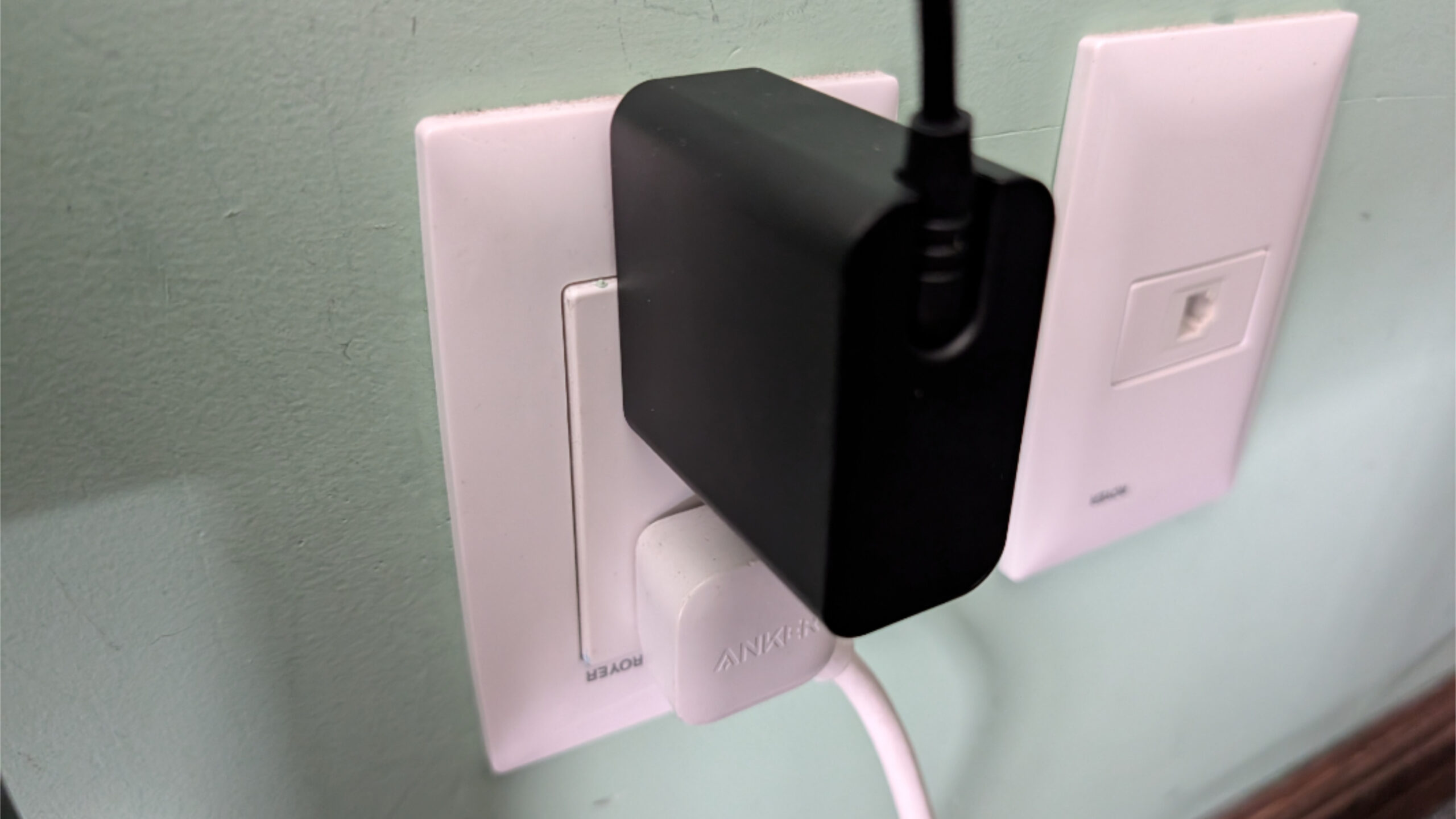
Lenovo bundles a 65-watt USB-C power adapter with the Legion Go 2, and it can fast charge the PC to 50 percent in about 30 minutes. But the power cord is on the short side, and I have 100-watt HP and Anker power supplies plugged in around our apartment in Mexico City, and so I generally used those instead. The Anker unit worked without issue, but for some reason the HP power supplies wouldn’t charge the Legion Go 2 normally, a situation I didn’t quite understand until a few weeks into my usage.
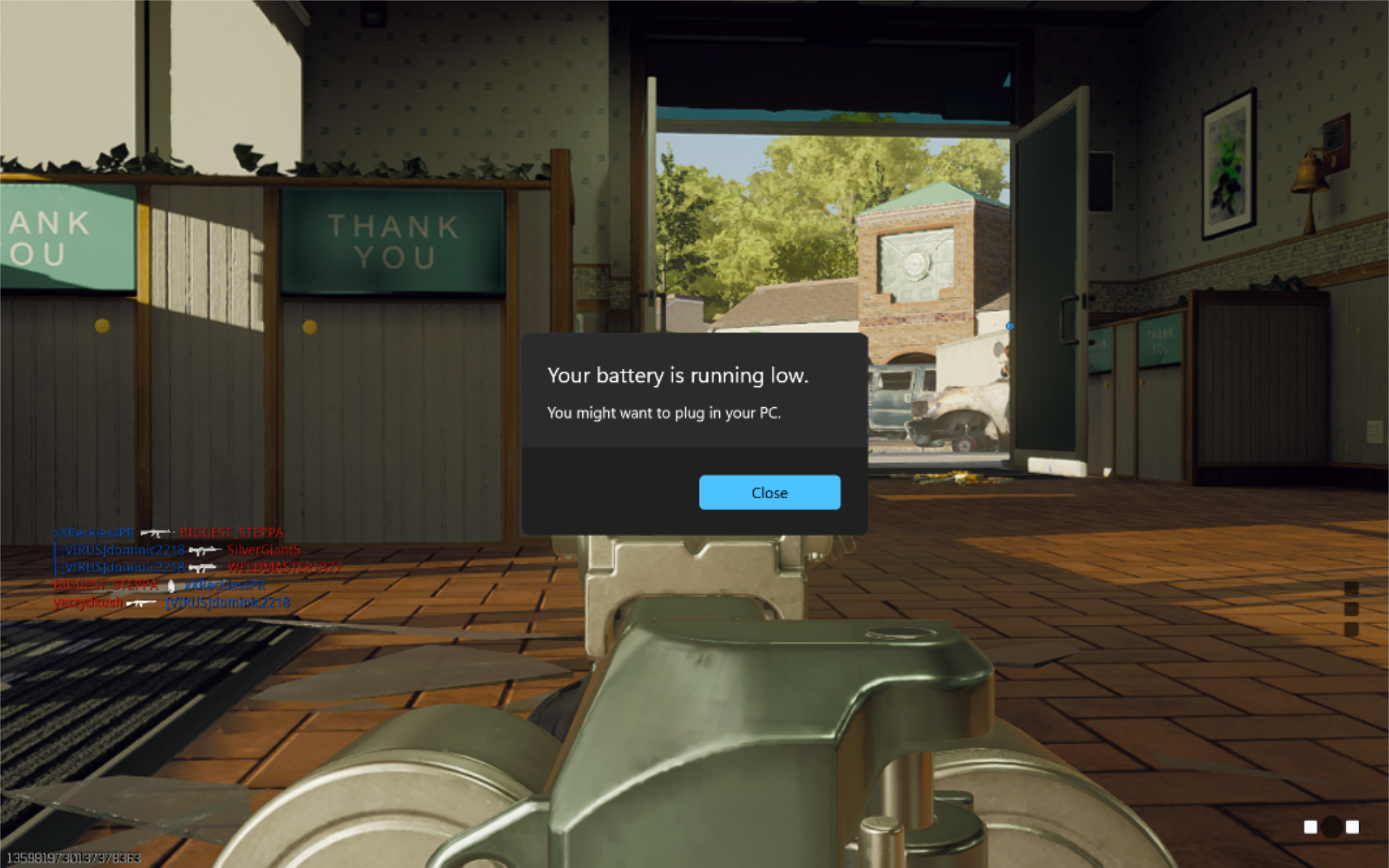
This surprised me for a few go-rounds. I would be playing Black Ops 6 and a normal Windows dialog would pop-up, telling me that the battery was just about to run out of power. At first, I would unplug and then re-plug the power, and that would temporarily “fix” the issue. But then I realized it wasn’t charging at all, and was instead draining the battery. Trying different power adapters, I found that my Anker charger worked fine, so I started using that exclusively, first by itself and then with my Anker USB-C dock so I could use a single USB-C port and also connect via Ethernet. I can’t explain this.
Software
Like traditional gaming PCs and laptops, the Legion Go 2 is bogged down a bit by both Windows and the PC maker’s custom software targeting an audience that I feel doesn’t want anything superfluous. But some of Lenovo’s additions are useful and even desirable, and provide quick access to the data and configuration capabilities that gamers do want.
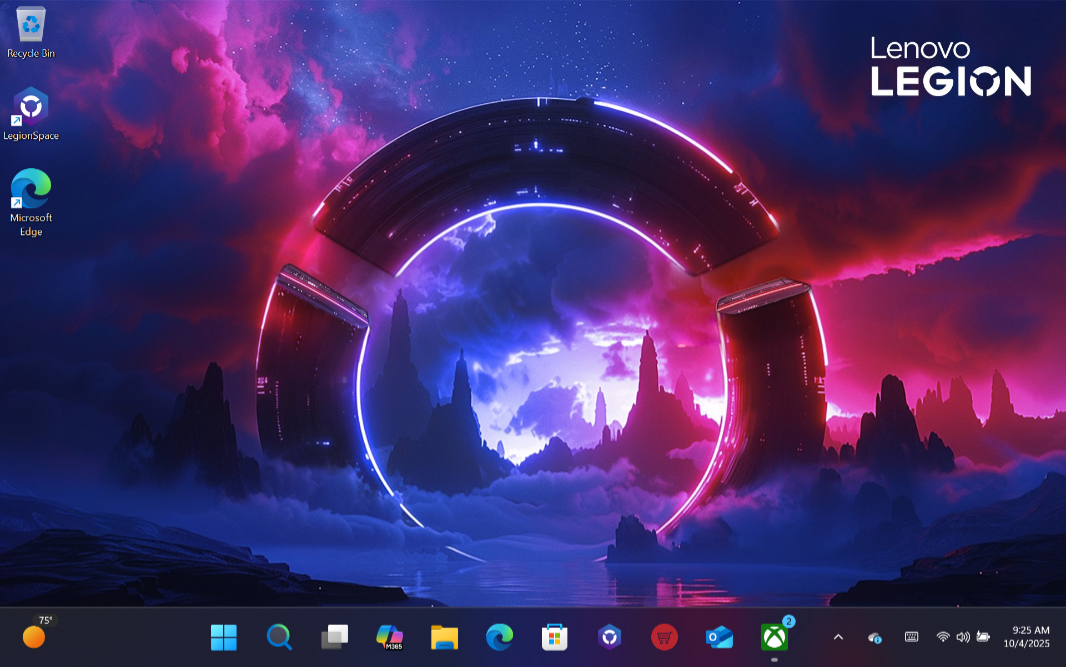
The key entry on Lenovo’s part is Legion Space, a “dashboard for all things gaming,” as the company notes. It’s accessible via the topmost button on the left controller half, and though I mostly ignored it, Legion Space is at least useful for installing firmware and other updates. (I think it’s notable that the Windows Settings app, through which one accesses Windows Update, is quite usable with just the controllers as well.)
Of much more interest is the Quick Settings panel, which you toggle on/off via the topmost button on the right controller half. It has a myriad of uses, key among them Thermal mode configuration, so you can move between Balance, Performance, and other modes on the fly, OS power mode, and fan control, and that’s just on the first tab.
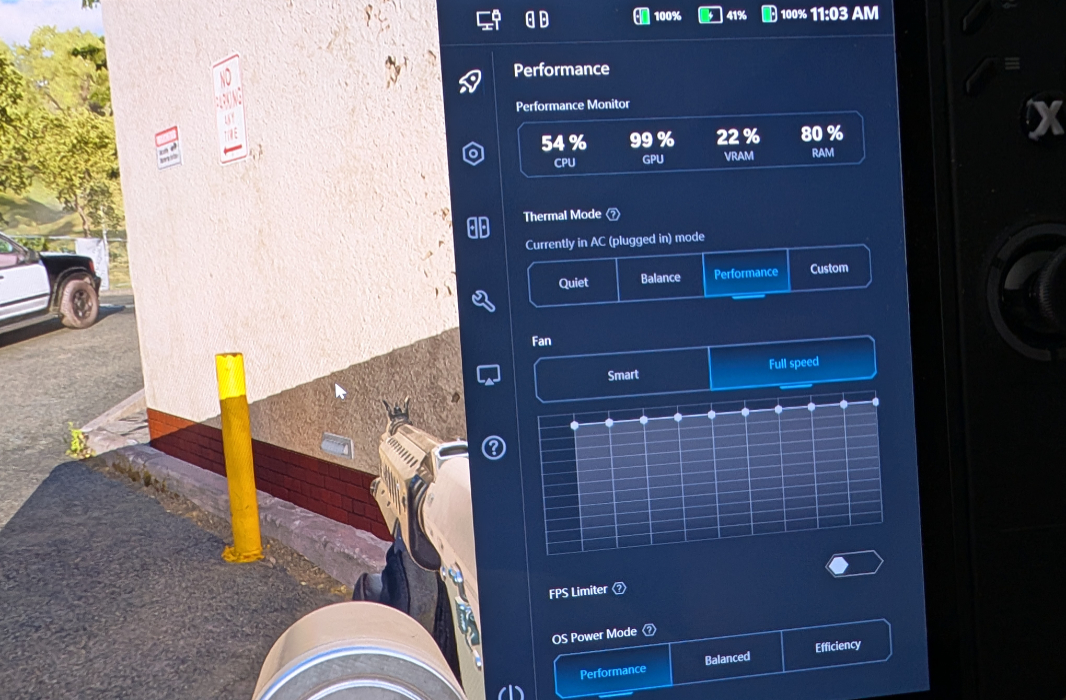
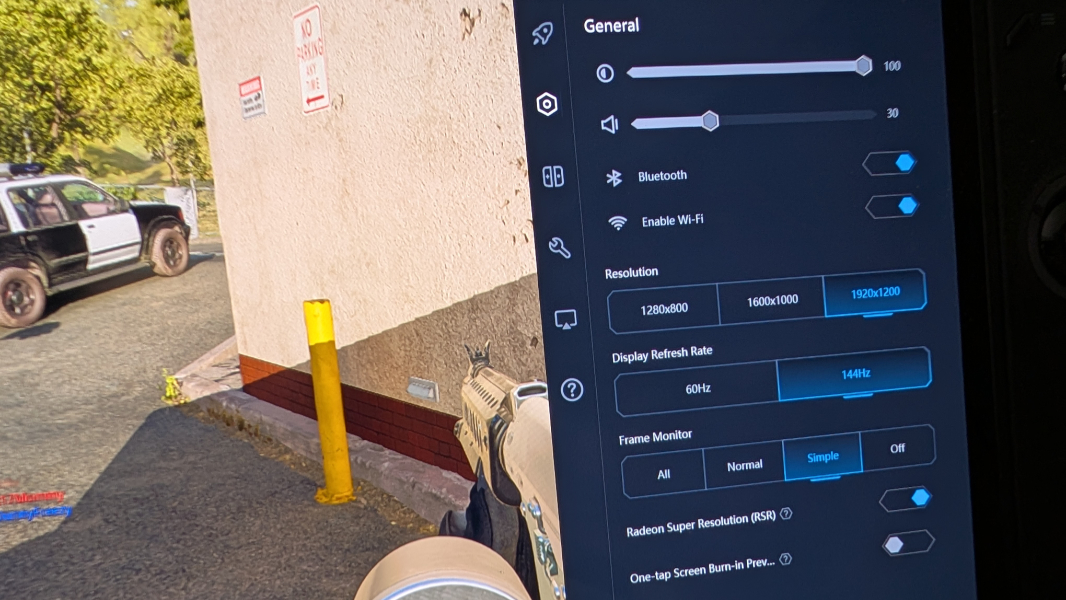
Other tabs provide quick access to screen brightness, resolution, and refresh rate, volume, Bluetooth and Wi-Fi, the controllers and their various modes and key mappings, key system functions like the Xbox button, WinKey + D, Alt + F4 and much more, external display support, and help and support. This is a truly excellent feature and I accessed this panel regularly. It’s definitely worth experimenting with the thermal and OS power modes, not to mention things like Radeon Super Resolution that can help make games look and play better. This may be the first PC maker-designed app/interface I truly love.
Pricing and configurations
The Legion Go 2 is expensive, but it’s also difficult to find, and that will be problematic for some time to come, I think. There are two configuration choices, assuming you can find either, the only differences being the processor, RAM, and storage. The first two of those are non-upgradeable after the fact, and given the existence of the Nintendo Switch 2, I feel like those who want a PC-based gaming machine should shoot for the higher-end configuration that I reviewed. But the base Legion Go 2 with its Ryzen Z2 processor, 16 GB of RAM, and 1 TB of storage retails for $1099, while the higher-end version with the Ryzen Z2 Extreme, 32 GB, and 2 TB of storage is $1349.
Recommendations and conclusions
We will probably be debating the use of Windows 11 in gaming handhelds for years to come, but I like what I see here and I was blown away by the gameplay performance and quality. Yes, the hardware is a little clunky, the software as it shipped on the Legion Go 2 this past October was less seamless than I’d like, and the battery life is what it is. But the experience overall is terrific despite the reliability issues, and it gets even better with the Xbox Full Screen Experience (FSE) that’s coming in early 2026.
I’m not 100 percent sure who the target market is for this device. Hardcore PC gamers will want a dedicated gaming PC or laptop, and even mainstream laptops are capable mid-level gaming devices now. Given the Legion Go 2’s pricing, you have to be pretty hardcore and know that this is exactly the form factor and controller-based input you want. But as I noted up top, you know you want this or you don’t. If you do, the Legion Go 2 won’t disappoint. In fact, you’ll love it.
At-a-glance
Pros
✔️ Terrific performance for modern games
✔️ Large display for a gaming handheld
✔️ Gets even better with the coming Xbox Full Screen Experience
Cons
❌ Battery life is nobody’s fault, but it is what it is
❌ Lackluster efficiency and reliability