Xbox Full Screen Experience is Now Available for Dev and Beta Insiders
- Laurent Giret
- Nov 21, 2025
-
0
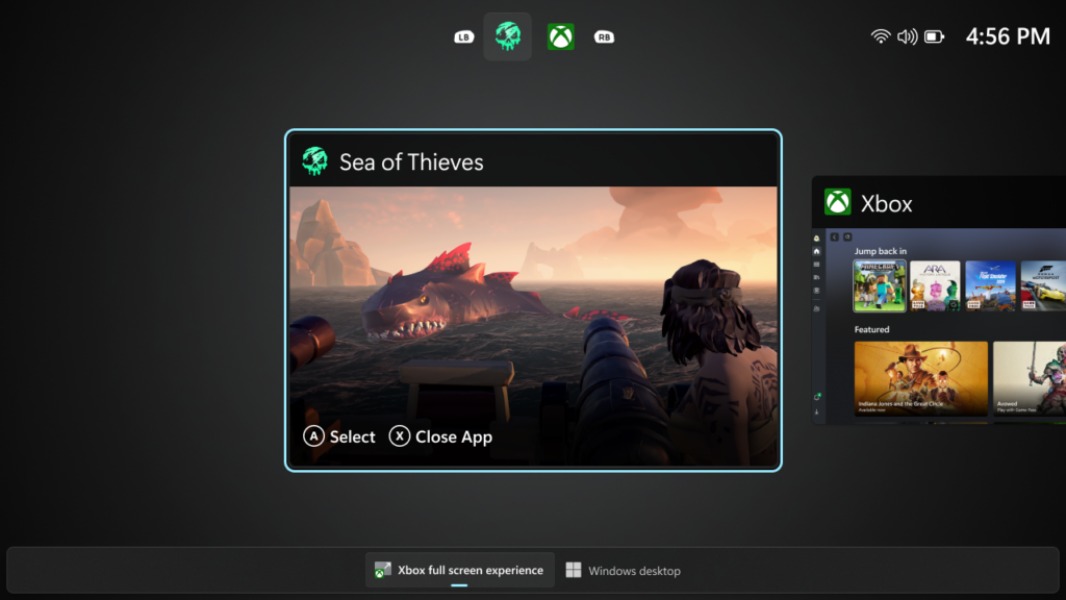
Windows Insiders on the Dev and Beta Channel can start testing the new Xbox full screen experience (FSE) that just became available on all Windows handhelds. The new UX will be rolling out gradually to Insiders who install the Windows 11 preview build 26220.7271, which also brings a couple of other new features.
The Xbox FSE was previously made available for Insiders with an MSI Claw handheld, and it was also possible to enable it on any Windows 11 PC through registry changes and the use of third-party tools. In addition to a console-style navigation, the Xbox FSE should also improve gaming performance by disabling non-essential background tasks.
Enabling the Xbox full screen experience can be done by going to Settings > Gaming > Full screen experience, then selecting Xbox as the home app. Once enabled, the Xbox FSE can be accessed from Task View, Game Bar settings, or the Win + F11 hotkey. Switching back to the desktop can be done from Task View, Game Bar settings, or by just hitting the Windows key.
Access to the Xbox FSE currently requires Windows Insiders to also be registered as Xbox Insiders via the Xbox Insider Hub app. “We expect to expand this later to all Insiders on Dev & Beta without requiring Xbox program registration,” the Windows Insider team said today.
The just-released Windows 11 preview build 26220.7271 for Dev and Beta testers also includes the following new features:
Point-in-time restore for Windows: This new feature, available from the Troubleshoot menu in the Windows Recovery Experience, will allow users to restore their PC to its exact state from a previous point in time.
Fluid Dictation in Voice Typing: On Windows 11 PCs with an NPU, this feature improves voice-based dictation by automatically correcting grammar, punctuation, and filler words as you speak.
Cross-device experiences: Users of the vivo browser on Android can now continue their browsing activity on their default PC browser. Additionally, Honor, Huawei, Oppo, Samsung and vivo Android phone users can continue editing online files opened on the Microsoft 365 Copilot app in Word, Excel, and PowerPoint for Windows (if installed) or the web.
Microsoft Store: It’s now possible to uninstall apps managed by the Microsoft Store right from the Store’s library page.
Notepad updates: A new update for the Notepad app that’s rolling out to Canary and Dev Insiders introduces expanded formatting support with tables and quicker responses for the AI-powered Write, Rewrite, and Summarize features.
As a reminder, INsiders on the Dev and Beta Channels are currently receiving the same 25H2 builds, but this is just temporary. Dev Channels have the opportunity to switch to the Beta Channel before the former eventually jumps to higher build numbers.