Microsoft Starts Rolling Out New “Experimental” Windows Insider Channel
- Laurent Giret
- Apr 24, 2026
-
1

Microsoft is starting to roll out today the new Experimental Windows Insider channel it announced earlier this month. As a first step, Dev Channel Insiders will be moved this new Experimental Channel, where they will continue to receive 26300 series builds. Over the coming weeks, Canary testers on 28000 series builds will be moved to the Experimental (26H1) Channel, while those on 29500 series builds will move to the Experimental (Future Platforms) Channel.
“To ensure quality and reliability of the program changes, we will be rolling out the changes in a phased approach. Starting today, we will begin moving users in the Dev Channel to Experimental,” the Windows Insider team said today. “We will continue this rollout over the next few weeks, expanding to Canary Channel 28000 series to Experimental (26H1), Canary Channel 29500 series to Experimental (Future Platforms) and Beta Channel to the new Beta experience.”
Dev Channel Insiders can download today the 25H2 build 26300.8289, which brings various Windows Update improvements. There are new options for skipping updates immediately during the out-of-the-box experience (OOBE) and extending update pauses as many times as needed.
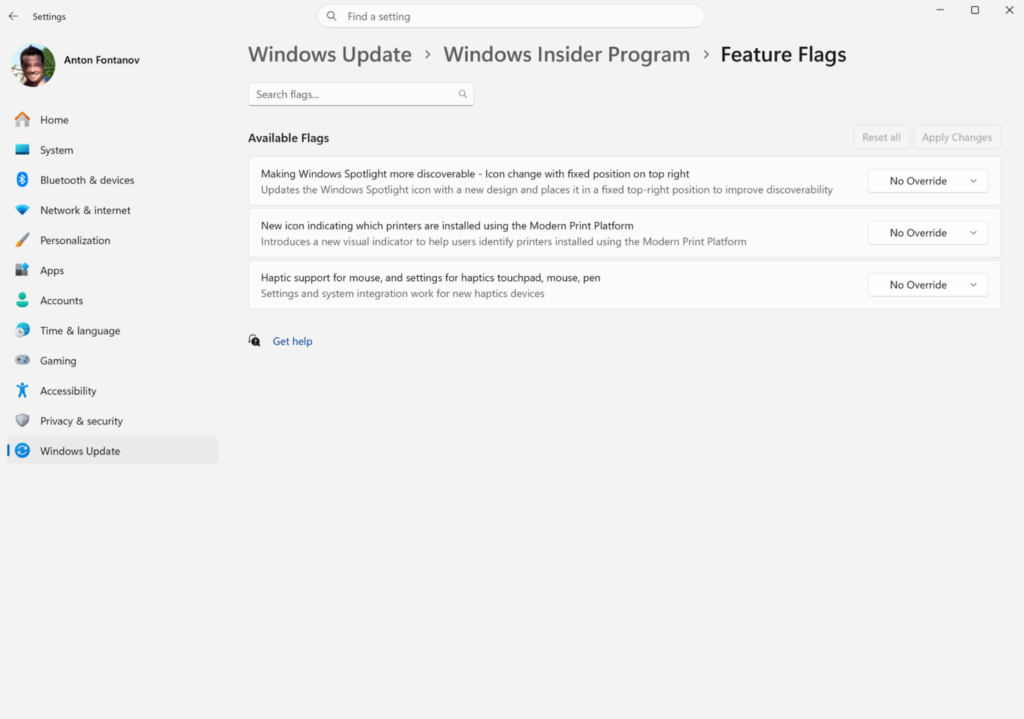
Dev Channel testers who don’t see the new “Experimental Channel” on their PC after updating to this build will be able to enable the new experience by going to Settings > Windows Update > Windows Insider Program > Feature flags. This is where Insiders will also be able to enable or disable specific features on the fly.
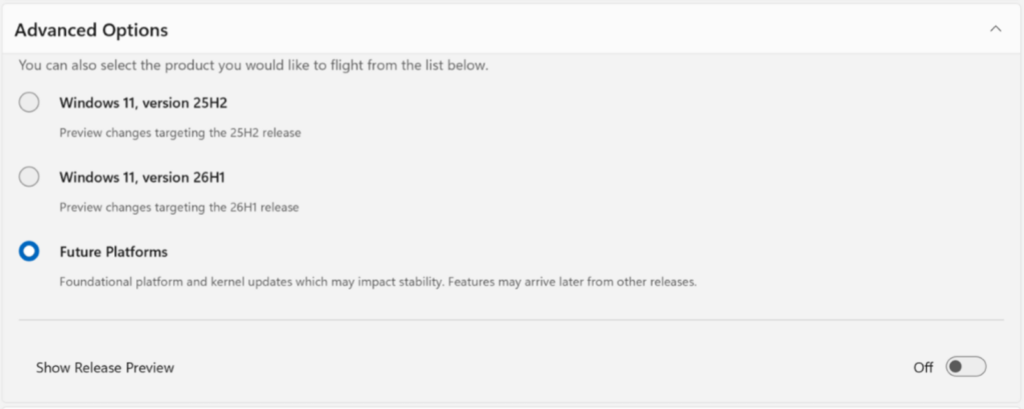
The Experimental channel will also soon introduce a Future Platforms option in Windows Update, which will allow Insiders to switch to 26H1 builds or “future platform” builds.
For Windows Insiders on the Canary Channel, the 26H1 build 28200.1873 is out for testers currently running 28000 series builds. This new build renames the Xbox full screen experience to “Xbox mode,” and it also improves the Touch Keyboard experience by removing the previous full‑screen overlay when using Voice Typing.
The build 29576.1000 is also available for Canary testers already running 29500 series builds. The new bits introduce a redesigned volume slider, new NPU usage metrics in Task Manager, and a new Point-in-time restore feature in the Troubleshoot menu for the Windows Recovery Environment
Lastly, Beta Channel Insiders can download today the build 26200.8283, which only brings minor changes for the Start Menu and print drivers. Again, the new Beta experience with no Controlled Feature Rollouts won’t be rolling out immediately to Beta testers.