Lenovo IdeaPad 5a 2-in-1 Review
- Paul Thurrott
- May 11, 2026
-
3
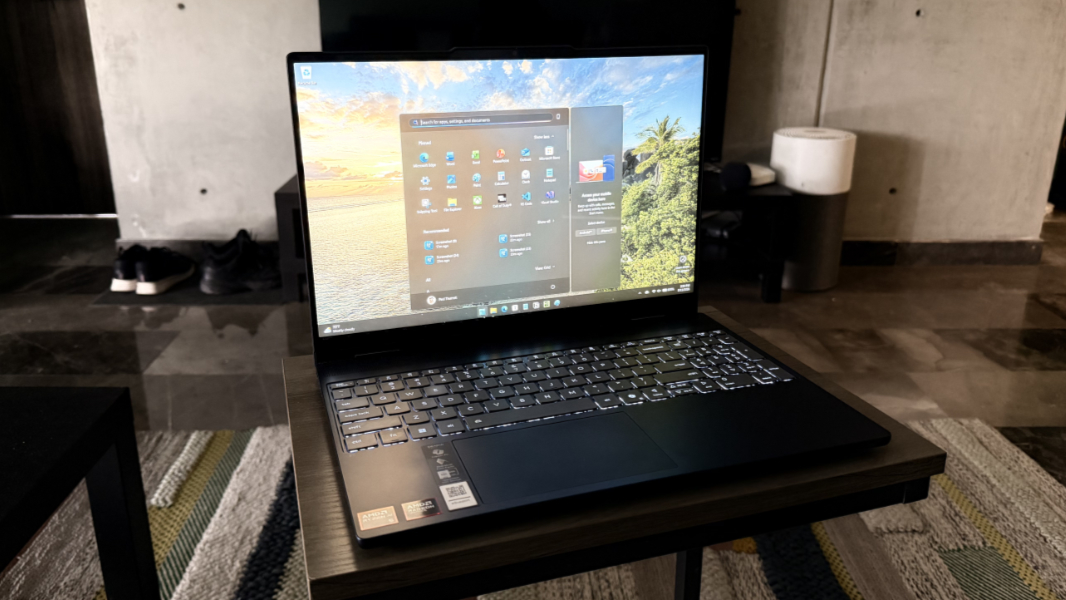
This is a tough year to buy a laptop, but the Lenovo IdeaPad 5a 2-in-1 presents one path forward, assuming you have less than $1000 to spend and can make a few compromises. What you get in return is surprisingly verastile.
Design
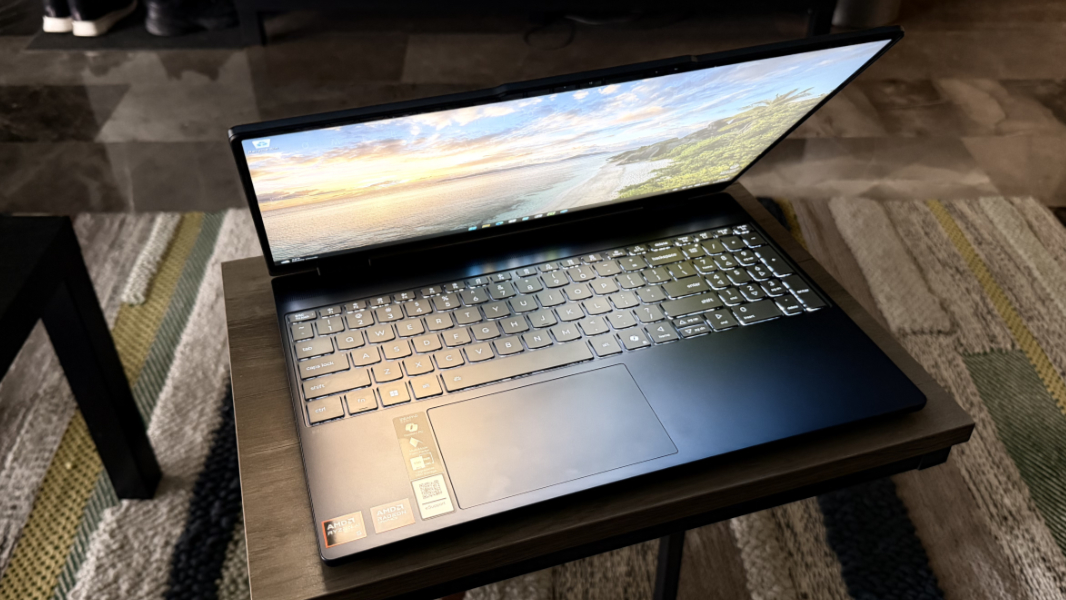
The IdeaPad 5a 2-in-1 is a 15.3-inch laptop with a convertible design, meaning you can rotate its display 360-degrees and use it in tent, stand, and tablet modes in addition to the traditional clamshell laptop orientation.
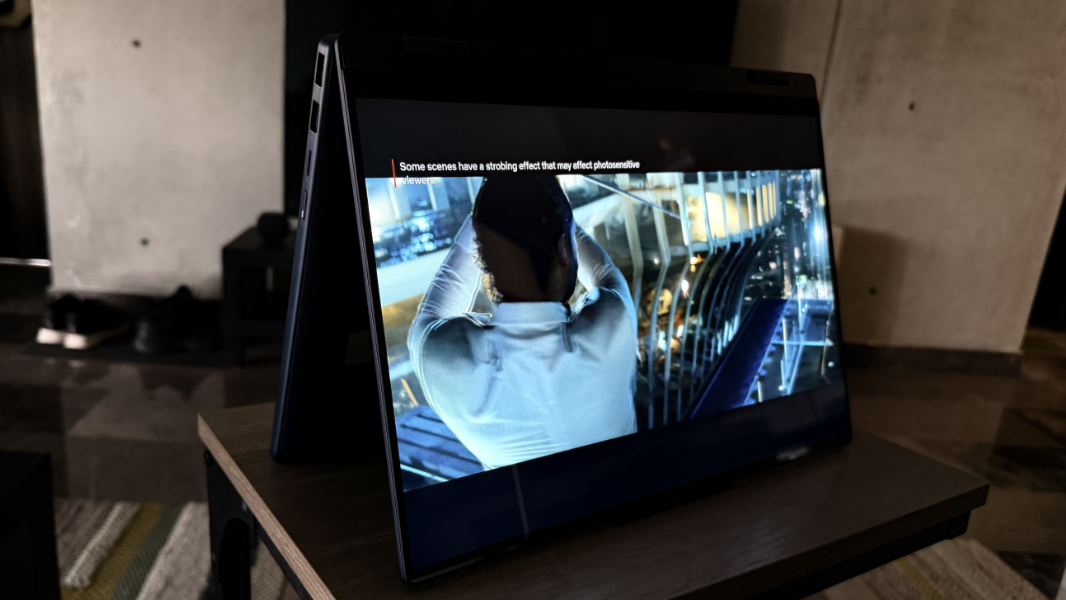
For the most part, I used it like a normal laptop in part because Lenovo didn’t include the optional smartpen it sells and in part because this would make for an awfully large and heavy tablet. But this versatility is still useful, as it can help this largish laptop work in a cramped airline seat, especially if you just want to enjoy some media.
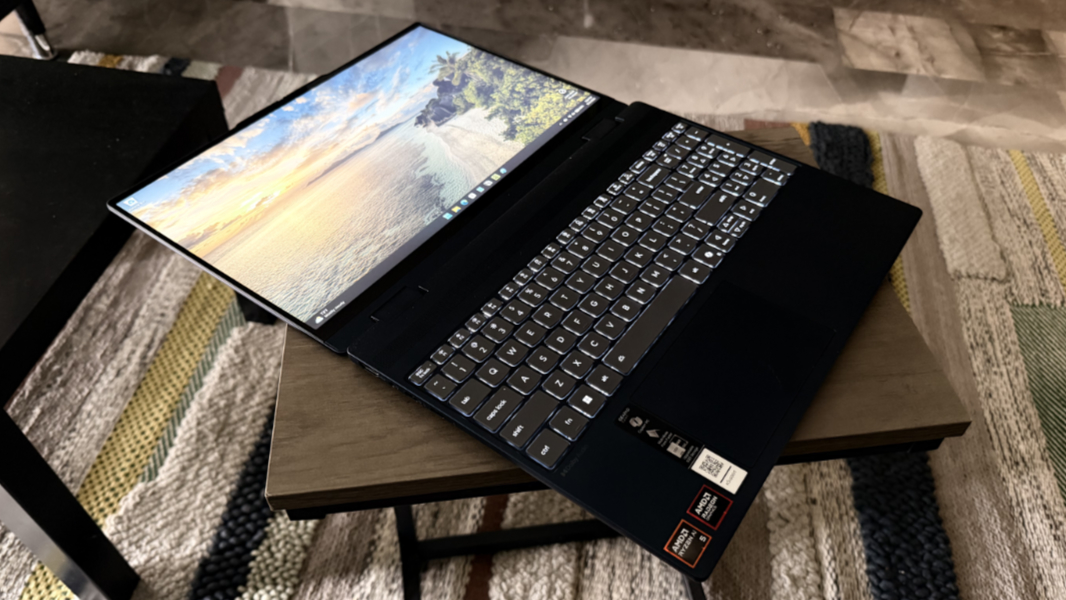
You can buy the IdeaPad 5a in a now-traditional Cosmic Blue color, like the review unit, or an even more traditional Luna Grey. The construction looks and feels solid, and Lenovo notes that the laptop has passed MIL-STD-810H durability tests, so it should handle normal usage without any drama. But the material usage is interesting: Though the outer display lid is aluminum, the rest of the body is made from a Polycarbonate-Acrylonitrile Butadiene Styrene (PC-ABS) and glass fiber blend that Lenovo says provides a good combination of sturdiness and portability.
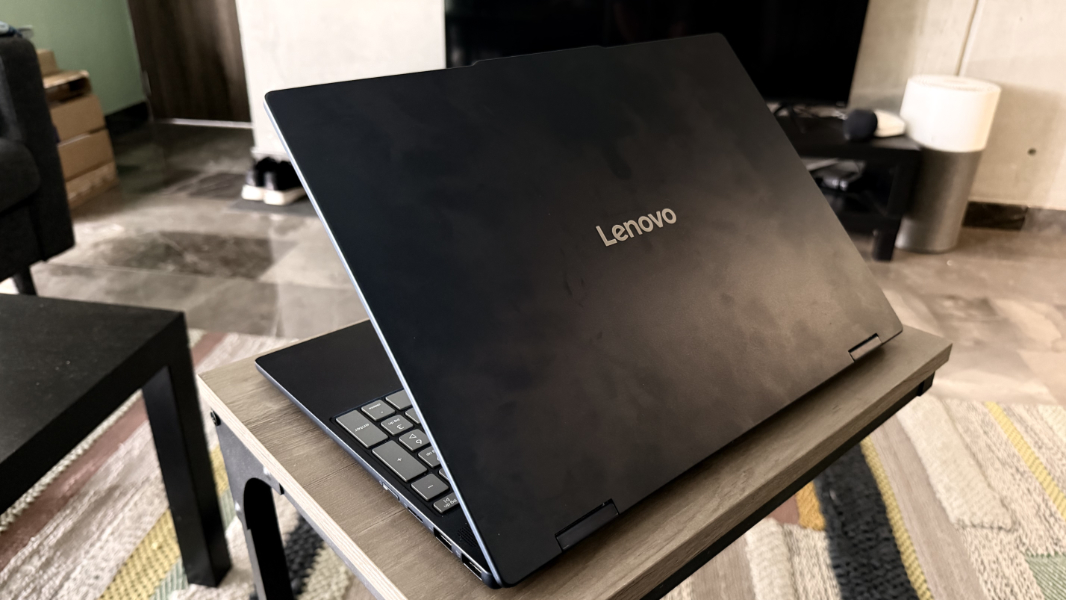
Perhaps. But the laptop base has a bit of flex to it and when I press down hard on the center of the keyboard, the whole center of the base pushes down a bit with it. This is understandable given the price range, and most will treat their laptops with more respect. And the display lid is notably more rigid, which is what you want.
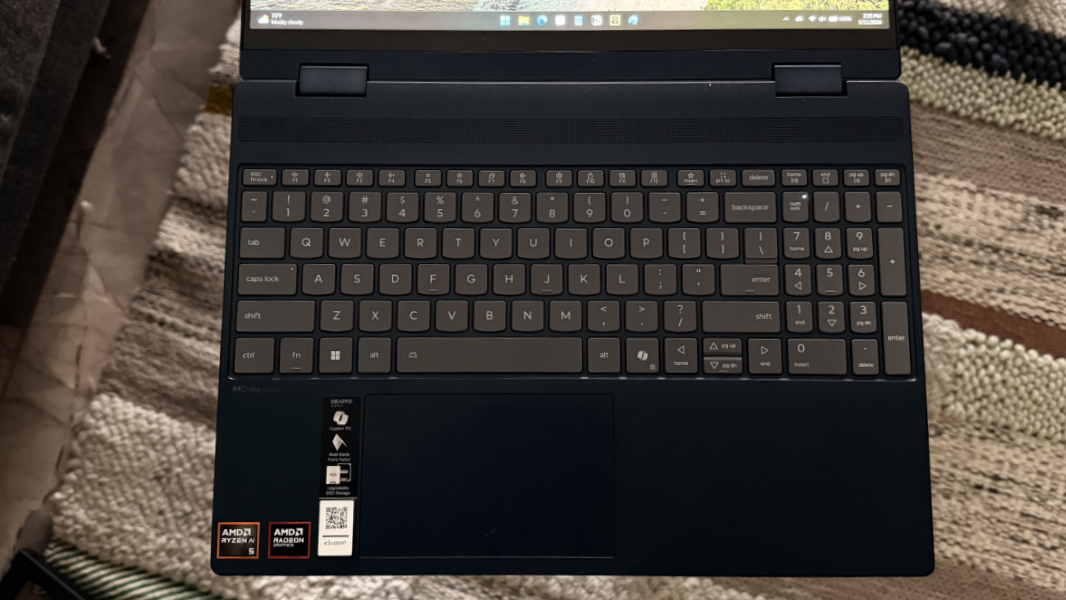
Tied to this, the IdeaPad 5a 2-in-1 isn’t particularly thin or light at 0.69 inches and 3.57 pounds respectively. But that also makes sense for its price class and 2-in-1 design. Overall, what I see here makes sense given its positioning, and the overall look and feel is solid.
Display
When you configure an IdeaPad 5a 2-in-1, you get a choice of two 15.3-inch displays, each of which offers a 16:10 aspect ratio and multitouch and smartpen compatibility.
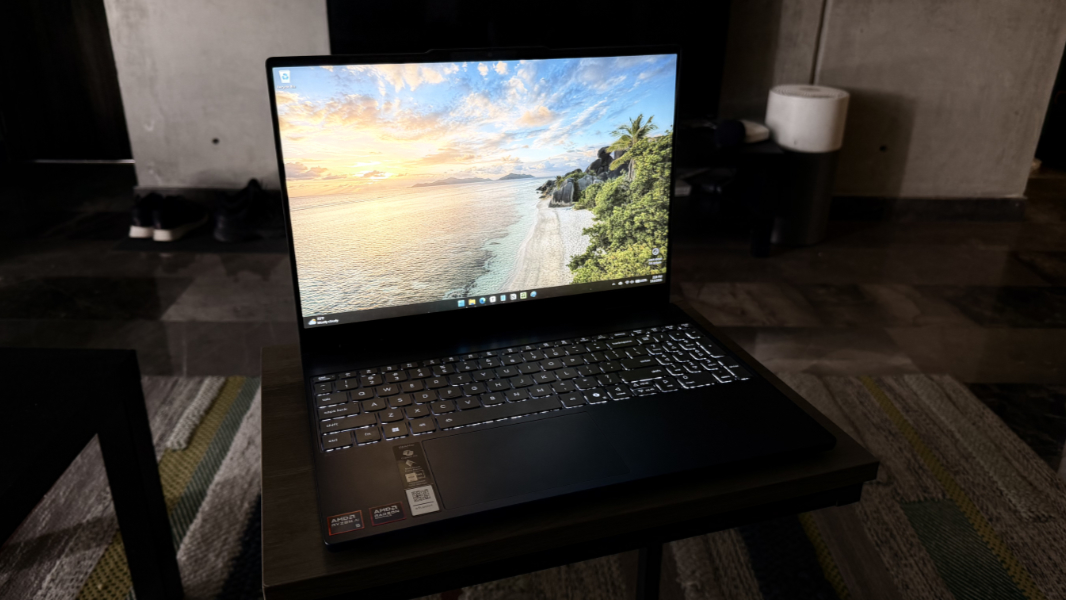
The base display came with the review unit. This is a 60 Hz Full HD+ (1920 x 1200) IPS panel with 45 percent NTSC color gamut coverage that emits 400 nits of light. So it’s modernish, but also pretty bare bones, and while it’s fine for mainstream, casual use, it won’t be suitable for creators working with digital photography.
The other display will likely impress, and as noted above it’s a cheap upgrade I would seriously consider. This is a 165 Hz variable refresh rate WQXGA/4K+ (2560 x 1600) OLED panel with 100 percent DCI-P3 color gamut coverage, HDR 1000 True Black, and low blue light capabilities that emits 500 nits of brightness.
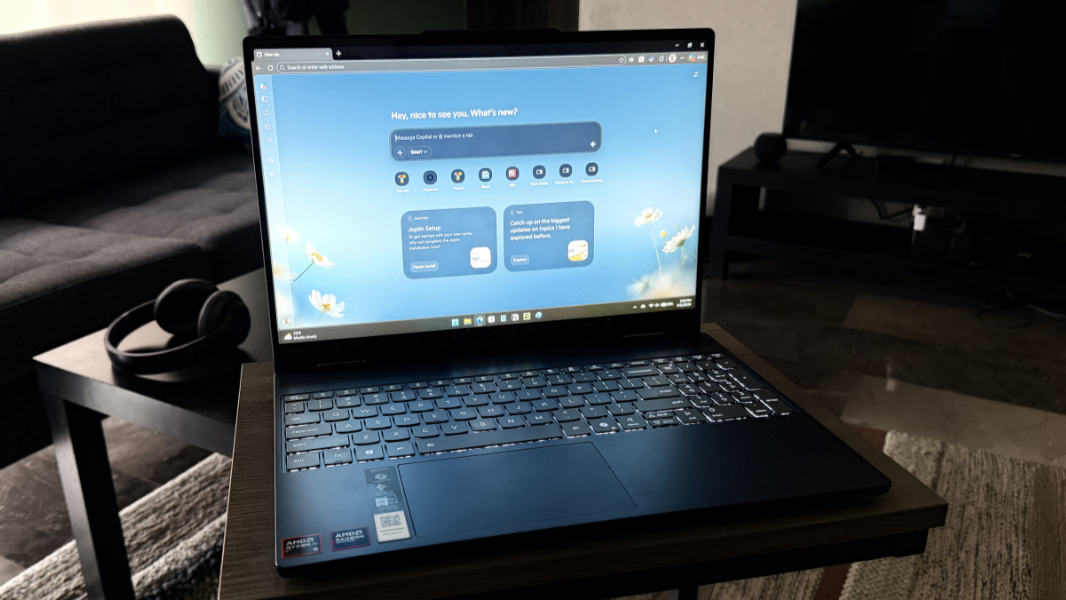
The base display on the review unit is nothing to write home about, but it works fine in day-to-day use, though it’s a bit muted in games, as noted below. The display bezels are nicely thin all around, at least, helping to give the laptop a more modern look.

Internal components
You can configure the IdeaPad 5a 2-in-1 with one of two low-end AMD processors, the Ryzen AI 5 430 or Ryzen AI 7 445. These are 28-watt Zen 5 parts, so they’re a modern design with 50 TOPS NPUs and decent-quality AMD Radeon 840M integrated graphics. But if you look at AMD’s list of Ryzen AI 400 family processors, you can see that they’re at the low-end of the list. Indeed, the Ryzen AI 5 430 is at the very bottom, with 4 processor cores (one Zen 5, three Zen 5c), 8 threads, and a base frequency of 2 GHz. The Ryzen AI 7 445 is likely a nice step up, with 6 cores (two Zen 5, four Zen 5c), 12 threads, and the same base frequency, and it has a bit more L2 cache (6 MB vs. 4).
You can also configure the IdeaPad with 16 or 32 GB of DDR5-5600 MT/s RAM, and though this isn’t the fastest RAM imaginable these days, it’s fully user-serviceable with two SODIMM slots on the laptop’s motherboard. So the RAM will be configured with two 8 GB cards or two 16 GB cards, and you can upgrade it later if need be.
On the storage front, you’re looking at 512 GB or 1 TB of M.2 2242-based PCIe Gen4 QLC SSD storage. Again, not the top of the line, but SSD storage won’t be the bottleneck here. The review unit was configured with the base RAM and storage, which I have to say I appreciate as PC makers often send out higher-end configurations for review. So this was a good opportunity to discover what a basic Windows PC looks like these days on AMD. And these specs qualify the IdeaPad as a Copilot+ PC, if that’s not obvious, so you get the additional benefits afforded by that designation too.
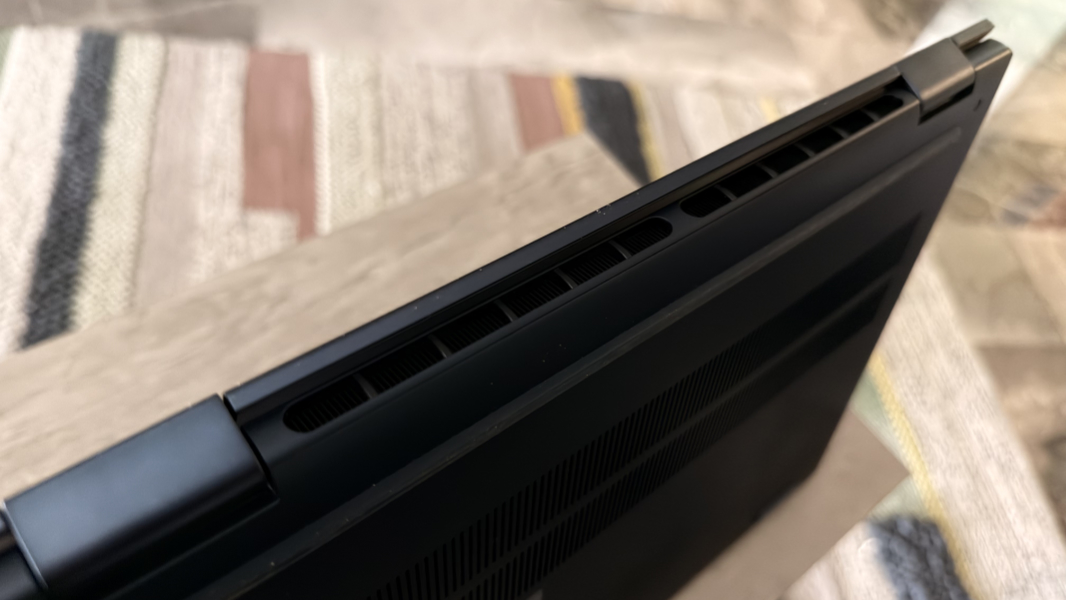
I was curious whether a low-end Ryzen AI processor would even meet my basic day-to-day needs, but it was absolutely fine across the board with solid performance is standard productivity work, creative apps like Affinity, and software development in Visual Studio.
This got me thinking. I’ve been playing Call of Duty: Black Ops 7 on far more impressive PCs like the Lenovo ThinkPad P1 (Gen 8) I recently reviewed and the even more powerful Lenovo ThinkPad P16 Gen 3, and I so I was curious to see where this entry-level Zen5 system with its integrated graphics landed. On those ThinkPad portable workstations, this game is sublime, with impressive framerates and graphics so detailed that it’s like I have new eyes; I see things in-game on those laptops that I don’t see on other PCs.
Coming from those behemoths, the IdeaPad 5a with its pedestrian Ryzen AI 5 430 and non-OLED display does not initially impress. Which is not fair, of course. But here’s the thing: Playing at native resolution and with most quality settings on low or very low, the picture is a little muddy and dull, yes, but it also runs at about 60 FPS most of the time during multiplayer and the gameplay is fluid and stutter-free. That is truly impressive, and it speaks to how far AMD has come with this processor family. This is as bad as it can be and looks fine and works great.

Noise and heat were never an issue. Obviously, the fans crank up during gameplay, but that’s to be expected.
Connectivity
Connectivity, at least, is modern: The IdeaPad 5a 2-in-1 provides Wi-Fi 7 and Bluetooth 5.4, and I never had an issue with either.
Ports and expansion
In return for a little thickness and weight, the IdeaPad 5a 2-in-1 delivers a well-rounded selection of expansion ports. Though neither USB-C port is Thunderbolt 4/USB4-capable, that’s understandable in this pricing segment. So my only real complaint here is that both of those USB-C ports are both on one side.
On the left, Lenovo delivers a full-sized HDMI video-out port, a headphone/microphone combo jack, and two 10 Gbps USB Type-C ports with Power Delivery at 45-60 watts and DisplayPort 1.4 support.

And on the right, you’ll find two 5 Gbps USB Type-A ports, one of which is always-on, a microSD card reader, and the power button.

Audio and video
Lenovo outfits the IdeaPad 5a with dual, upward-firing Super Linear speakers, whatever that means. They’re located under a grill above the keyboard, as opposed to the sides, and they’re optimized with Dolby Audio sound. You can use the Dolby Settings app to switch between movie, music, and other audio profiles, but there’s no automatic mode.
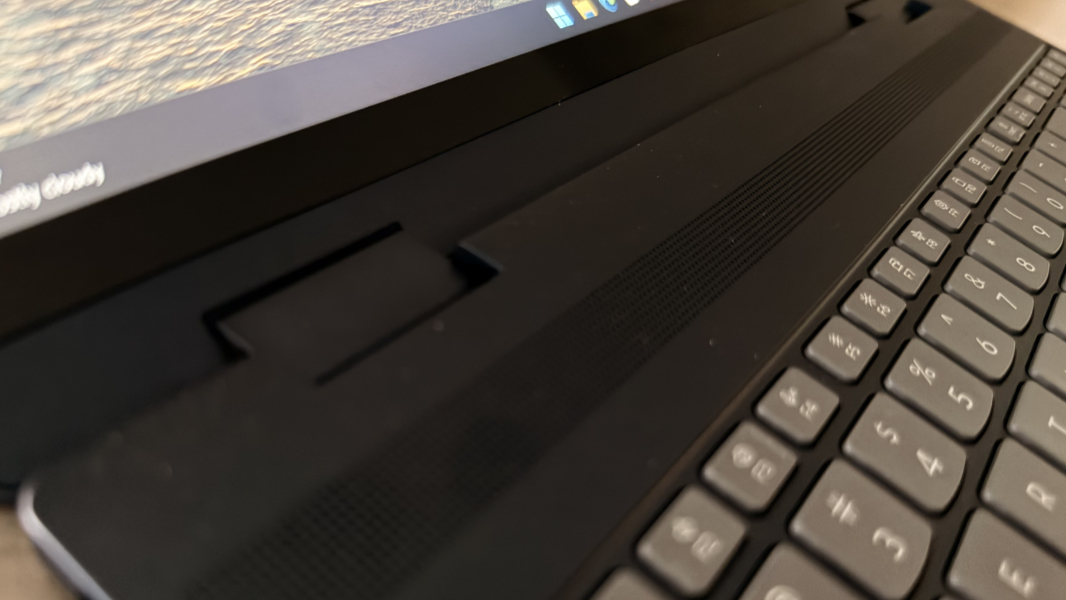
The sound is good, but it’s more of a basic stereo presentation than the more immersive audio you would expect from Dolby Atmos and a few more speakers. The sound never gets distorted, even at 100 percent volume, and though it’s not ear-splitting loud, it’s is absolutely loud enough to enjoy music or videos in front of the computer.

There is one small issue worth noting here: If you use the IdeaPad 5a in anything other than clamshell (normal laptop) mode, those speakers will either be hidden or facing the wrong direction. More expensive convertible PCs typically include four or more speakers for this reason, but you will experience muffled sound and lower volume when you use the IdeaPad 5a in other configurations.
Hybrid work
The IdeaPad 5a is a consumer PC, but it comes with the basics for remote work or personal calls and nothing more. So you get a Full HD (1920 x 1080) webcam and dual-array microphones, neither of which are particularly inspiring. You do get basic Windows Studio Effects, at least, thanks to the processor’s NPU, but only the Automatic framing, Eye contact, and Background effects features.

Keyboard and touchpad
Lenovo opted to include a numeric keypad on this laptop, which is a bit curious given its consumer focus. But I have numpads regardless, because this design shifts the keyboard to the left and can lead to additional typing mistakes. This also necessitated the speaker placement above the keyboard.
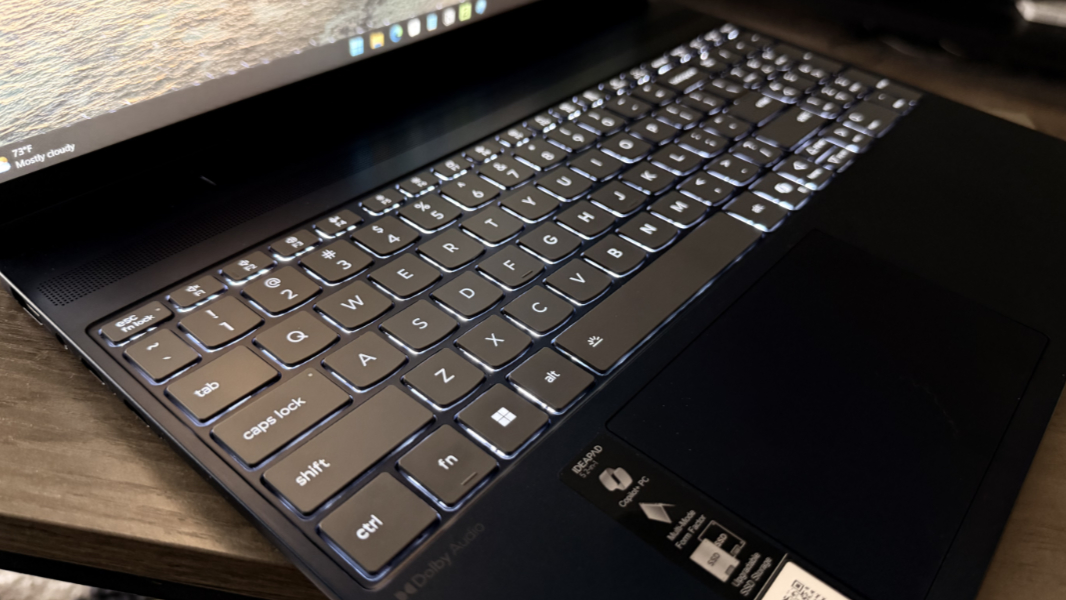
Getting past that, the IdeaPad provides a full-sized keyboard with two levels of backlighting and, surprisingly, an auto mode that I love. The key travel feels a bit long, though Lenovo says it’s about 1.3 mm, which is in what I consider the proper range. It’s mostly fine, with loud, clicky keys that don’t feel or sound cheap.
The precision touchpad is another story. It’s smaller than expected and coated in Mylar and it gives off a decidedly cheap-sounding and hollow thap every time I hit it that seems to rattle through the base of the laptop. It works fine, however, and I never needed to disable three-finger gestures, as is so often the case.

Lenovo also offers an optional and AES 3.0-based Linear Pen Gen 2 in the same colors as the laptop, and it only costs $10 for those who want this accessory. Note, however, that you’ll have to keep track of it as there’s no built-in storage in the laptop itself.
Security
As a Copilot+ PC, the IdeaPad 5a comes with the best-possible security available today, with a firmware Trusted Platform Module (fTPM) and fast and reliable Windows Hello ESS facial recognition. There’s no fingerprint reader, sadly, but that makes sense for the price and hybrid design. And though I’m not a fan of a manual privacy shutter, as is the case here on top of the camera in the communications bar at the top of the display lid, this is common and it’s better than nothing.
Sustainability
I can overlook a little clunkiness in the hardware because of the price, but the IdeaPad 5a is also wonderfully serviceable. You can remove the bottom of the laptop using six exposed Philips head screws with no pry tool required. And then the battery, M.2-based storage, M.2-based Wi-Fi/Bluetooth module, and the RAM–yes, even the RAM–can be easily swapped out and replaced. That’s incredible.
I didn’t find out too much about the use of recycled materials beyond the top of the display lid being 100 percent recycled aluminum.
Efficiency and portability
Efficiency and the reliability of power management and instant-on are often issues with x86-based laptops, but I didn’t observe any major issues with the IdeaPad 5a. When I was actively using it, it would come up pretty immediately each time I opened the display lid, and it did a stellar job of retaining battery power overnight. I haven’t seen that in a while.
I wasn’t sure what to expect for battery life from the Ryzen AI 5 430 processor, and it’s possible that the IdeaPad 5a’s smallish 60-watt-hour battery helped to undermine this measure. But I saw just 5 to 5.5 hours of battery life in regular usage.
Is this terrible? In some ways, yes. But most IdeaPad 5a buyers will use this laptop at home, usually connected to power. I think the pricing, versatility, and typical usage expectations here outweigh any battery life concerns. And the IdeaPad does support Rapid Charge Boost with the bundled 65-watt USB-C power supply, so you can get a two hour charge with just 15 minutes on the charger.
At 9.45 x 9.52 inches x 0.69, the IdeaPad 5a 2-in-1 is a big large and thick thanks to its 15.3-inch screen and convertible form factor. And as noted, it’s a bit heavy at 3.57 pounds. Here, again, I will point to it being typically used in a home and not on the go. But I would have no issues traveling with the IdeaPad, beyond perhaps the battery life.
Software
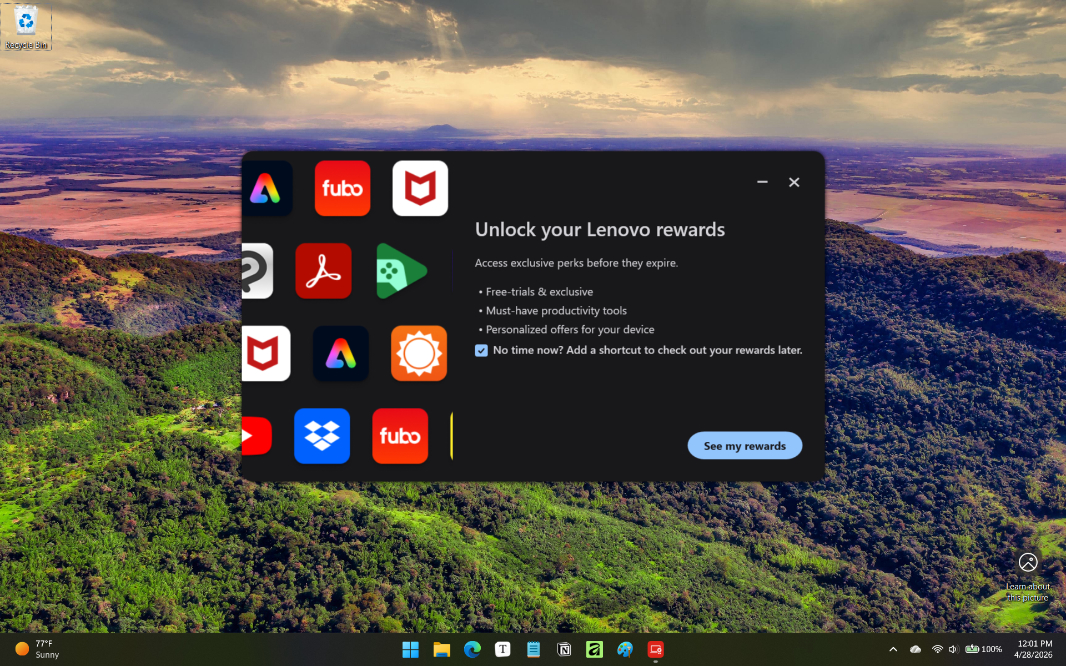
The IdeaPad is a consumer product, so there are several bundled utilities, including one, McAfee LifeSafe, that I consider crapware. Beyond that, there are annoyances like Dropbox promotion and Adobe Apps (another promotion), stupidity like Lenovo Now and Lenovo Subscription Marketplace, Lenovo Pen Settings, Lenovo Vantage for support and upsells, links to the online user guide and Lenovo’s responsible AI policy, Smart Note (a superfluous note-taking app), Smart Connect, Dolby Audio for speaker configuration, and a Microsoft 365 trial. Not ideal, but you can easily uninstall most of it. I guess it could be worse.
Pricing and configurations
The IdeaPad 5a 2-in-1 comes in Cosmic Blue and Luna Grey, and it starts at about $890, which is pretty good for the component crisis era we now live in. That sum gets you an AMD Ryzen AI 5 430 processor, 16 GB of RAM, 512 GB of SSD storage, and the base 15.3-inch IPS touch display. You can upgrade to a Ryzen AI 7 445 processor for $40, 32 GB of RAM for $220, a 1 TB SSD for $60, and the OLED display panel for $70, and a Lenovo Linear Pen (which is available in the same two colors) is an additional $10. So you could spend as much as $1300 on this laptop aside from a Windows 11 Pro upgrade ($50) or whatever other extras you might want.
I reviewed the base configuration and based on that experience, I do recommend the processor, storage, and OLED display upgrades given their reasonable additional costs. The additional RAM is a tougher sell: 16 GB is the right minimum these days, and most should find that workable for the foreseeable future. But remember you can upgrade the RAM later, so I do recommend sticking with 16 GB even if you think you might want more later.
Recommendations and conclusions
I was pleasantly surprised by the Lenovo IdeaPad 5a 2-in-1. Its low-end AMD Ryzen processor is surprisingly capable, the Copilot+ specifications and capabilities are solid, expansion is good, and the serviceability is superb. You do get what you pay for, so there’s a bit of cost cutting, and the battery life could be better. But if you’re looking for a solid mid-level PC with a versatile form factor and a big display, and you understand that the pricing these days isn’t Lenovo’s fault, there’s a lot to recommend here. This is a PC I could use for work every day, which I know because I did.
At-a-glance
Pros
✔️ Solid day-to-day performance, reasonably good for gaming
✔️ Fully user serviceable, including even the RAM modules
✔️ Versatile design
✔️ Full set of ports, modern connectivity
Cons
❌ Heavy, flex case with tinny-sounding touchpad
❌ Numeric keypad is superfluous, ccausingtyping errors
❌ Middling battery life