Lenovo ThinkPad P1 (Gen 8) Review
- Paul Thurrott
- Apr 22, 2026
-
9
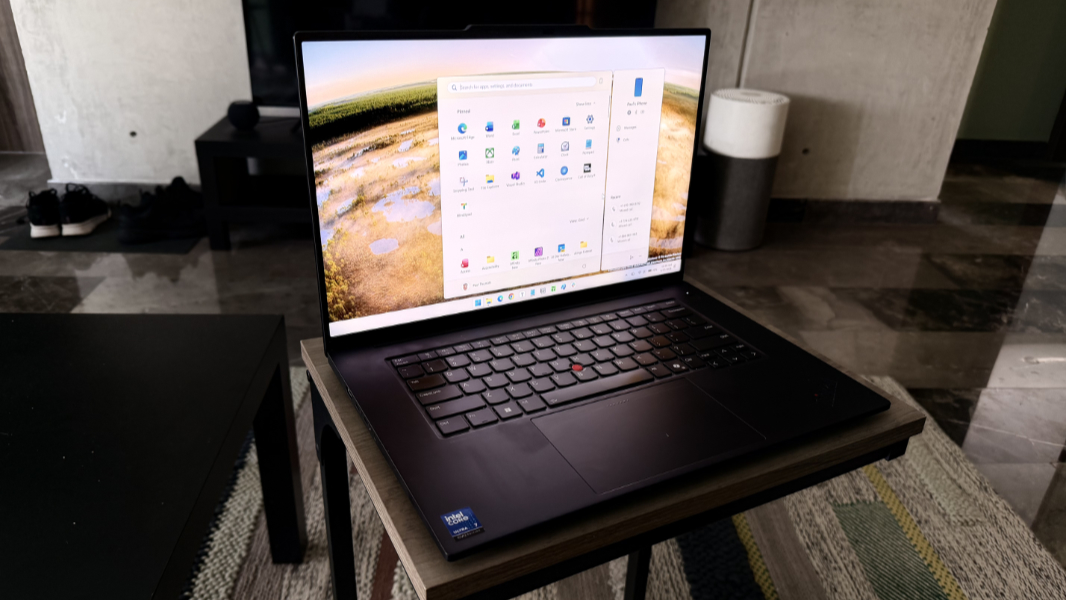
The ThinkPad P-series is the highest performing family of laptops that Lenovo produces. They’re mobile workstations, meaning that they’re certified by ISVs to meet the needs of demanding CAD, design, engineering, finance, and other apps and workloads few of us even think about each day. So they ship with the most powerful microprocessors and other components that are available in this space. They are wolves in wolves clothing: With no pretense, you are getting a big, powerful computer here and you will pay top dollar.
That said, the ThinkPad P1 is manageable. I believe this is the “entry-level” P-series, though it’s not obvious where this fits in with the other models in this series, the ThinkPad P14 and P16. Like the P16 series, it comes with a 16-inch display, which I love. And unlike the P16 series, the keyboard floats in the middle of the lower deck without being burdened by an error-inducing numeric keypad. Which, yes, I also love.
So let’s dive in.
Design
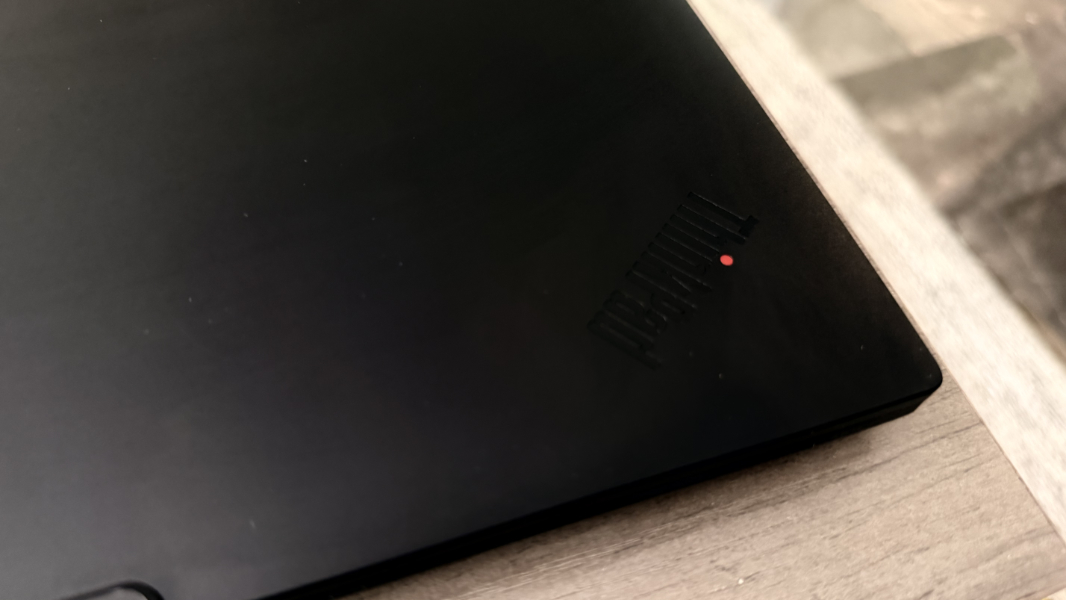
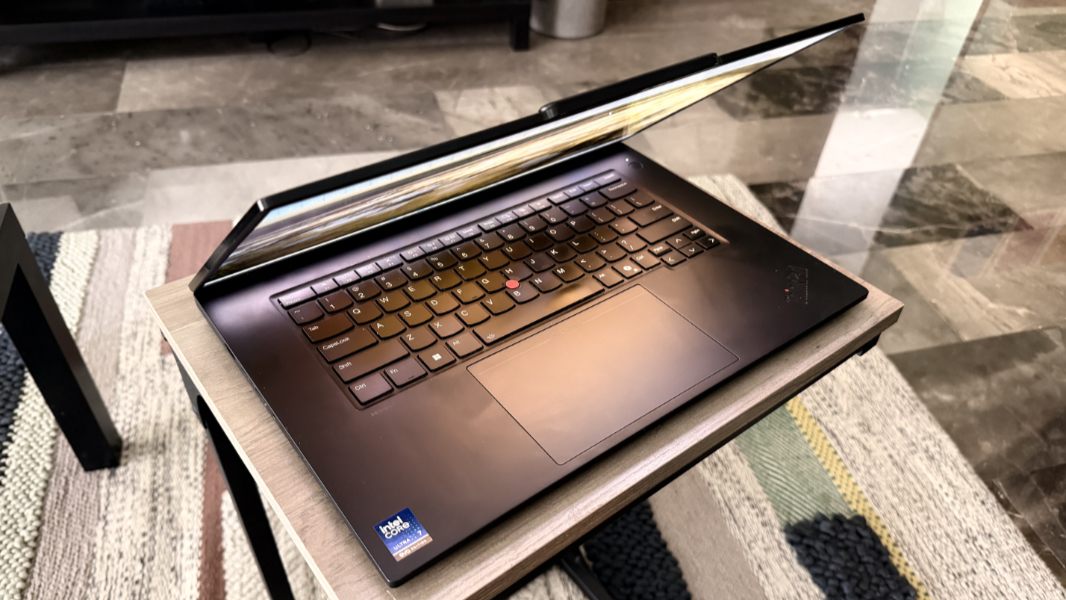
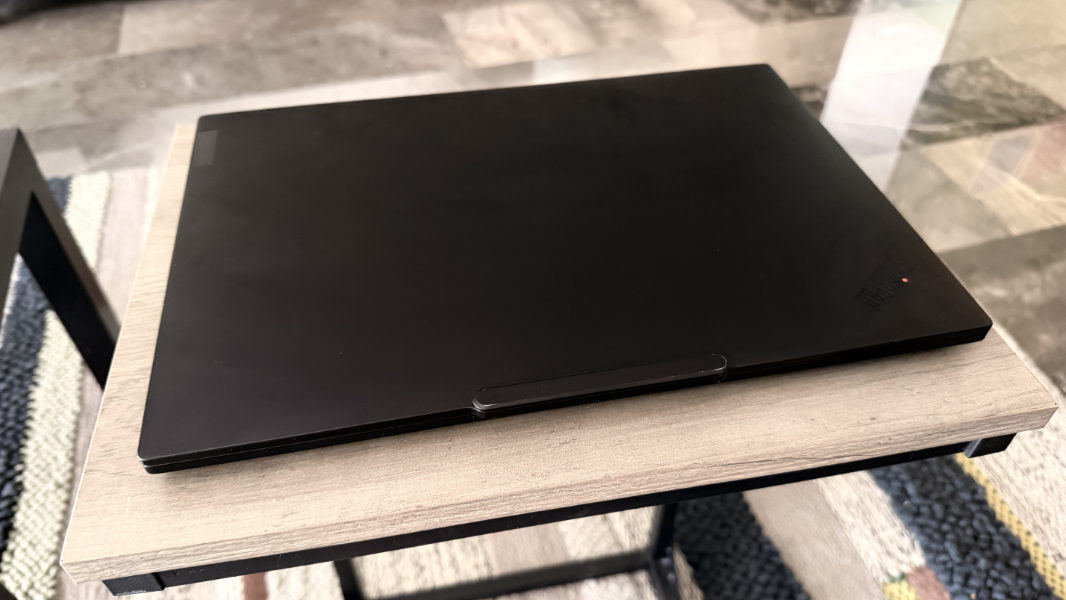
The ThinkPad P1 practically screams ThinkPad: It’s available in any color you want, as long as that color is Eclipse Black. Every surface of the PC is this color with some rare exceptions like the red accent of the TrackPoint nubbin in the center of the keyboard and, less obviously to the user, the throbbing red light in the dot on the “i” in the ThinkPad logo on the outside of the display lid.
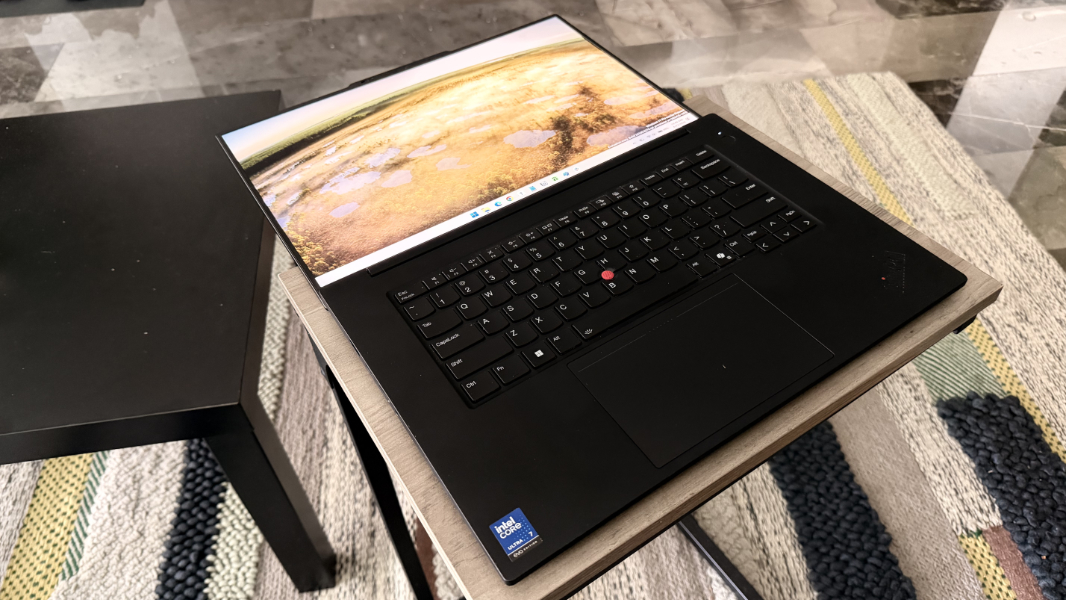
(There’s a similar red “i” dot on the ThinkPad logo on the wrist rest, too, but that one, mercifully doesn’t light up.)
Depending on your view, the design is either tired and dated or modern, bold, and iconic. I’m in the latter camp: I love the ThinkPad look and feel. It’s handsome, timeless, and unique.
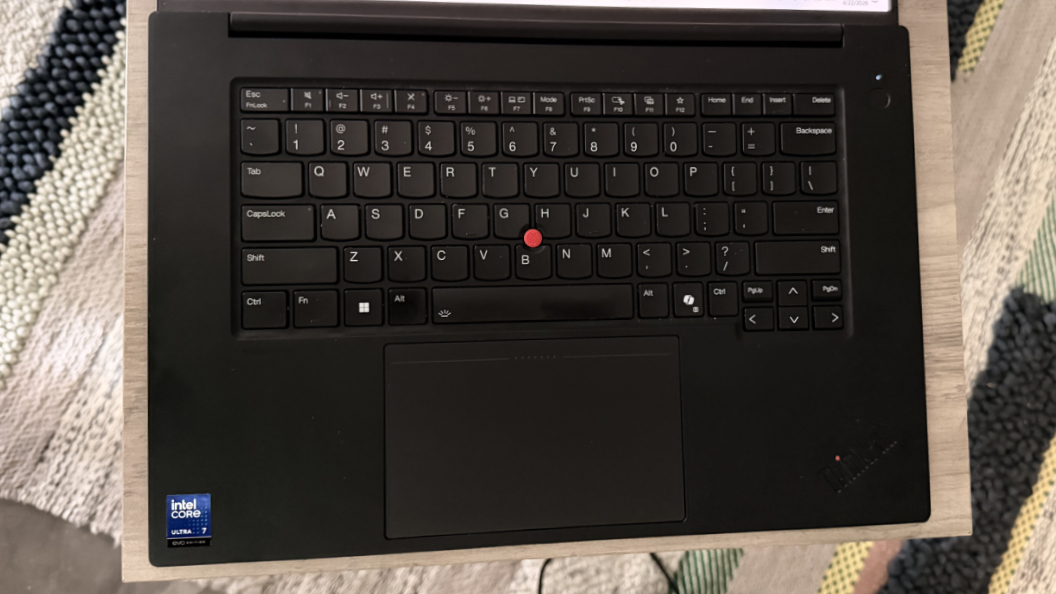
I have just one quibble: Lenovo, please let us disable the blinking red light on the display lid. It’s incredibly annoying in a dark room, as you’ll experience while charging the laptop in a hotel room on a work trip.
Display
Lenovo gives ThinkPad P1 buyers three display panels to choose from. Each is 16-inches on the diagonal and sports a 16:10 aspect ratio and an antiglare coating and support X-Rite Factory Color Calibration and TUV Eyesafe low blue light capabilities. The base panel is a Full HD+ (1920 x 1200) low-power IPS display with 100 percent sRGB color gamut coverage that emits 500 nits of brightness.
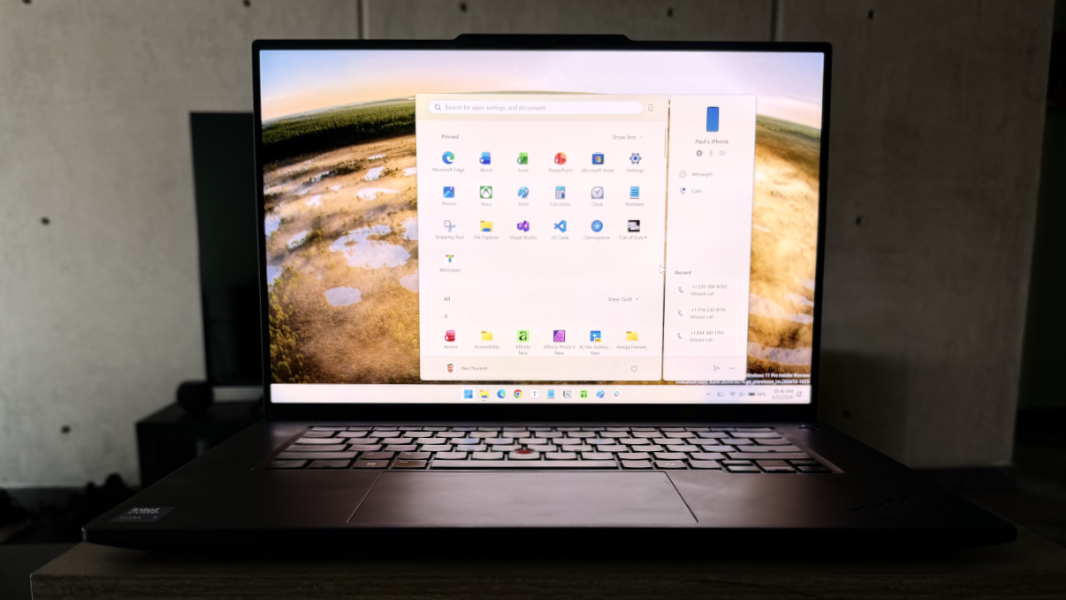
That feels a bit low-resolution to me, though I’ve not seen it. But the next two displays are more interesting. There’s a WQXGA (3840 x 2400) IPS display with 100 percent DCI-P3 color gamut coverage, DisplayHDR 400, and Dolby Vision capabilities that emits 800 nits of brightness. And the top-end panel is a 3.2K (3200 x 2000) Tandem-OLED multitouch display with an antireflective and antismudge coating (in addition to antiglare), a 40 to 120 Hz variable refresh rate, 100 percent DCI-P3 coverage, DisplayHDR 600, and Dolby Vision capabilities.
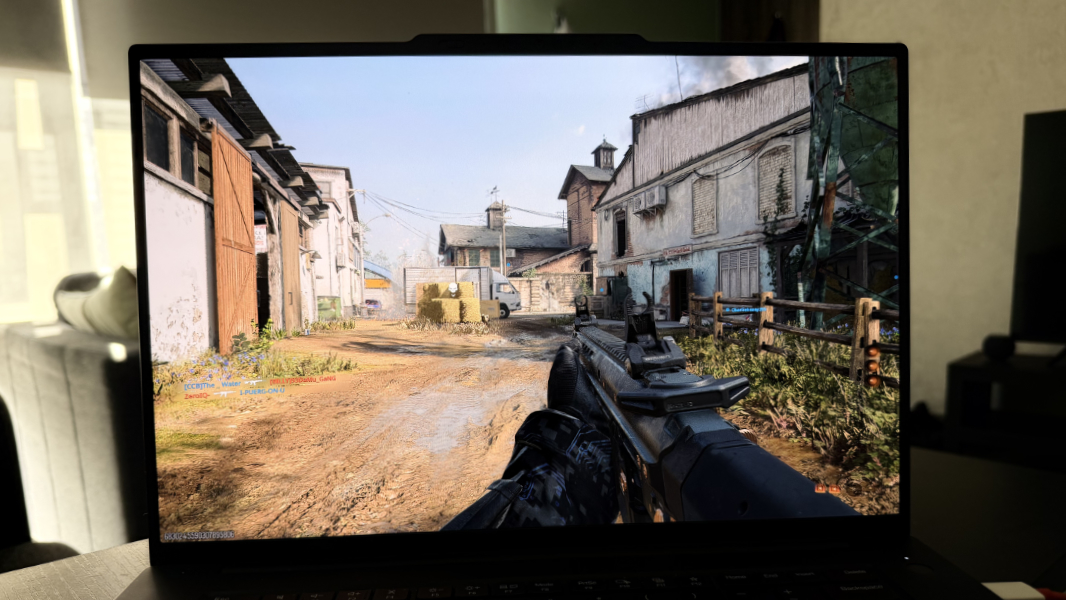
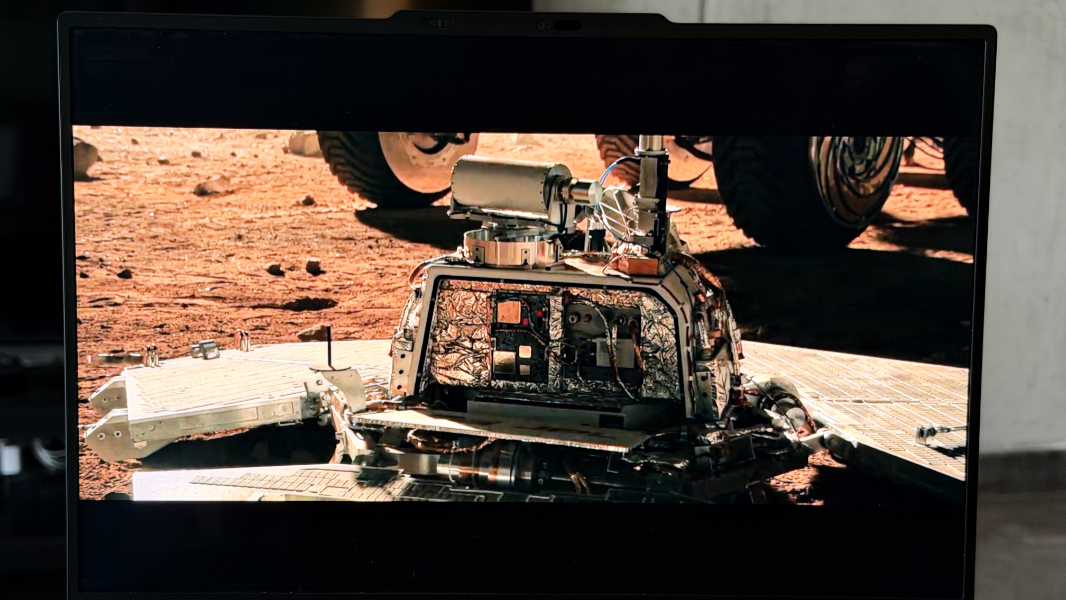
Lenovo provided the 3.2K Tandem-OLED option on the review unit and it is spectacular. Tandem OLED displays combine two OLED layers to improve brightness, longevity, and power efficiency, and in this iteration, it provides all the vibrancy of traditional OLED–yes, with the brightest of colors and the inkiest of blacks–while reducing reflections nicely. This display has been, well, eye-opening for both productivity work and play.
Internal components
The ThinkPad P1 is a beast that can be configured with an Intel Core Ultra Series 2 “Arrow Lake” Ultra 5 235H vPro, Ultra 7 255H, Ultra 7 265H vPro, or (gulp) Ultra 9 285H processor. These are 3 nm parts that, in the latter case, deliver 16 total cores with 6 performance cores, 8 efficient cores, and 2 low-power cores. This chipset also includes impressive Intel Arc 140T graphics and a much less impressive Intel AI Boost NPU that spits out just 13 TOPS of hardware accelerated AI performance; so this is not a Copilot+ PC, which is ludicrous given the processor’s overall combined rating of 99 TOPS.
If you go with the base processor, integrated graphics are your only option. But if you upgrade the processor, you gain access to Nvidia RTX Pro 1000 Blackwell and RTX Pro 2000 GPU options, both of which come with 8 GB of dedicated GDDR7 RAM; the latter choice is a $130 upgrade that delivers an astonishing 545 TOPS.
You can also configure the P1 with 32 or 64 GB of 7467 MT/s LPDDR5x RAM using one or two modern CAMM2 slot RAM slots. This means that, yes, you can upgrade the RAM at any point, a rarity these days and a nice upgrade to maybe put off for later when the component shortages ease up. And there are two M.2 2280 slots for PCIe Gen4 Opal/Performance TLC Opal SSD storage, each of which supports 512 GB, 1 TB, and 2 TB SSDs. So, yes, you can have a total of 4 TB of storage if you need it.
The review unit is well-appointed. It has the Core Ultra 7 255H processor, Nvidia RTX Pro 2000 graphics, 32 GB of RAM, and 1 TB of storage. So there’s an empty CAMM2 slot for more RAM and an empty M.2 2880 slot for more storage. Nice.
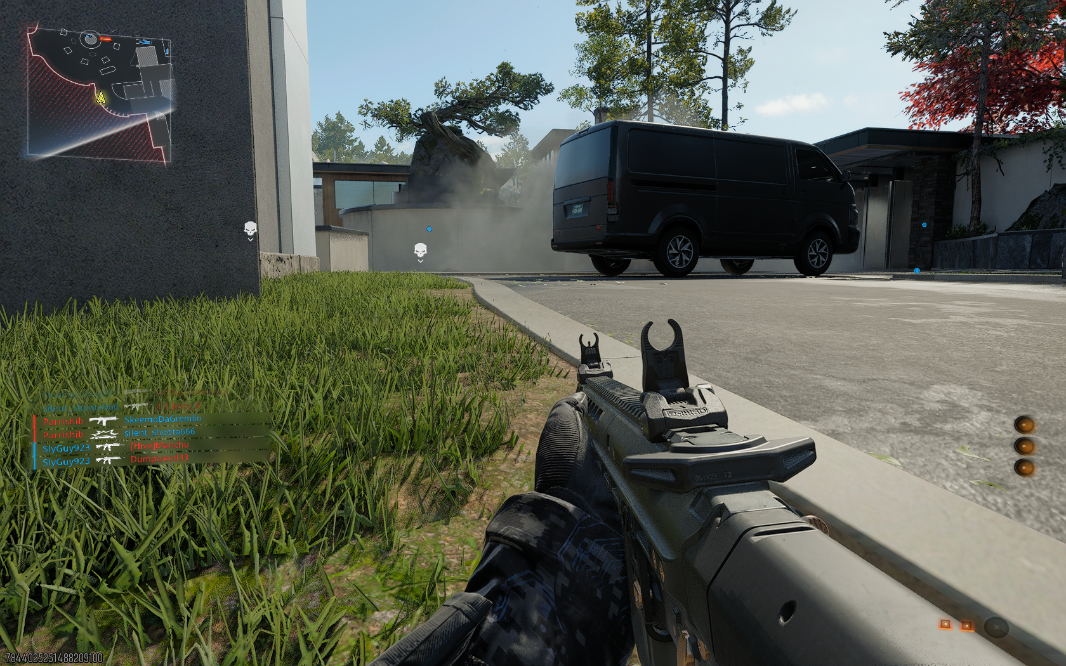
The system performance is breathtaking. I don’t have anything in the way of certified workstation apps to test, but I do have Call of Duty: Black Ops 7, and the P1 has become my go-to on this trip. It plays this title at 1680 x 1050 at about 80 FPS, and the details are so crisp and clear that it’s revelatory. I see things in this game when using this laptop that I never see on other systems. It’s like getting new eyes.
I also used the P1 for every imagineable day-to-day productivity task, including Visual Studio-based software development. And, right, it was straight up perfection across the board. Of course it was. There is a bit of fan noise in use, especially when you crank up the graphics as in videogames, but that’s to be expected and it’s not obnoxious.
Connectivity
Connectivity is modern, with Wi-Fi 7 and Bluetooth 5.4, but there’s no cellular option, which seems like an odd omission at this price point.
Ports and expansion
Not surprisingly, the P1 is bristling with modern and legacy ports, and to its credit, Lenovo has put at least one USB Type-C port on each side of the laptop.
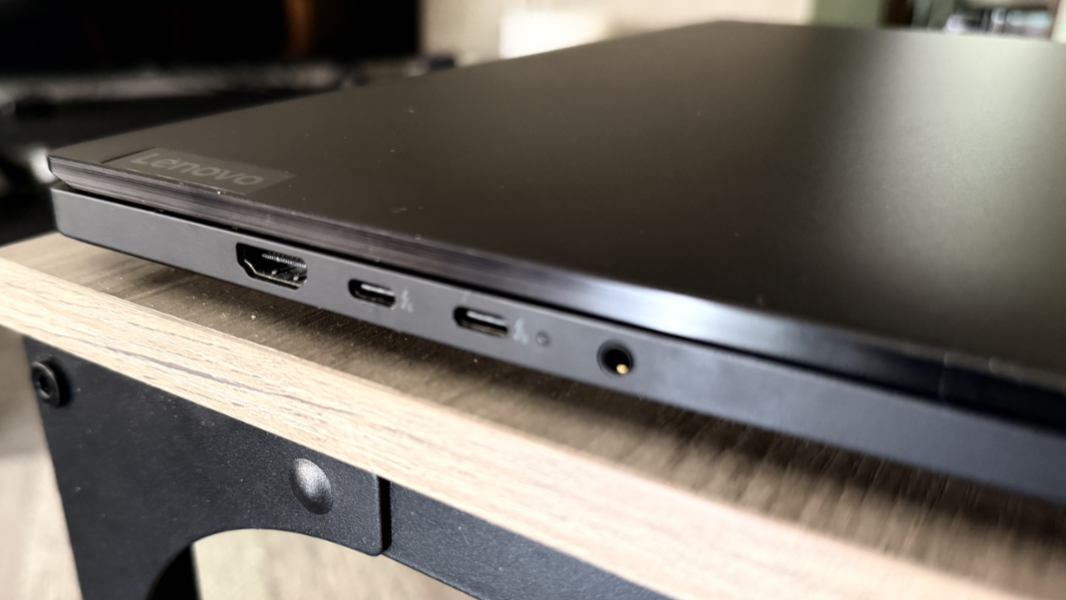
On the left, you will find a full-sized HDMI 2.1 video-out port that can handle 8K at 60 Hz and 4K at 120 Hz) and two 80 Gbps Thunderbolt 5/USB4 Type-C ports with Power Delivery 3.1 and DisplayPort 2.1 capabilities, plus a combo microphone/headphone jack.
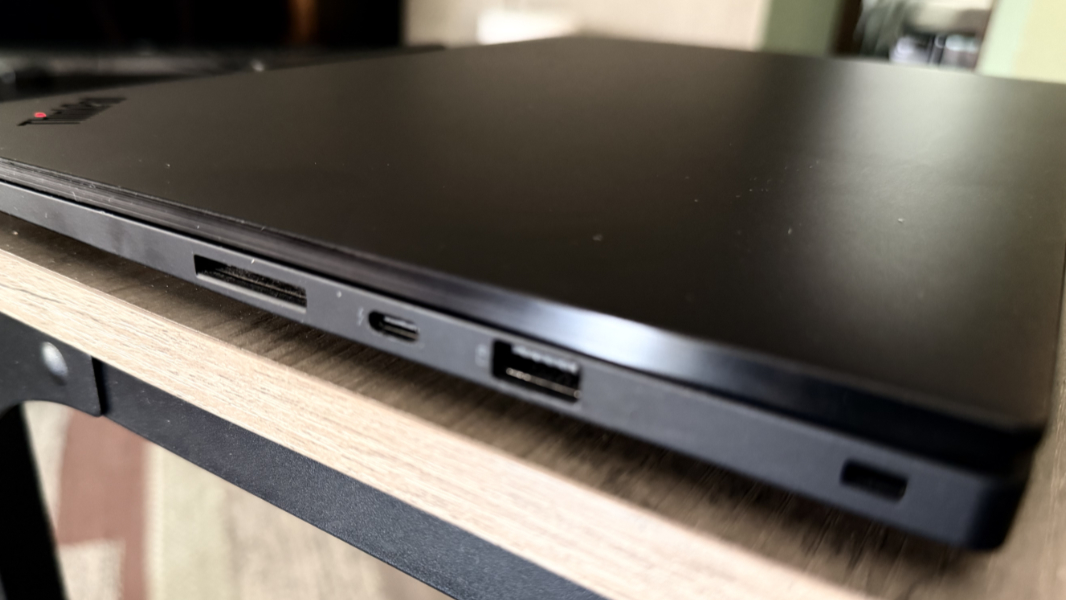
On the right, Lenovo provides a full-sized 10 Gbps USB Type-A port with always-on capabilities, an SD Express 7.0 card reader, and a 40 Gbps Thunderbolt 4/USB4 Type-C port with Power Delivery 3.1 and DisplayPort 2.1 capabilities, plus a Kensington nano security slot.
I don’t have any Thunderbolt 5 peripherals yet, so I wasn’t able to test those capabilities.
Audio and video
The ThinkPad P1 has just two bottom-firing speakers located towards the rear on each side, but it provides Dolby Atmos immersive sound. This works well with music, videos, and games, though it’s mostly a stereo effect. It gets stupid loud, and there’s no distortion at 100 percent volume. And the Dolby Vision-capable display helps to magnify the effect when watching videos or playing games.
Hybrid work
The remote work capabilities are on the basic side, with a 5 MP Windows Hello webcam and two far-field microphones. But there are Dolby Voice capabilities, at least. If this were my only PC, I’d pack a 4K webcam and skip this built-in webcam, though you can use the bundled Lenovo View app to try and improve the picture.
Keyboard and touchpad
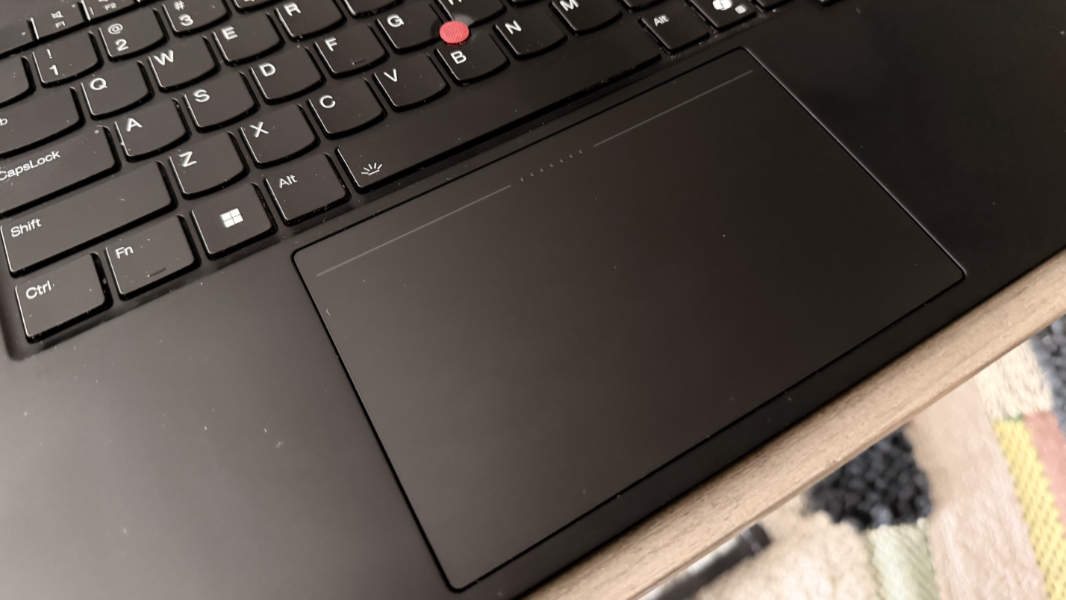
Lenovo is well-known for making some of the best mobile keyboards in the industry and the ThinkPad P1 upholds that tradition nicely. The keyboard is full-sized and floats in the middle of the bottom deck with no numeric keypad getting in the way, my preferred layout. The keys are well-spaced, island-style, and scalloped per the usual Lenovo style. And though the key throw is a bit deeper than is typical these days, I adjusted to it quickly and love the comfortable feel. This is an excellent keyboard.
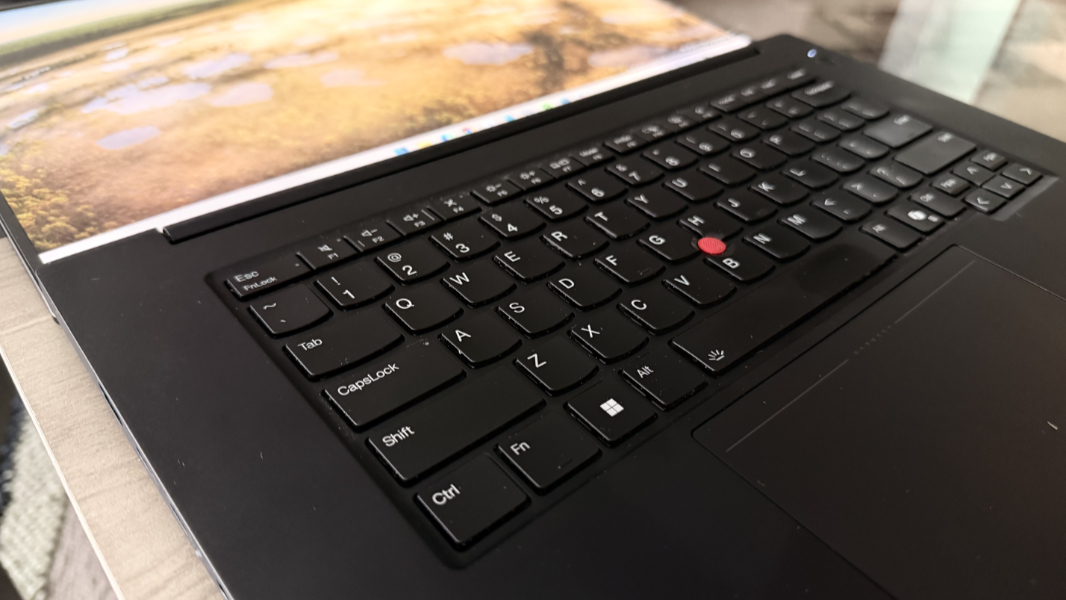
As is tradition, the ThinkPad P1 also provides a TrackPoint dual-pointing system with a red nubbin embedded in the keyboard and a large haptic buttonless touchpad. This, too, is excellent, and the touchpad is so accurate and well-made I never thought to use the nubbin. One wonders whether this somewhat archaic design choice makes sense anymore these days, but I know that ThinkPad fans expect it.
Security
The ThinkPad P1 supports Windows Hello Enhanced Sign-in Security (ESS) with both facial and fingerprint recognition, the latter of which is built into the round power button to the upper-right of the keyboard. Both worked reliably and quickly for the most part, though the facial recognition would occasionally fail as is common on Intel-based PCs.
The privacy switch for the webcam is manual, which I don’t normally like. But it’s far enough from the actual camera that you’re unlikely to smudge it, so in this case, I’ll give that a pass. The P1 also has presence sensors so that the computer can go to sleep when you walk away and then wake up when you return. I ended up disabling that, as usual, but it worked reliably.
Sustainability
The ThinkPad P1 is made from 90 percent recycled magnesium aluminum in the keyboard deck, 75 percent recycled aluminum used in the top cover, and 55 percent recycled aluminum used in the bottom cover, and there’s 90 percent post-consumer content (PCC) recycled plastic in the AC Adapter and the PC ships in plastic-free packaging with 90 percent recycled and/or Forest Stewardship Council (FSC)-certified content.
Perhaps more impressively, the P1 is fully end-user serviceable. The base cover can be removed using a normal Phillips head screwdriver, providing you with access to the CAMM2 RAM modules, M.2 SSD slots, battery, and everything else. Thanks to its modular design, even components like individual USB-C modules can be replaced. This is a nice step forward.
Efficiency and portability
At a bit over 4 pounds and 13.95 x 9.49 x 0.39 – 0.62 inches in size, no one is going to confuse the ThinkPad P1 as a thin and light Ultrabook. But it’s manageable for what it is, and it’s a lot thinner and less heavy than the ThinkPad P16 I’m also evaluating. It is portable in its own way, and I did use it back and forth on flights to Acapulco, Mexico in January and on buses back and forth to Cuernavaca, Mexico this past month.
Battery life was surprisingly strong, though measuring it accurately was a bit difficult given how long I’ve been using the P1 (since November, but regularly since early January) and the variety of workloads I used. I’ve seen over 7 hours of battery life on occasion, but the average was probably just under 6 hours overall. Given this system’s powerful component, that is impressive.
Instant-on performance and overall power management were less impressive, of course, given the Intel processor. This is the one consistency I see across x64-based computers, but especially those with Intel inside. It’s the source of a little game I play when I open the display lid and wonder what’s going to happen. Sometimes, perhaps most times, I wait for what seems like a full boot.

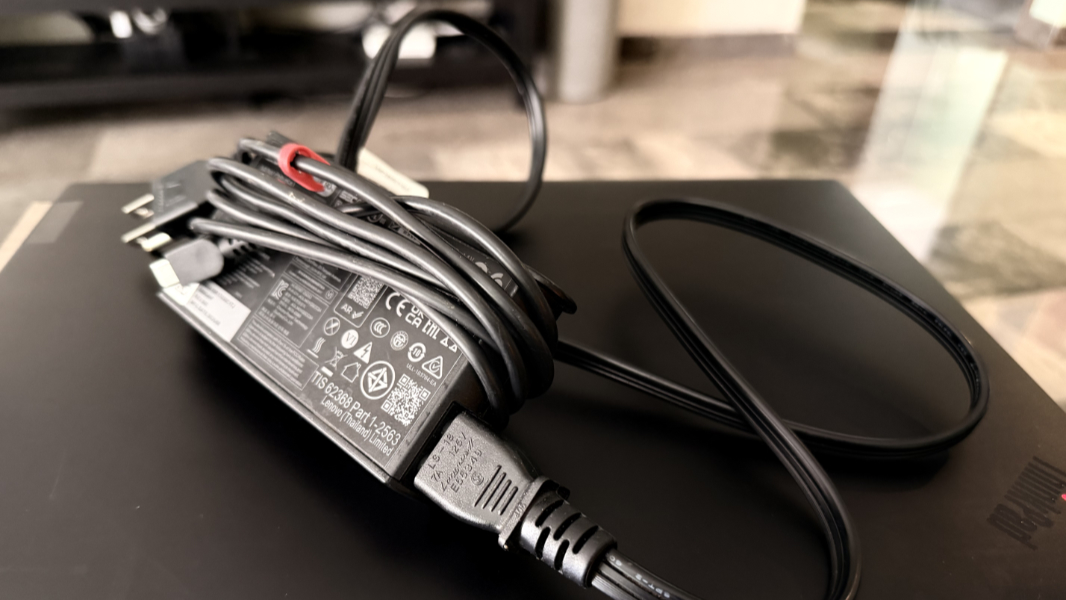
Power comes via a massive 90 watt-hour battery that’s charged with an also massive 140-watt USB-C power supply. It supports Rapid Charge, but it’s not all that rapid: You can get to 80 percent battery life in one hour if you start with a dead battery.
I did notice one charging-related oddity: When playing games on the P1, it would lose battery power even when plugged in to power. Curious about this, I tried different chargers, including an even beefier version that’s bundled with the ThinkPad P16 I’m also testing. But it turns out that using the single USB-C port on the right side of the laptop worked fine, with no power loss. I can’t explain that, but there you go.
Software
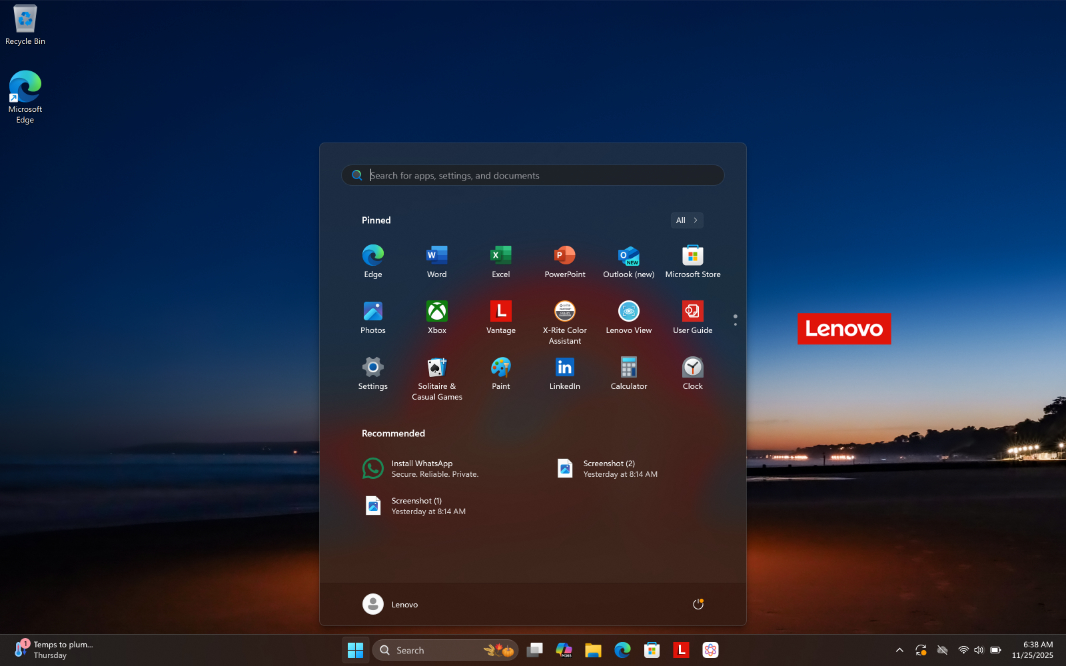
Lenovo doesn’t burden ThinkPad customers with crapware, and that’s especially important when the ThinkPad in question has a starting price of over $3000. But there are, of course, some Lenovo utilities, including Commercial Vantage for support, a link to the web-based User Guide, the superfluous Lenovo AI Now, Lenovo Pen Settings, Lenovo View for webcam enhancements, and Pre-boot Manager, plus some third-party utilities like Dolby Settings, the X-Lite Color Assistant, three Intel utilities, and three Nvidia utilities. Most of this is OK, but … Lenovo AI Now? No.
Pricing and configurations
As one should expect of a ThinkPad-branded portable workstation, the P1 is expensive. Prices start north of $3000 barring a sale of some kind and they can escalate quickly depending on the configuration. But even a “base” ThinkPad P1 is impressive: For about $3200, you get an Intel Core Ultra 235H vPro processor, integrated graphics, 32 GB of RAM, 512 GB of storage, and the base Full HD+ non-touch display.
To get dedicated graphics, you have to upgrade to at least a Core Ultra 7 255H, at which point the price rises to $3800 and you get Nvidia RTX Pro 1000 Blackwell graphics with 8 GB of dedicated RAM with an Nvidia RTX Pro 2000 as a $170 option. A fully decked out P1 with a Core Ultra 9 285H processor, 64 GB of RAM, a 4 TB SSD, RTX Pro 2000 graphics, and the best display is … wait for it … over $6700. Ye Gods.
Recommendations and conclusions
You either need this much horsepower or you don’t. But if you do, the ThinkPad P1 is a capable laptop for the most demanding workloads. It made a mockery of my other laptops in videogame fidelity and performance, and I love the epic Tandem-OLED display, the top-notch keyboard and touchpad, and the premium look and feel. I’d like to see Intel get its act together so this could be a Copilot+ PC, and perhaps be a bit more reliable. And the built-in webcam is only decent. But the biggest blocker for most will be the price. Nothing I do justifies the cost, and I certainly can’t afford a P1 myself. Yet I wish I could. It’s an incredible laptop and I found myself to the detriment of other choices.
At-a-glance
Pros
✔️ Incredible system performance
✔️ Gorgeous Tandem-OLED display
✔️ Nearly perfect keyboard and touchpad
✔️ Thin, light, and portable for this class of laptop
✔️ Solid range of legacy and modern expansion ports
Cons
❌ Crazy expensive
❌ Middling webcam