Google Releases Android 17
- Paul Thurrott
- Jun 16, 2026
-
5
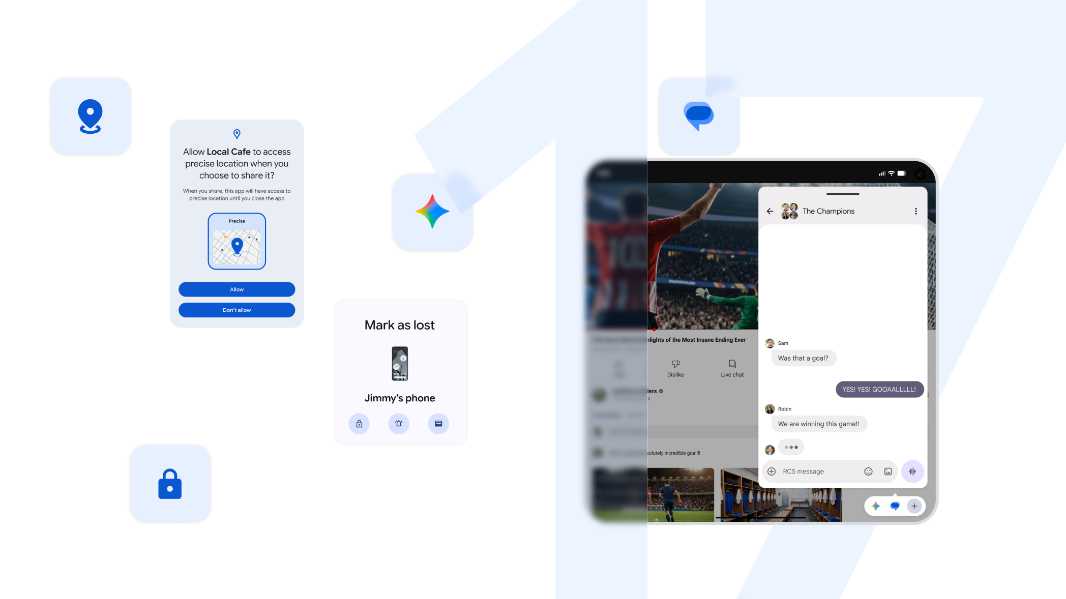
Google has finalized the initial release of Android 17, and it’s rolling out first on supported Pixel devices starting today. Google also announced a related June 2026 Pixel Drop and the release of Wear OS 7.
“Android 17 is here, bringing a suite of features designed to enhance your productivity, entertainment, security and safety,” Google Android platform vice president and general manager Seang Chau writes. “It’s rolling out first to Pixel today, followed by other eligible Android devices throughout 2026. Select advanced devices will get Gemini Intelligence later this summer, helping you stay a step ahead and work proactively to get things done throughout your day.”
Some of the more noteworthy features in this release include:
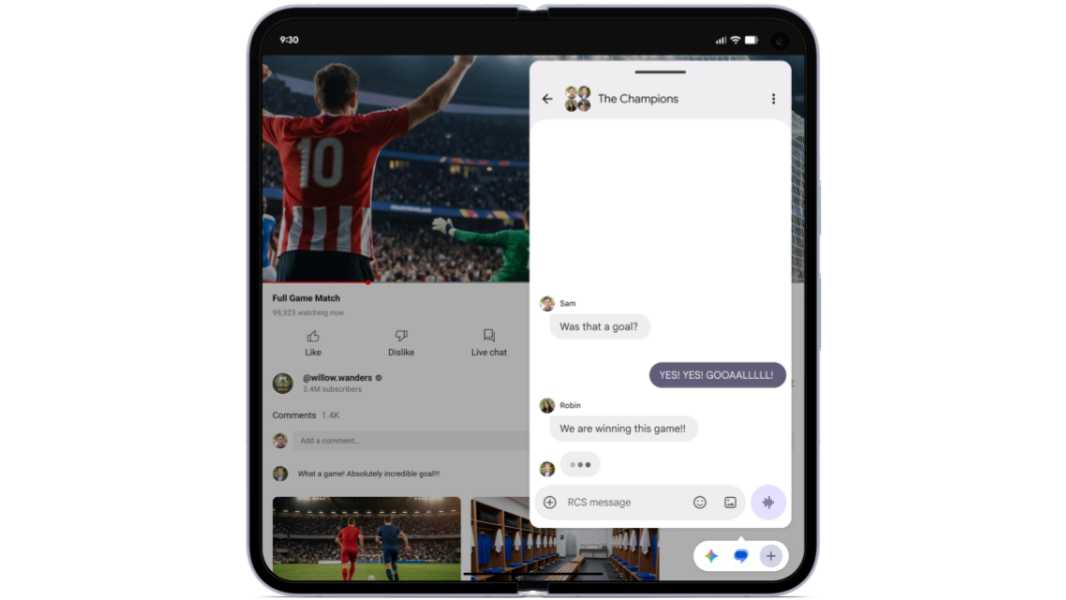
- Bubbles, which lets users turn any app into a compact, floating window. On foldables, bubbled apps are docked in a new bubble bar at the bottom of the screen so you can switch to them easily or resize and maximize them as needed. Bubbles are handy for travel, entertainment, and work, Chau says, and you can “easily reference notes or maps, watch tutorials and even check sports. It keeps everything you need in reach but out of the way.”
- Screen reactions, part of an update to Android’s screen recording and annotation capabilities, lets you record yourself on the phone’s selfie camera while capturing the screen. This lets you comment on and react to what’s happening on-screen, whether it’s in an app or website, and without requiring separate apps.
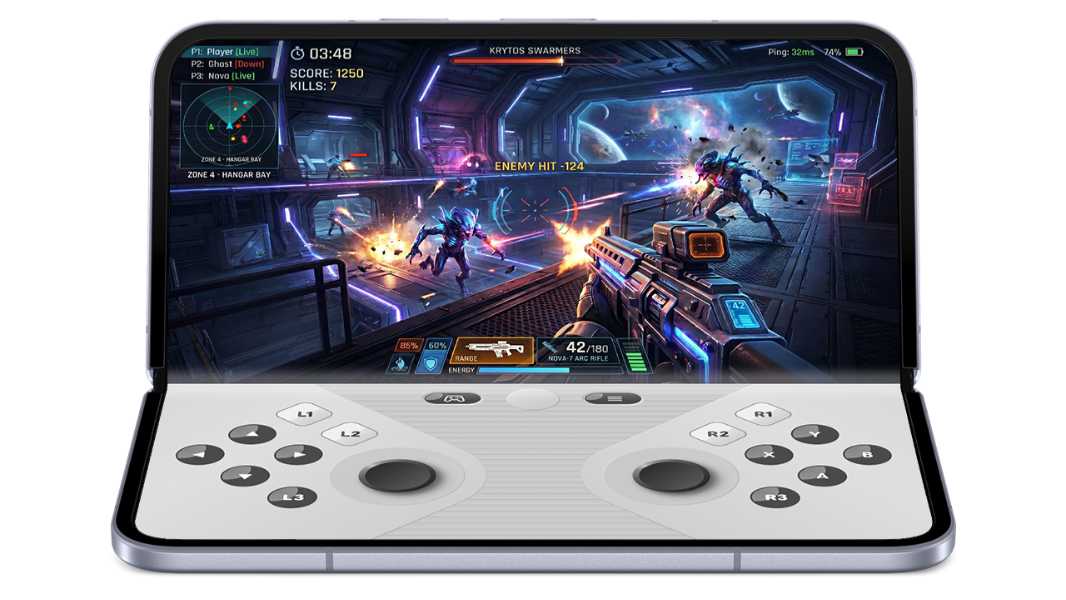
- Foldable gaming mode provides a 50/50 split screen view for playing games on the top half of a foldable phone with a dynamic, virtual gamepad on the bottom half. This feature ships in Android 17 but will be made available in the coming months, Google says.
- New security and safety features in Android 17 include the ability to temporarily grant precise location information to apps and specific contacts, a new Mark as Lost feature in Find Hub, improvements to the Live Threat Detection service, and an enhanced Advanced Protection mode.
- Improved performance and battery life with app memory limits and other internal updates.
There’s more, like the ability to hide app names on the home screen, expanded Parental Controls, a dedicated volume control for digital assistants, and improvements to Dark mode, but you can learn more about Android 17 on the Android website.