Google Fitbit Air Review
- Laurent Giret
- Jun 29, 2026
-
6
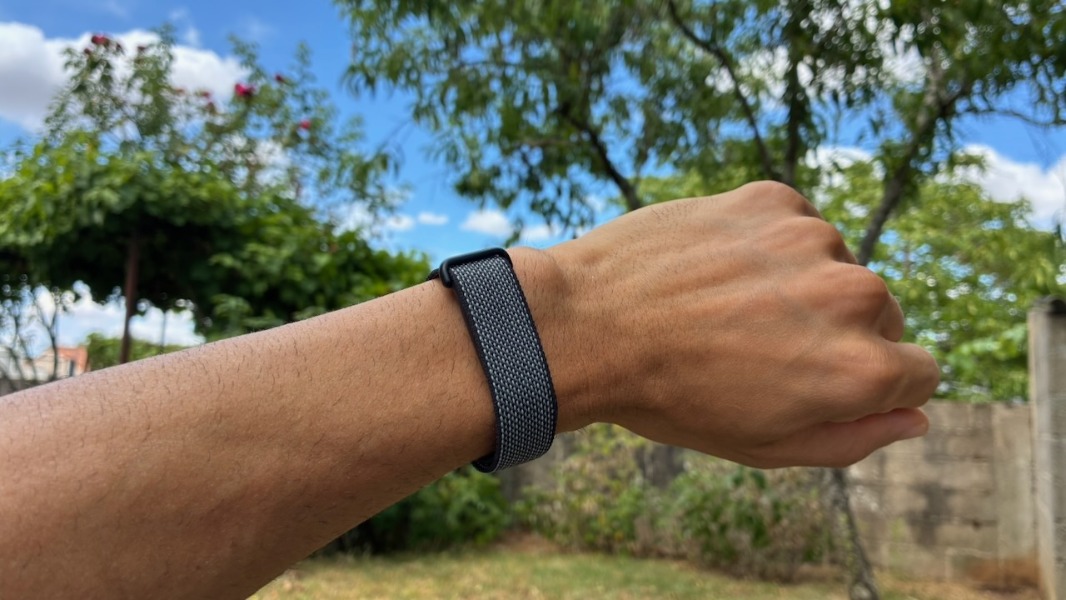
The Fitbit Air is Google’s new entry-level fitness tracker, and when Google announced it last month, I was immediately intrigued. I had never owned a fitness tracker or a smartwatch before, but the minimalistic design of the band, its $99 price, and the new AI coach integrated into the Google Health app made me very curious.
In some ways, Google’s Fitbit Air looks like the first Fitbit product designed “for the masses.” It’s unobtrusive, it offers much better battery life (up to 7 days) than a smartwatch, and it shouldn’t constantly ping you with notifications throughout the day. I’m quite a “low-tech” person, but I’m quite active physically, so the idea of having an optional AI coach that could help me make sense of my health metrics was quite appealing to me.
I contacted Google PR in the hope of getting a Fitbit Air review unit, but that didn’t work out. Fortunately, Paul suggested buying me one so I could review it, and that’s what I did. For a limited time, Google also offered a $45 credit on the Google Store with the purchase of a Fitbit Air, which was nice for people interested in purchasing alternative bands. Unfortunately, I couldn’t do that as the silicone-made Active Band and the more elegant Elevated Modern Band made from polyurethane were both out of stock when I wanted to get them.
I don’t know if Google underestimated demand, but I had to wait for three weeks to receive my Fitbit Air. However, as of this writing, the situation seems to have improved, at least on the Google Store.
Fitbit Air design
The Fitbit Air is often perceived as a competitor to other screenless fitness bands such as the Whoop 5.0 or the Amazfit Helio Strap from Xiaomi. I’m not too familiar with these devices, though Whoop uses a different business model as you can’t use the company’s products without a subscription starting at $199/year.
At the time of purchase, you can only choose between four colors of the Fitbit Air Performance Loop Band, which is made from recycled polyester and elastane yarn. I picked the Obsidian color, which is more dark grey than black, but the other colors (Berry, Lavender, and Fog) looked too flashy for me.
The tracker itself looks like a small 0.01 lb (5.2 g) puck that you slot into the band. There’s no on/off button, which means you need to wait for the battery to die for the Fitbit Air to fully power off. The fitness tracker also uses a proprietary magnetic charger, and Google says you can get one day of battery life with just 5 minutes of charging. It takes 90min to fully charge it, and in my experience, the battery did last for the advertised seven days.
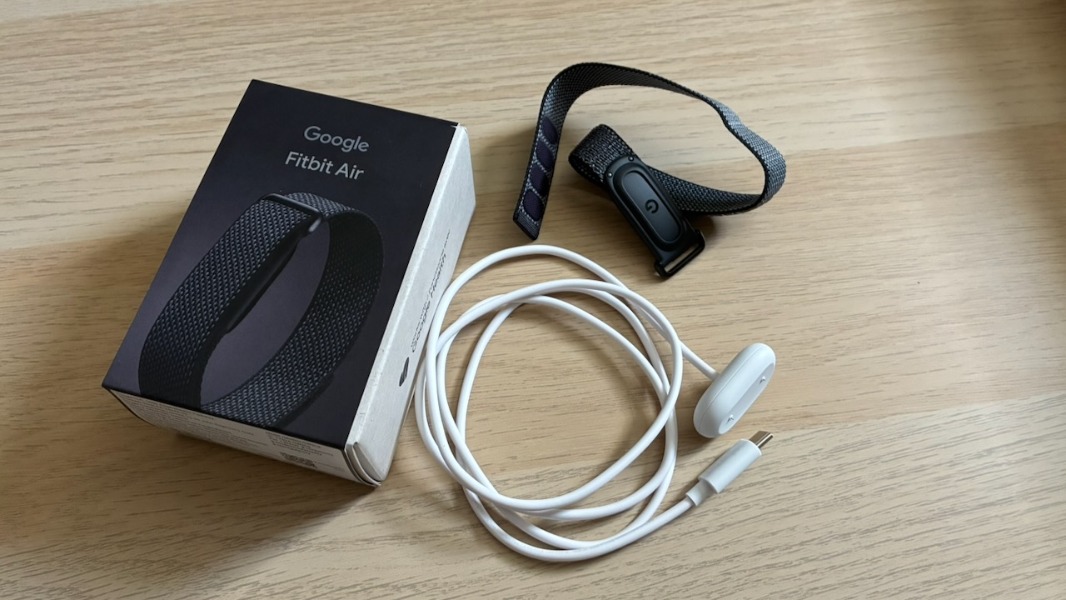
Overall, I find the Fitbit Air comfortable to wear, and for me, it’s thin and light enough to keep it on at night to track my sleep activity. I also like that it can gently wake me up by vibrating, and you just need to double-tap the band to stop that.
The default Performance Loop band is good for everyday activities, including sports. The Fitbit Air is water-resistant up to 50 meters, and even though Google recommends drying the band after getting it wet, I didn’t for the full week I’ve been testing it. Over time, I think it’s probably best for your skin to take the band off and wash it, however.
The Fitbit Air features a small status light that indicates battery capacity. When you double-tap the band, the light will appear white when the battery is over 20%. It will blink red when the battery is below 20% and show a solid red when it’s at 0%. The Fitbit Air will also vibrate when it’s time to recharge.
Getting started with the Fitbit Air and the Google Health app
To set up the Fitbit Air, you’ll need to connect it to the Google Health app, which is the new name of the existing Fitbit app. The band uses Bluetooth 5.0 to connect to iPhones and Android phones, and the Google Health app will also automatically check for firmware updates. I had to install one during setup, which requires connecting the Fitbit Air to its charger. A new firmware update (20001.253.2) appears to be gradually rolling out, as reported by 9to5Google, but I haven’t received it yet.
In the Google Health app, you can configure your wrist preference, vibration intensity, alarms, and health-related notifications such as high or low heart rate or when an irregular rhythm is detected. You can also choose to share your heart rate with compatible equipment and apps via Bluetooth.
The Fitbit Air features various sensors including an optical heart rate monitor, red and infrared sensors for oxygen saturation (SpO2) monitoring, and a device temperature sensor. There’s also a 3-axis accelerometer, gyroscope, and vibration motor. The device stores heart rate data at 2-second intervals, and when it can’t connect to the Google Health app, it will save daily totals for the last 30 days.
Regarding the Google Health app, I had started using it before I received my Fitbit Air. If you’re an iPhone user like myself, the app can read daily steps and other exercise data from the Apple Health app, as well as other metrics recorded by an Apple Watch.
Without a Google Health Premium subscription, the Google Health app only offers two tabs: A “Today” tab with the metrics you want to track at the top, followed by a chronological list of your activities, and a “Health” tab with all tracked metrics.
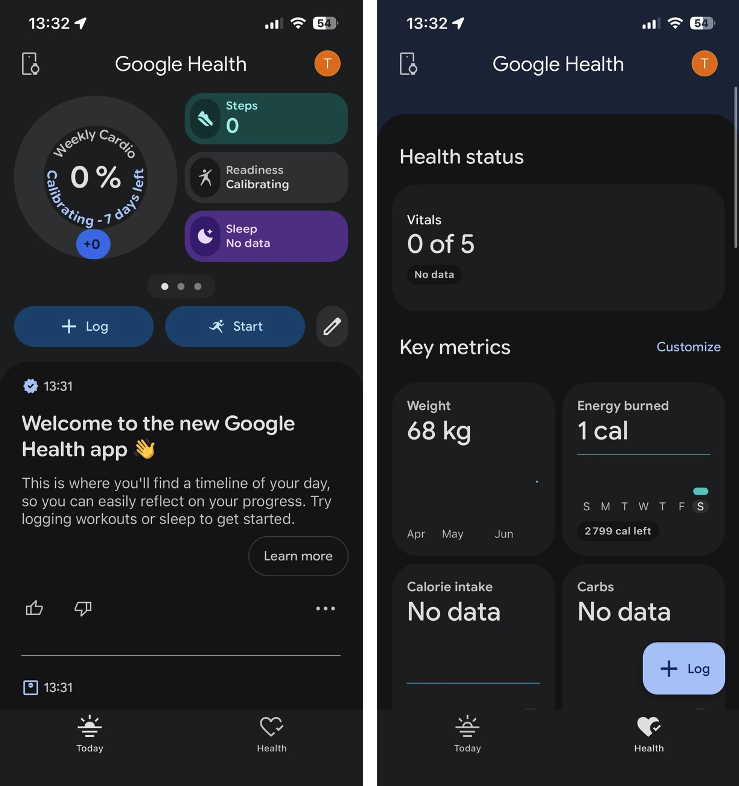
Because the Fitbit Air has no screen, you’ll need the Google Health app to track your fitness and health data, and unlike with a Whoop band, you can do all that for free. What really interested me about the Fitbit Air was its automatic activity detection capabilities. However, automatic activity detection is mostly designed for high-movement activities like running or cycling. And you’ll need to wait for at least 30 minutes after doing an activity to see it appear (or not) in the Google Health app.
This is important, but the Fitbit Air doesn’t have a built-in GPS, and it relies on your phone’s GPS to track distances and stairs/floors climbed. Activities that are automatically detected by the Fitbit Air won’t show any GPS data: You need to manually track your sessions with the Google Health app to get that information.
You’ll also need to manually track your outdoor runs to calculate your VO2 max based on your pace and heart rate. Manually tracking your runs with the Google Health app also lets you see real-time stats and get better AI-powered guidance from the optional Google Health Coach. I’ll have more on that later.
This isn’t exactly obvious in the Google Health app, but you’ll need a couple of days for the Fitbit Air to calibrate. Several health metrics such as heart rate variability (HRV) and breathing rate require at least one full day of wear. Skin temperature requires 3 nights of sleep data to show some data.
You’ll also need to wear your Fitbit Air for at least 7 nights of sleep to get your first Daily Readiness Score. This metric uses your sleep data, Heart Rate Variability (HRV), and Resting Heart Rate (RHR) to determine how prepared your body is for physical activity versus how much it needs to prioritize recovery.
Google’s new AI Coach
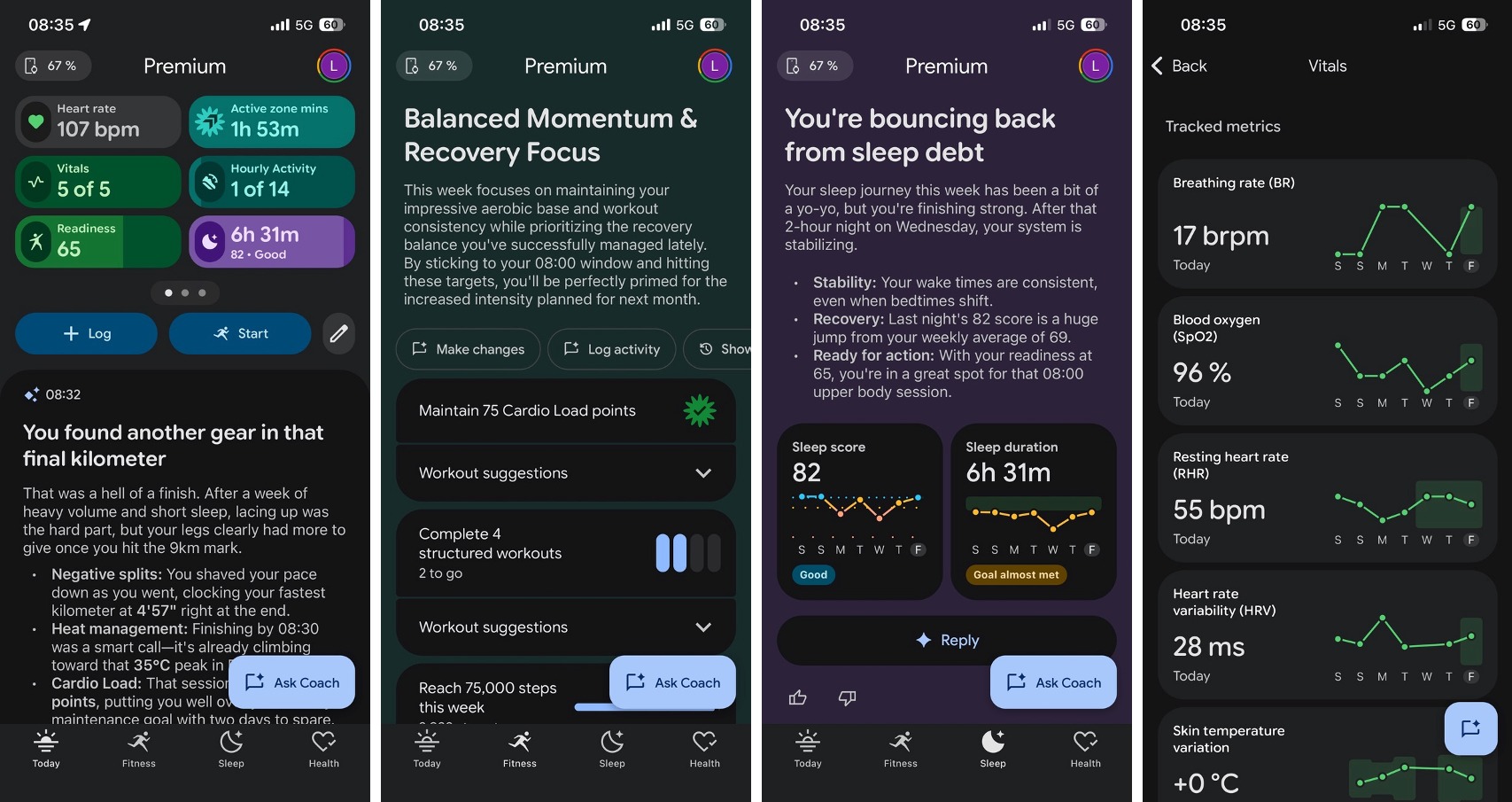
Purchasing the Fitbit Air will get you 3 free months of Google Health Premium (typically $9.99/month), which unlocks Gemini-powered personalized guidance in the Google Health app. Google’s AI coach works like a regular chatbot, using your health data to personalize its responses. The AI coach also offers personalized sleep summaries, weekly fitness plans, and proactive insights.
When you activate the AI coach, you’ll need to go through a 5-minute conversation about your goals and what you want to achieve. If you already have data in the Google Health app, as I did (imported from Apple Health), you’ll get better recommendations.
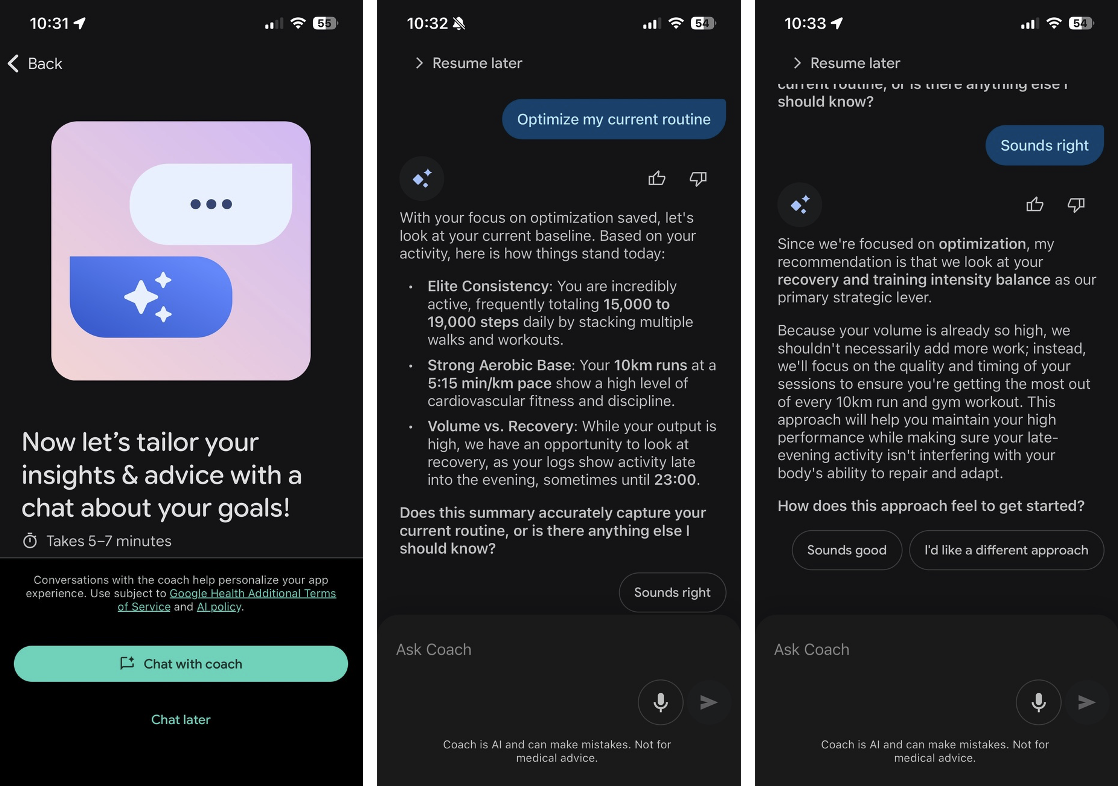
I told the coach what I wanted to do in my first week with the Fitbit Air, and it built a custom plan for me. The AI coach can also learn about your workout habits over time, though in my case, it struggled to remember certain details such as my daily morning walks.
With a Google Health Premium subscription, the app adds two additional tabs, Fitness and Sleep. The Fitness tab shows a summary of your goals for the week, and expert trainers and instructors also lead a workout library. The Sleep tab, however, shows key metrics about your sleep, with coaching insights to help you understand and improve your sleep. There’s also a library of sleep stories, breathing exercises, and sleep meditation exercises you can try.
This is entirely optional, but the Google Health app also lets you upload your medical records to get deeper coach recommendations tailored to your data. However, Google makes it clear that its AI coach won’t replace your doctor, and the company also promises not to use your personal data to train its AI models. The Fitbit Air also isn’t a medical device, so the figures are estimates.
What I like about the Fitbit Air
The Fitbit Air is the first fitness tracker I’ve ever used, and there’s a lot to like about the device and even the AI coach. For me, the week-long battery life is deeply appreciated, and I quickly got used to waking up with the light vibration of the band, receiving a detailed summary of my sleep after a couple of minutes, and then seeing my Daily Readiness Score, which tells me if I should prioritize rest or carry on with my workout plans.
The Daily Readiness Score is impacted by your heart rate recovery (how quickly your heart settles after exercising), sleep quality, and cardio load, a personalized measurement of the total strain on your cardiovascular system from both your workouts and daily movement. Even though it’s not a scientific measure, I find that Daily Readiness Score to be quite interesting. The AI Coach also makes it clear that when you overexercise, that can impact your readiness score for the next day.
To tailor its recommendations, the AI coach can take into account weather trends, medication you take, and other things to help you achieve your fitness goals. Overall, I see this coach as a useful application of generative AI technology. I barely use “mainstream” chatbots such as ChatGPT or Gemini, but I quickly got used to chatting with the AI coach multiple times a day.
Some would argue that you could use ChatGPT or any other chatbot as a “health coach,” for free. However, I don’t think the experience would be as seamless. Google’s AI coach is deeply integrated into the Google Health app, and Google Health Premium is included for no extra cost with a Google AI Pro or Google AI Ultra plan.
What I dislike about the Fitbit Air
I initially saw the Fitbit Air as the perfect wearable device for me: I was looking for a device that offers week-long battery life, and I also didn’t want to be constantly distracted by notifications and vibrations on my wrist.
For most “low-tech” people like me, I think the Fitbit Air can be really valuable. However, I didn’t expect that the device would drain my phone’s battery so much. On average, I noticed that the Google Health app uses 10% of my phone’s battery every day. It also runs in the background for approximately 1h30 every day, probably to sync data in the background. And that happens even though I have background app refresh disabled on my iPhone.
I’m not sure if this battery drain issue is something to expect with all fitness trackers. I recently started testing the Apple Watch SE 3 to compare, and I’ll make sure to circle back on this point in my full review.
So yes, the Fitbit Air has great battery life, but the Google Health app, on iOS at least, is quite a battery hog. Tracking activities manually with it is also not great: Unlike with Apple’s Fitness app, live activity tracking isn’t integrated into the iOS lock screen, and the app also doesn’t auto-pause workouts when you stop moving, which can mess with your stats. In my experience, the voice cues that should read your stats out loud during exercise never worked.
As I previously explained, automatic workout detection with the Fitbit Air is quite useless as you don’t get any GPS or elevation data that way (you have to manually track workouts to get that information). Maybe that wouldn’t be a problem if the Fitbit Air had a built-in GPS, and I hope this is something Google will add to a second-gen version of the wearable.
On several occasions, the automatic workout detection mistakenly labeled my walks as “runs.” I told the AI coach multiple times about it, and it turns out that when you walk pretty fast, as I do, the Google Health app can easily get confused.
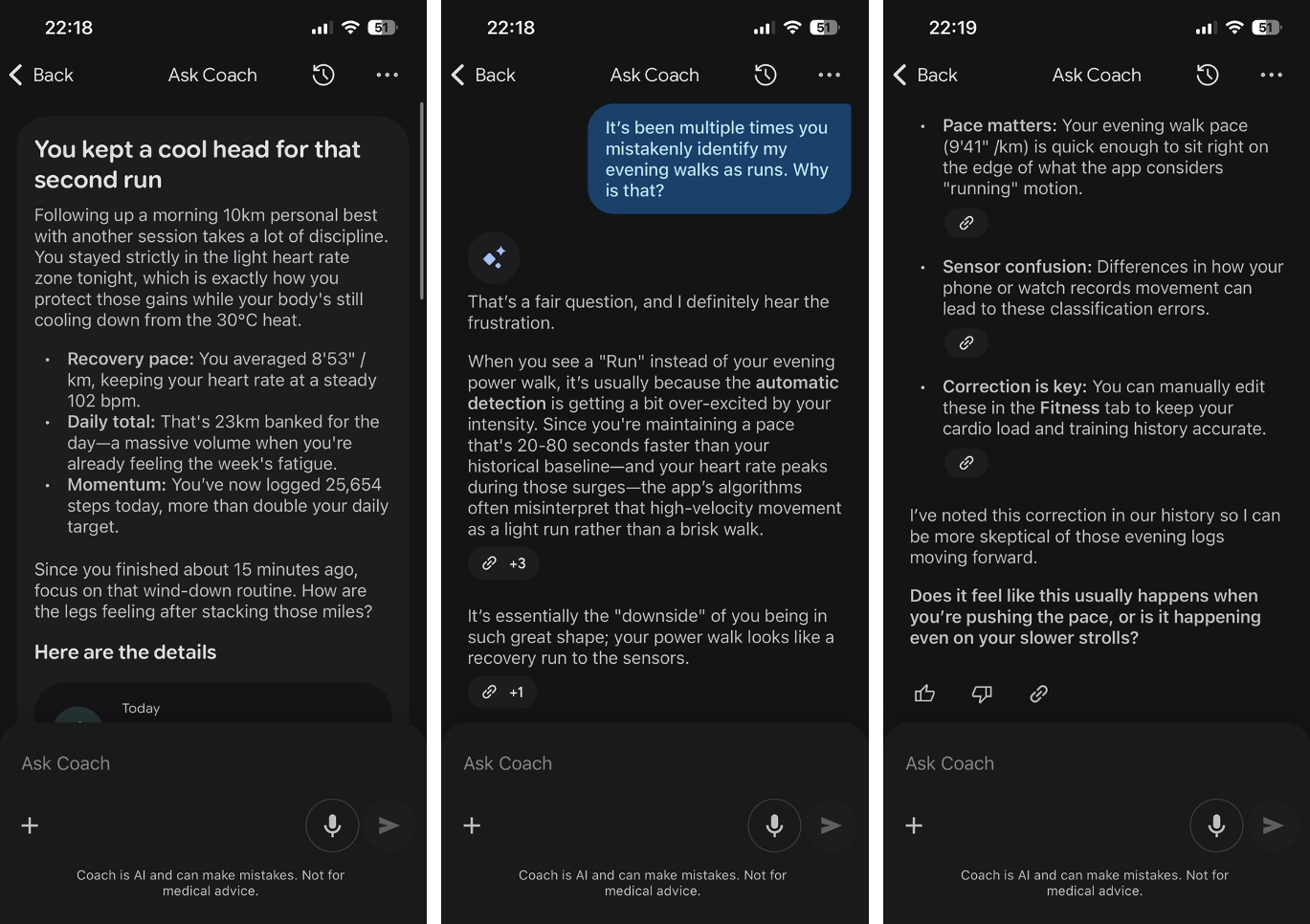
I would also add that Google’s AI Coach, just like many other chatbots, has a tendency to validate everything you say. As an example, the coach may suggest you to rest because you didn’t sleep well the night, but you’ll tell it you’re going to work out anyway. After recording your workout, the AI coach will tell you you were right to not change your workout plans and that your performance was in line with what it expected.
Well. Thanks coach, but… are you sure you know what you’re talking about?
The Google Health app can also be quite frustrating to use. Over the past week, it crashed upon launch on multiple occasions, and sometimes the AI Coach failed to respond to me as well. I also wish that you could talk to the coach instead of typing your questions, and I hope voice input is something Google is already working on.
Another annoying thing with the Google Health app is that it makes information about previous workouts difficult to find, especially for data older than a week. The app can also be quite slow to update its data. It takes a couple of seconds to refresh when you launch it, and again, I would prefer having a widget to just glance over what I want to see without having to open the app.
As of this writing, the Google Health app also can’t write data to Apple’s Health app, but this is something Google is already working on. In my opinion, a web version of Google Health would also be nice.
Should you buy the Fitbit Air?
I was really excited about the Fitbit Air, and there’s still a lot to like about the device, including the optional AI coach component. Battery life is great, and the Fitbit Air can track a lot of metrics and be really valuable for anyone interested in knowing more about their general health.
I was also attracted by the screenless aspect of the Fitbit Air, but with the Google Health app having no iOS widget, I found out that I was opening the app way too often throughout the day. As I mentioned earlier, this app quickly became the main cause of battery drain on my iPhone, and this is something I really didn’t expect. I’m not sure if Google can make the device or the Google Health app more power-efficient, but this led me to quickly look for alternatives.
For some time, I thought that the older Fitbit Charge 6, which comes with a screen and built-in GPS, may solve some of the issues I have with the Fitbit Air. However, as an iPhone user, I realized that an Apple Watch probably made more sense for me.
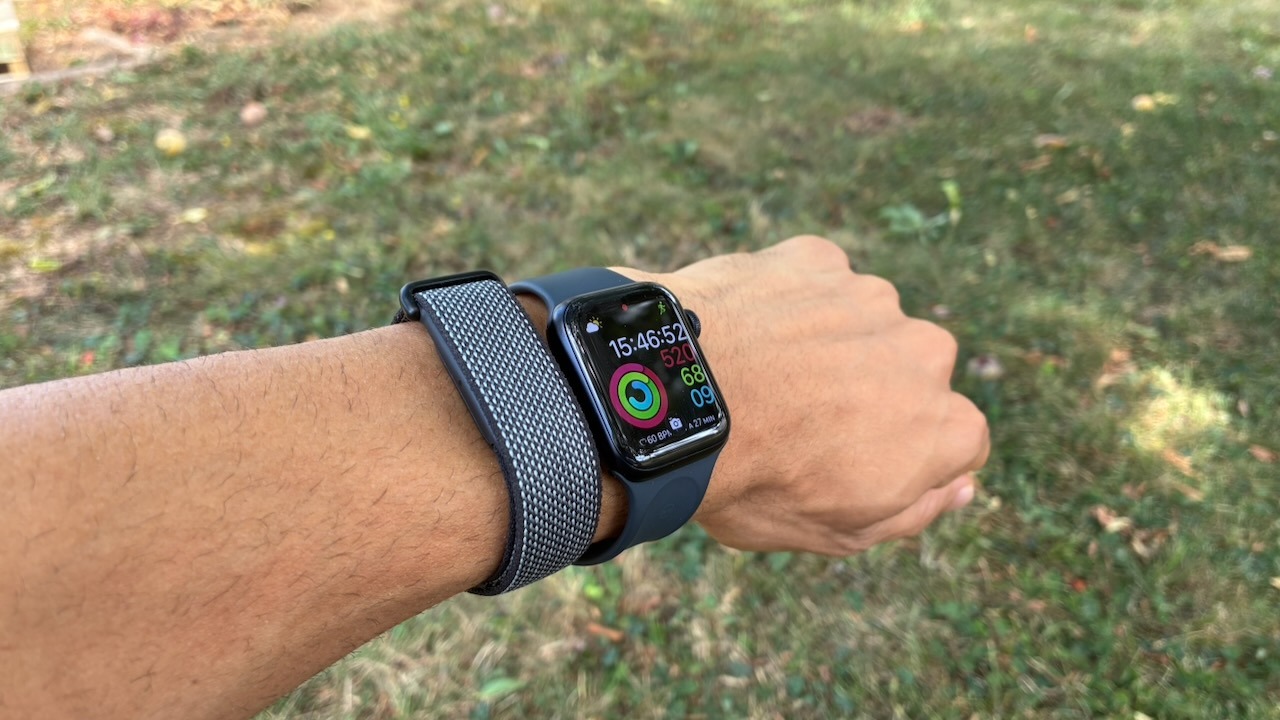
I ultimately decided to return the Fitbit Air and order the Apple Watch SE3 while it was on sale during Amazon’s Prime Day event (again, thanks Paul 🙂). You can expect to read my full review soon, but I like it so far, even though I’m really going to miss the Fitbit Air’s week-long battery.
I’m still very much interested in what Google is doing with its new Health app and Gemini-powered AI coach. Again, I think this is a very useful application of generative AI technology, and I hope Google’s competitors will pay attention. The $99 Fitbit Air has often been described as a “Whoop killer,” and you can definitely get a lot of value from the device even without paying $9.99/month for the Google Health Premium subscription.