Windows Insider Canary Channel is Finally Getting Recall and Other Copilot+ PC Features
- Laurent Giret
- Aug 14, 2025
-
1

Windows Insiders on the Canary Channel with Copilot+ PCs can finally test Recall, Click to Do, and other AI features that are already available for non-Insiders. It’s not exactly clear what took so long to enable Copilot+ PC experiences on this Channel, which Microsoft mostly uses to test “platform changes,” but here we are.
Recall, Click to Do, the AI-powered Windows Search experience, the new AI agent in Settings, and Live captions with real-time translation will be rolling out gradually to Canary testers on Copilot+ PCs. “We’re still working to enable some features like image descriptions in Narrator – so if you don’t see something right away on your Copilot+ PC after updating to this build, that’s expected,” the Windows Insider team said today.
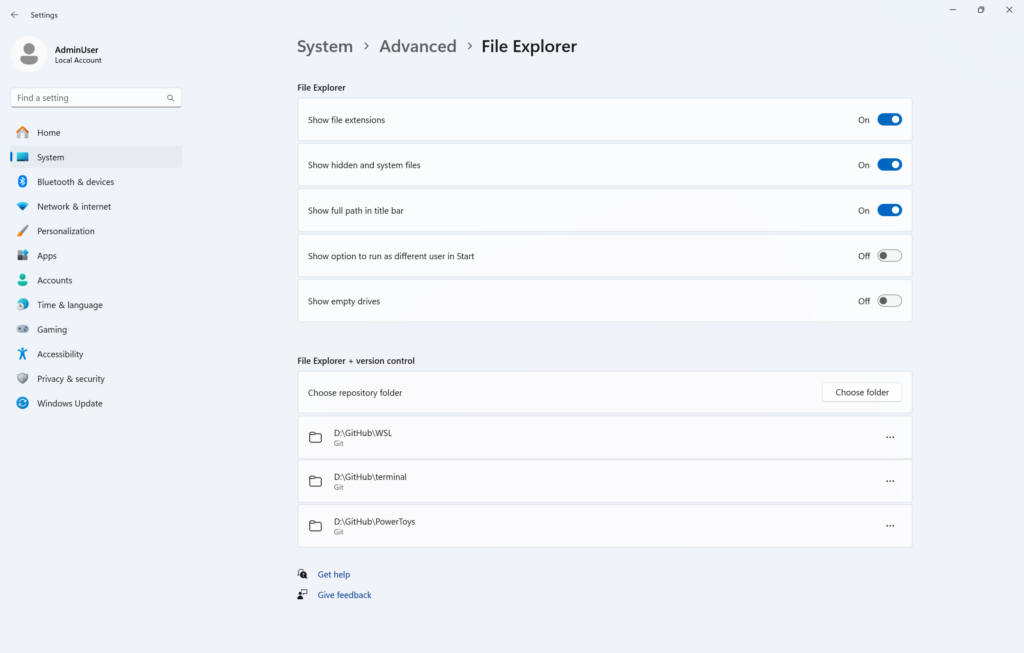
The just-released Windows 11 Canary build 27924 also replaces the For Developers page in the Settings app with a new Advanced Settings page. It adds additional settings for enabling long paths for Win32 file and directory functions. There are also new settings for Virtual workspaces and File Explorer.
A new Snipping Tool update is also rolling out today to Insiders on the Canary and Dev Channels. It adds a new window mode screen recording feature for capturing activity within a specific app window.
Lastly, Microsoft also released today the Windows 11 23H2 build 22631.5837 and the Windows 10 22H2 build 19045.676 for Insiders on the Release Preview Channel. The new bits only include bug fixes and no new features.