OpenAI’s New ChatGPT Atlas Web Browser Launches on macOS
- Laurent Giret
- Oct 21, 2025
-
1
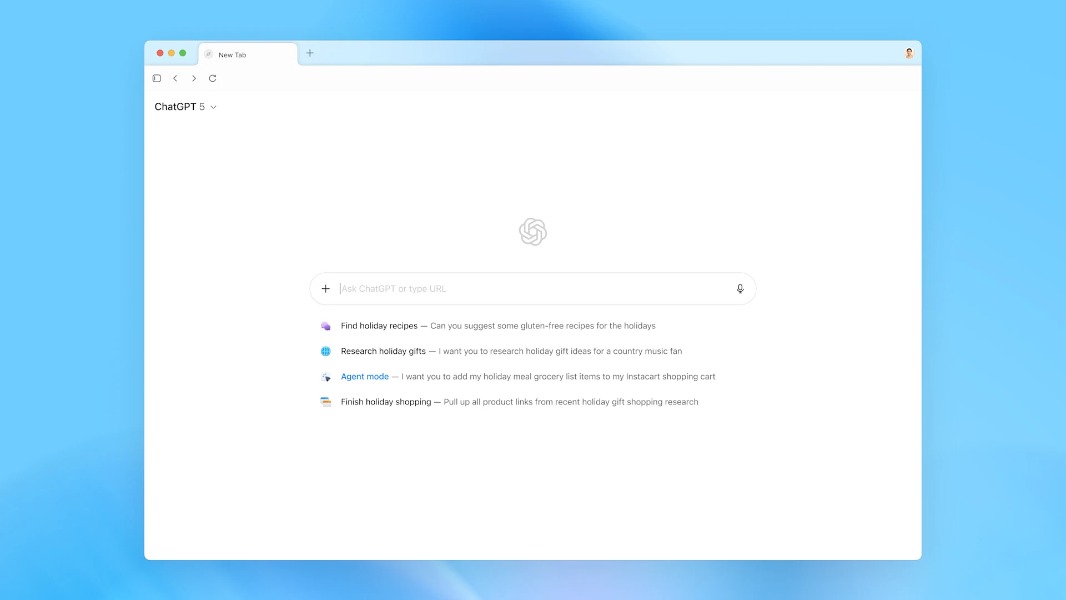
OpenAI is launching today ChatGPT Atlas, its much-anticipated AI web browser with ChatGPT built-in. ChatGPT Atlas is being released first on macOS, and it will be competing with Perplexity’s Comet browser, The Browser Company’s Dia, as well as the new AI experiences in Google Chrome and Microsoft Edge.
“A browser built with ChatGPT takes us closer to a true super-assistant that understands your world and helps you achieve your goals,” OpenAI said today. “With Atlas, ChatGPT can come with you anywhere across the web—helping you in the window right where you are, understanding what you’re trying to do, and completing tasks for you, all without copying and pasting or leaving the page. Your ChatGPT memory is built in, so conversations can draw on past chats and details to help you get new things done.”
OpenAI describes ChatGPT Atlas as an “early experiment” that’s now available for ChatGPT Free, Plus, Pro, and Go users globally, and in beta for Business users. The web browser currently requires an Apple Silicon Mac, and Windows and mobile versions are coming later.
Installing Atlas will require Mac users to log in with their OpenAI account. Making it the default browser will temporarily increase ChatGPT rate limits for up to 7 consecutive calendar days. Atlas can also import data (passwords, bookmarks, browsing history) from other browsers, and it lets users decide if they want to enable browser memories. When enabled, ChatGPT will remember key details from browsing sessions to improve chat responses and offer smarter suggestions.
On its home page, Atlas will show suggestions based on users’ previous activity. That can be returning to past pages, digging deeper into previously researched subjects, and automating routine tasks. Atlas also lets users ask ChatGPT a question right on its new tab page, but the chatbot is also available on any page via a sidebar. This also makes it easy to ask ChatGPT to summarize, analyze, or handle various tasks without leaving the page.
By default, Atlas uses ChatGPT to answer all searches in the address bar, but you can choose another default search engine in Settings. To explore more specific types of results beyond the chat conversation, users need to select from tabs for search links, images, videos, and news.
Atlas also offers an Agent mode in preview for Plus, Pro, and Business users. It lets ChatGPT perform tasks on its own on the web, with some limitations: Agent mode will ask users before taking important actions, and it also cannot download files, access other apps and saved passwords, or use autofill data.
Regarding privacy, Atlas won’t use users’ browsing data to train its AI models unless they opt in to do so. “If you’ve enabled training for chats in your ChatGPT account, training will also be enabled for chats in Atlas. This includes website content you’ve attached when using the Ask ChatGPT sidebar and details from browser memories that inform your chats,” the company explained.
It’s still early days for Atlas, and OpenAI is currently working on new features including multi-profile support. The company previously released desktop ChatGPT apps for macOS and Windows, and it will be interesting to see if it will start shifting its focus to its new AI web browser.