Microsoft Copilot Adds Groups Support, New Mico Character, and More
- Laurent Giret
- Oct 23, 2025
-
0
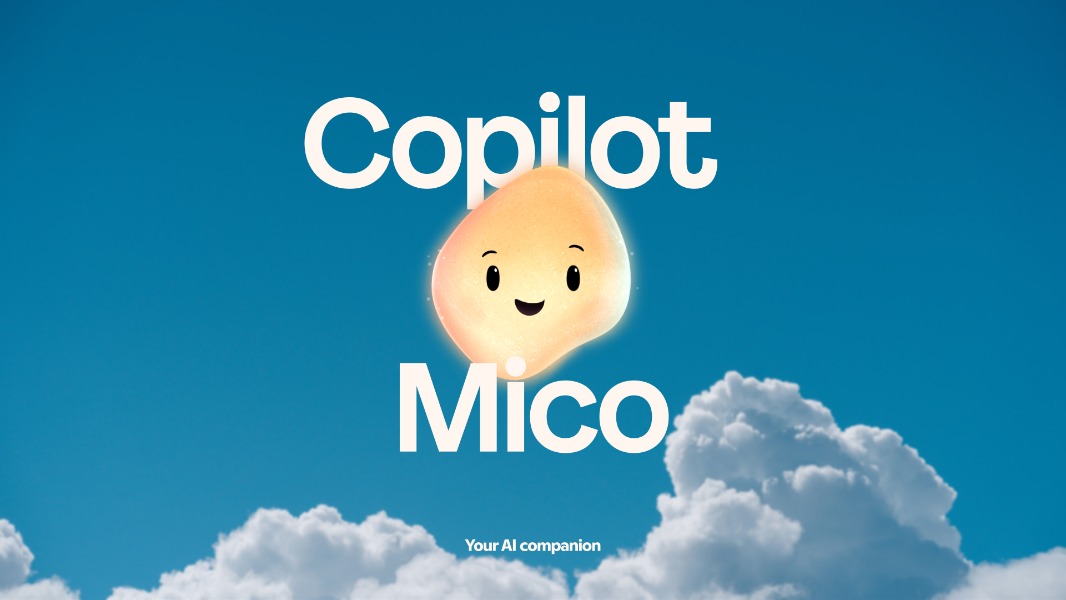
The consumer version of Microsoft’s Copilot assistant is getting a new ‘Mico’ animated character for voice conversations, memory upgrades, and more as part of a substantial “Copilot Fall Update.” Microsoft detailed this latest feature drop earlier today via a pre-recorded event, which comes just a week after the Redmond giant announced new Copilot Voice and Copilot Vision features on all Windows 11 PCs.
Microsoft continues to describe Copilot as an “AI companion” that helps users to get more productive and organized, with a touch of human personality. That’s also why Microsoft is giving Copilot a new face with Mico, an optional feature that’s quite reminiscent of the infamous Clippy assistant in Office.
“As we build this, we’re not chasing engagement or optimizing for screen time. We’re building AI that gets you back to your life. That deepens human connection. That earns your trust,“ Mustafa AI CEO Mustafa Suleyman wrote today.
Here are the main new Copilot features designed to deliver a more “human-centered AI,” according to Microsoft:
New Mico character: This new animated character can be enabled to make voice conversations with Copilot more interactive. Mico will animate and change colors to provide visual feedback to interactions with users.
Copilot groups: Copilot chats can now be shared with a link with up to 32 people who will be able to collaborate in the conversation in real time.
Memory upgrades: The memory feature in Copilot is being upgraded to allow the assistant to remember important information about users and recall it during future interactions.
Copilot Connectors: This feature, which was already available for Insiders in the Copilot for Windows app, lets the assistant connect to consumer services like OneDrive, Outlook (email, contacts, and calendar), Google Drive, Google Calendar, and Google Contacts.
Proactive Actions Preview: When using Deep Research in Copilot, the assistant will be able to proactively suggest next steps based on users’ recent activity or research threads.
Copilot for Health: Copilot will now use legitimate sources like Harvard Health to answer health-related queries. The assistant can also help users find the right specialist based on their location and other relevant information.
Copilot in Edge upgrades: Copilot Mode in Edge can now bring users right back to where they left off in past sessions, and it can also provide higher-quality responses using their browsing history (with their permission). With Copilot Actions, Edge users can also ask the browser to perform actions on its own, such as opening web pages, making restaurant reservations, or cleaning their email inbox.
Copilot on Windows updates: This was announced a week ago, but Copilot on Windows can now respond to a new “Hey Copilot” wake word and guide users through tasks with Copilot Vision.
All these new Copilot features are now available in the US, and they will be rolling out soon to users in the UK, Canada, and other markets. To learn more about the Copilot Fall update, Microsoft’s pre-recorded event is available on demand on YouTube.