ChatGPT’s Voice Mode Now Supports Live Activities on iOS
- Laurent Giret
- Jul 15, 2026
-
1
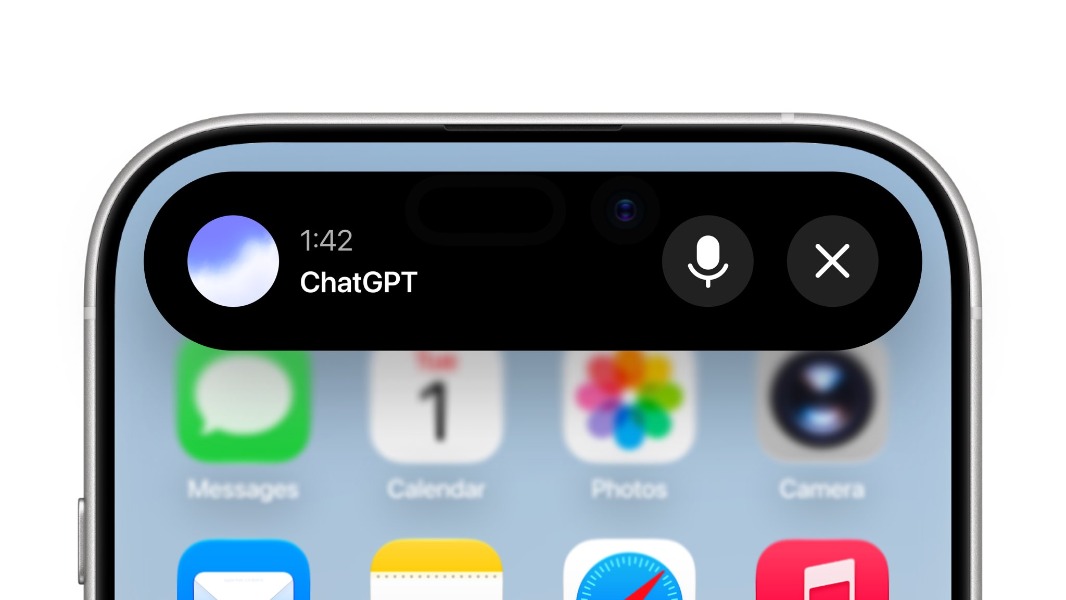
OpenAI is making ChatGPT easier to use as a voice assistant that can stay active in the background. On iOS, ChatGPT’s new Voice mode now supports Live Activities, which means that users can keep talking with ChatGPT while using other apps.
ChatGPT’s Voice Mode was recently upgraded with new GPT-Live models allowing the chatbot to listen and talk at the same time. This really helps to make ChatGPT sound more “human.” The chatbot now drops some “mhmms” and “yeahs” while it listens to what you say, but it will also know when to stay silent when necessary.
Enable “Background conversations” in Settings > Voice for Live Activities 🔊 https://t.co/tUmWTnmlN6
— ChatGPT (@ChatGPTapp) July 15, 2026
Anyway, it’s now easier to engage with ChatGPT’s Voice mode on iOS while Apple prepares to unleash its new Siri AI later this fall. To enable Live Activity support for ChatGPT Voice, iOS users will need to enable “Background Conversations” in the Voice section of the app’s settings.
On iPhones with an Action button, it’s also possible to create a shortcut to use the button to launch a voice conversation with the chatbot, similar to how pressing the power button activates the currently inferior Siri. On X, Gavin Nelson, Interaction Designer at OpenAI, also mentioned that Live Activity support for ChatGPT Voice is available for the Mac version of the ChatGPT app.
Even though ChatGPT Voice is now more accessible than ever on iPhones, OpenAI is reportedly working on a mobile smart speaker that will turn the chatbot into an AI companion you can carry around your house. The battery-powered speaker is expected to be announced later this year, though Apple suing OpenAI over alleged trade-secret theft may well derail those plans.