Apple Announces iOS 26, iPadOS 26, and macOS 26 Tahoe
- Laurent Giret
- Jun 09, 2025
-
22
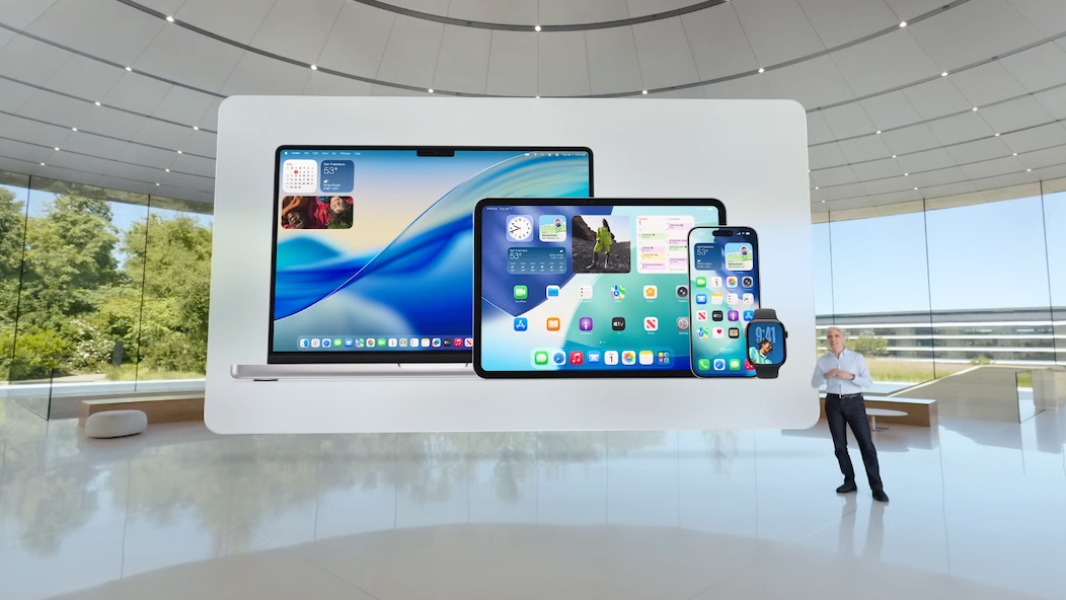
Apple has just wrapped up its WWDC25 introducing keynote, where iOS 26, iPadOS 26, and macOS 26 took center stage. The main highlight was probably iPadOS 26, which is finally getting a macOS-like menu bar and multitasking experience.
As expected, the company also unveiled Liquid Glass, a new design language inspired by visionOS that’s coming to all of its platforms including watchOS 26 and tvOS 26. While there were no big updates for Apple Intelligence today, the company will let app developers tap into its large language models to integrate AI features into their apps.
Liquid Glass
Liquid Glass is Apple’s first big design change since the release of iOS 17 back in 2013, which introduced a flat design quite similar to what Microsoft was doing at the time with Windows Phone. Liquid Glass makes a lot of UI elements translucent, but Apple has also redesigned controls, toolbars, and navigation within apps.
Born out of a close collaboration between the design and engineering teams, Liquid Glass uses real-time rendering and dynamically reacts to movement with specular highlights. This creates a lively experience that makes using iPhone, iPad, Mac, Apple Watch, and Apple TV even more delightful.
On macOS (and iPadOS), the menu bar is now transparent to make the Mac display look slightly larger. There’s also a new clear (transparent) look for app icons on iOS 26, iPadOS 26, and macOS Tahoe in addition to the existing light and dark tints.
iOS 26
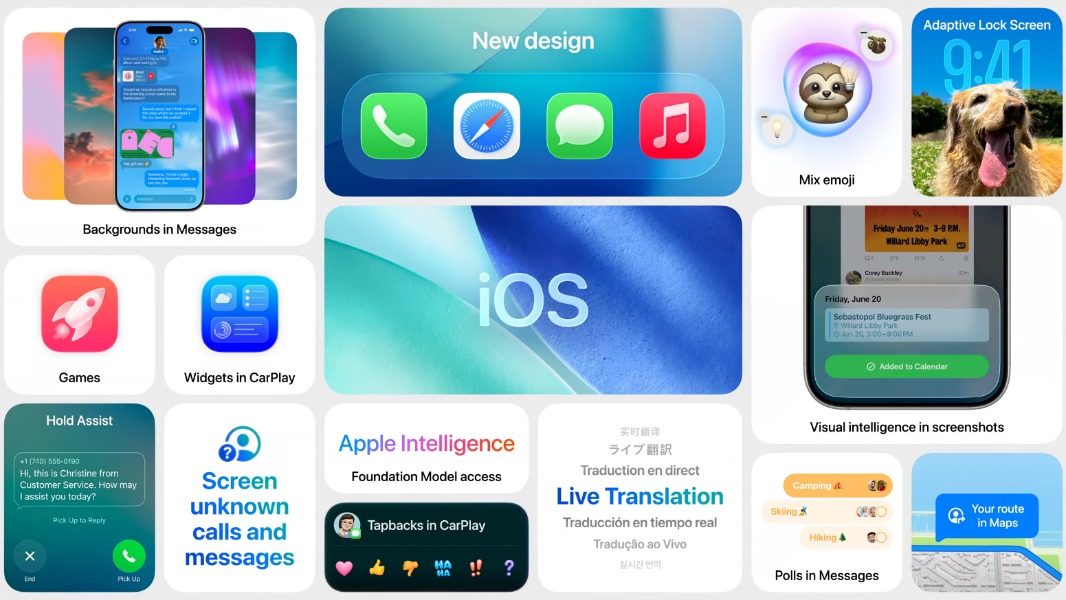
iOS 26 brings big updates to the Phone app, which now offers an optional unified view with favorites at the top and recent calls and voicemails in a scrollable chronological feed. The new Call Screening feature can automatically identify spam calls and suggest actions, while Hold Assist can automatically detect wait music in calls, mute it, and then automatically warn users when a support agent becomes available.
The Messages app is adding some new features including background images for conversations, polls, and typing indicators in group chats, and the ability to request, send, and receive money using Apple Cash. The app is also getting intelligent Screening tools and will automatically put messages from unknown senders into a separate category.
The Camera app on iOS 26 has been simplified to just show the Photo and Video options at the bottom, putting other features just a swipe away. The Photos app has also been redesigned and simplified with separate Library and Collections tabs at the bottom.
Apple Maps is gaining the ability to remember your preferred routes and most frequently visited locations. This data is protected with end-to-end encryption and can be easily deleted from the app. CarPlay is also getting a Liquid Glass design update, a compact design for phone calls, and support for widgets and Live Activities.
On iPhones that support Apple Intelligence, iOS 26 will improve the existing Visual Intelligence feature to make it see what’s on your screen. This will work across any app, and this will allow users to ask what’s on their screen and even ask ChatGPT instead of using Apple’s LLMs. Apple’s Image Playground app will also let users create images using ChatGPT.
Apple Intelligence will also power a new system-wide Live translation feature that will run entirely on-device. It will be able to translate messages and phone calls on the fly, and participants (even those on Android phones) will be able to hear spoken translations.
iPadOS 26
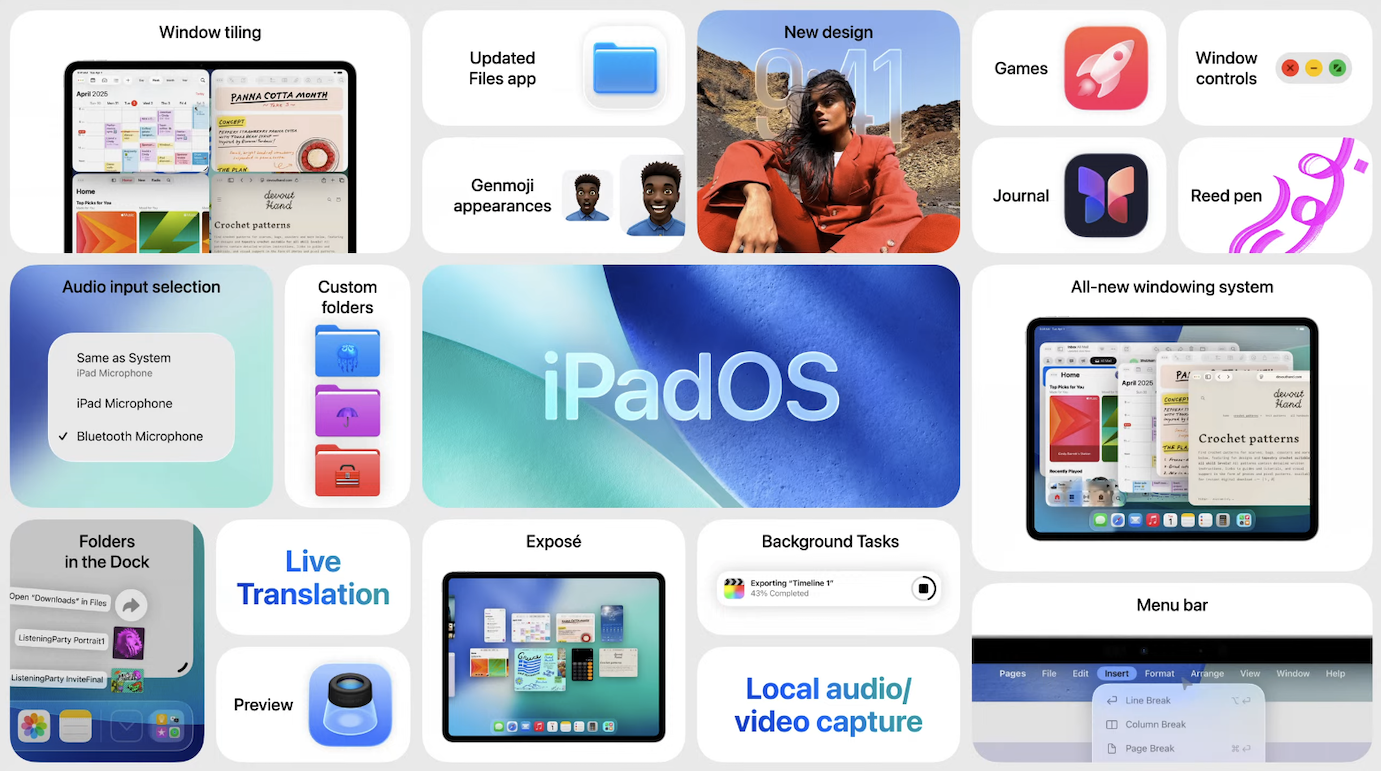
iPadOS 26 is probably the biggest update Apple announced today. It introduces a flexible windowing system that will let users resize apps how they want using touch or a mouse pointer, with new minimize and close controls on the top left corner of apps, just like on macOS. This new multitasking system will come to all iPads that support iPadOS 26, and it won’t replace Stage Manager, which will continue to exist.
Overall, iPadOS 26 takes a lot of inspiration from macOS, with a new transparent menu bar at the top of the screen and macOS hand gestures like Exposé. iPadOS 26 is also getting a much better Files app that will let users choose which app they want to open a file with and set default apps for specific file types. The macOS Preview app is also coming to iPadOS for quickly editing PDFs and images.
iPadOS 26 is also improving support for background tasks like video exports, which will appear as a Live Activity on the top of the screen. For audio and video workflows, this update will also introduce a new audio input selector in all apps, Voice Isolation, and a Local Capture tool for recording video calls locally.
Apple is also bringing its Phone and Journal apps to iPadOS 26, and there’s a new Games app that’s also coming to iOS 26 and macOS 26 Tahoe. I’ll have more on it below.
macOS 26 Tahoe
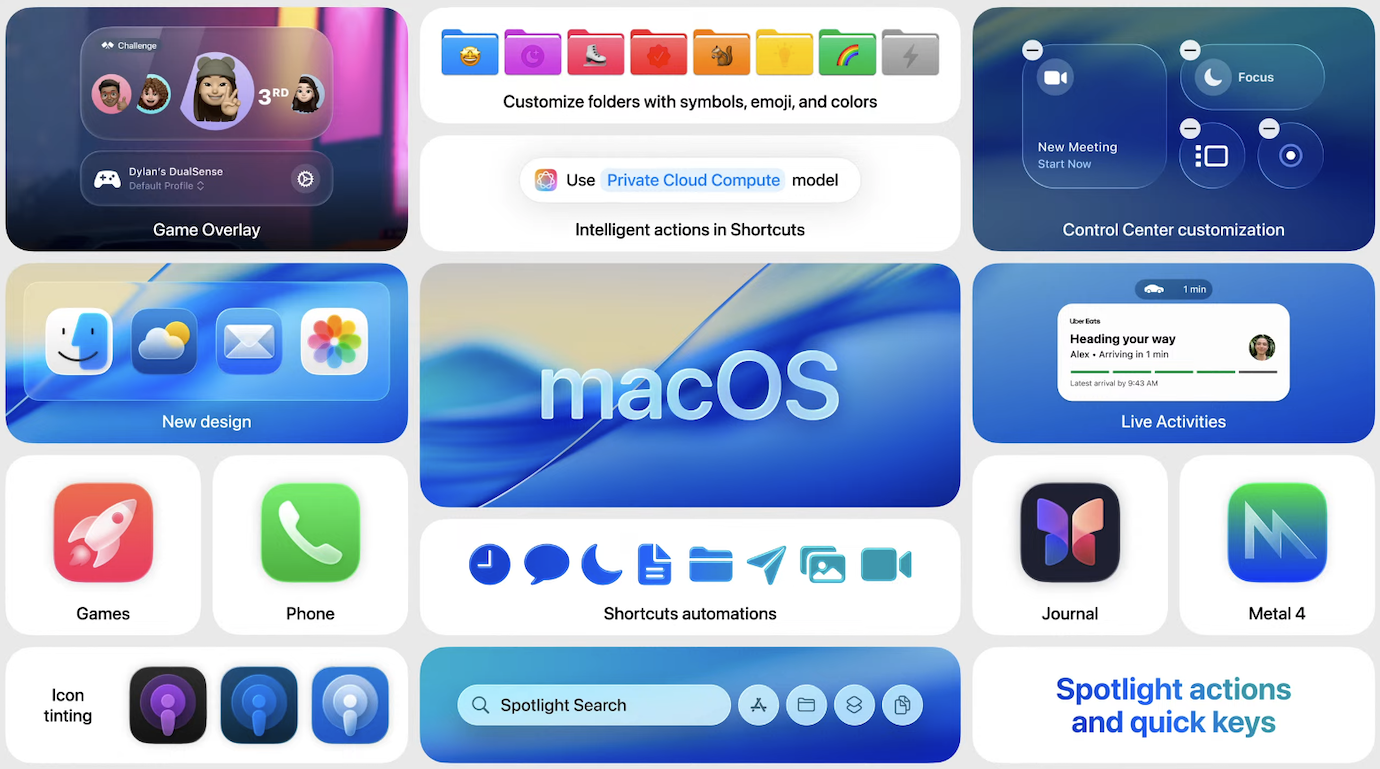
The new macOS 26 will get the same Liquid Glass visual update as iOS 26 and iPad OS 26, with a transparent menu bar and dock with new tint color options. Control Center has also been improved with new controls for third-party apps
Just like on iPadOS 26, Apple is bringing its Phone to the Mac, and there are also some new Continuity features. Live Activities from a user’s iPhone will appear on macOS, and clicking them will open the iPhone app via the built-in iPhone Mirroring feature.
Spotlight is getting a big update this year with new filtering options and suggested actions. “Users can now take hundreds of actions directly from Spotlight — like sending an email, creating a note, or playing a podcast — without jumping between apps,” Apple explained today. “Users can also run shortcuts and perform actions from the menu bar in the app they’re currently working in, all without lifting their hands off the keyboard.”
The powerful M-Series chips on Apple Silicon Macs have made macOS more attractive for game developers in recent years, but there’s still more work to do. The new Games app on macOS will offer a system-level overlay with quick access to system settings and social features for sending messages and game invites to friends. Apple’s new Metal 4 will also enable more advanced graphics and next-generation rendering technologies such as MetalFX Frame Interpolation and MetalFX Denoising.
watchOS 26, visionOS 26, and tvOS 26
Let’s wrap up with Apple’s less important platforms: For Apple Watch users, watchOS 26 will introduce a new Workout Buddy in the Fitness app that will deliver personalized, motivational insights and encouragements during a workout session. The feature will be only available in English at launch across the most popular workout types.
In addition to a Liquid Glass visual upgrade, watchOS 26 will improve the Smart stack with a new algorithm that uses on-device data to predict features that are immediately useful. There’s also a new wrist gesture to dismiss notifications, incoming calls, and timers, Live translation support in messages, and the introduction of Apple’s Notes app on the Apple Watch.
For Apple TV users, tvOS 26 will show profiles when the device wakes up from sleep, which will be great in environments where multiple users use the digital player. Apple Music is also getting a new Karaoke mode where users can sing using their iPhone. Lastly, tvOS 26 will finally make it possible to designate any AirPlay-enabled speaker as the permanent speaker for Apple TV.
Lastly, the upcoming visionOS 26 for the Apple Vision Pro will make widgets more spatial and customizable. The new update also adds support for native playback of 180-degree, 360-degree, and wide field-of-view content from Insta360, GoPro, and Canon. Moreover, the release will add support for Logitech Muse, a spatial accessory built for Apple’s headset, as well as Sony’s PSVR2 Sense controllers.
Apple is releasing developer betas of its new annual updates today, with the first public betas to follow next month. As usual, the public release will follow later this fall.