Microsoft Edge Now Lets You Hide its Copilot Button
- Laurent Giret
- Jan 19, 2026
-
0
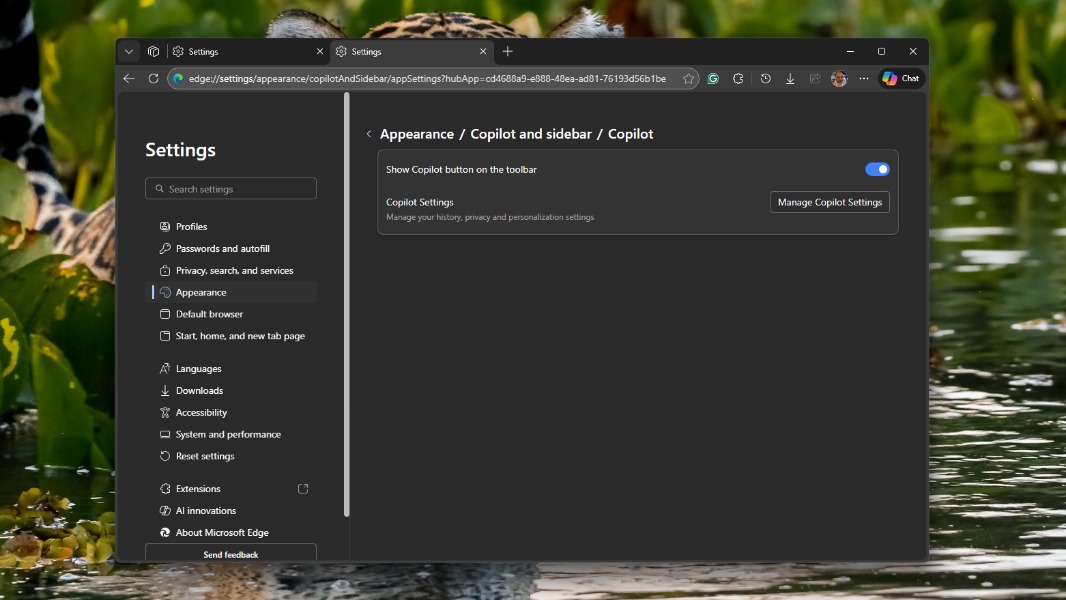
Microsoft Edge is now considered an “AI browser” thanks to the deep integration of the company’s Copilot assistant. Copilot has a dedicated button in Microsoft Edge’s toolbar, which opens the assistant in a sidebar where users can ask questions about the opened page, turn on Copilot Vision, and more.
Well, if you like Microsoft Edge but don’t care about Copilot features, the version 144 of the browser adds the option to hide the Copilot icon in the toolbar. For IT admins, there’s also a new policy for hiding that Copilot icon on the Microsoft Edge for Business toolbar.
Microsoft Copilot in Edge can do quite a lot of things, from summarizing web pages or videos you’re viewing to analyzing what you see with Copilot Vision. You can also highlight text on a web page and click “Ask Copilot” to initiate a conversation with the chatbot. However, having Copilot front and center in the Edge toolbar is probably too much for some people who miss the time when Edge was a lightweight alternative to Google Chrome.
For enterprise users, the version 144 of Microsoft Edge also adds the ability to use the Primary work profile in Edge as the default profile to open external links. The update also adds “contextual nudges” on the address bar to help enterprise users get summaries of their open page using Microsoft 365 Copilot Chat.
Lastly, Microsoft has renamed two browser performance settings in Microsoft Edge 144: Efficiency mode, which reduces background tab activity and some foreground activity to reduce battery consumption, has been renamed to “energy saver.” The separate efficiency mode for PC gaming, which reduces Edge’s CPU usage when a game is running, has also been renamed to “PC gaming boost.”