OneDrive is Going Liquid Glass on the Mac
- Paul Thurrott
- Feb 19, 2026
-
7
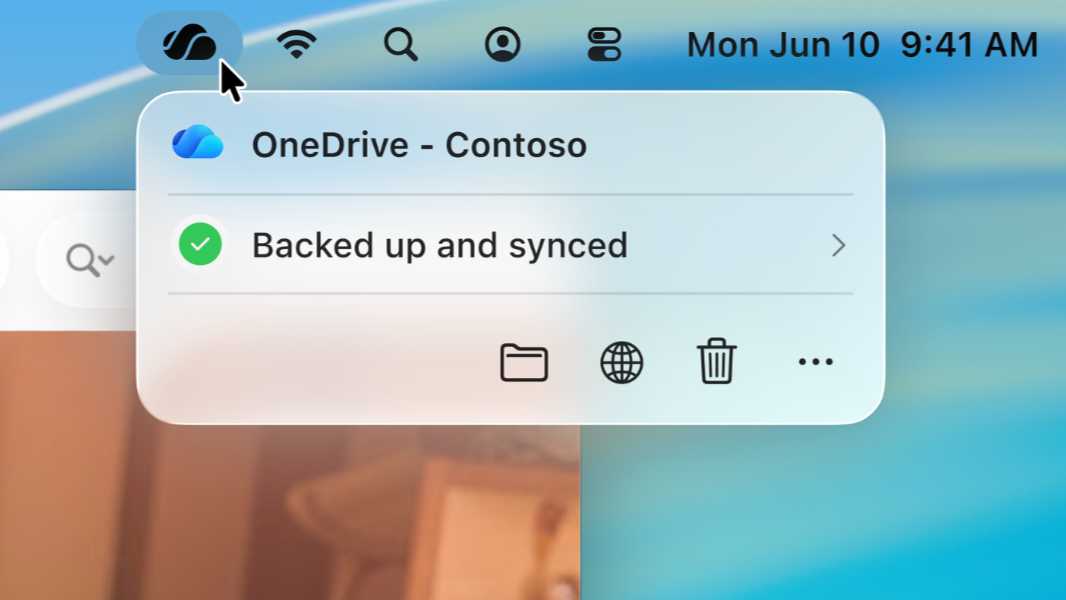
Microsoft announced a major update to OneDrive on the Mac that will deliver Mac-native dialogs and a new Mac-only Liquid Glass experience called Activity Center.
“OneDrive on macOS is a core part of the OneDrive ecosystem, designed to deliver a great experience for working with your files directly on your Mac,” an unidentified Microsoft employee explains on the Tech Community blog. “Over the years, we’ve continued to improve OneDrive for Mac, and we’ve also listened closely to your feedback. We want OneDrive to feel truly native on macOS, with a fast, reliable sync experience you can count on every day.”
With that goal in mind, Microsoft is shipping two major improvements to OneDrive on the Mac soon, new Mac-native dialogs that look at home in macOS 26 and an all -new Mac-first experience called Activity Center that uses a Liquid Glass look and feel to provide sync status and control.
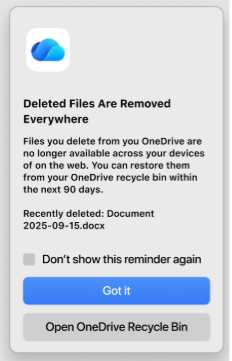
The new dialogs are now built with native Mac controls to better fit the look and feel of macOS. The Activity Center is the small window that appears when you click the OneDrive icon in the Mac menu bar. It was built using SwiftUI, so it provides Liquid Glass on macOS 26, and it’s supposedly a lot faster than before. It’s also compatible with VoiceOver and Full Keyboard Access for improved accessibility.
The new OneDrive is rolling out now to Insiders and it will come to stable soon.