Opera Begins Testing Major Browser Update
- Paul Thurrott
- Jun 26, 2024
-
0
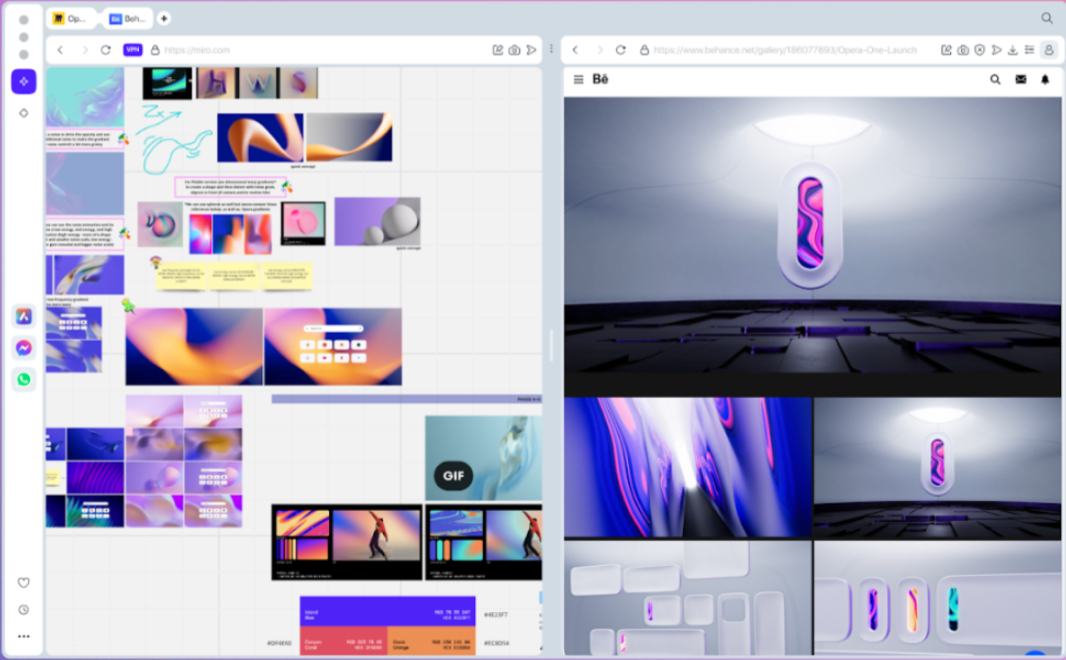
Opera has started testing a “reimagined and updated version” of its flagship browser called Opera One R2. It will ship later this year in stable.
“Opera One, our flagship browser, laid the foundations for modern browsing by introducing an integrated AI assistant – Aria – at its center,” Opera’s Joanna Czajka writes in the announcement post. “Today we’re giving you a first glance at Opera One R2, a reimagined and updated version of our browser shipping in developer today, with its mainstream release scheduled for later this year. This release will expand on the innovations that characterize Opera One, and bring improvements in key areas.”
Opera One R2 will become available first in pre-release form in the Opera Developer channel. There are versions for Windows, Windows on Arm, macOS, and Linux, and new R2 features will roll out over time.
Some of the R2 features Opera is highlighting today include:
Improved AI capabilities. As you would expect given Opera’s AI focus, R2 will improve the browser’s AI capabilities with the ability to choose which large languages models (LLMs)–including those from Google and OpenAI–to use when summarizing content, writing reports, translating documents, and so on. The in-browser Aria AI will feature the most important Feature Drops that Opera’s been testing this year. This will include image generation and voice output, the ability to read query answers out loud, image understanding (with product identity), and a page context mode, among other things.
Improved tab management. Given its claims to have invented–and then reinvented–tabs, it’s likewise not surprising that Opera is expanding on Tab Islands and Tab Emojis and other unique tab management features in Opera One today. R2 will add a new Split Screen feature in which two tabs are available side-by-side, each with its own address bar and other controls. And there will be a new take on tab history called Traces that will help you track recent tabs using subtle visual cues, like an underscore: The lighter the tab underscore, the older the tab.
Improved multimedia management. Opera One R2 will offer integrated multimedia management tools that help control audio and video without interrupting playback. For example, you can play/pause or skip a music track by mousing over the player icon in the Opera sidebar instead of finding and opening the correct tab. Opera One R2 will also stop audio or video playback in tabs when you play a video or start or answer a call; the content will resume playing when you’re done.
Video pop-out window. Opera One R2 will offer a floating and resizable picture-in-picture (PIP)-like video pop-out window with play/pause, forward, and back controls so you can watch videos in a smaller window while you work in other tabs or apps. Opera notes that performance will be excellent thanks to the browser’s multithreaded compositor architecture.
New themes. Opera One R2 will feature new themes with dynamic backgrounds and sounds. You can choose between static and animated background wallpaper.
All of the features noted above will roll out gradually in the Opera Developer channel.