Vivaldi 7.4 Brings Simplified UIs, Prioritized Keyboard Shortcuts
- Paul Thurrott
- May 19, 2025
-
1
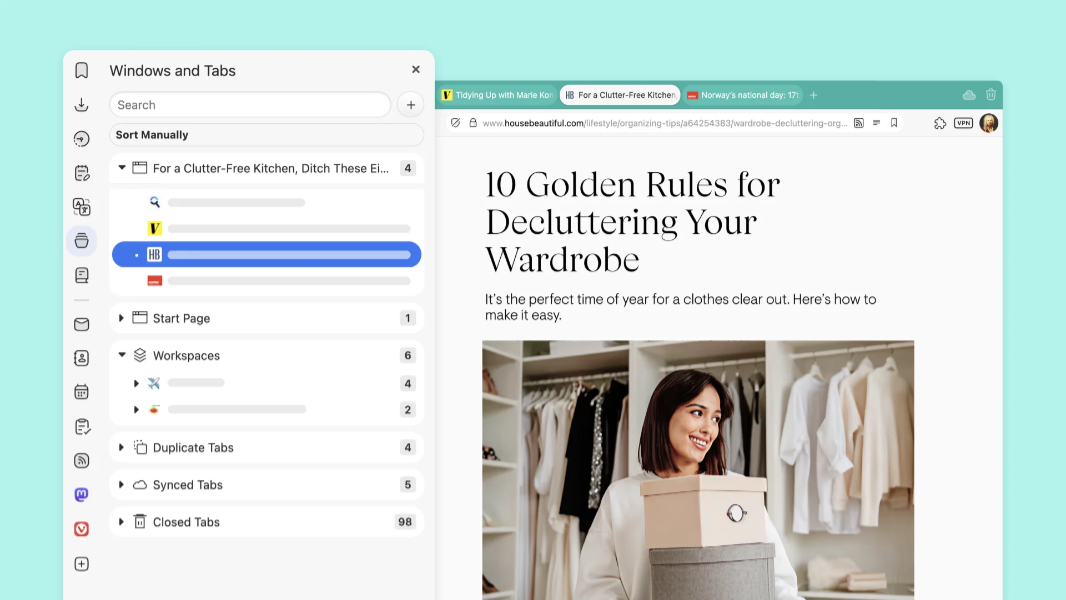
The latest version of the Vivaldi web browser for Windows, Mac, and Linux is now available with several useful improvements.
“This release is about thoughtful improvements that make your browser faster, smarter, and even more yours,” Vivaldi co-founder and CEO Jon von Tetzchner writes. “Whether you’re the kind of person who lives by keyboard shortcuts, loves a perfectly organized panel, or simply wants a smoother ride through the internet, this update has something for you. And yes, we might have snuck in a little nod to life’s big questions, because sometimes the answer is 42.”
Here’s what’s new.
Prioritized keyboard shortcuts. Vivaldi 7.2 added a priority list to the browser’s keyboard shortcuts interface, so you can determine which Vivaldi-specific shortcuts get priority. With version 7.4, this feature now supports per-site shortcut priorities, so you can choose whether the same shortcuts from the site or the browser are used. “Even if you had customized commands in Vivaldi, you can allow a site like Google Docs to override them,” von Tetzchner explains. “It’s about putting you in control, making sure your shortcuts work where and when you need them most.”
Address bar improvements. The Vivaldi address bar is more consistent and faster now, and its settings UI has been restructured to be clearer and better optimized. You can now determine which items appear in the address bar drop-down menu, and how many items can appear. (The new limit is, wait for it, 42.)
Profile picker improvements. The profile picker is faster and less cluttered.
Panel improvements. The Windows and History panels have both been cleaned up with simpler UIs and improved stability and performance.
“Every update, big or small, is a reminder of what sets Vivaldi apart,” von Tetzchner concludes. “We don’t have investors breathing down our necks, and we’ll never treat your personal data like a product. We’re simply building a browser designed to serve you – your choices, your way of browsing, your privacy.”
You can learn more and download the browser for free from the Vivaldi website.