Opera for Android Gets a Major AI Update
- Paul Thurrott
- Dec 04, 2025
-
0
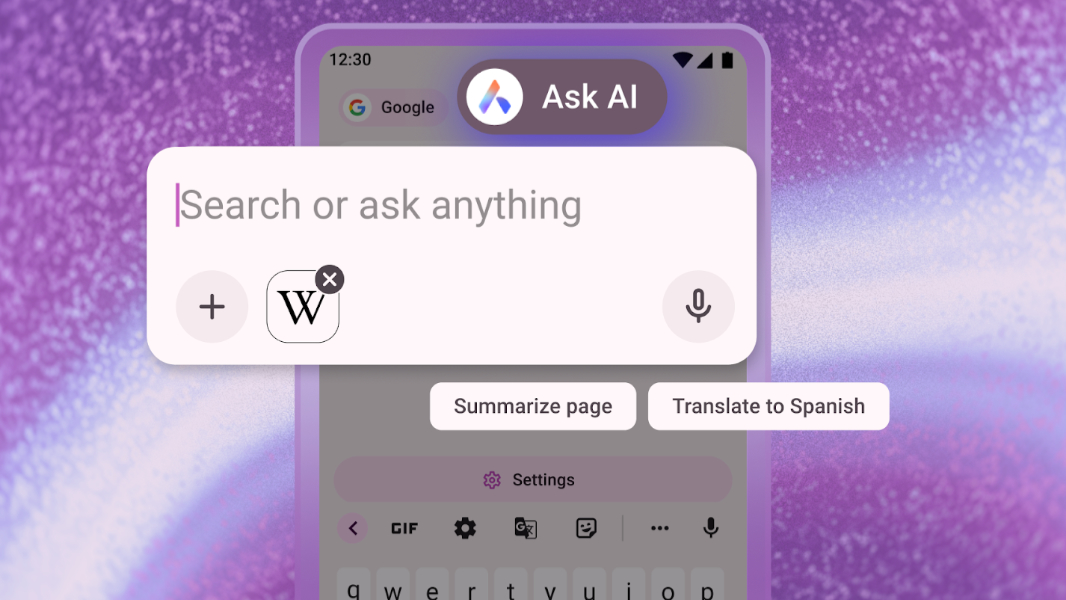
Opera announced that it has added powerful Ask AI features from its desktop web browsers to Opera for Android. This brings the mobile browser more in line with the AI capabilities of Opera One for desktop.
“Today we’re bringing an update to Opera for Android that improves the user experience and allows you to use websites as well as images as context for your AI queries,” Opera’s Santiago Benavides García writes. “Opera for Android’s AI capabilities are now becoming closer to those of our flagship browser for desktop, Opera One, providing a more consistent experience across devices.”
Here’s what’s new.
Ask AI in the search bar. Now, you can simply tap the search bar in Opera for Android to access a new Ask AI option, alongside traditional search.
Attach files to the search bar for AI to analyze. You can also attach local files, including photos, using the search bar and then use it with Ask AI.
Use the current tab as context for Ask AI. While viewing a webpage, click the “More” (“…”) menu item and choose “Ask AI” to use that page as context for your queries. You will see an icon for the page in the search bar that appears. For privacy, page context cannot access other information and data is only sent to the Opera AI Engine, in encrypted form, when necessary to perform the task you requested. Opera AI does not send your browsing activity or history to our AI Engine.
You can download Opera for Android from the Google Play Store.