Bonjourr Updated With Pomodoro Timer, Improved Customization
- Paul Thurrott
- Dec 28, 2025
-
0
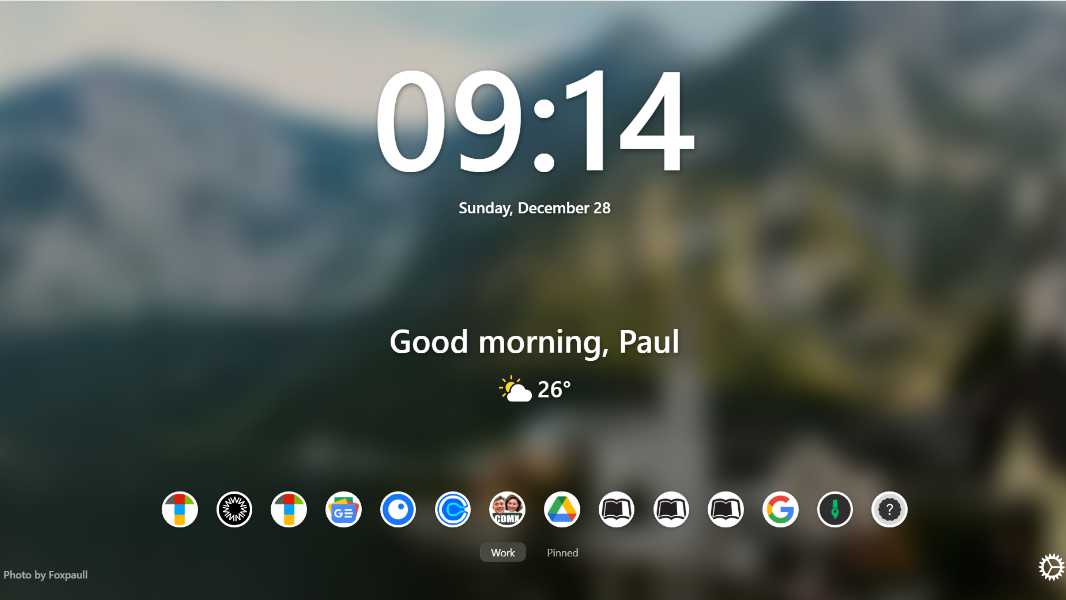
Bonjourr is a free Momentum-like minimalist New Tab replacement that I use in every web browser and recommend to everyone. It was just updated to version 22, adding several useful new features.
“This year, we’ll be celebrating the holiday season with a brand new Bonjourr update,” the announcement post explains. “This one is … substantial, more so than we had previously planned.”
Here are the major new features:
Pomodoro timer. This new time management widget helps you break down your time into work and break intervals (the standard being 25 minutes of work followed by a 5-minute break) to help you stay motivated, avoid distractions, and get more done. You can customize the intervals and the timer will keep running even if the page is closed (and at least one browser tab is open).
Right-click everywhere. Now, every element in the Bonjourr display supports a right-click context menu of relevant options. This is particularly useful for creating a new quick link. which used to require navigating through the settings panel: Just right-click the background and choose “Add new quick link.”
Import content improvements. In addition to supporting various online services for photography you can use as the Bonjourr background, you can now import local image and video files for the background, optionally with sound in the latter case, and import content using a web URL for the background. If you use a URL-based background, it will sync to all your devices.
Quick link improvements. You can customize quick link icons with a custom local or URL-based image instead of a web-based favicon. And there are new icon shape customizations through a custom icon radius option that lets you move between square and circular icons.
Settings improvements. The Settings panel gets a big overhaul with new options for customized greeting during the morning, afternoon, evening, and night, and layout improvements.
Other improvements. Bonjourr also received a long list of technical improvements and bug fixes.
You can learn more about all the features in Bonjourr on the Bonjourr documentation site.
Bonjourr 22 is now available as an extension for Google Chrome/Chromium, Mozilla Firefox, Microsoft Edge, and Apple Safari (macOS, iOS, and iPadOS) now. If you want to support its makers, they’ve set up a Ko-fi support page as well.