Opera One R3 is Here
- Paul Thurrott
- Jan 15, 2026
-
0
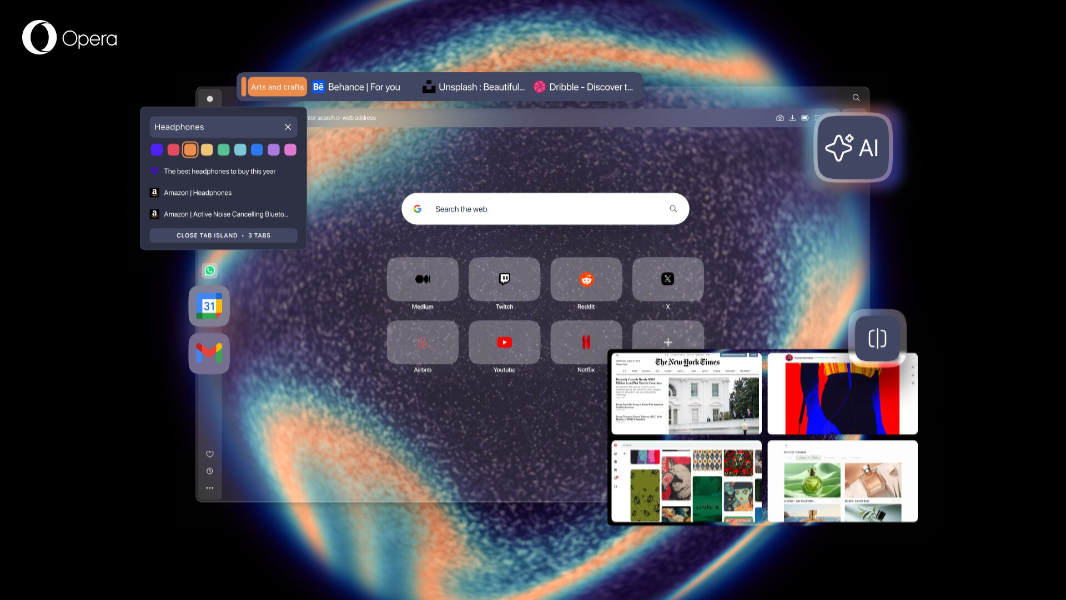
Opera announced that it has upgraded its flagship Opera One web browser to R3 with major improvements in three key areas: AI, user experience, and early access to new features.
“Today we’re finally rolling out the major R3 update to Opera One, and with it come improvements in three key areas that make your browsing experience much better,” Opera’s Santiago Benavides García writes. “Last fall we let you test some of these new features in the Developer stream of the browser, and now we’re finally bringing them to all of you so you can become more productive with Opera One.”
This is a big update. Here’s what’s new.
Opera browser AI. Opera has rebuilt Opera AI, the browser AI inside of Opera One, so that it can now use the current tab as context when you ask it questions. There’s a “AI” button to the far right of the address bar to make it easier to access this functionality, and a sidebar instead of a panel that floats over the content in the current tab. Under the hood, the AI engine has a new architecture that delivers a 20 percent performance improvement in responses, and it can be used for free and without an account. The browser AI also supports YouTube video analysis, privacy and access control, wallpaper generation, and other new features. You can learn more about Opera AI here.
Tab Islands improvements. Tab Islands are automatically created groups of related tabs that can be expanded, collapsed, and moved around the tab bar. In R3, this feature lets you choose a color for each island in addition to a name.
Google services integration. You can now add Gmail and Google Calendar to the Opera One sidebar alongside other services like Spotify, ChatGPT, Instagram, Twitter/X.
Early Bird. Previously available in Opera GX, this new feature lets you opt in to testing upcoming Opera features early. With this change, Opera is discontinuing Opera Beta, and support for that browser has ended. (Opera Developer is still supported.)
Split Screen improvements. Split Screen has let users divide the Opera window into two side-by-side views (tabs, or web pages) since last year. But with R3, you can now display up to four views, and you can drag and drop into each and resize as needed. This feature is currently part of Early Bird testing.
Easy Files improvements. Easy Files adopts the modular design that Opera One has used since 2023, so file attachments or uploads now appear in a module at the bottom of the app window. This lets you see more files at once and select multiple files.
Music Player improvements. The Opera One Music Player can now be popped out of the sidebar and pinned to the toolbar.
Translate. This Lingvanex-based translation feature appears as needed when you browse pages in different languages, with support for over 40 languages.
Custom themes. Opera One R3 has new themes, Radiance and Orbit, that introduce soundscapes and visual animations, and they’re highly customizable. Opera says it is constantly adding new themes to the browser, including a Spotify music theme and a black noir theme for browsing at night.
You can learn more and download Opera One R3 from the Opera website.