Google is Improving How Tabs Work in Chrome
- Paul Thurrott
- Sep 10, 2024
-
0
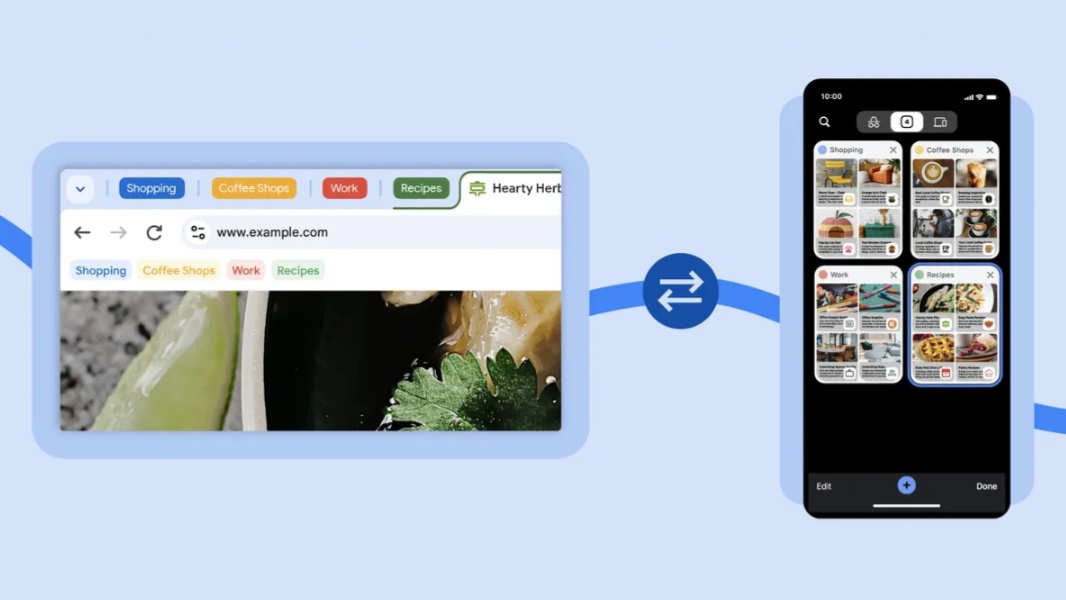
Google today announced three tabs-related updates that it’s bringing to its Chrome web browser across multiple platforms.
“It can be frustrating to dig through multiple open tabs to find what you need,” Google’s Kayce Hawkins writes in the announcement post. “Over the past year, we’ve helped make it easier to manage tabs and get things done, from grouping together similar tabs to comparing items, all powered by Google AI. [Now,] three more improvements are coming soon to Chrome to make it easier to access and organize your tabs, whether you’re on your phone, tablet or computer.”
They are.
Tab groups on iOS. Available now on desktop and Android, tab groups is coming soon to Chrome for iPhone and iPad. This feature helps you group related tabs together and style them with a color and name so you can find the groups more easily later. To get started, open the tab grid view, press and hold on a tab, and select “Add Tab to New Group.” From there, you can rearrange tabs in a group however you like and customize the group.
Tab group sync. Coming soon across all platforms, you’ll be able to sync your tab groups between Android, iPhone, iPad, Linux, Mac, and Windows. Then you can start a project on one device and continue working on it anywhere.
Suggested pages. Google is experimenting with a feature that will suggest pages to revisit based on which tabs are open on your other devices. “This can be especially helpful when you’re, say, browsing a website while at the office and need to get back to it on the commute home,” Hawkins notes. “There’s no need to bookmark the page or remember the exact URL — Chrome will proactively suggest pages to revisit on the Chrome New Tab page on Android, iOS and desktop.”
These features should all be available soon, Google says.