Google Updates Chrome with Four Autofill Improvements
- Paul Thurrott
- Dec 05, 2025
-
0
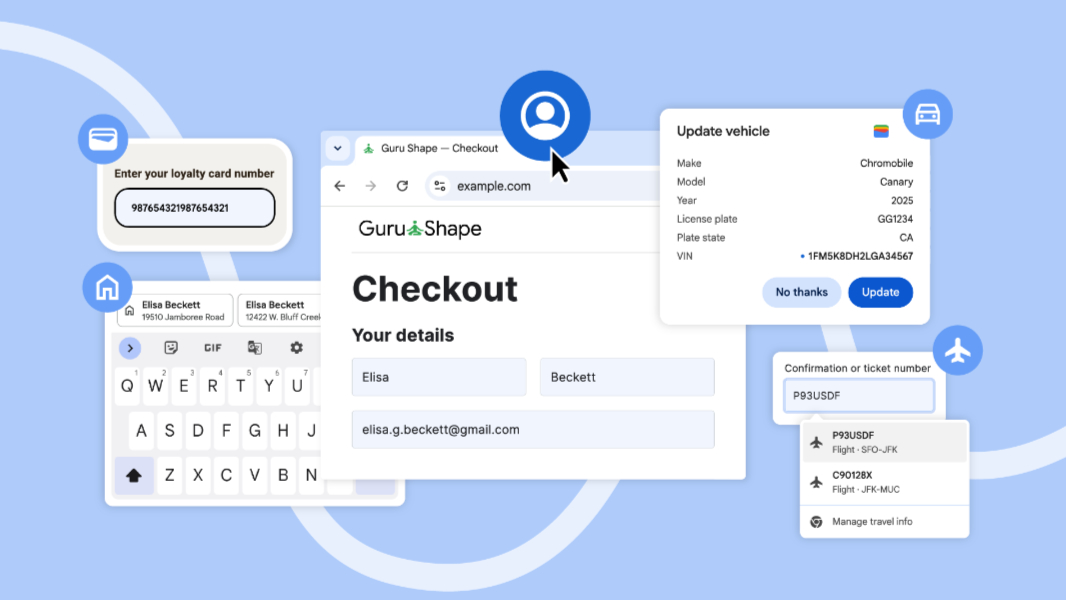
Google is adding four new autofill-related improvements to Chrome across the desktop and mobile versions of the web browser.
“Filling out the same fields across different websites, including hard-to-remember information like loyalty numbers and travel details, can add friction and slow you down,” Chrome senior product manager Ali Sarraf writes. “This holiday season, we’re rolling out four improvements to Chrome autofill to better anticipate your needs, transforming frustrating tasks into effortless actions, saving you clicks and giving you time back.”
Here’s what’s new.
Deeper Google account integration. If you sign into Chrome with your Google account, it will now pass your name and email address through automatically when you need to sign up, sign in, or enter that information on a website. This works with your Home and Work addresses, and is rolling out on desktop, Android, iPhone, and iPad now.
Google Wallet integration. Chrome now integrates with Google Wallet so that it can automatically fill in loyalty card information for flights, hotels, rental cars, and the like. You can also save vehicle information to Wallet from Chrome for tasks like insurance quotes and car rentals. This is part of Chrome’s expanding enhanced autofill functionality.
Form autofill improvements on Android. Chrome for Android now offers a new two-line display for autofill suggestions on Android to help you choose between different saved details. “This expanded view gives you more information about each suggestion — whether it’s a password, an address or a payment method — allowing you to instantly understand the content and choose the correct option faster and easier, ensuring accuracy every time,” Google notes.
More accurate addresses, worldwide. Addresses work differently in different parts of the world, as we’ve noticed in Mexico. And so Chrome can now understand locale-specific addresses, like the “between streets” descriptions in Mexico and phonetic names in Japan, the latter of which is coming soon.